
Indie game storeFree gamesFun gamesHorror games
Game developmentAssetsComics
SalesBundles
Jobs
TagsGame Engines

Running on Android and other unsupported OS Sticky

A topic by Ada18980 created Apr 13, 2025 Views: 2,068 Replies: 4
Viewing posts 1 to 3
(4 edits) (+1)

You may be able to run the offline version locally on Android or other unsupported OS using an HTTP server of your choice, such as Simple HTTP Server on the Google Play store. Download the offline version of Kinky Dungeon, and start a server in the resources/app folder of the release (whichever folder has index.html). Then open the server page in your preferred browser.

This is not the official way to play and lacks convenience features like Offline mod loading, but it may serve as a stopgap measure for non-online play until an official Android release.
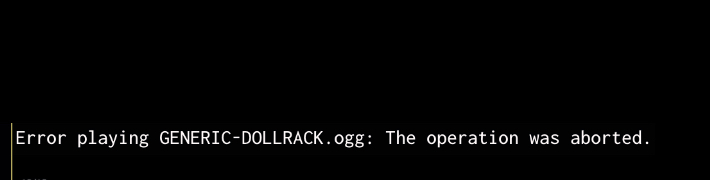
any ideas on how to fix this? I am using a iphone

I am working on safari .ogg support!

(1 edit)

I'm struggling here. I have android and it keeps crashing on the web version, so I tried this method to play it offline. 

I downloaded Simple HTTP Server from Google play. Then, which version of this do I download? And do I extract the file or keep it zipped? And how do I get it running on the Simple HTTP Server app? 

Thank you for your time, I love your game but don't have enough computer time to play it, I would love to be able to play it on the phone. Thank you again for your help. 

You can try File manager plus. It has a built-in server, so you can just open the desired file without bothering, although there may probably be problems with saving.