Documentation
Here you will find information on using Sammi Audio Player with some examples
As it currently stands, this extension only supports playing mp3/wav files. I plan on adding support for more audio types in the future.
Any field with an asterisk (*) is required.
Sammi Commands
SAP: Play Sound

| Field | Description |
|---|---|
| Sound Path * | Plays the sound you selected (mp3/wav only) |
| Volume * | Allows you to control the volume of the sound you're playing float (0-1) |
| Playback Device * | Allows you to speicify which audio device sounds should play through. Default is your systems default audio device. (Useful for preventing sounds from saving to your vods) |
| Sound Id (optional) | Used to stop sounds from playing (can be the same across multiple audios) |
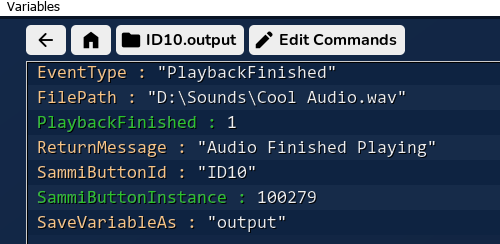
| Output (optional)¹ | Output is returned when the sound finishes playing. This is useful for when you want to wait for an audio to finish playing before moving on by using Wait until variable exists (See ¹ below for more info) |
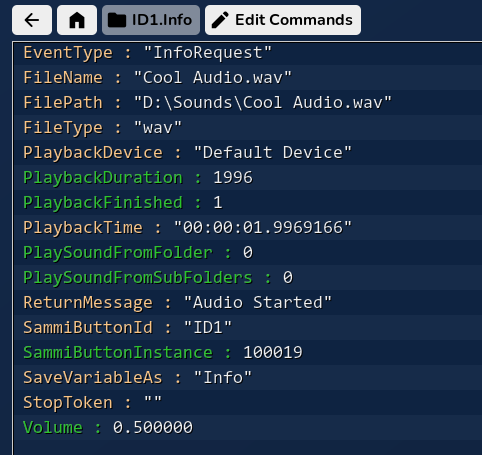
| Get Info (optional) (requires output)² | Returns the output as soon as the audio request is recieved which contains useful audio information if you would like to use it. (See ² below for more info) |
SAP: Play Sound From Folder

| Field | Description |
|---|---|
| Folder Path * | Plays a random sound from the specified folder (mp3/wav only) |
| Volume * | Allows you to control the volume of the sound you're playing float (0-1) |
| Playback Device * | Allows you to speicify which audio device sounds should play through. Default is your systems default audio device. (Useful for preventing sounds from saving to your vods) |
| Sound Id (optional) | Used to stop sounds from playing (can be the same across multiple audios) |
| Output (optional)¹ | Output is returned when the sound finishes playing. This is useful for when you want to wait for an audio to finish playing before moving on by using Wait until variable exists (See ¹ below for more info) |
| Sub Folders | Allows audio to be played from the subfolders of a directory you specified. |
| Get Info (optional) (requires output)² | Returns the output as soon as the audio request is recieved which contains useful audio information if you would like to use it. (See ² below for more info) |
SAP: Stop Sound
| Field | Description |
|---|---|
| Sound Id | Requires a sound id relating to a sound you’ve requested to play. (Default is “all” which will stop all the sounds currently playing.) |
Additional Info
1
2
Examples
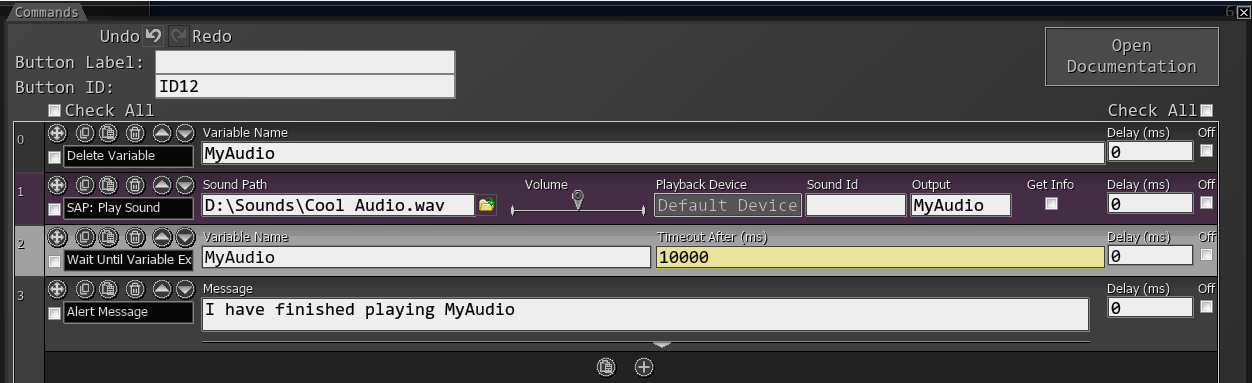
Wait for Play Sound before continuing
Wait for Play Sound From Folder before continuing (and get info)
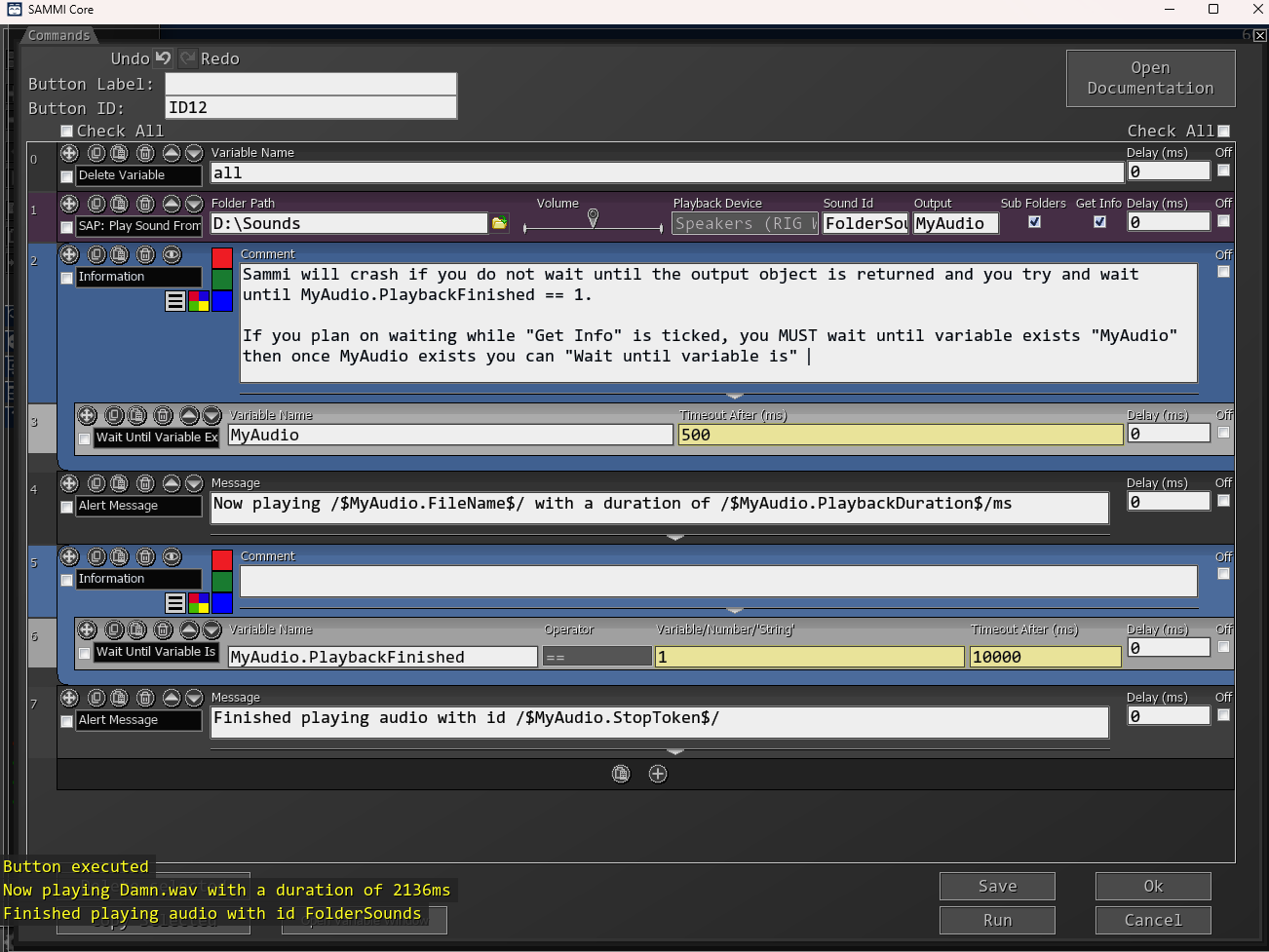
If you are using 'GetInfo', you must wait until the output variable exists before trying to check if the value of "PlaybackFinished" has changed otherwise SAMMI will crash. I tried to develop around this but couldn't find a solution that I was happy with.