
On Sale: GamesAssetsToolsTabletopComics
Indie game storeFree gamesFun gamesHorror games
Game developmentAssetsComics
SalesBundles
Jobs
TagsGame Engines

vTuber Kit

An All-In-One Free vTubing Solution! · By Kyuppin

Camera Options working incorrect

A topic by Mastress created Feb 16, 2023 Views: 254 Replies: 2
Viewing posts 1 to 3

Hello I am no longer able to select a camera.

This is what I see: 
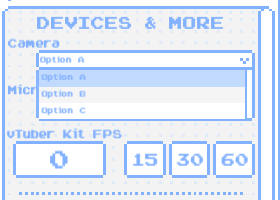
I don't know how and when the problem started, but it must be after the launch of version 0.1.9f 

I tried everything to thing of, download new, deleting save data.

When runing facetracker this shows like for 1sec (was only able to see it with screenshot in the right moment)
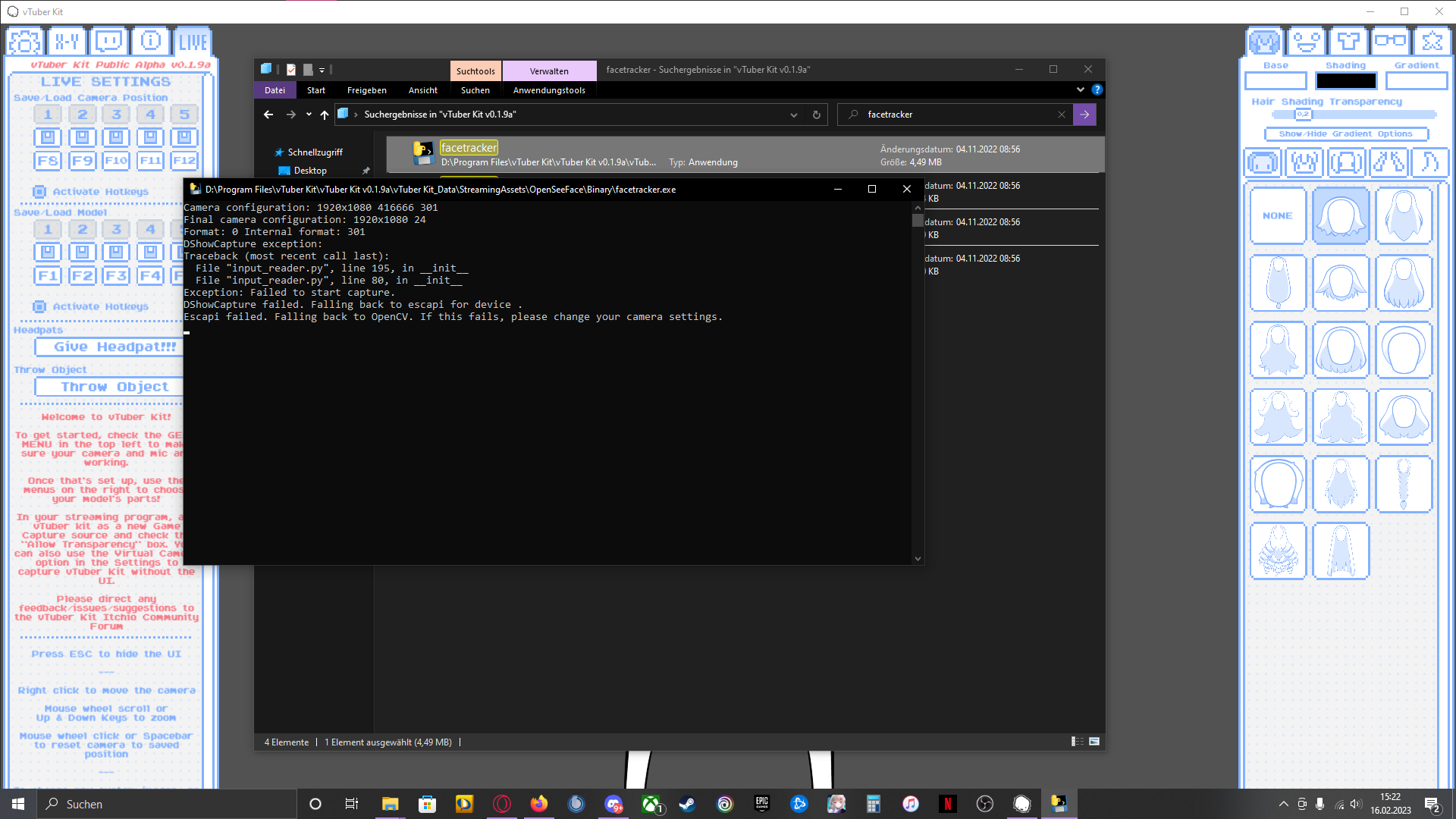
I hope anyone knows how to fix this.

Greetings

Mastress

Developer

I'm not sure what could cause it, as Unity gets the camera list right from windows. I just released a new version. If the new one doesn't fix it for you, try adding an exception to any firewall/antivirus you have as that may be blocking it. Could also try right clicking the vtuber kit exe and running as administrator.

New version fixed it. I hope it stays that way xD