
Indie game storeFree gamesFun gamesHorror games
Game developmentAssetsComics
SalesBundles
Jobs
TagsGame Engines

Palette Studio

Create palette-indexed images and sprites in Blender! · By Dieting Hippo

Bugs / Issues Sticky

A topic by Dieting Hippo created Feb 18, 2021 Views: 436 Replies: 2
Viewing posts 1 to 4
Developer

Find any bugs or issues in Palette Studio? Please post them below in the following format.

Summary: Short description
Version: 1.0
Description: Detailed description of the issue.
Images: Optional to include images, but they are appreciated and helpful!
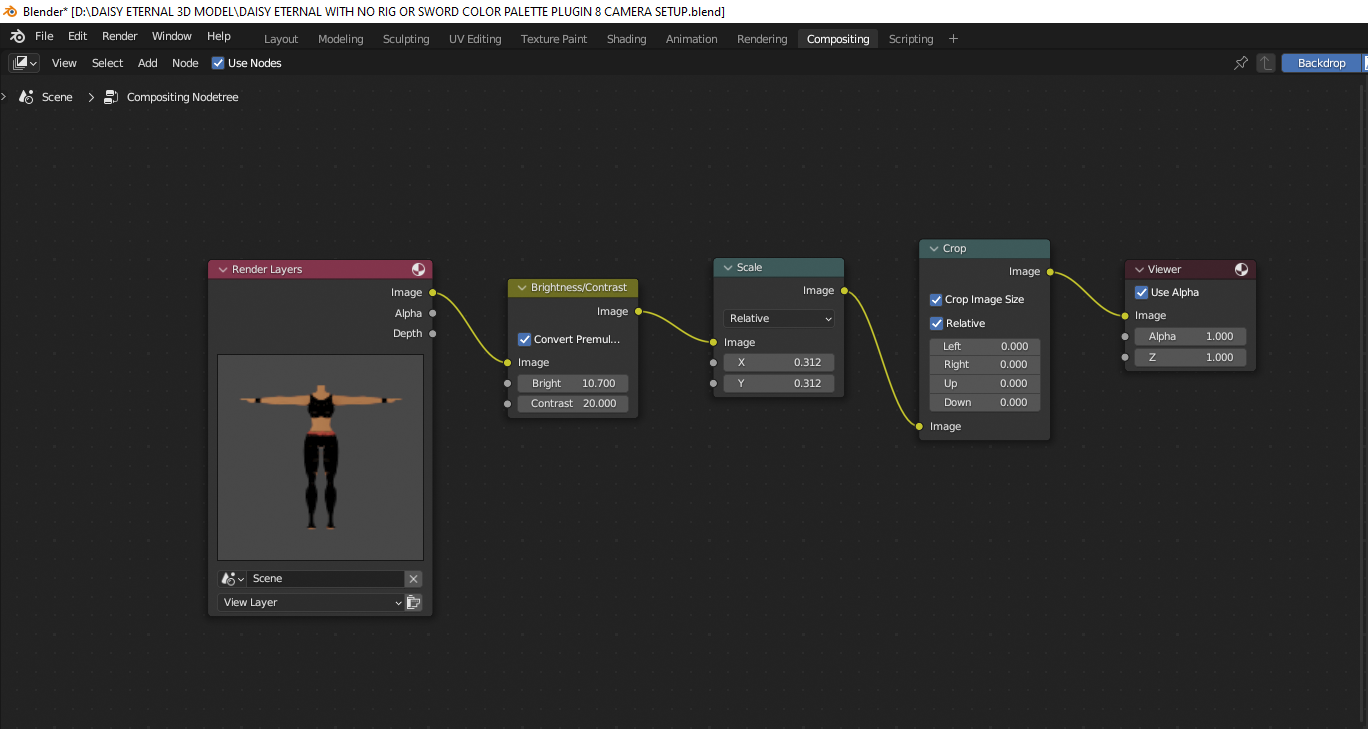
Hello there, I was trying to use Palette Studio and love the simplicity of getting all 8 angles at once. This is such a time saver for those on the Doom Modding scene and for indie game makers. I applaud you for your hard work.
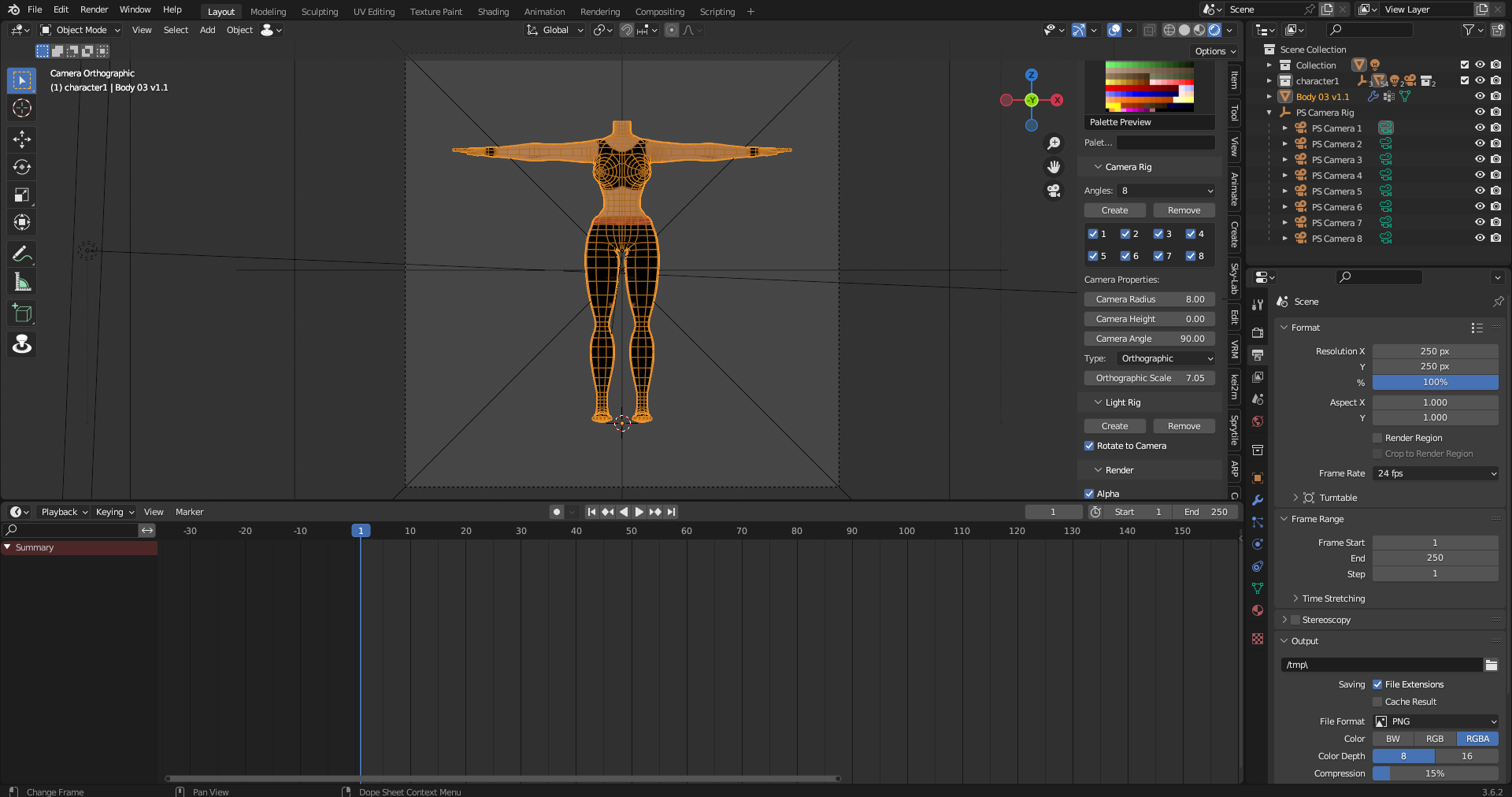
Currently I am all set to render for a test, unfortunately I faced an issue. This is the error I was given.

Python: Traceback (most recent call last):

  File "C:\Users\spong\AppData\Roaming\Blender Foundation\Blender\3.6\scripts\addons\palette_studio.py", line 822, in modal

    self.execute(context)

  File "C:\Users\spong\AppData\Roaming\Blender Foundation\Blender\3.6\scripts\addons\palette_studio.py", line 783, in execute

    bpy.data.images['Viewer Node'].save_render(render_path)

RuntimeError: Error: Image 'Viewer Node' could not be saved to 'D:\DAISY ETERNAL 3D MODEL\DAISY FRAME SNAPSHOTS\TESTA01.png'

I am currently running on Blender 3.6.2.  I posted the compositing node and viewport in case. Most likely it's something I didn't notice but I don't exactly know what this particular error means. Any help would be appreciated. All that said thank you for all the work you've done on this fantastic plugin.

Forgive me this is an update. I forgot to place the composite node instead of the Viewer Node. Unfortunately now its all black instead. Just have to fix that lol.