
Indie game storeFree gamesFun gamesHorror games
Game developmentAssetsComics
SalesBundles
Jobs
TagsGame Engines

umbra3275

5
Posts
54
Following
A member registered Jun 10, 2020

Recent community posts

Heya! I'mm'a try to figure out some workarounds, but the game seems bugged on my linux setup. I have two monitors, and I can only ever see the left half of the game screen, and only when the window is maximized. Unless the game window is stretched across the full length of both monitors. As in, I can only see this when it's full-screen on one of my monitors. 
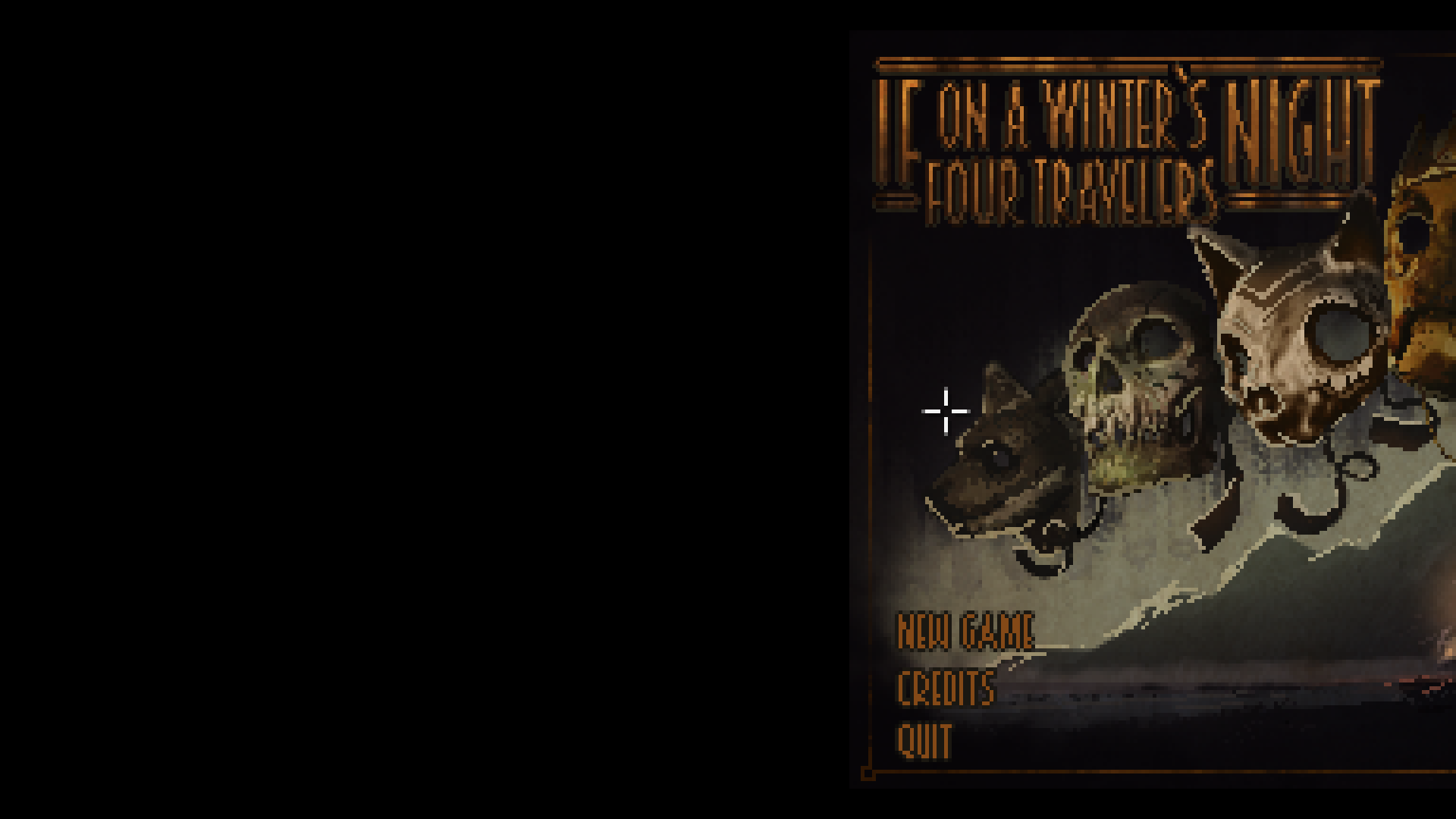
But when it's stretched across both, i can see this

(it's hard to see, but that little blue at the bottom middle is where my right monitor starts)

I'm gonna try and reconfigure my setup to pretend I only have one monitor for playing, but I figured I'd let you guys know cuz that doesn't seem intentional.

okay, yeah, re-configuring xrandr to turn off my second monitor (then restarting the game) fixed it.

It tosses up errors for me, and while I could dig through what exactly they are and how to fix them, I figured I'd check if there was a native release at least in the works

Is there a linux release planned?

Thank you so much! I still had to mark the `BloomingGarden.sh` file and the `lib/py3-linux-x86_64/BloomingGarden` file as executable manually, but it's running!

I'm running into some trouble running it on Linux, I think there's some issue with Ren'Py and python2, because it can't find the future.standard_library (also I had to mark several files as executable, bc they weren't after decompress). Really curious to read it though!