Indie game storeFree gamesFun gamesHorror games
Game developmentAssetsComics
SalesBundles
Jobs
TagsGame Engines

terozu

8
Posts
2
Following
A member registered Jun 28, 2019

Recent community posts

Unfortunately, it just broke the running speed for the followers, and you can see towards the end, they still use their running animations when the player is Idle with Always Dash set to ON, focus on the girl to see what I'm talking about

Hi, I'm sorry I wasn't expecting such a fast response lol

Yes, Galv's Character Animations divides the character's sprite sheet across all 4 columns of the sprite sheet.

Column 1 is Standing, Column 2 is Walking, Column 3 is Running, Column 4 is Jumping.

And it has a feature to run a Common Event after X seconds so you can make them do the Chrono Trigger style 'What are you waiting for!?' animations!

It actually all works with your plugin, the problem is, if Always Run is set to ON, then followers ALWAYS use their running animation, even though they're going walking speed.  You can switch Always Run OFF, and they'll use the proper sprite sheet, but it doesn't feel as satistfying.

(1 edit)

Bruh, I literally fucking evented this, and it was such a pain in the ass to get just one follower, and having to do it for every character for every outfit woulda been a fucking pain, thank you so much

I do have one question, would it be possible to  add compatibilty with Galv's character animations?

So when wandering, they use their walking animations instead of running?

Hi, I've been working with this for a while now and I still love it, especially as I get into the art creation phase of my game, it's super fun.

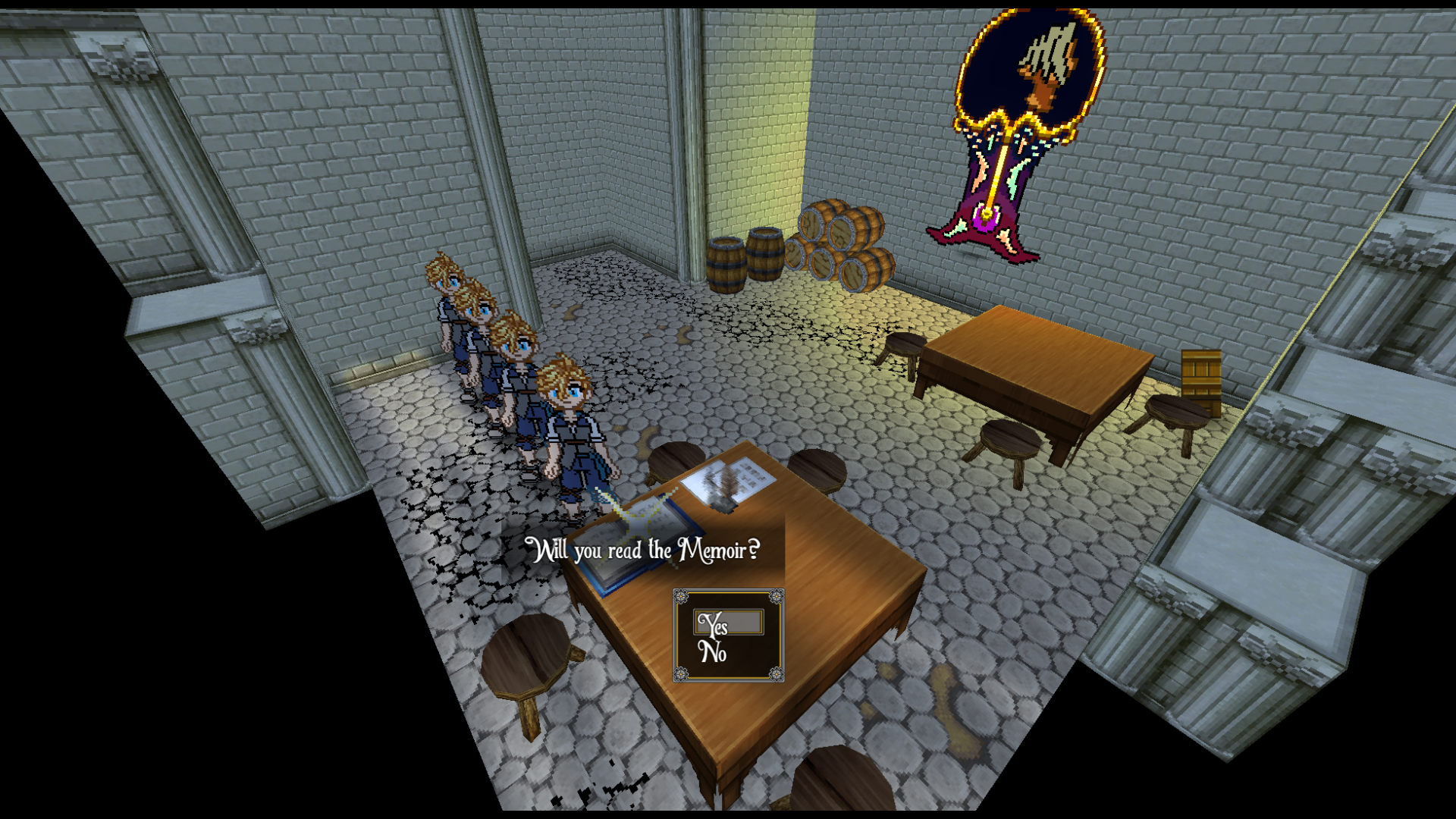
Here's the thing, the game I'm making uses static camera angles, which I find by adjusting Pitch and Rotation and all that.  Then I just lock the camera to a specific point and swap it as needed.  Effectively, this mimics how FF7-9 handled the camera.  However, since I can't actually see the Pitch and Rotation, it's a lot of guesswork.

Is there anyway for me to like, 'debug' it and show Pitch and Rotation values on screen?  It would be incredibly helpful for me!

Here's a screenshot to show what I mean:  No matter where you are in the room, this is where the camera is pointed.

(1 edit)

Hi, I'm having an issue with auto tiles.

Specifically the waterfalls, which, won't animate?

I copied the code from the documentation and even that doesn't work.

QMovement also has the same problem(also a weird bug if you go diagonal on slopes), however, this did exactly as I wanted, I really appreciate it, thanks!

Rather than disabling it entire, I was wondering about using a Plugin Command to either choose which direction is which, or make it so up/down/right/left are always cardinal directions, without losing diagonal functionality.

As it is now works for what I want, but it limits the angle at which I can put the camera while keeping the controls coherent for the player.

Altimit Movement sort of does what I want, but that plug in is sort of a buggy mess and seemingly no longer in development.

Hi there, I'm pretty much in love with this project, but I do have one question.

Is there any way to 'lock' the movement direction?

I'm making heavy use of Camera angles in my game, and it generally looks great.  However, sometimes, when going into a side area, and the camera turns to follow the player's movement, the games directions automatically shift so that 'left' is now 'diagonal'.  

While I'm actually fine with this in general, it'd be nice if, while the player holds down the movement button, they wouldn't be affected by the direction change.

Similar to Final Fantasy X when the camera changes at certain points.

Or even just disable it on certain maps, so on this map, up always goes this direction, but on a different map, up always goes that direction.

Sorry for the long comment, thanks!