


Thankssssss
A member registered Jul 14, 2020 · View creator page →
Creator of
Recent community posts
itch.io Community » General » Release Announcements · Created a new topic New Idea to create spritesheet animations using AI
Hi,
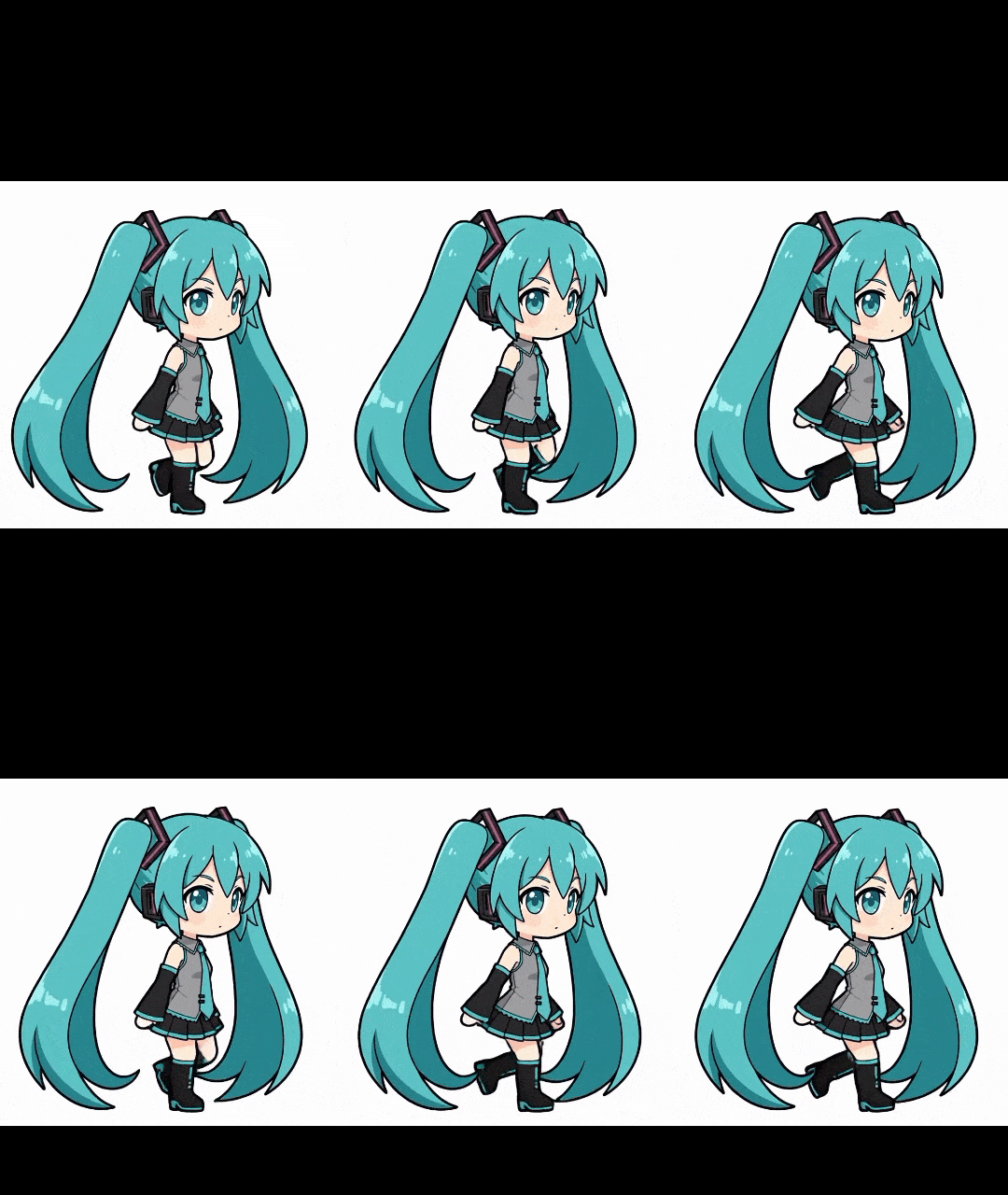
I've been working on project for sometime.
my goal is to create spritesheet animations using AI, but not by generating every frame using prompt.
here's how I do it :
1- create my character image using Gemini.
2- animate the character using veo 3 (or LMArena for free)
3- extract video frames for 2-3 seconds of the video
4- remove the background and cut the frames
5- compress the frames to reduce the size.
after that I get something like :
Hatsune Miku walking animation
but it's hard and took a long time to do that, so ...how to make the process easier or worth the time ?
- instead of creating only one character animation, I created about 8 characters and animate them in the same time like that:
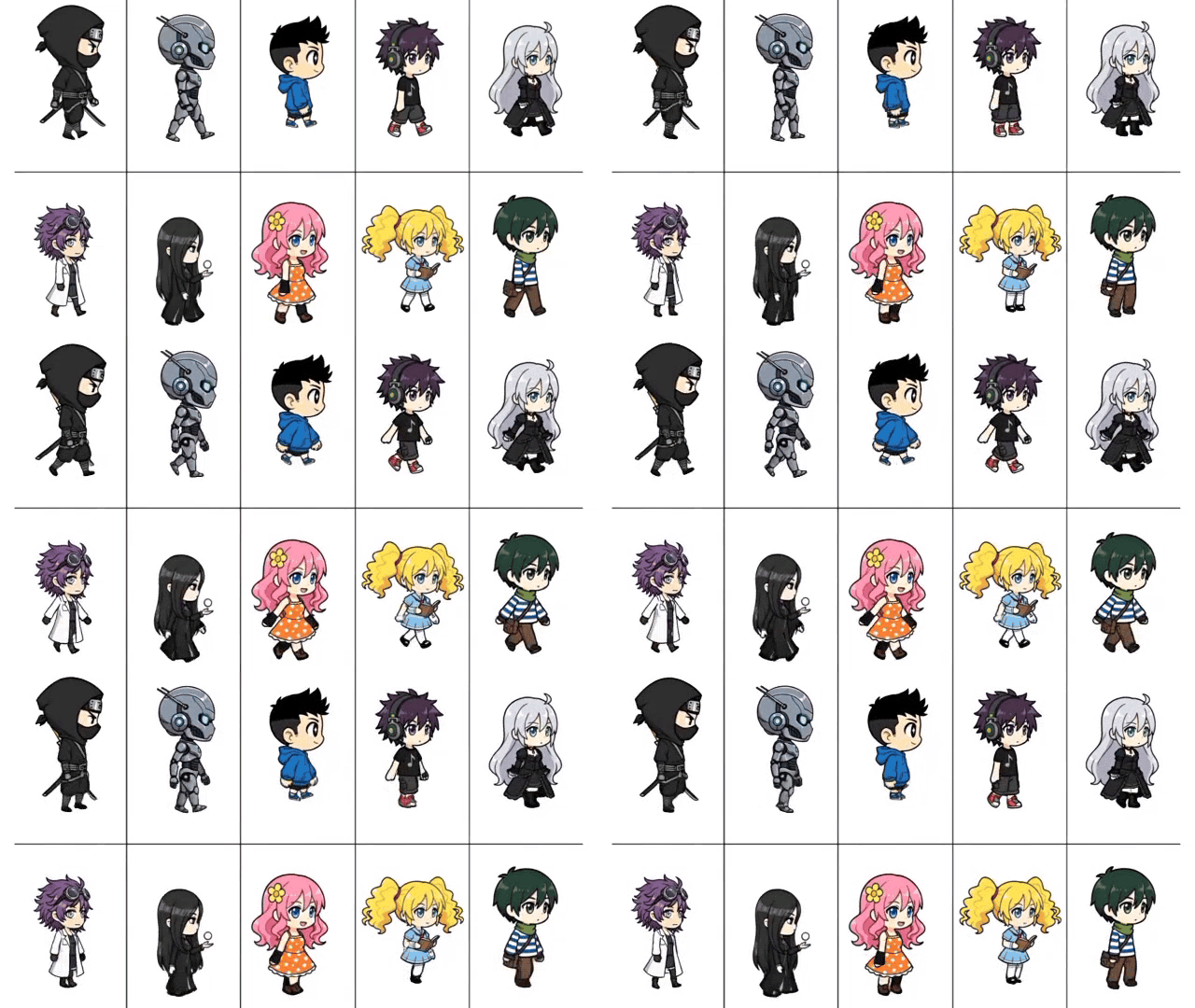
there's wrong in two characters in this animation :)
anyway, after that I split them and extract the frames for each character.
but ..., still, it's hard to do all that ..
so..., what I should do ?
first I created website where you can upload or generate every character and upload the video so it extract the frames..
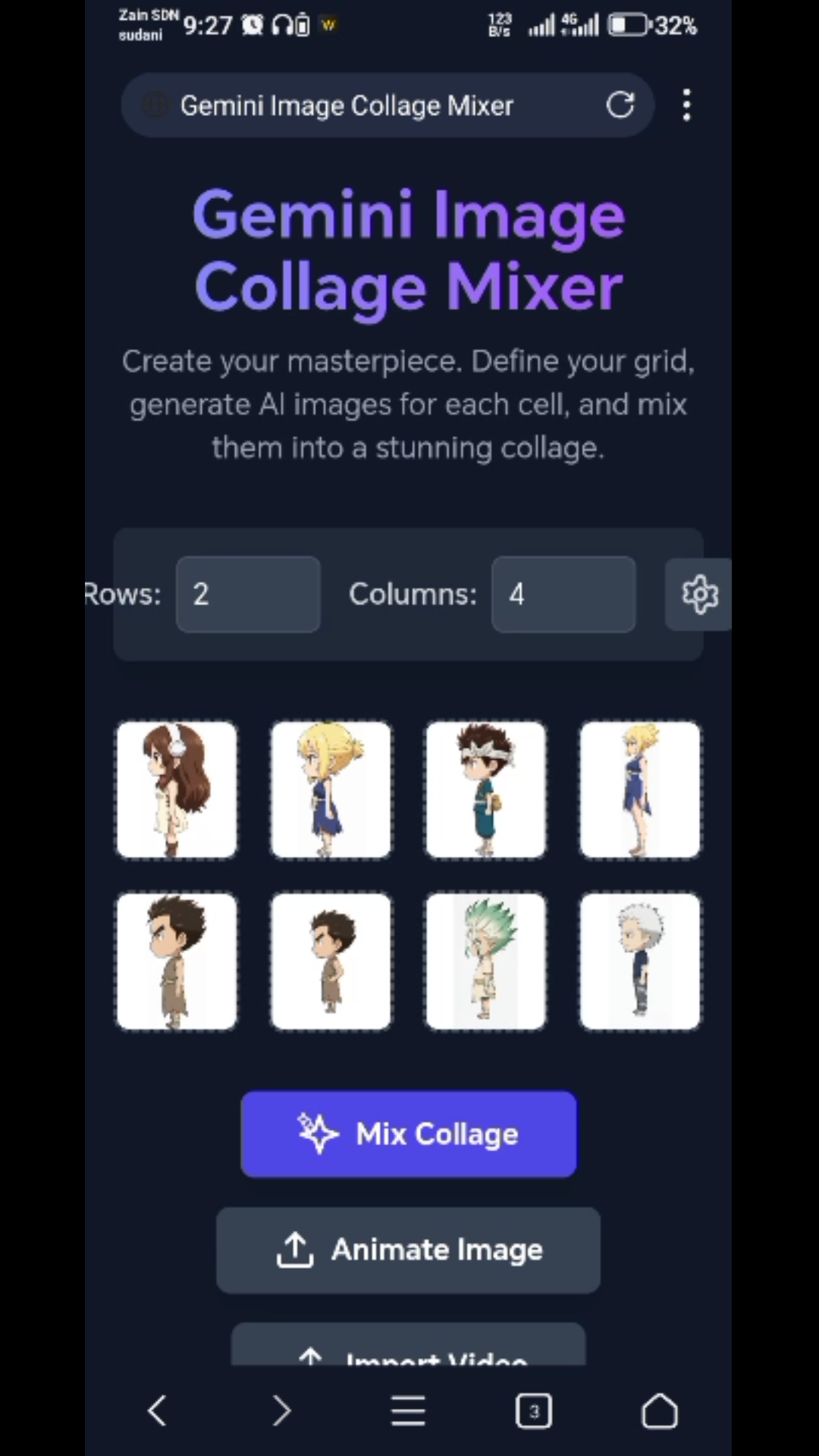
the app mix or put all the images you upload in one picture, and it has option to generate images based on description or reference image, and also it has cut/remove background/reverse images options to help you for generation.
and in the bottom there's "Import Video" button, so you can import the video and it'll extract the frames ..
- the second app is to extract the characters, so you'll just import the extracted frames and it'll extract characters and remove the background all automatically...
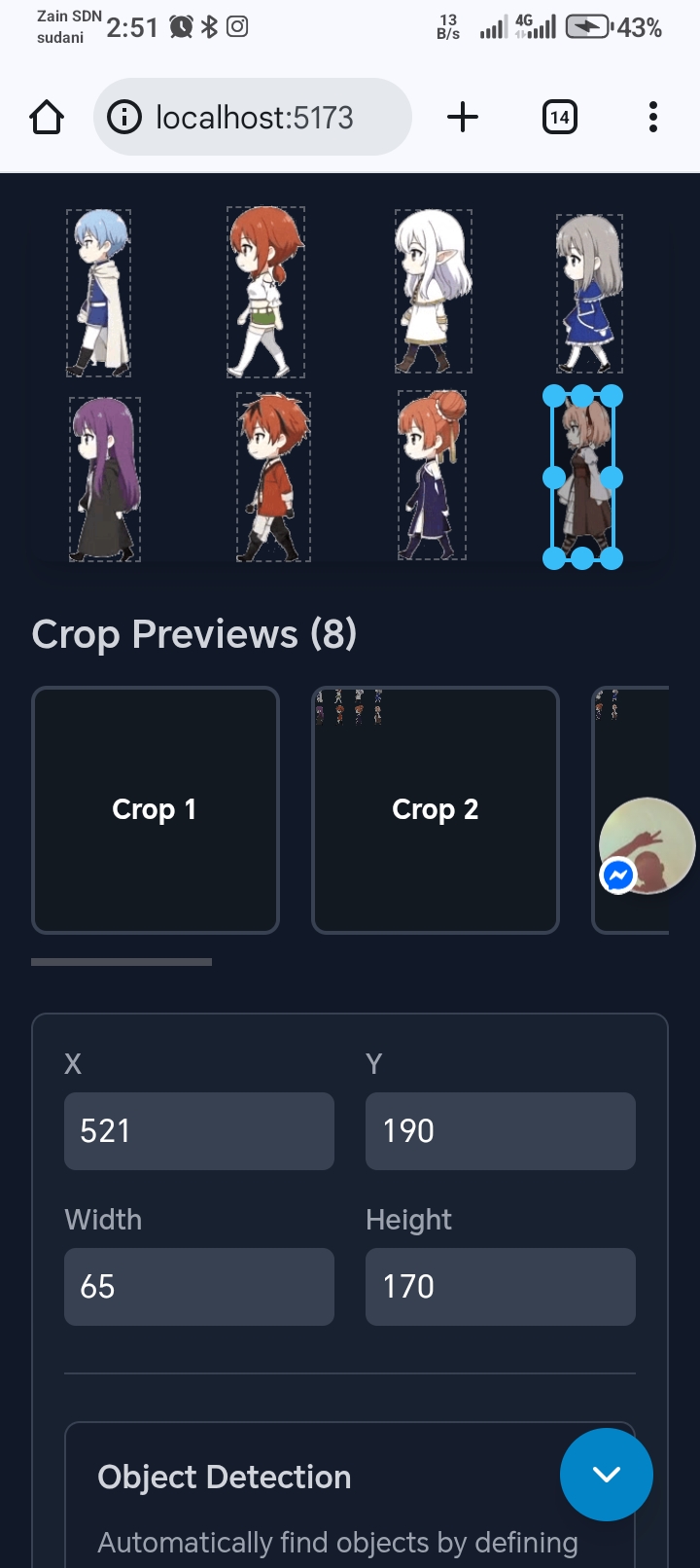
note : all this sites made using Google AI Studio, and you can use them without internet using any terminal like termux or from Google AI Studio, this project is full free and doesn't require any data from the user so don't think it's promotion for sites.. (sites will be hosted in GitHub)
In short for all that:
1- you'll generate 8 images
2- upload them to first site to mix them.
3- send the picture to veo 3 or any alternative models to animate it (prompt example: walking animation loop for this characters, don't change characters expression, loop in the same position, loop every 3 seconds, smooth animation)
4- import the video in the site and extract the frames
5- import the frames to the second site
6- the site will automatically remove the background and extract the characters spritesheets.
note : to reduce the number of frames , the site can extract the frames from 2 seconds for example or in specific FPS .
sorry for now, there's no links , I've completed video tutorial about how to do that, and I am preparing the sites and resources, soon I will publish them...
Thanks for reading...≈≈
- what do you think about this project? how it good? do you think it will help you?