Indie game storeFree gamesFun gamesHorror games
Game developmentAssetsComics
SalesBundles
Jobs
TagsGame Engines

Snow_Cat

27
Posts
1
Topics
19
Followers
37
Following
A member registered May 28, 2017 · View creator page →

Recent community posts

(14 edits)

WIN070 (0.7.3)

=== Bugs and oddities:

Last Download file name is not synchronized with version number.

Had to delete steam dll files to run without Steam getting in my way. Did not check to see if Spacewar or not. Deleting is much easier than modding the game code to ignore it.

Drone Fire Rate overlaps with another upgrade.

Arriving at the ‘edge’ of a POI that opens a loot screen with no fuel will not pause the ambush timer while the loot screen is open. This can result in the player’s main weapon being disabled while the enemy ship is unfrozen upon exiting the loot interface. This is would be exploitable with an attack drone, because the player shields regenerate quickly (as if not in battle).

With no upgrade all POI’s get the resource icon, even when the text+colour distinguish other destination types.
_ suggest still applying the distinguishing icons for readability/QOL reasons.

Sockets are gate-kept by the first boss; I was confused by the resource locations not rewarding the expected orbs. _ Perhaps substituting/occupying the socket icon on the HUD to indicate they are disabled would make it less confusing.
_ Reloaded after defeating first boss, no bonus modules!? sockets re-locked on load?

Scan enemies don’t count torwards the (optional) difficulty total; This is time consuming and enough of a PITA to make it unviable as an exploit path for me. _ By the same measure, I found myself save scumming (even when that sacrificed desirable POIs) to avoid the ambush timer. Perhaps it should be made much more forgiving for players late on activating the [B]EACON (edit: while still hard on those who gleefully seek more fodder)

ie (many edits due to markdown weirdness...):
global.difficulty_pursuit_flagged_count = max(
  global.difficulty_pursuit_flagged_count,
  max(1 + min(
    global.difficulty_pursuit_flagged_count, 
    (global.fodder_killed / 3) + global.elite_killed + global.boss_killed
  ))
)

(late edit:) oop, found that pursuit-ambusher’s peak-damage value doesn’t scale; so with focused save-scumming I can become immune to them, then start farming fodder.

Also, what is the LY distance between sectors? And should it count torwards Mission/Job/Quest completion?

Not yet had opportunity to see if [G]ATHER should work after defeating boss.

First boss frequently called reinforcement waves of size 10! ( Even if I accidentally replaced random function call with my bias mod version, the limits would have been unchanged. ) Should reinforcement wave size be scaled to how much damage the player could have done?

=== Remarks:

I’ve taken {4 hours, aggressive save scumming/POI regeneration, and one extremely cheating/biased random mod} to defeat the 0.7.3 progressive boss;
compared to the previous 8 hours to prestiege in WIN070 with the exploitable [F]lag enemies option.

I dunno what the intended progression curve looks like, but clearly (its actual) trajectory has shifted dramatically.

(5 edits)

win070 (Mew;)
I gathered that there was/is an intended way to restore derelicts; I was exploiting the wrapping (previously seeming to be accomplished by) cloning the old derelict by running them all down to minimum scrap (and only destroying the last one targeted), then only destroying them when they’ve refilled.

(edit 3/4: Strike this, couldn’t reproduce. edit 5: Wait, I just did need to run out of fuel 1 ly before bumping into the system, but wait for the rocks to start to fade in before [F]LAG. ) I think the uninteractable POIs are happening when I [F]LAG an attack at the start of an asteroid hazard (‘drifting’ into the edge w/ low fuel ?);
The hazard logic is disabling the POI’s while enabling the emergency [E]SCAPE, but the [A]TTACK is going to “EXPLORATION” mode instead of back into “HAZARDOUS”, causing the POIs to reappear without enabling them. (I think … )

It could be ‘!fun’ if instead of going straight into ‘combat’;
Enemies jump in as a group and fatally collide (allide?) with the asteroids;
Then as opponents randomly {start shooting the asteroids, try to initalize a jump out but are vunerable to (one shot) being smashed by the hazards, or take shelter behind the player};
Then (take turns) jumping out while the survivors try to keep the asteroids back… (random player turns = smashy smashy) …
… all while the player gobbles up the spilt scrap and fuel w/ the option to start ‘normal’ combat early by manually targeting the opponent ships …

But that sounds like alot more effort than having them all jump in, crash, mostly jump out. (free fuel, and lol).

===(edit)
Also, exploiting running out of fuel, to bait fodder to feed on the XP.

(13 edits)

WIN070 I see what you mean about the Roguelike, Progressive and Hybrid modes.

I’ve yet to gain traction in the roguelike state, but will report if prestige has significant effect.

=== meow:

Been using [C]ANCEL to run down the fuel and generate extra fodder to [F]LAG.... This (combined with the menu bounce) seems to be my preferred way to complete more missions/jobs in a sector than normally possible.

Noticed that while I may run out of fuel before arriving, I can coast into the POI anyways (and [F]LAG extra enemies in while the locals are jumping in (if I’m quick). but…

If I [F]LAG ENEMIES immediately on arriving at a POI, the interesting part might be lost -(not yet duplicated)- . Apparently this ended the asteroid hazard, dunno if bug caused by crudely modding out the Steam dependancy/entanglement.

=== bugs and oddities:

While spamming the pause key (imitation slow-motion/bullet time) with the [E]SCAPE engaged to get out of the asteroid hazard POI, I encountered a temporary glitch state when the emergency jump fired in during a pause. – I’ve not characterized -(or duplicated)- this state, but have had PAUSE emblazoned across the screen during a battle.

I had to mod out the Steam integration to run the game (outside of the mod/dev tools), because it kept loading (or focusing on an already loaded instance of) Spacewar instead, after it insisted on me logging in to install Spacewar (default appid). (I dunno if this is a specific anti-piracy response by Steam as Spacewar was used/abused by previous Steam DRM unwrappers.)

The integrity system does seem to encourage swapping out modules/drones/augments frequently, leading to more variety.
Were tier upgrades intended to add integrity, or is there no mechanism to recover it?

Also; I guess the Derelict Ships refilling with salvage when they loop around the screen wasn’t intended as a minigame. :I

edit 5: sometimes the POI icons stop being clickable. bouncing from the Main Menu works around this by replacing them with new POI’s. ( Also exploitable )

Suggestions:

Change “Your first upgrade is free.” to “Your first upgrade was free.” after spending the {voucher/coupon/garuntee/instrument/bonus (?)}. And maybe lightly-shadow/hint the most expensive item avail.

Edits 3+:
[ALT] to toggle between {level} and {cost or unlock requirement) in upgrade screen?

If a player enters an unidentified “tier upgrade” POI without an upgrade-able drone or module, instead offer them the least effective weapon upgrade (by “-wins- DPS above replacement” ?)

(1 edit)

I tried to add an O[FF]ENCE button (w/ keyboard binds) that either summons reinforcements one at a time during combat, or all of the remaining survivors at the same POI as a single wave (to restart SPACE_COMBAT / collect XP ). I tool tipped these as “- AMPLIFY REINFORCEMENT SIGNAL” and “- SEND REINFORCEMENT SIGNALS” respectively. And noticed:

  • in the HUD Draw code, var mid_btn_h, mid_btn_w are separated from their values by the if(global.space_view) logic. This was synchronized with the `if(reinforced_area) logic that depends on these values being set not to crash.
    • Moving these the values together (instead of nesting reinforced_area into space_view ) allows the modified [reinforced] HUD to become interactable behind the loot menu(s) with ‘entertaining’ results:
      • =D it is exceptionally easy to get into this state by spamming [FF] to rush enemies in as the combat phase ends.
      • the ship’s main weapon stays inert after disposing of the loot.
      • XD while in this state space_view does not get set, disabling the option to [E]SCAPE.
      • This state does not end until either the drone(s) or the enemies win.

Which leads me to this suggestion:
If allowing players to O[FF]END all of the defenders at once using a button in the sidebar; Please intentionally reset the [E]SCAPE cooldown to a value between its upgraded and longest default delay =3 And also keep it hidden it if O[FF]END is activated while the loot-screen is open … … For a time proportional to {the player’s ship and drones} versus the predicted damage output (simple triangle formula?). The idea is to startle players with a ‘good’ scare, dropping shields and at maybe triggering a hull alert. >:3… with a chance (ofc) of an ‘Elite’ making a guest appearance if the player is predicted to trivially defeat the normal reinforcements. ( Maybe unlock another upgrade path that trades a faster-recovering [E]SCAPE for a greater probability that an Elite will pop in.

(Lore-Justifiy by saying that its abusing the tactical-escape subsystem to contact the reinforcements? )

Also noticed:

  • other puns in the code following the explicit pattern _x = max(0, ...); if (_x <= 0) { _x = 1; };
  • ( bug from my modding attempts ? ) Freelancer upgrade is reset to 0 on loading save after restarting but not on main-menu bounce.
  • POIs are regenerated after reloading (bounce from main menu), useful when I can’t find the jump gate, (or other specific POIs).
  • (edit:) “ENEMY ALERTED” by running scans don’t interrupt jumps.
(2 edits)

WIN062 Been playing and modding (cheating) this last couple of days. - Mostly I’ve tweaked the logic so that I could ‘[f]lag enemies’ using the beacon (because it was too difficult to keep full low); And similarly broke the scanner logic so that I could deleberately alarm waves of enemies with extraneous scans.

And now have a couple of small suggestions I haven’t seen others mention (thoughts out of order.)

I like that you can self-destruct by installing enough (Modules and Drones) with a negative hull penalty while HULL INTEGRITY IS [very] LOW. But the “you were destroyed by” message unfairly blames the last enemy encountered instead of the misuse of the mysterious stranger’s offerings.

Normally players are incentivised to keep hull integrity high; But enabling a distressed ship able to act as bait created a rapid ‘action’ loop (and with it a slow trickle of that delicious XP).

Along those lines, crudely enabling the scanner to go loud instead of stealthy, (and be pointed at any poi) causes a random number of waves of alarmed enemies to be summoned in rapid succession as each wave is cleared. Interestingly these waves also draw on a systems’ reinforcements, though the counter resets with each cleared wave.

These alarmed units arriving in sets of ~three are able to sustain the action unlike normal reinforcements which seem to be dispatched only one at a time.

… This alternative combat loop could be implemented intentionally to draw in a poi’s reinforcements; and/or to cause a target system to increase it’s threat level (if upgraded to do so, etc,).

Also scaling the wave-size to the damage-output of the player?

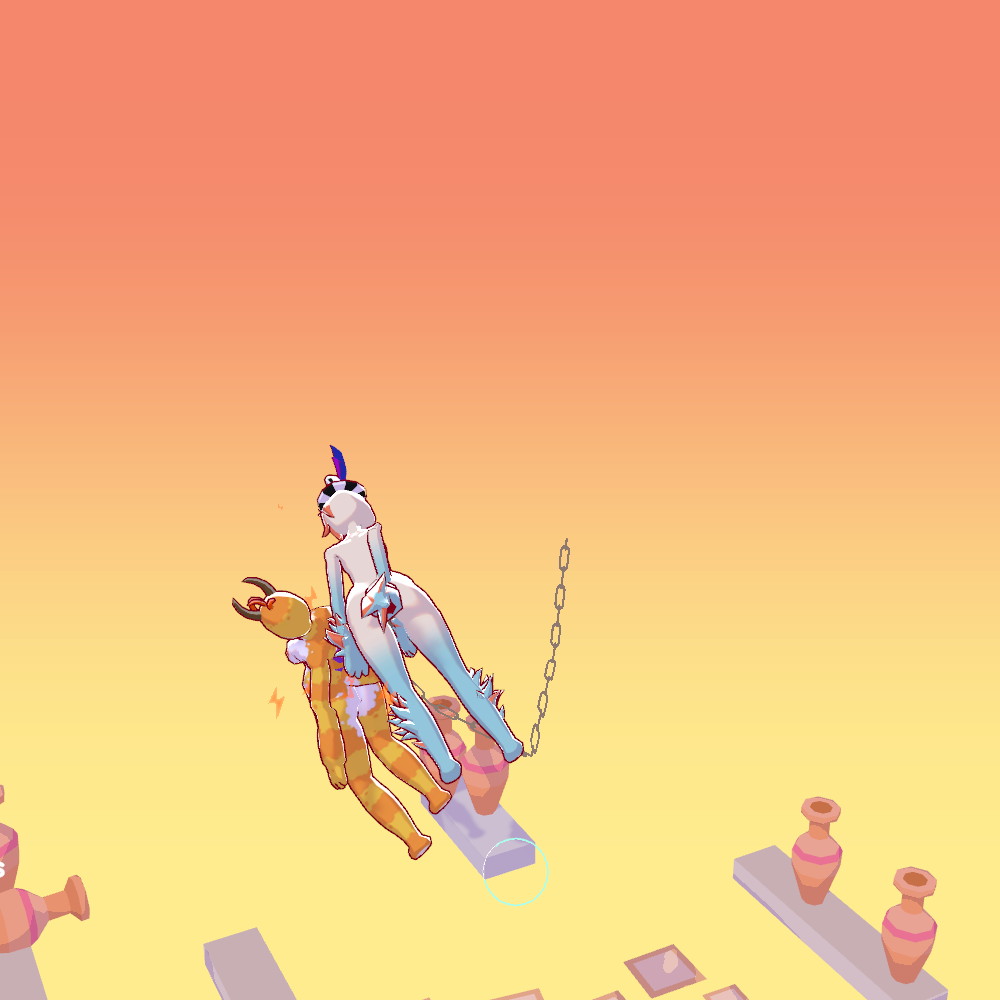
While piling all the units together, I thought that I had found the first time 4x furs have been part of a single animation in one of your games, and I was excited to try and figure out how this could have been implemented - ( chaining? crowding detection?) And if there’s a greater energy bonus for more furs in a set.

But then I rotated the camera and realised that this was two animations that didn’t quite align from the other side…

(3 edits)

I use the Unity Standalone Player command line arguments, and let the game settings assert the window mode with my preferred resolution.

  1. Create a Shortcut for the executable;

  2. Open the shortcut’s properties (alt+enter)

  3. Then add the parameters to the Target text box, after the executatable name/path. (outside the quotes if present). for example:

    "C:\Just in Slime\Just in Slime.exe" -screen-height 960 -screen-width 1920
    

4, Click Apply, and then launch the game via the shortcut.


Options

  • -screen-width
    Override the default screen width. This width value must be an integer from a supported resolution.
  • -screen-height
    Override the default screen height. This must be an integer from a supported resolution.
  • -screen-fullscreen Override the default full-screen state. This must be 0 or 1.
    • 0 – Set your app to a standard, non-full-screen movable window, the size of which is dependent on the app resolution.
    • 1 – Set your app to maintain sole full-screen use of a display. Unity adds black bars to the rendered output to match the display aspect ratio to prevent content stretching.
      [I don’t remember if Unity fits the edges of the field-of-view inside/outside of the display area]
  • -window-mode (Windows only)
    Override full screen windowed mode. Accepted values are exclusive or borderless.
    • exclusive – Set your app to maintain sole full-screen use of a display. Unlike Fullscreen Window, this mode changes the OS resolution of the display to match the app’s chosen resolution [by default]..
    • borderless – Set your app window to the full-screen native display resolution, covering the whole screen [by default].
  • -popupwindow (isn’t supported on macOS)
    Create the window as a pop-up window, without a frame.
  • -monitor N
    Run Standalone Player on the specified monitor, indicated by a 1-based index number.
  • -single-instance (Linux and Windows only)
    Run only one instance of the application at the time. If another instance is already running then launching the application again with -single-instance focuses the existing one.

For more technical information, see Player settings ; Settings that let you set various player-specific options for the final game built by Unity.

also A Unity specific wrapper that overrides resizableWindow could work, but is also a very easy vector for a hacker to spread a RAT/trojan.

(6 edits)

(In level 20) I found that there is enough thrust to achieve flight.

Cum ♪/ Cum and♬ fly♩ away♩ with♩ me../

Seems appropriate that I found this in September of [this] year ♫. :p

I ended up patching a function into loadImage that substituted base64 encoded copies of the graphics to get my copy working without disabling CORS in FireFox (file:// is automatically assumed to be dirty by default.).

Dunno why audio didn’t trip CORS, but I won’t complain if the offical version also gets a 830kb js file just to hold the additional code with the encoded files.

(6 edits)

Unlike when selecting a wizard, a ~̶~̶s̶w̶o̶r̶d̶~̶~ dragonslayer always cuts the ~̶~̶s̶l̶o̶t̶~̶~ space from the ~̶~̶r̶e̶e̶l̶~̶~ wheel when there’s a dragon irrespective of length.

I was expecting a softlock (unable to select 4 ~̶~̶i̶c̶o̶n̶s̶~̶~ slots); But if there’s ever a ‘remake’ with a fully mechanical representation, having the gap in the reel cause inconsequential malfunctions could be a ‘fun’ easter egg. (ie: having the pointer snag on the hole, a typewriter-like arm applying the ☑ stamp literally falling into the reels through the gap causing the wheel to misalign/bounce, the slot cutting effect being less constrained, or things snagging causing elements of the ‘practical’ effects to cascade…)

    (🡇) AND (🡅) TO SELECT
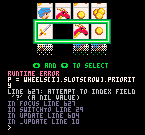
RUNTIME ERROR
P = WHEELS[I].SLOTS[ROW].PRIORIT
Y
LINE 627: ATTEMPT TO INDEX FIELD
 '?' (A NIL VALUE)
IN FOCUS LINE 627
IN SWITCHtO LINE 29
IN UPDATE LINE 604
IN _UPDATE LINE 10
>

(Edits: grammar, typos caused by unfamiliarity with acer’s half-row layout, formatting errors caused by unfamiliarity with Markdown/Commonmark variations, formatting mysteries…)

Absolutely superb style and layered gameplay.

(3 edits)

Meow, good game.
I went through to see all the routes and variations.

Apparently when I go “Back to start” I may not remember what I saw the last time when I looked between my legs; But Lily will not let me forget the one time I’ve fallen over. (unless I restart)

Perhaps these flags need to be unset?
<<unset $panic, $calm, $vag, $cock>>

Appreciated; 

But I did wonder if anchoring  sets of controls to the appropriate corner could have worked better without scaling (down-sampling) the art.

I downloaded the scary .exe but was unable to play as my screen is 192 pixels too short (720 vs 960), and Godot automatically limits (crops) the window to the native resolution instead of allowing scaling or scrolling...

Were there any assigned keys that did anything (other than 'r') ?

Just finished playing through, liked the depth of your writing,  but noticed some minor bugs:

Data Corruption:

  • "Remove Consumable" if $Consumable_Update_Position is 19 or 28,  doesn't include 
    <<set $Inventory_c_slots_filled to $Inventory_c_slots_filled - 1>>
  • "Zipper Arm Cannon Modding" Smartlink Integration overwrites mats with tek.
    <<set $Player_crafting_mats to $Player_crafting_tek - 1>>

Missing function:

  • "Monster Pen Corridor 1-2" is missing the <</link>> tag from the statement 
    <<if $MS_Calibrations_My_Dear gte 5>> /%...%/
  • "Special Attacks Weapon" looks for 
    $WSA_$WSA_Homing_Blast instead of $WSA_Homing_Blast
  • "LEVEL CAP" enforcing a cap of 10 by setting $Player_exp_max 's magic number to 0, ignoring $level_cap set to "Disabled"; .

Momentary confusion:

  • "Inventory Consumables2" and "Inventory Consumables3" show the value for the next 'stack' in position 4 ($I_C_{15,16}_S and $I_C_{25,26}_S respectively).
    (I used a script to generate a replacement, see below)

No-effect/Code-style:

  • "Inventory Consumable Move Left" sets "I_C_Swap_S"

Suggestion:

  •  <<If>>'s instead of <<switch>>'s
    <<if $Player_success gte 1>>
      <<if $Player_element_effectiveness is 0>>
      <<else>>
        That $Actual_damage_type <<if $Actual_damage_type_2 isnot "unaspected">>and $Actual_damage_type_2 <</if>>attack was <<switch $Player_element_effectiveness>>
         <<case 1>>effective 
         <<case 2>><b>very</b> effective 
         <<case 3>><b>incredibly</b> effective 
         <<case 4>><b>overwhelmingly</b> effective 
         <<case -4>><b>pathetically</b> ineffective 
         <<case -3>><b>incredibly</b> ineffective 
         <<case -2>><b>very</b> ineffective 
         <<case -1>>ineffective 
         <<default>>
        <</switch>>against <<= $Enemy_article>>!<br><br>
      <</if>>
    <</if>>
  • I rewrote my local copy to replace collections of mutually-exclusive <<if>> statements to use <<ifelse>> and <<switch>>.  (mostly for optimization reasons)  But I didn't notice any other bugs that might have written over.
  • Arrays, Datamaps, Datasets  parallel how your data-scheme/names are organized, but can be used with SugarCube's  <<for>> iterator(s) instead of unrolling/pre-writing every variation (or generating code the Wikifyier).
  • <<widget>>'s might be able to make procedurally generating repeating elements less human-error prone.
  • UGH, Itch.io or Chrome auto-corrects corrupts the SugarCube code I try to paste here.
    Was going to share a piece of fancy code that uses a template without changing your data-scheme to use an array or maps. . . It was built around <<for>> loops with something like this:
    <<print "$i_c_"+$smart_bandage_position+"_d">> 
  • Instead, here's Javascript that (pre-/re-)generates the SugarCube code for "Inventory Consumables[...]" so that you don't need to worry about searching for  typos:
    _m = "";
    for(_jjj=0;_jjj<=20;_jjj+=10){
      _m+="<<link [img[$Inventory_Left_Arrow]]>><<set $inventory_page to $inventory_page - 1>><<include \"Inventory Page Turner\">><<replace \"#inventory_replace\">><<include \"Inventory Base\">><</replace>><</link>> Consumables Tab $inventory_page <<link [img[$Inventory_Right_Arrow]]>><<set $inventory_page to $inventory_page + 1>><<include \"Inventory Page Turner\">><<replace \"#inventory_replace\">><<include \"Inventory Base\">><</replace>><</link>>\n<b>@@#tooltip;@@</b>\n<<nobr>>";
      for(_jj=0;_jj<=5;_jj+=5){
        if(_jj==5){_m+="\n<div class=\"Consumables2Div\">"}
        for(_j=1;_j<=5;_j++){
          _i = _jjj+_jj+_j;
          _ii = _jj+_j;
          _m+="<<if $I_C_"+_i+" is \"empty\">><<link [img[$I_C_E]]>><</link>><<else>><<mouseover>><<link [img[$I_C_"+_i+"]]>><<dialog>><<include $I_C_"+_i+"_D>><</dialog>><</link>><<onmousein>><<replace '#tooltip'>><<= $I_C_"+_i+"_T>>:<<=$I_C_"+_i+"_S>><</replace>><<onmouseout>><<replace '#tooltip'>><</replace>><</mouseover>><</if>><div class=\"ConsumableI"+_ii+"Div\"><<if $I_C_"+_i+"_S is 0>><<else>>$I_C_"+_i+"_S<</if>></div>";
        }
        if(_jj==5){_m+="</div>"}
      }
      _m+="<</nobr>>\n";
    }
    _m


Meow; looking forwards to see where this goes.

I decompiled the code and found that it's correctly set for the collectable item, but not the active runner.

I did a sort then copied the missing lines over, and this seems to have solved that problem.

draw_self()
switch ore {
     case 130:
         spr = s_ore_icon_iron
         break
     case 500:
         var spr = s_ore_icon_coal
         break
     case 711:
         spr = s_ore_icon_tin
         break
     case 748:
         spr = s_ore_icon_titanium
         break
     case 803:
         spr = s_ore_icon_tungsten
         break
     case 980:
         spr = s_ore_icon_copper
         break
     case 1007:
         spr = s_ore_icon_gold
         break
 // meow - begin patch
     case 255:
         spr = s_ore_icon_lead
         break
     case 277:
         spr = s_ore_icon_lithium
         break
     case 376:
         spr = s_ore_icon_silicon
         break
     case 490:
         spr = s_ore_icon_silver
         break
     case 740:
         spr = s_ore_icon_nickel
         break
     case 750:
         spr = s_ore_icon_zinc
         break
     case 849:
         spr = s_ore_icon_sulfer
         break
     case 1196:
         spr = s_ore_icon_aluminium
         break
     default:
         instance_destroy()
 // meow - end 
}
draw_sprite(spr, 0, x, y)

Also, the ..._pocket_furnace_... code didn't decompile nicely for me, so I was unable/unwilling to determine if it was the patching/modding tool, or an existing problem that was causing crashes when I saturated my drill with portable furnaces.

___________________________________________
############################################################################################
ERROR in
action number 1
of  Step Event0
for object o_drill:
DoSub :2: undefined value
at gml_Script_anon_DrillPart_pocket_furnace_gml_GlobalScript_drill_misc_data_2413_DrillPart_pocket_furnace_gml_GlobalScript_drill_misc_data
############################################################################################
gml_Script_anon_DrillPart_pocket_furnace_gml_GlobalScript_drill_misc_data_2413_DrillPart_pocket_furnace_gml_GlobalScript_drill_misc_data (line -1)
gml_Script_anon_DrillPart_gml_GlobalScript_drill_part_data_8236_DrillPart_gml_GlobalScript_drill_part_data
gml_Object_o_drill_Step_0

I hope this helps.

Missed one. It must have snuck by you in the last update.

AlloyRecipe Ore Source
Bronze bar Tin CopperRocky Mountain
Shakudo bar Copper GoldRocky Mountain
Tool Steel bar Tungsten IronRocky Mountain
Antanium bar Copper Iron Gold Rocky Mountain
Soldering Iron Tin LeadRocky M & Frozen G
WNiFe bar Tungsten Iron NickelRocky M & Frozen G
WNiCu bar Copper TungstenNickelRocky M & Frozen G
Monel Metal bar Copper NickelFrozen G & any
Nickel Steel bar Iron NickelFrozen Ground
Mu Metal bar Iron Nickel NickelFrozen Ground
Nisil bar Silicon NickelFrozen Ground
German Silver bar Copper Zinc NickelFrozen G & Sand L
Silumin bar AluminiumSiliconFrozen G & Sand L
Duralumin bar Copper AluminiumSand Land
Delta Metal bar Copper Iron Zinc Sand Land
Sterling Silver barSilver CopperSand Land
Gunmetal bar Tin Copper Zinc Sand L & Rocky M
Electrum bar Silver GoldSand L & Rocky M
Goloid bar Silver Copper Gold Sand L & any 
Rocky MountainCoalSulfurCopperTin IronTungstenGold Titanum
Sand Land CoalSulfurCopperZincIronAluminiumSilverTitanum
Frozen Ground NickelLeadIronLithum Gold Silicon

Also, now you can make slag with Titanium and Lithium too!

(1 edit)

Sort of. (Not the dev) I decompiled the code (looking for recipes when I noticed the list here was incomplete, and) found that the dev set it correctly for collectable item, but that not for the active runner.

I copied the missing lines over (edit: w/ a modding tool), and this seems to have solved that problem...

draw_self()
switch ore {
     case 130:
         spr = s_ore_icon_iron
         break
     case 500:
         var spr = s_ore_icon_coal
         break
     case 711:
         spr = s_ore_icon_tin
         break
     case 748:
         spr = s_ore_icon_titanium
         break
     case 803:
         spr = s_ore_icon_tungsten
         break
     case 980:
         spr = s_ore_icon_copper
         break
     case 1007:
         spr = s_ore_icon_gold
         break
 // meow - begin patch
     case 255:
         spr = s_ore_icon_lead
         break
     case 277:
         spr = s_ore_icon_lithium
         break
     case 376:
         spr = s_ore_icon_silicon
         break
     case 490:
         spr = s_ore_icon_silver
         break
     case 740:
         spr = s_ore_icon_nickel
         break
     case 750:
         spr = s_ore_icon_zinc
         break
     case 849:
         spr = s_ore_icon_sulfer
         break
     case 1196:
         spr = s_ore_icon_aluminium
         break
     default:
         instance_destroy()
 // meow - end 
}
draw_sprite(spr, 0, x, y)

...but afterwards I noticed that saturating my drill with portable furnaces was causing crashes -- and the ..._pocket_furnace_... code didn't decompile nicely for me; So I was unable/unwilling to determine why (when I could just avoid using them instead).

Art is so easily misunderstood.

Absolutely;

It's a matter of public safety.  XD
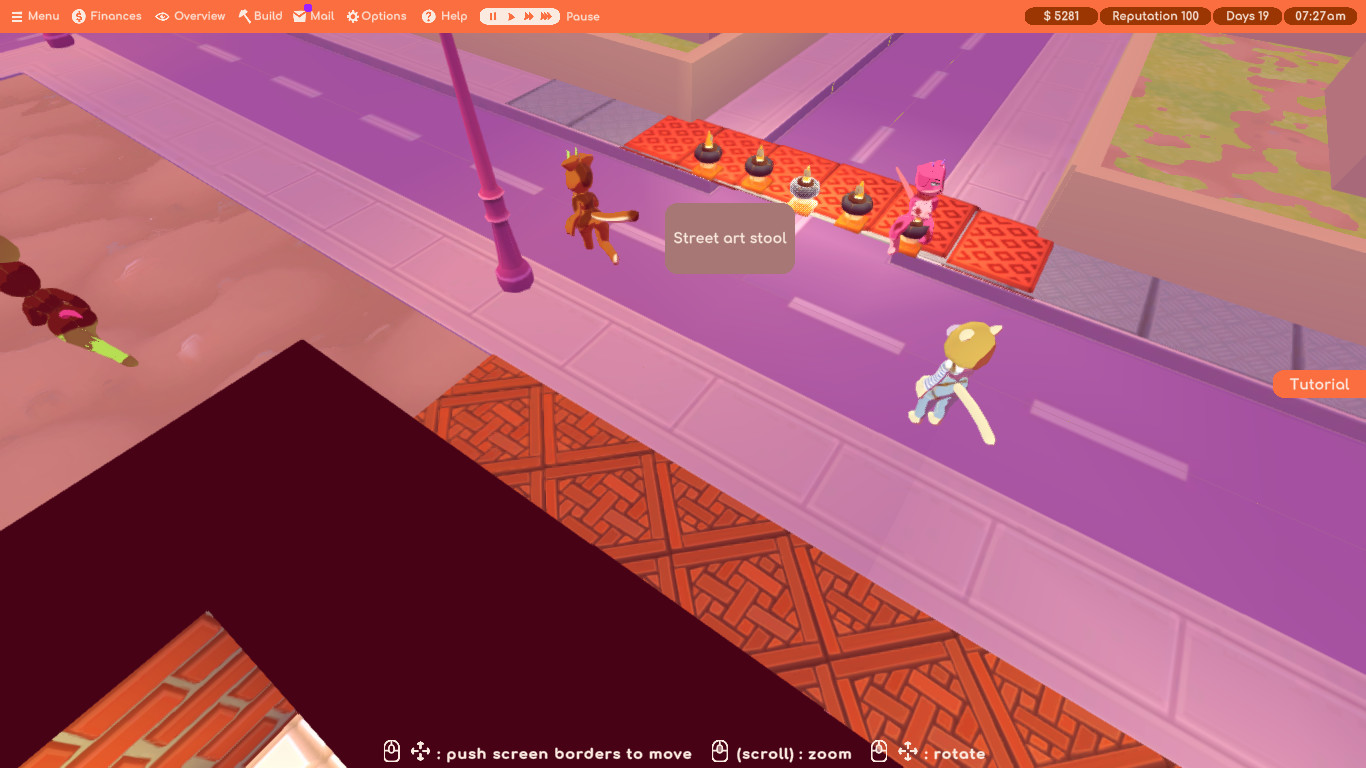
Street art stool
Stardustsparkle 'happily' takes advantage of a closed road.

It's not as if these customers 'always' check for traffic before running across the road(x) when they have one thing on their minds. 

(x)Or other-times mass-dog-piling into a recently vacated seat, like it is a game of musical chairs or something... realistic, but can be inefficient.

I just noticed that there was an update that includes images that work for me (chrome).

Try again?

(2 edits)

vA031-Win64

So the 'victory' condition is to fill the score bar by creating combo's (sequences of two or more identical pairs) before.

The instability bar fills up every time 'junk' is made by mismatched pairs, or a pair's cut off.
And the instability bar is drained (the same amount) the score is increased.

Every time 'junk' is ejected from the sequence, the strand collapses, potentially creating more combinations.

So the eco. is deciding if making junk to enable larger combo's will fill the score bar faster than the instability hits its limit.  
Generally I found myself that making combos of size 2 while setting up to make sets of three *almost* worked. Cheated to reduce the junk penalty and started having more success. (Fake ease/easiness due to practise?)

---

feedback: 

(UI/visually) have 'instability' and score extend from opposite ends of the same bar, to make the two literally oppose each other. 
Try to make the instability less static/friendly so that it's meaning is clearer.
( ie: increasing instability grows tentacle like strings over the score meter. The tips/growing end of which thins out instead of pulls back when the instability is driven back.  A (hidden) bead marking displaces the tentacles at the tip of the score bar, for clarity.  I think this can be accomplished with a layered sprite and masks, avoiding actually calculating splines, though splines *would* allow the tips to wiggle...)

(UI/criticism) I kept getting confused that the next piece wasn't shown above, even though I 'know' that it's represented by the colour of the cursor. 
I like the idea of showing a ghost/shadow of the piece about to be placed.

(criticism) combos didn't feel that rewarding. And I was often confused why this resulted in mismatched pairs sitting in the sequence after.

(UI) make the cursor mouse driven (or tracking). This would make placing the next piece following a combo much easier.

(gameplay) make the remnants of completed combos eligible for stronger combos. Be it a ladder like 2048, or just a +1 length bonus for every time it is used in another combo.

(gameplay/visually) Add a ball/motor that is pulling drags the end of the strand at the bottom into the cutting enzyme. Then on combos make 'it let go' and kick it up the strand where it will then descend (at its normal speed) until it reaches the end of the strand again.

(gameplay) make the different 'junk' affect the instability value differently to increase final complexity. 
( ie: unstable mismatched pairs cost 5, cut-off single bases cost 3, cut-off matched-pairs cost 1? )

(criticism) Early on, too often I found myself unable to place a piece and had to wait to lose. Later I'd get screens without a match for any of the pieces I held.
(gameplay) perhaps allowing players to pair and 'eject' the piece they're holding with the one in the cursor as "an advanced" strategy would mitigate this.

(2 edits)

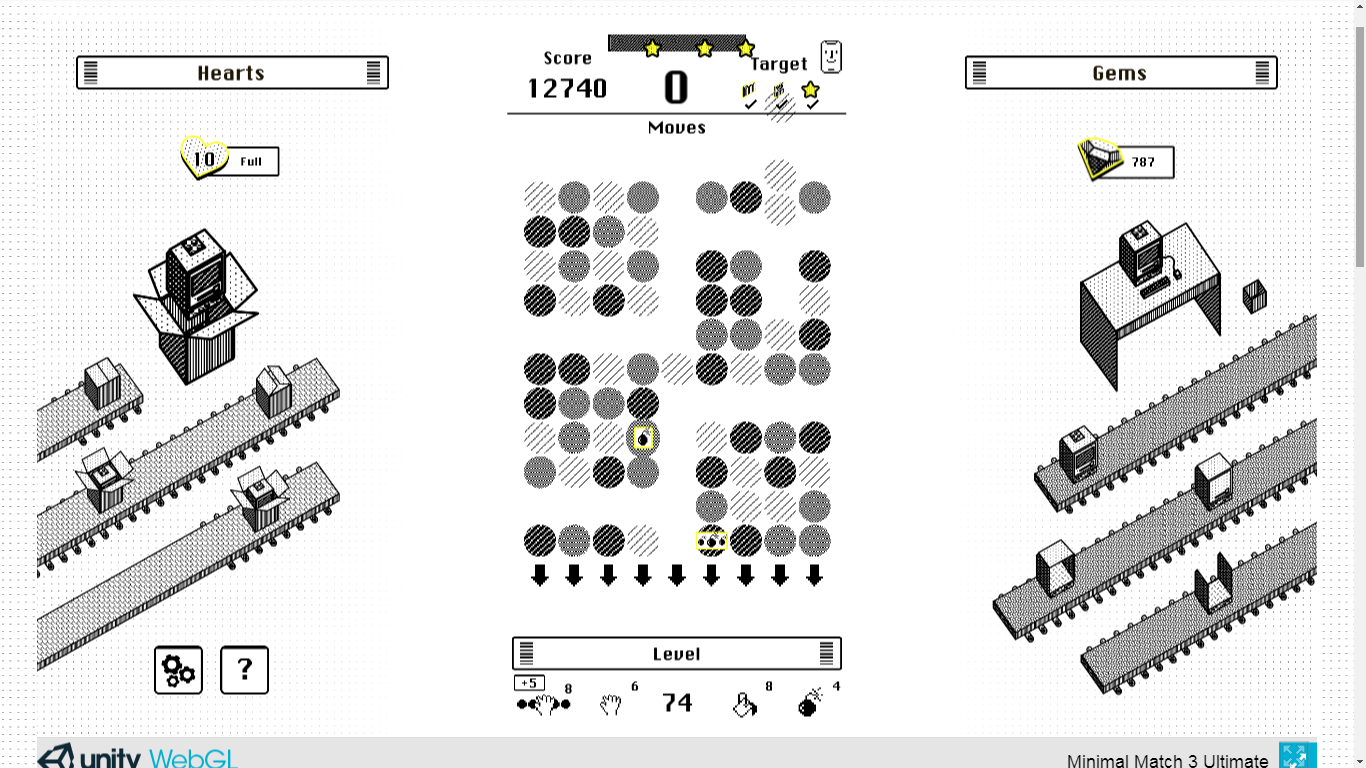
Found a bug in the WebGL version: the game is only adding "///" pieces to the board, trapping me in an infinite loop [edit:]soft-lock with no way I can find to forfeit/skip to the map screen.  I let it climb to 20k before closing, but I've wanted to skip the level end bonus points for a while now.

I enjoyed this- Particularly how consistent and simple the interface is.  The stated goal of being able to play without seeing the screen has clearly informed the rest of the design.

Is an expansion/followup planned?

Also;
I noticed that 'Wraith Wail' doesn't actually set player.defense = 0 when "You lose all your defense."  Was this a bug?

(1 edit)

I seem to be unable to breed humanity far above 🌾 975.60 Qiunt without it their stats rolling back down to 🌾 1.

(After testing with the debugger) If I limit my breeding pair's "farming" attribute to (🌾 975609756097560700000) then there can be no 1's, but then autosell won't empty slots containing humans rated above that;
But the higher I allow the stats to climb, the % of lone humans increases.

Is this because of extreme inbreeding?  Using the debugger to make a breeding pair with 🌾 1.45Z projects 🌾1-1 offspring.

I'm not an equestrian, but only brushing from the root to the tip seems like a good way to cause all sorts of tangles.  Makes me wonder if there's a simulation game about brushing hair.