Indie game storeFree gamesFun gamesHorror games
Game developmentAssetsComics
SalesBundles
Jobs
TagsGame Engines

Welcome to Project Ace

13
Posts
212
Followers
9
Following
A member registered Jun 17, 2019 · View creator page →

Creator of

Recent community posts

Thanks to your sample, Valet can load Unity game successfully.

Please re-download latest version and let me know if you still have any issues.

There are 2 options to make me understand the problem better:

1. Give me a simple demo version of your Unity game or any Unity game

2. Press F12 when using Valet for your game, see what is the error message 

Thank you for the Unity documentation.

Now you can try Valet again, which I have tried to adapt to Unity's needs.

Thank you for the Unity documentation.

Now you can try Valet again, which I have tried to adapt to Unity's needs.

I have tested it with one of the Construct2 games on itch.io, and the latest Rover update should have implemented the NWjs functions required by Construct2.

Hi.
Thank you for your ideas.

Maybe this is what are you looking for:
https://ryanbram.itch.io/valet-lightweight-local-web-server-and-browser-launcher

Please let me know if you find any issues.

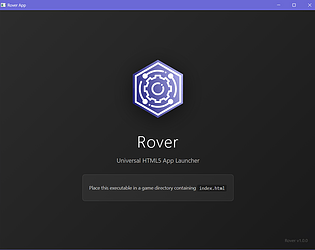
Rover works by directly using Windows' built-in web rendering engine. It does not have its own engine, so for Android, code needs to be prepared for the Android web engine.

I will try to do it because I am also curious to see if I can do it.

Currently, Rover works similarly to your concept. The difference is that if it does not find package.json, it will immediately create package.json for you. From there, you can specify whether you want to launch other html files besides index.html.

Does this work according to your desired concept?

I have added compatibility to the nwjs calls required by RPG Maker MZ. So it should work now. Please download it again.

If a black window still appears, press F12 to bring up the error message and let me know.

More nwjs API has been implemented.
Please re-download Rover.

Press F12 and paste the error message. I'll fix it ASAP. Mostly due to incomplete NWJS API.

Hi.

Rover uses webview from operating system. So it can work on Windows 10 and 11 OS without issue.


If you can screenshot your folder, I may find out the issue.

Hi, thank you for using the plugin.

1. Put the resulting _i18n.json to ./data/locales

2. Have you tried to set the source language and target language in plugin parameter? Make sure the source language is same with your original json, not  "_i18n.json".