Indie game storeFree gamesFun gamesHorror games
Game developmentAssetsComics
SalesBundles
Jobs
TagsGame Engines

rurkryber

14
Posts
4
Topics
3
Followers
1
Following
A member registered Aug 26, 2025 · View creator page →

Creator of

Recent community posts

great

trés bon jeu, plein de surprise, et superbement realisé, j'ai aussi regarde la video et le systeme de creation de niveau par image est excellent. merci


super jeu, et super travail sur ce rpg! il y  plein de chose a apprendre et encore plein de possibilite pour de futur jeu!

merci pour vos commentaires, desolé de n'avoir pas repondu  plus tot mais le pc etait en reparation :)

probleme resolu!

probleme resolu!

I solved the display problem in the controller, but I now have another problem: my movement engine which works perfectly natively does not work correctly in the controller, I have a teleporter which works well but the centering of the scene camera refuses to display the place in question.

I saw Plushgaming managed to solve the problem by using the window control extension, but I didn't manage to do the same thing anymore. I don't know if the window control extension is an extension compatible with mobile phones, and if we have the right to modify the controller

if I put my game in the console directly it works for moving a priori, but I have not solved the problem of display being too large from my other post

for reasons of managing movement in a 16*16 grid in fluid movement, I chose to always correct the position of my hero from a certain area where I count enemies to make objects appear, using the mod 16 command. however by putting my app in the console it seems to me that the coordinates are taken more in relation to my scene but in relation to the edge of the console which prevents my conditions from being correct and therefore my hero from moving correctly. I thought that the scene would be managed from these own coordinates rather than those of the parent app. Is it possible to resolve this.

cordialy Rurk

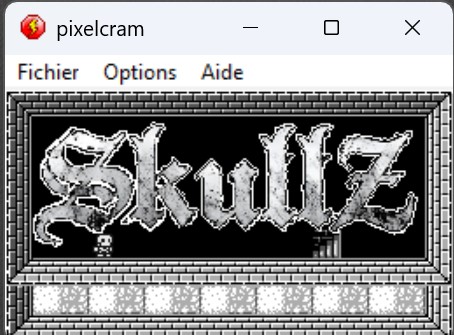
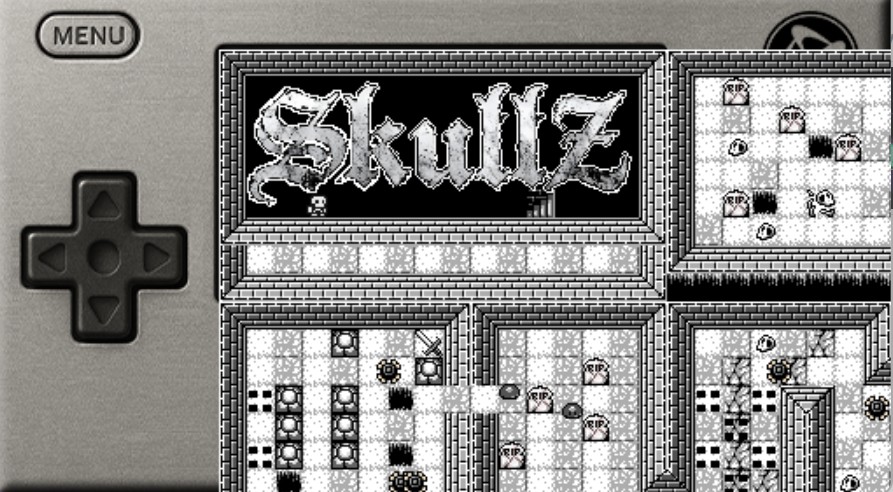
I naively took a look at the file and I must have misunderstood it. I made a game whose window size is 256*144 but whose game size is much larger because my hero moves in a dungeon. when inserting my game into the file provided I noticed that the window does not respect the size of the console but how can I resolve this? I can't find the code that inserts my frame into the main frame. first picture my app second picture my app in console.
hello, I would like to use some of your graphics for my pixel cram clickteam 2025. I will credit your name of course. Sincerely

how to know which extension is compatible with mobiles.

please

I didn't quite understand, I have to create a small game in the requested format, should I create an MFA from scratch or should I create my MFA in the console MFA provided?