Indie game storeFree gamesFun gamesHorror games
Game developmentAssetsComics
SalesBundles
Jobs
TagsGame Engines

RotundSparrow

10
Posts
1
Topics
1
Followers
2
Following
A member registered Jun 14, 2020

Recent community posts

Oh beans. I wrote a whole update andddd it's gone.

ANYWAY:

I'm at the point where I need to think about saving... and that means Resources! Resource-type objects are what I used for the inventory system, so I was already sort of familiar with it.

We can treat each catboy similarly to inventory items and make Resources (sorta... tiny little code-dictated forms) to manage them. We then only need to tell each instance which resource it needs to be. We can also use this to give them a primitive personality!

This is what the code looks like:
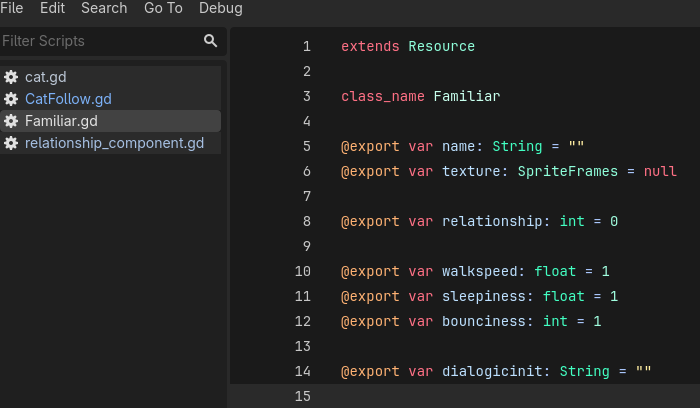
And when saved and loaded as a resource, it looks like this:
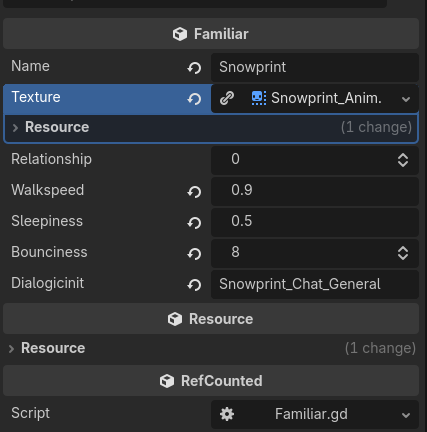
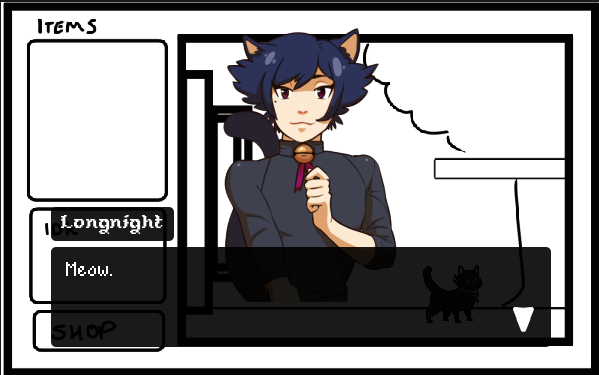
Snowprint here walks a little slow, sleeps in short bursts and jumps at an average frequency. We've also included a string to call a specific dialogic instance when right-clicked on, like here with Longnight:
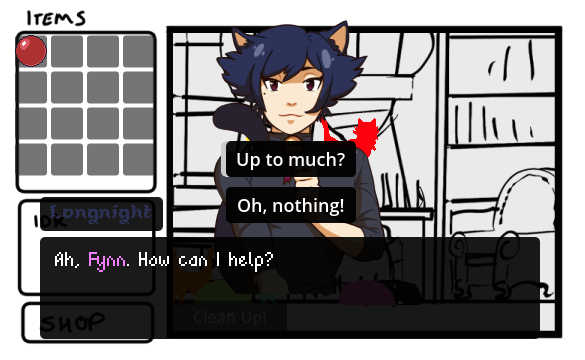
Deffo need to tweak some colours. You can just about see the cats are all different colours as a placeholder now.

Finally, this also minimises code for altering relationship status, as we can just pull the name of the familiar and write their current status to the resource:

Bit grafted on, but it works.

I can clean up code a lot from here -- I've found out that the "with" command i'm used to in VBA doesn't seem to exist? so there's a lot of repeated bits of code. Surely there's an equivalent.

Next up: Saving! I hope.
I'm here!

Clawing out of the mines of a tough pair of commissions and a few... interesting bugs!


Since last, we've gotten a drag & drop inventory system. I couldn't quite get it to work the way i envisioned it would and it deadass took 3 real life days BUT it functions. It also lets you drag out of the inventory into the game (WHY was that so hard to make???)

Fun bugs along the way:

  • Inventory duplicates anything put into slot 1 to slot 4 to 15. I have no idea why it skipped 2,3 and 16. I fixed this by starting over. Screams.
  • Inventory items go invisible when moved, and reappear when moved again... if you can find them.
  • Infinite balls spawn out of the inventory, even in slots without balls
  • Inventory items spawn just below the top left corner of the screen, instead of on the mouse

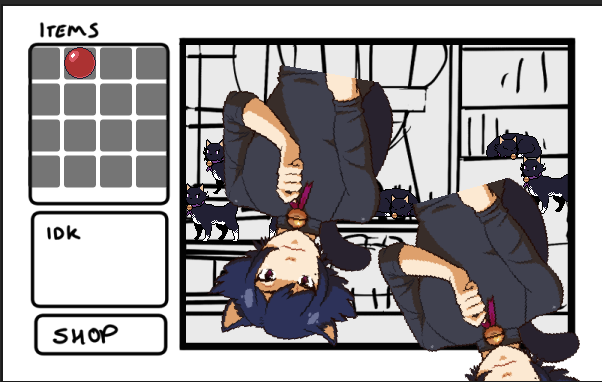
Eventually I pulled in a sprite of Longnight to debug with. I mean, it helped!


Second issue was that I really REALLY wanted the cats to swing after the mouse cursor.

This was also something I knew how to do in theory... but in practice it went... interestingly!

  • When picked up, cat would rotate 90 degrees from expected direction. This was fixed by just rotating the sprite back temporarily
  • All cats would spin at hyperspeed when one was picked up
  • All cats would get stuck at random angles when dropped, but otherwise moved normally (which I incorrectly believed the be a sprite issue for an embarrassingly long time)

Hiya! It's late here in the UK, but I can still squeak out an update.

I've fixed almost every issue above & added some new quirks:

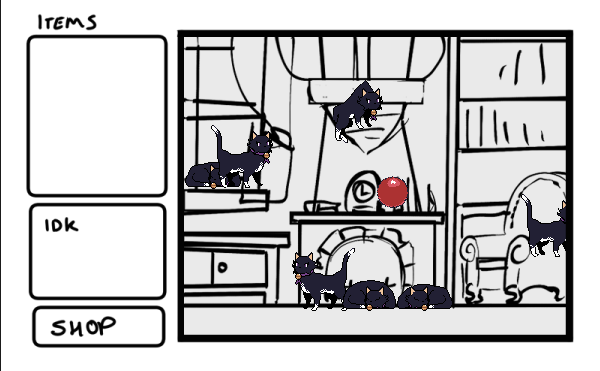
  • Cats are now set up so they can push objects but wont collide with eachother
  • If a cat hits a wall, it will turn around. Took a few tries to stop it vibrating at the wall
  • Ball is less likely to fall out of bounds, but still very possible...
    • I might just put in a kill plane to respawn anything that slips out of the screen
  • Cats now jump! They will jump to random heights and can use it as a pseudo method of climbing. Sometimes they will just chain-bounce in place for a bit... It's cute, but with every cat in play it might just look like a bouncy castle.
  • Cats sometimes stand still for a bit rather than constantly walking or sleeping

I've also put in a new dummy "map" with a bit more detail to help test their new locomotion! It's also now it's own "scene", so I can swap them out if needed. This also stops the cats clipping on top of the UI!


I'm looking at relationship systems, and need to work in a gifting system... Once I've built one cat, I can iterate the same code across all of them and then work on art and dialogue. I've learnt a lot over this first week and I'm beginning to spot areas for improvement already...

But for now we forge onwards!

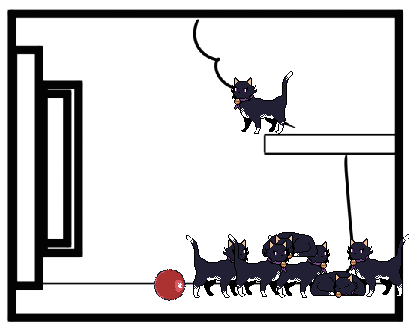
Quick update today! By now, cats:

  • Sleep
  • Wander about
  • Can be picked up
  • Fall when dropped
  • Can be talked to when clicked on
  • Do a tiny bit of particle physics when it lands (its just black squares for now)
  • Have a very awkward but functional walking animation
  • And I Added a basic ball. Time to learn rigid body physics!

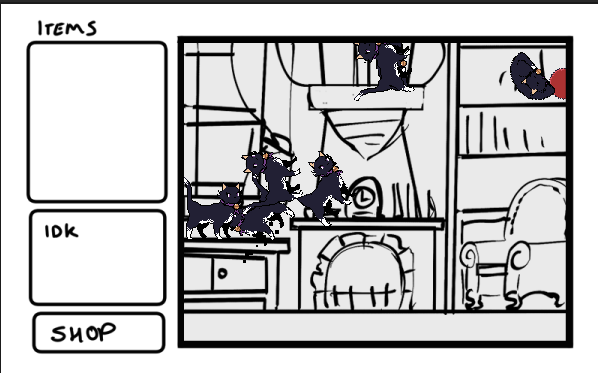
Fab, ok. It's not much, but they are doing things. I want 7 cats in the end, so lets see what that looks like:

Few issues here:

  • Cats trap each other when colliding
  • Cats will continue to walk at things they can't pass
  • The ball DOES move, but only when a cat wedges itself under it. Usually by getting stuck on eachother and clipping down slightly
  • If i pick up a cat and drop it out of bounds... it's just gone. That I can even do this is probably a quirk of my code lol.
  • And I really need to make a map that has multiple layers. Pretty sure this is catboy rights abuse.

I need to find a way to get cats on different layers, and have cats able to move between them. This will probably also involve me learning pathfinding... Which means changing how they move entirely.

Such as learning a new engine!

(2 edits)

Today was two fold: 1) make cat grabbable and talk-to-able and 2) redraw the cat sprite for the third time in as many days--

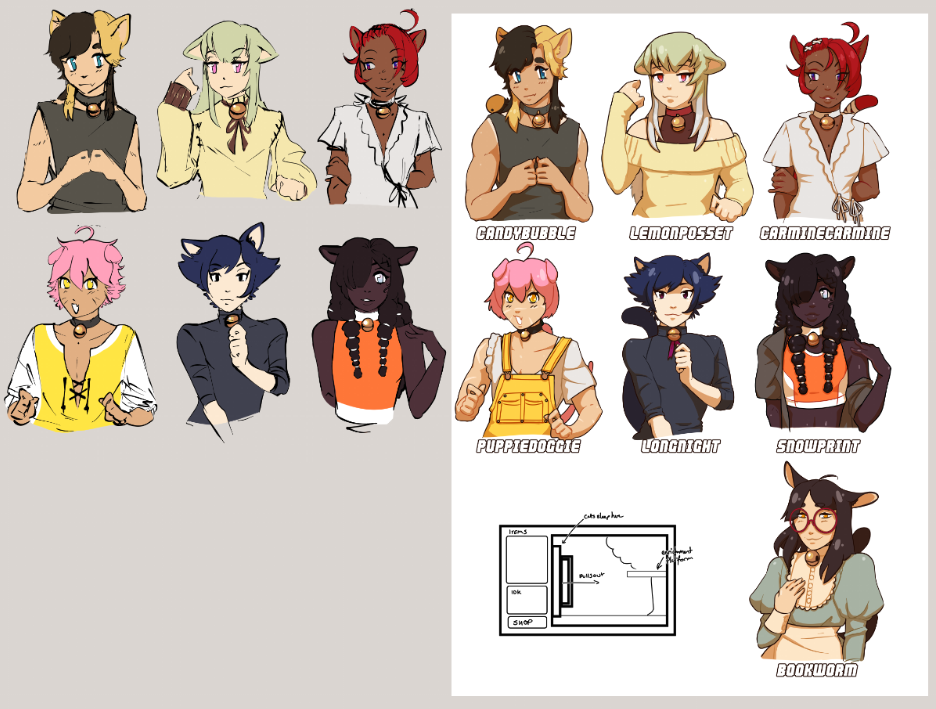
Oh, right. the Catboys! I didn't talk about the CATBOYS.

Slightly prior to the jam, I did what I do best: throw things at a page and try to make some nice designs. I decided from the get-go that they would all have silly names and settled on [word][word] as a format. I also have a personal bugbear with a lack of skin-colour diversity in anime media, so it was important to me that they all had different shades even if it was subtle. I have this fab skin tone palette (here) that I use with every piece of art to help get a good, lively skin colour and generally the build out the rest of the palette from there. You can see where two of them swapped skin-colour to better compliment the kind of colours I wanted them to have. I think they both look more alive now! Another rule I had was that they all had to be doing something with their hands to help root a personality. I thought about giving Lemon a snack to hold, but I didn't want snacks to be their personality.

I also built out the body shapes and clothes better: Candy has muscles, Lemon is rounder and has a new jumper (courtesy of a friend), Puppie got completely redesigned and Snowprint has a new pair of shirts. Oh, also Bookworm spawned in (courtesy of the same friend! Thank you Mimi <3). I've also-also tried to make them look less baby, but still cute.

Bear in mind - NO writing has occurred yet. This is all vibes. I play a lot of TTRPGs (mostly Pathfinder 2e these days) and this is generally how my character writing goes; vibes first, character later. It's been a long time since I’ve done cell shading and anime eyes like this, so it was a learning process to get it looking right. Trying reaaaally hard to avoid same-face.

Left: Initial Sketch, Right: Beta (Final?)


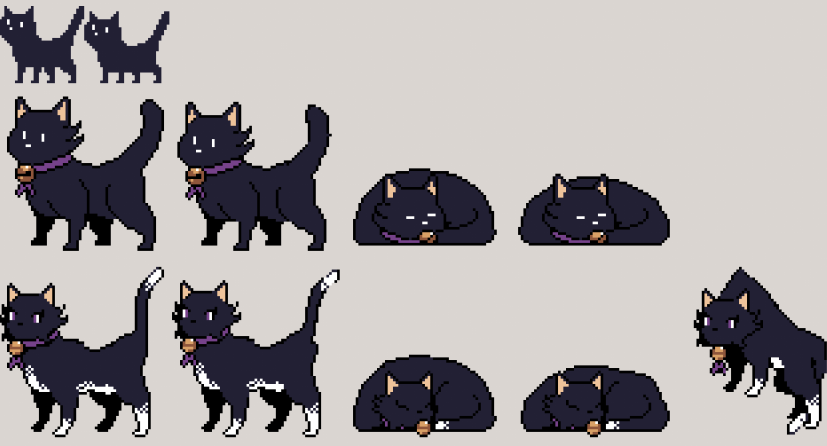
So anyway: Cat sprites!


It's cuter to represent the catboys in the overworld as cats, and a bit easier than making people work in a small UI. These are all for Longnight (though, only using the default palette in Asesprite. I'll probably try again eventually - I LOVE the original sprite I did best, I think.

In the background some interesting bugs were created and squashed:
- Cat falls faster when dropped if held for a long time.
- Cat vibrates when picked up
- Cat rockets of screen when picked up
- Cat infinitely spawns new dialogue boxes when clicked. Meow. Meow. Meow.


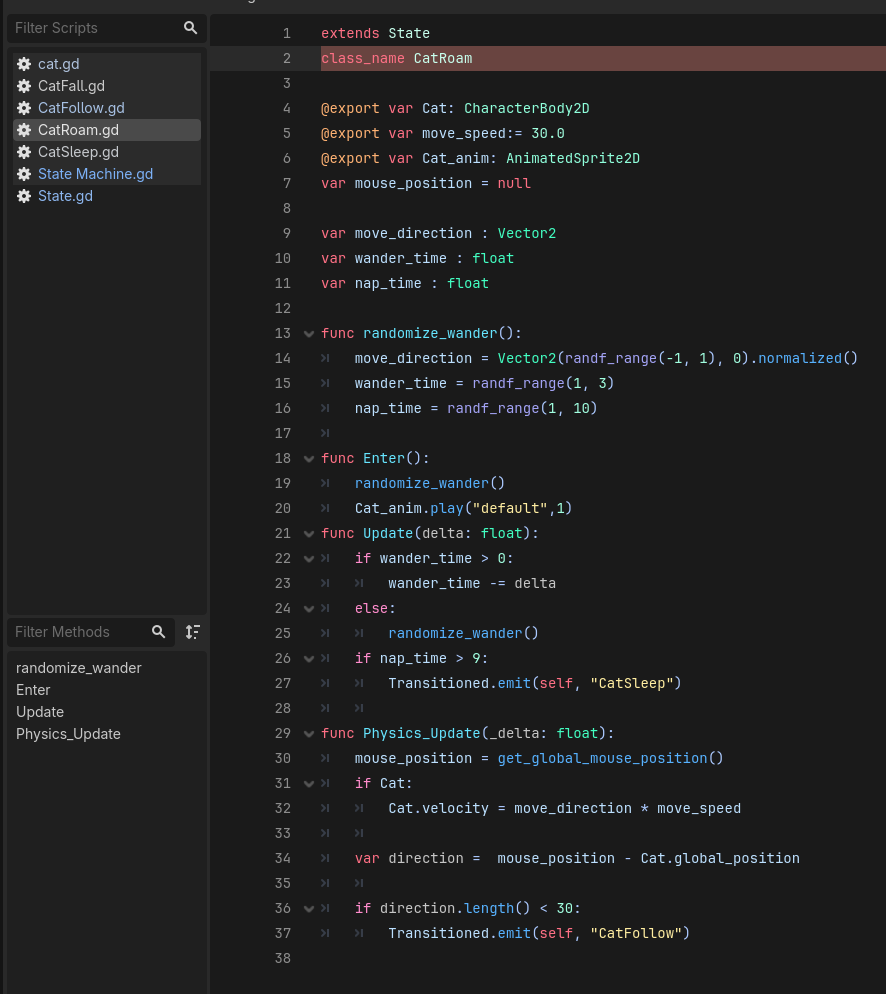
So, first order of code-business is to build out a Cat and it's State Machine. If you've coded before, you should know what an If Statement is. "If [this] is true, make [that] happen"

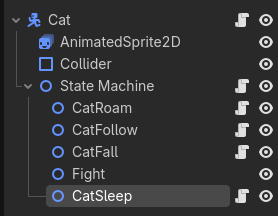
You will also know that stacking if statements quickly becomes an evil tangled mess. Never fear - this is where we build a State Machine to categorise ideas so they don't get messy and don't overlap.

With Godot, what we'll do is use it's Node system to break up our code into chunks for what our cat is doing. First we build a cat (once "scene)", attach a Animated Sprite2D to give it a picture, throw in a Collider and then throw in our State Machine and some nodes for each interaction. Tidy!

When we make our code, we'll staple the relevant scripts to each node to keep it clean. This isn't fully necessary, but it makes it easy to work with.

We then give our state machine some code to tell it how to think about it's children-nodes and a template for how to think about it's States (I'll be real, I'm so new to Godot I used the tutorial here).

I'll avoid explaining it all (as the tutorial above goes over most of it - go give them views!), but we can use this to have our Cat do things.

The code below is for wandering about, but it will randomly take a nap and if the cursor gets near, it'll follow the cursor.

Not pictured: me trouble shooting the cat floating into space when the cursor hovered above it, and the cat vibrating instead of sleeping.


I'm not sure whether I'm going for that, for a affection system or for a blend of the two (i.e. you have to raise their affection to [x] point and have gifted them [y] item.

I really am plotting this as i go!

Well lets see...

My art background is digital painting.

My coding background is VBA for excel.

And, my writing background is exclusively playing TTRPGs.

Flawless credentials!

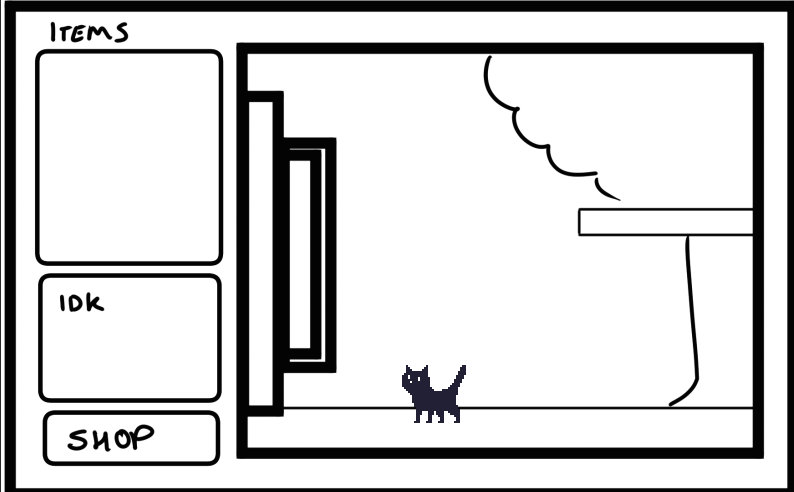
I'm looking to make a small desktop pet-style thingy and build out a plot. All of the catboys will be represented as little cat sprites and mill around a window. You can interact with them and talk to them to advance individual stories.

Will this work? No idea. But it's something I've wanted since my teens so I'm making it for teenage me! Always make things for teenage you!

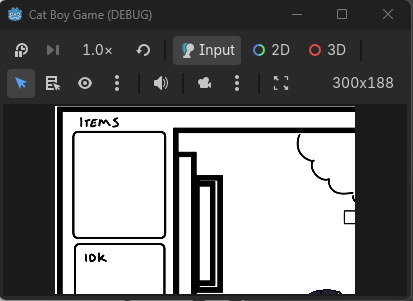
Ok that's a bit chunky. How about smaller--

Sure, Godot. That's exactly what I wanted you to do with a 400x250 window -- make it 300x188

Developer: Me :)

Themes: Vaguely fantasy, Moving on after loss & somehow.... Catboys.

Blurb: After the passing of his long-distance boyfriend Lars, Fynn moves across the country into his late love's sanctuary for displaced familiars. Even though months have passed, the place is strangely clean...

...I'm honestly writing, coding and drawing this as I go. Pray for me.