Endoria Devlog #2 — Inventory System & Main Quest Flow
This update is all about two pillars that shape the gameplay loop:
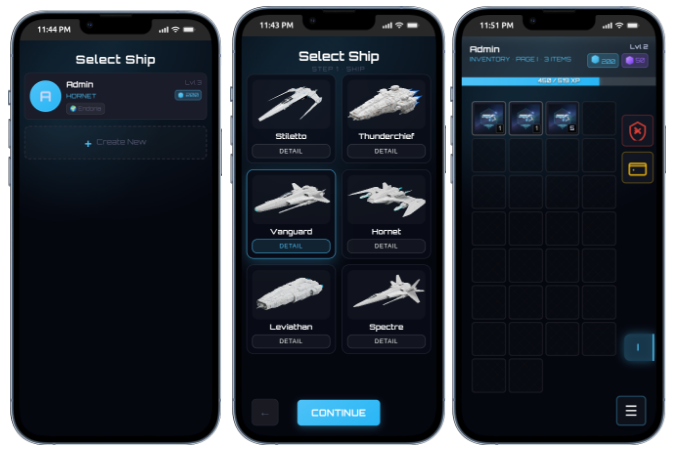
- inventory system (what you own, what you equip, how loot is managed)
- quest line flow (how the story progresses and how “quests” are structured)
Everything here is still actively iterating — I’m aiming for a tight, readable not overwhelming UI.
Inventory system
Design goals
- Fast to read (rarity/slot type/stack size at a glance)
- Low friction (drag & drop, quick actions, minimal modal spam)
- Built for future systems (crafting, trading, quests/loot, ship progression)
UX notes (what I’m aiming for)
- Tooltips on hover/tap: name, rarity, stat lines, requirements, text
- Rarity borders (common → rare → epic → …) + consistent iconography
- Safe moves: validation on the backend + immediate UI feedback on failure
- Sorting/filters (planned): type, rarity, item level, slot type, “new”
Where loot comes from
Inventory ties directly into the progression loop:
- quest rewards
- solo expeditions rewards (actualy in progress)
- shop purchases
- (later) crafting and world events
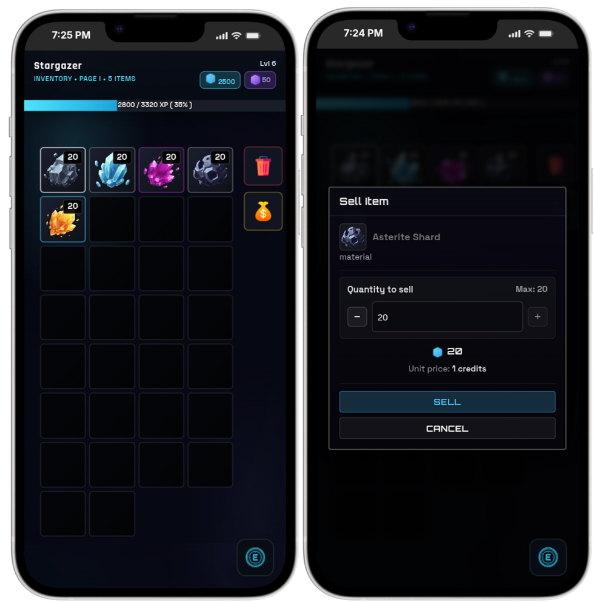
Resources (ores & mining)
Alongside “normal loot”, Endoria also has a dedicated layer of “resources” — especially ores you’ll harvest over time and later turn into bars.
What I want from the resources layer:
- Instantly recognizable: ores should be readable even as small icons in a grid
- Stackable & clean: resources shouldn’t clutter your inventory UX
How it fits the loop:
- resources are collected from the world (not only quest reward tables)
- they’ll feed into progression systems like upgrades/crafting (and more later)
- the mining/harvesting gameplay is already designed — but I’m not ready to reveal the exact mechanics yet :)
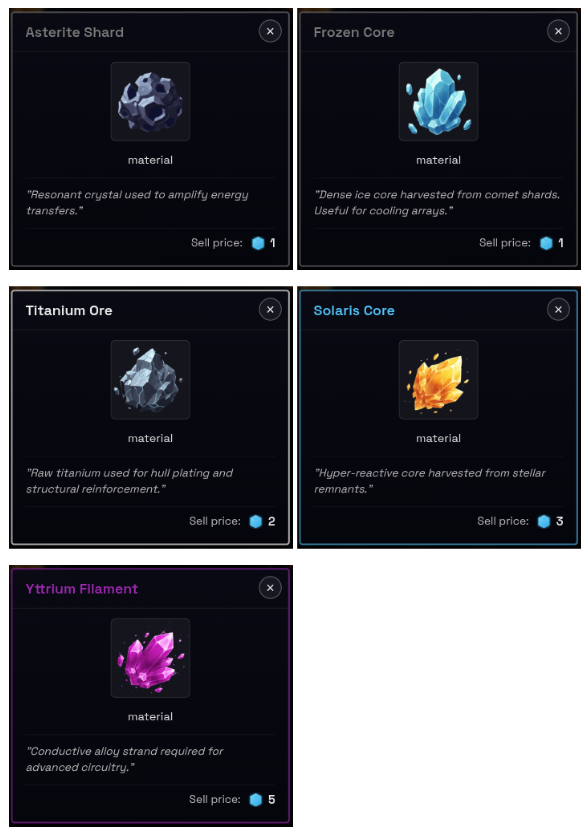
For now i have prepared these types:
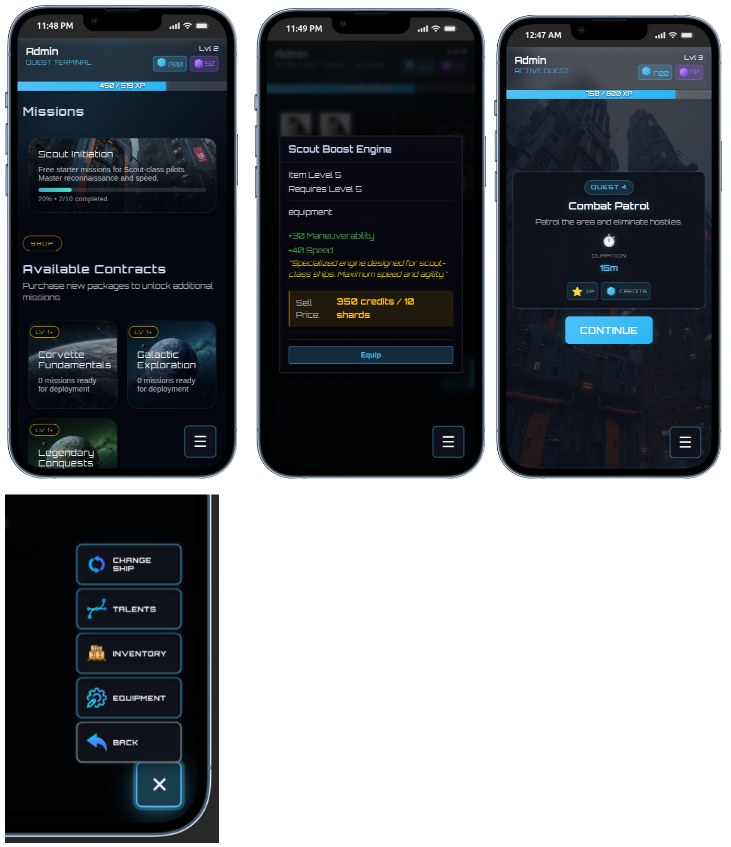
Quest line flow
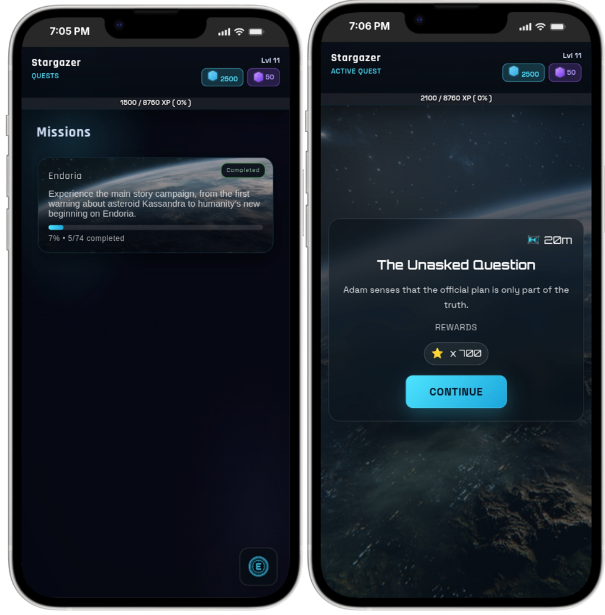
Instead of a single endless list of quests, the story is split into “packs” (think chapters/regions/DLCs...). Each pack has its own theme, visuals, and reward profile.
At a high level the flow is:
- You pick a ship (your character).
- You enter the quest terminal / pack selection.
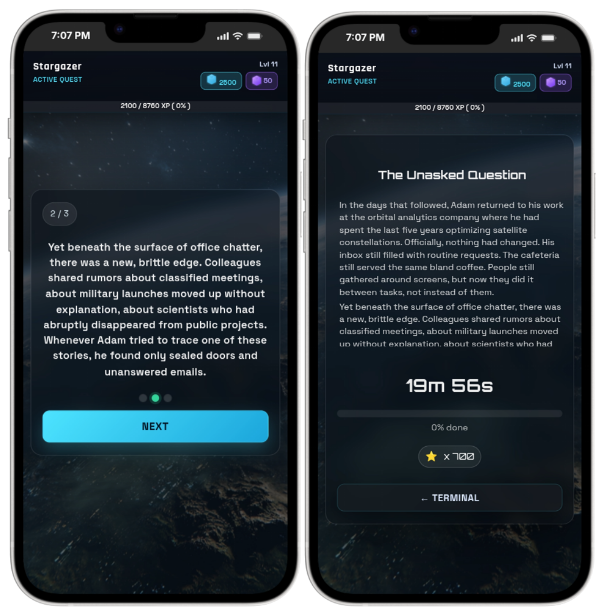
- You start a quest in a pack (little "dialog").
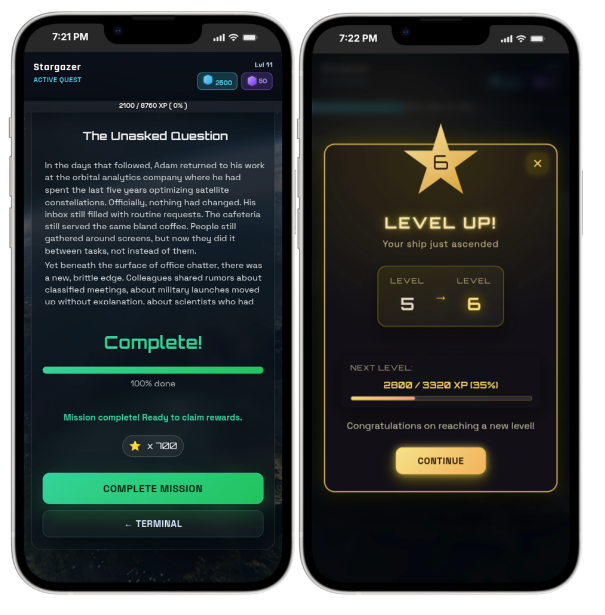
- You complete it and get rewards + progression
- The next quest in the pack becomes available.
Some screens: