On Sale: GamesAssetsToolsTabletopComics
Indie game storeFree gamesFun gamesHorror games
Game developmentAssetsComics
SalesBundles
Jobs
TagsGame Engines

PorkBellyGames

49
Posts
410
Followers
3
Following
A member registered Oct 20, 2021 · View creator page →

Creator of
Recent community posts

I'm afraid not unfortunately, sorry about that. I will however keep it in mind  to add the high resolution version of the textures to the files of upcoming projects. Again sorry about that.

(1 edit)

May I ask what programme you're using. I've tested it just now in unreal engine 5.6 and don't seem to be having any issues with making it two sided. Are you clicking apply on the material before checking? The reason for it being one sided is due to it being a single plane rather than a very thin cube making it easier to use, alternatively you can apply the texture to a cube and scale the cube if you wish. Hope this helps :)

(1 edit)

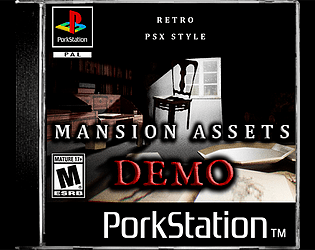
It should be uploaded for you now. Hopefully it's not too late. There's a version I've uploaded called "Retro PSX Style Mansion Assets v2.0 (INCLUDES GLTF)" that you can download now and should hopefully fix any issues you're having. Please don't hesitate to comment again or email me if you need any more help. Also again thanks for your feedback and the best of luck.

Oops, I'll be sure to correct that one. thanks for pointing that out.

I'll be sure to make an update. Thanks for the feedback.

I'm not a regular user of Godot but upon loading it I was able to import the models with textures without any issue. Hope this helps.

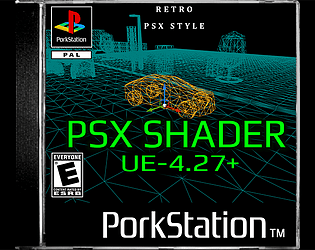
I am in future planning on making a version that works in 4.27 once I've finished my current project.

That's a fair point. I will definitely be considering putting them up on there in that case. If I do I'll be sure to make a post about it on itch. Appreciate your input!

As of right now, there are no current plans on releasing them on FAB, however, if there is enough attention and requests to do so, I will be. May I ask why? Also thank you for your interest :)

That's awesome, and hope you all the best on your project!

Thank you. Really appreciate the feedback too :)

(1 edit)

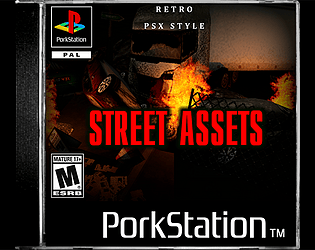
Currently on a street themed asset pack and in the works of publishing now along with a psx style shader for ue5.

I'm working on another asset pack at the moment but a mansion exterior is most definitely on the list and will be worked on as soon as possible. Thanks for your interest :)

Feel free to contact me via my help email with any details about the work, and I’ll get back to you as soon as possible on "porkbelly.help@gmail.com". Cheers.

(2 edits)

May I ask what programme you're using? If you're simply looking for a "oak bark" or "stump bark" texture in the asset files, they both utilise the poplar bark texture as their default bark texture on both model types. Hope this helps :)

Appreciate the love. I've currently got another pack in the works on the way :)

Hope it works out for your intended use and thanks also for the compliment!! :)

That's honestly awesome! The game looks great. Really appreciate the compliment and making it to the credits!!

Thanks for using my asset pack. I’d love to check out your game and it’s awesome to hear it turned out well. Looks like a really good use of the assets!

Unfortunately I don't use unity so my knowledge on it is very limited, however, upon looking at the picture you provided, it seems it could be an issue with double sided texturing. Most of my assets tend to make use of single planes that would require double sided texturing the materials. I searched YouTube and I think maybe this could be of help. 

Hopefully this solves your issues, and also thanks for your interest with my assets, and hope your project goes well.

The simplification of objects in this asset pack are completely intentional due to the nature of the psx style. The candle example is infact two planes perpendicular to each other as this technique was used in PS1 games in order to save polygons. So by implementing these techniques, you get a more authentic look and style to the PS1. Hope this helps and thank you for you interest and feedback.

Thanks, you're awesome 👍. Really appreciate the compliment man.

Hi, really appreciate the love. I'm currently working on a new asset pack in this same style at the moment but unfortunately isn't a mansion exterior, but I will certainly get round to adding a mansion exterior eventually. Thanks for the suggestion also BJ Games!! :)

I'm not really accustomed to using unity, but from what I've googled, FBX files can be imported into unity. The files types I've included for the assets are FBX, DAE and OBJ. As I've never used unity I would recommend looking into how those file types work in unity before purchasing. But thank you for your interest either way.I hope this helps :)

Updated:)

You are welcome to use the assets in your game as you wish, any credit is optional.

Absolutely awesome asset pack! In love with cartoon the style of it!!!

What program are you using? It's usually to do with the alpha on the texture/material.

I'm not entirely familiar with unity but I'm guessing that maybe you need to set up the window ray's material properties and enable it's transparency and/or alpha channel.

what programme are you using?

Excellent game, really loved the atmosphere and the constant tension that the sound and environment gave. A really creepy environment with nice attention to detail. Got a nice scare out of me XD. Overall a really good game, well done Niven, great work and keep it up! 

also, gonna give it a buy, and leave a comment as to how I get on, looks awesome

I'm so happy to hear that I've helped you on your journey, I really am. Your words mean so much. I truly wish you all the best in your game/asset Dev future endeavours. Truly and absolutely all the best in your future and thank you so much for your kind words, you're an awesome person, Niven.

it's basically a mesh cube with a transparent texture on it that gives the effect of light beaming through a window. hope that answers your question :)

XD

No problem :D

I'm not entirely sure, all I can thing of is the lighting, I used a very dim orange light to light up the room and then highlight the specific parts of the room with brighter lights in the candles. Other than that I'm not too sure, but I would highly recommend buying that pack I mentioned as it's definitely worth it if you're into the retro look in my opinion. 

Thanks itchwon86! Really glad that you like it. As for the effect on the screenshots I used a colouring effect called dithering, it lowers the number of colours creating the effect you see on the screenshots. There are a few good tutorials on YouTube on how to achieve this effect, however, I'd also recommend using https://marcis.itch.io/psxfx if you want a faster way of getting the psx feel. Hope this helps :)

Genuinely glad you're pleased, and the feedback is highly appreciated, thanks!

Thanks for the compliment :D