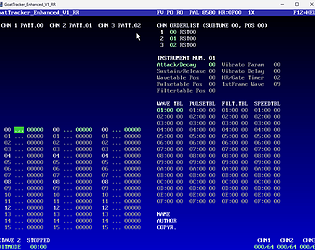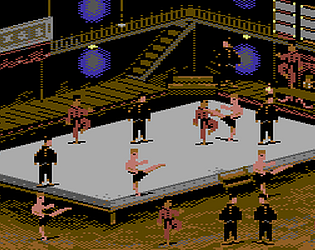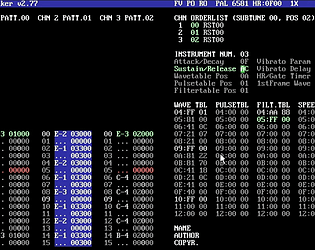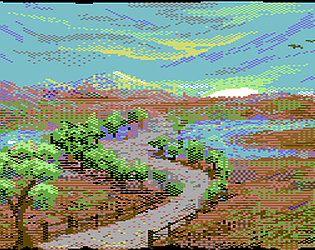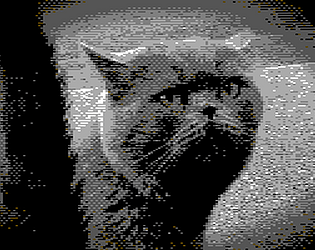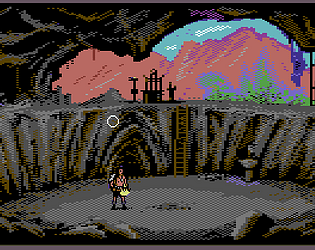
The text scroller itself is using its own IRQ and it looks like it has gone into HiRes character mode, thats the only way to get those upper 8 colours. So something has confused it, perhaps the fact I only tested with Bitmaps so far, so I will look into that.
polytricity
Creator of
Recent community posts
Not given up on scrolling, just been trying to find where the limits are. Folk may expect anything they throw at it to work, but if you ask too much of it, it will glich. For example, setting the H scroller to 8 rows and colour to NONE, then pre-injecting the colours seems nicer for a stock C64. I am still in a learning process of what works best then I need to make ti all work in my own programming macros... I keep the options open though since C64 Ultimate has no problem handling it. So, not given up, just not sure what I need to optimise, I leave that for the end user to figure out since all the tools are inplace. Indeed the F2 dump is working correctly, you're just not able to see the 'data' as it were as that would be unreadable.
In regards to the github links, those are more optimised routines doing other menial scrolling tricks to chars, not full screen scrolling with colour ram (which takes about 1.5 full screen draws to accomplish, hence this being fine on C64 ultimate with some turbo or, you trim it right back like most C64 scrolling games have to do, that one being a fine example). Tricks which avoid a big techncial ask of a C64.
The F2 dump is showing all code macros as far as I can see, the actual data of the assets though, I don't dump those other than byte data as they would be generally unreadable. So you only see the core macro routines / any code etc. So a Bitmap itself generate the data it needs at compile time, liek I said it would be unreadable but you can export as KLA and examine that however you like.
Was there a specific macro or code not coming out in the F2 dump you saw?
I see, its not being padded out as the scroll message enters, so that is just whatever is in memory before it. many of those Pre Version 1.0 things are subject to get broken, the routines might have been adjusted, so those files were more like proof of something almost working, or worked at the time... to be honest I dont know when the @ bug appeared as it was fine in an older version i will patch that.
The @@@'s happen due to the raster timing, chaning the row / NOP padding sometimes helps, but its really down to there being 0's there (the @ symbol) where it should be reading placing your scroller text... it is very fiddly and one of the things I have been learning as I got deeper into this project. Sometimes you cant always get what you expect with C64 and have to work around the limitations. If you want, you can share anything on the Discord, I can take a better look and see where I can make improvements better on my side too.
Hi coderzxy54,
Indeed there are still some flaws in various places, with text scrolling, IRQ timer issues and scrolling, too much demand for little C64 that the routines need to be used sparringly (or in reduced ways), or aim for C64 ultimate. Text made can be set up with HR/MC via the VIC and IRQ handlers, a bit more complex for someone new coming to this expecting things to work. Those were some of the very early experiments too.
And yes, not all things are getting dumped out as there are new things being made all the time, their code tends to get refined or scrapped, I just need to update the Dump file parser, left it behind for a while now.
Thanks for the links, I will look into them soon.
Thanks, takes a long time so, that Halloween Gamejam I am hosting, I stream everytime I work on it, although thats more casual and at times complicated as there is always problem solving involved... When I start making specific tutorials for specific game types and supplying the files, that will be a benefit, as long as folk know how to change it up to be more unique. Starting simple, I will make some kind of top down quest example like Storm or Zelda.... it will take a while to plan out, make and edit the videos but I will start devoting time to that soon.. This month is extra busy with multiple projects but next month will be better. Anyone who knows the tool is welcome to make tutorials too ofc, even learning packs and asset for sale that work with it.
Cheers!
Robert
Thank you. The idea is, eventually we will be making games, and templates to share so you have a starting point, with no limit to what you can create but that of your imagination and the C64 / C64 Ultimate itself. There is so much more cool stuff to come that will help, this is just 4 months of rapid development so far!
Thank you, there is some tutorials here to help you: https://www.youtube.com/watch?v=bummBPOkp5E&list=PLDwNUwlf8I7ejOY_kKW8uw60fUdK0YqU7&index=1
I think I know what it was, I set the minimum price up from $5.00 to $7.50 for the latest ones which I realised now would have locked access to buyers who paid $5.00 so I have put that back to $5.00 which makes sense. So in effect if you bought into it early, you get access to newer versions, I just need to keep that set to $5.00 for the duration of the project :/ My bad. Let me know if you have access now as I had to mess about with price setup and what is a demo and stuff.
I think this is an issue with raising prices at my end, apologies for that, I will keep the updates at $5.00 minimum moving forwards so you have full access to this project.
Cheers, Robert.
Thanks Arlasoft for the suggestions, they will be useful as this grows. I have comment nodes that will be good to give that kind of teaching side and I will make up a series of files for that at some stage too, as well as make a game with it. In most cases it is as close to coding in assembly as you could get but node based. The macros themselves could contain those things like Hud (with font asset, number of characters for score, Position etc) then the address it would fetch the data from and so on... It's forever evolving and I am in free-fall just trusting the process hoping things will click into place.
Once the core work is done, right now getting assets and character sets imported and then a collision macro set-up, more things will come to the forefront of what works for me and for the new-comers will start to take premise. Looking forwards to seeing what people can make in any case, even at this early stage.
Each macro has (or will have) a CODE and HELPER button, the code shows the full breakdown of the instructions used, MACRO_SID is pretty big, the helper explains a little about its purpose only. I will have extensive documentation about each opCode but much of that is just extrapolations from what one can find online, so I hope this fills a void for anyone wanting to take a leap from basic to assembly.