

https://papercraft-games.itch.io/folded-paper-engine
You can Check A Box and make a Player!
First Person, Third Person, Papercraft/Top-Down in no time.
And so many more Instant Game Mechanics!
You gotta take a look... We worked hard to make this easy and FUN for you :)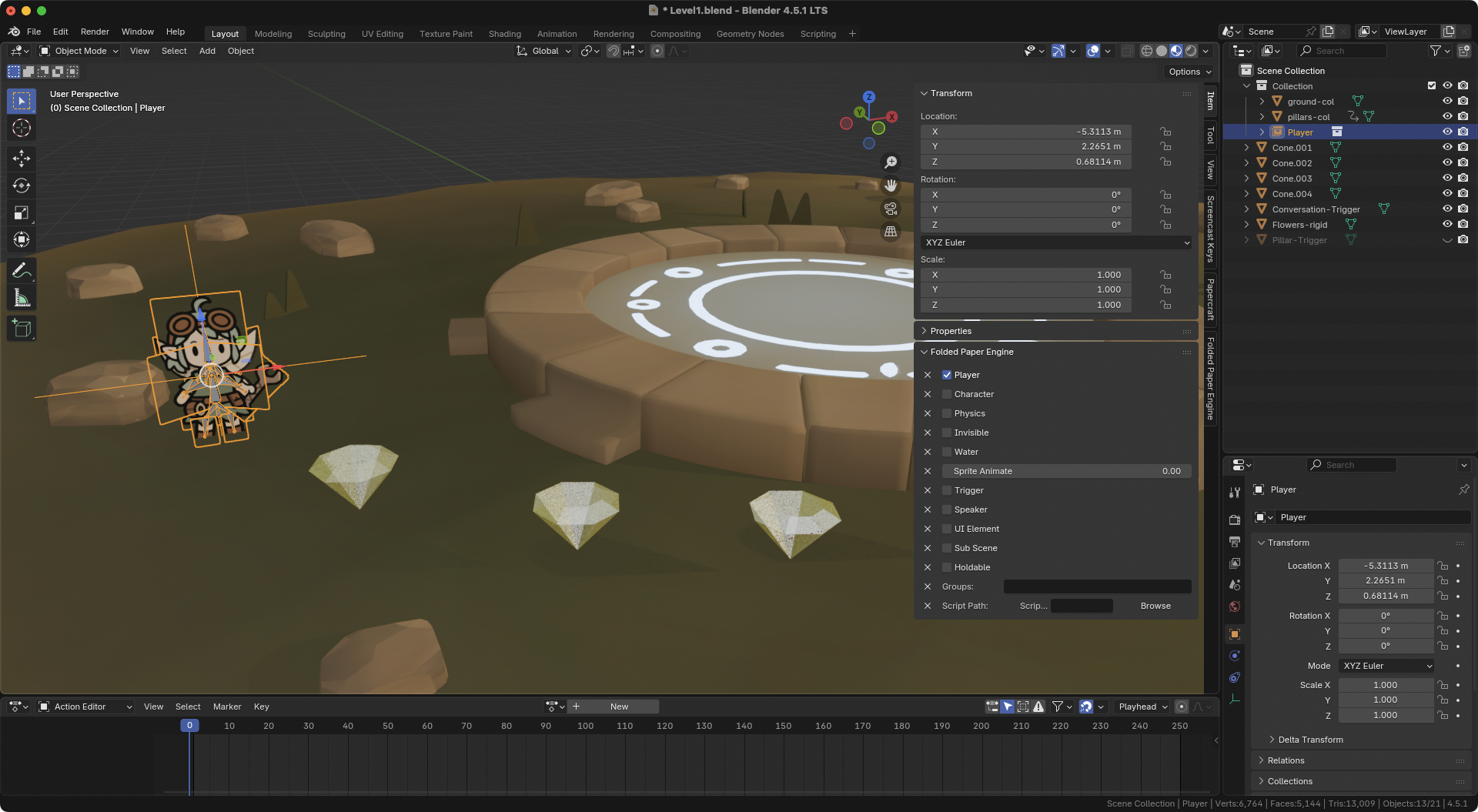
What is Folded Paper Engine?
Folded Paper Engine is a Blender-to-Godot addon that helps turn Blender scenes into gameplay-ready Godot levels with much less repetitive setup.
Instead of placing objects in Blender, exporting them, importing them into Godot, and then manually wiring up triggers, collision, audio, players, metadata, and scripts, FPE lets you define much of that intent directly in Blender.
You tag objects with FPE’s custom Blender panels, export a standard glTF/GLB file, then let the Godot addon enhance the imported scene based on those properties.
No custom file format. No weird pipeline lock-in. Just Blender, glTF, Godot, and smart automation.
Who is it for?
FPE is useful for:
- Artists and designers who want to prototype interactive levels without touching much code
- Solo developers who want to spend less time wiring up boilerplate
- Teams where level designers build scenes in Blender and hand them off to Godot
- Anyone tired of manually setting up the same triggers, collision, audio, and scene metadata over and over
How it works
1. Tag objects in Blender
Mark objects as players, characters, triggers, speakers, holdable items, physics objects, and more.
2. Export standard glTF/GLB
FPE stores your gameplay metadata in the exported file using Blender/Godot-friendly data.
3. Import into Godot
Add the FoldedPaperEngine node, assign your imported scene, and FPE wires up the behavior.
What can it define?
FPE currently supports structured Blender panels for things like:
- Characters and players
- Triggers and events
- Speakers and music
- Holdable items
- Physics setup
- Scene metadata
- Sky color
- Sub-scenes
- Level loading
- Animation frame events
Built to stay flexible
FPE is not trying to replace coding or lock you into a rigid framework.
Start simple. Build interactive scenes with minimal scripting. Then, when your game needs more custom behavior, override the generated setup, attach your own scripts, or extend FPE with your own modules.
The goal is simple:
Let Blender describe the level. Let Godot run the game. Let developers focus on the parts that actually make their game special.