


its in the name Brochacho...
A member registered Oct 11, 2021 · View creator page →
Creator of


Bounty hunter DynamiteHead surfs through a haunted graveyard, beating up undead badheads.
Fighting

Bounty hunter DynamiteHead surfs through deranged worlds, while beating up badheads with an explosive attitude.
Fighting
Play in browser


Fall through space and dash into as many enemies as you can! Try not to get dizzy!
Action

Play as the 😳 Emoji from Discord avoiding obstacles and beating your highscore!
Action
Play in browser


Recent community posts
Retro Shaders Pro for Unity URP community · Replied to Daniel Ilett in Screen-space color quantization & dithering
Noticed a tiny bug with the dither pattern scaling (nothing too bad though) if you have the game view resolution set to something not 2x the reference resolution (or you have the pixel scale set to something weird), the dither pattern pixels get weirdly squished around. Better explained by the screenshots below where the first one is with 1920x1080 and the second one is with 2560x1440. I have scale in screen space turned on and the vertical reference resolution set to 1080. Seems that the dither pattern scales with the scanline/rgb size slider.


Retro Shaders Pro for Unity URP community · Created a new topic Screen-space color quantization & dithering
Hi!
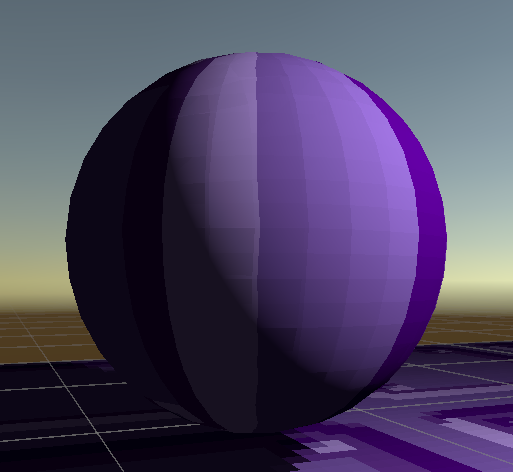
While testing the TexelLit lighting mode on the Retro Lit shader, I noticed that the objects still use a somewhat default per-pixel lit look on top of the texel based lighting. Is there a way to just purely use the texel based lighting without any per pixel "modern" lighting blended? The look I'm going for purely uses the texels for highlights and shadows. Is this possible to achieve?
Below is an image where you can clearly see the line of the basic lit shadow and the pixelated texel shadow.
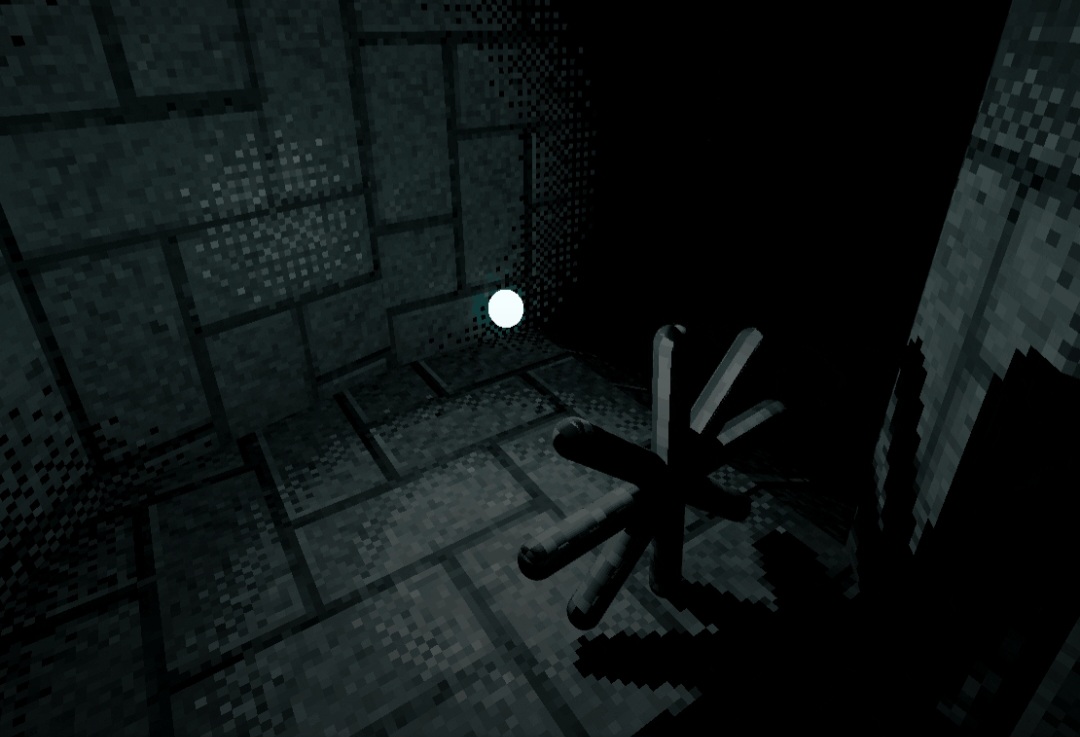
If it's possible it would be cool to be able to have the texel lighting be dithered itself without affecting the base texture. (Example image below)
Thanks!