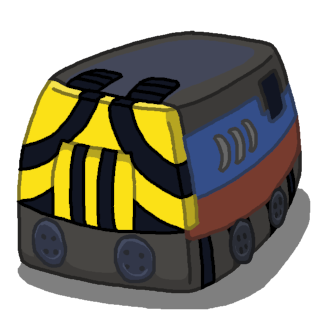
This is because you have enabled Electrified Rail (click the button with the electric symbol in the Railroad Construction window to disable it). I will add code to disable this button in the early tutorials.
Oddwarg
Creator of
Recent community posts
Mainly, it just isn't generally true that we should always want trains to avoid longer paths to the same blocked track like in your idea. Given a layout like you have in your screenshot, it is entirely reasonable to *want* the second train to use the loop as a buffer if there is a blockage: If the second train is long, then taking the loop will free up track behind it, which might be important to avoiding jams in the rest of your network. I would not be content to add heuristics that take away opportunities like this.
I am, however, working on an option to modify how a train considers detours when it is stuck in traffic. I believe this will help for your playstyle.
The signals are similar to path signals in OpenTTD, if you are familiar with that. (There is nothing like block signals.)
In Distributrains, trains work by reserving a path towards their destination. A train has to wait if the path it tries to reserve overlaps with the reservation of another train. If they see (the front side of) a signal while trying to reserve a path, then they stop reserving there. In essence, signals are used to shorten the path reservations to reduce conflicts.
There are two signal types: One-way Signals can never be passed from the back side, and Back-traversable Signals are ignored from the back side.
The rules are simple, and trains will never crash, but using signals optimally can be difficult. The game has a couple tutorials about this. Active path reservations are always drawn on the tracks, there is a pathfinding visualiser, and an option to draw signal direction arrows on the tracks.
Trains will consider longer detours the longer they are stuck. Sometimes the end result is they take a strictly worse loop because the alternative path they come up with ends up also being blocked, so they revert to the original path at some point. They do not remember the past or predict the future, all they want is to reserve path that will lead to the target.
I can change the parameters to make them less eager to take longer detours, but I don't really want to place any hard limits as this will result in them failing to find actually viable alternative paths in many cases. It could perhaps be user configurable.
You can, however, remedy this in two ways. #1 is to fix your congestion issues so your trains do not get stuck and start thinking about nonsensical detours. #2 is to change your track layouts so that those nonsensical detours are just not available to them in the areas where congestion might occur.
I'm not sure if a locomotive use case tutorial belongs inside the game, but I'll look into it. In general, you want trains that are as cheap as possible to run, while having just enough traction and top speed to avoid causing congestion. To make a good choice you need to consider what the weight of the train will be, the speed of other trains on the line, and how often it has to climb a sloped tile.
When engines are combined, they only contribute to traction below their engine top speed, and the speed of the whole train is limited by the lowest max. safe speed. The typical use of combining engines is including a slower engine to help in climbing long slopes. A couple other uses would be including a weak/fast engine to increase the top speed on long flats, or combining electric and combustion engines for traversing partially electrified railways.
You are seeing high resolution icons because of your UI scale setting. If you want to see upscaled low resolution icons instead, you should delete the icons in the "hires" folder.
I checked using the current version of the itch.io app and I don't see any issues. To be clear, there is only one download, and it is marked as supporting both Windows and Linux:

It contains the following binaries:
- Distributrains32 - For 32-bit Linux (x86)
- Distributrains64 - For 64-bit Linux (amd64)
- Distributrains32.exe - For 32-bit Windows (x86)
- Distributrains64.exe - For 64-bit Windows (amd64)
If you are on a supported platform and the download doesn't show up then you might need to talk to itch.io support.
I have uploaded the files for you here https://oddwarg.com/Music/Distributrains%20OST/
I will probably put it on bandcamp in the future
The tradeoff with the tree preservation setting is lower values are more productive but lead to deforestation. The deal is you can choose to manage the forest sustainably or thin it out and then move the camp.
Wind and sun are on the same scale in that a fully upgraded solar farm has about the same output as a fully upgraded wind farm if their weather numbers are the same. Without upgrades, a wind farm is about 50% better.
Rain is a different matter. Dams are meant to be used as batteries for other power plants. When only powered by rain, they can be good early game, but building only dams is generally a poor choice.
The KWh unit is calculated under the assumption that a cycle is a month. This means with 1 MWh you can run a 1 MW engine for roughly one real second. Maybe there's a better way to present this information, but it's just the amount of energy stored in the dam.
In map generation, wind is likely to be lower than sun and rain, while sun and rain are inversely correlated. You are meant to choose your power plants based on a several factors including the climate, your resources, the terrain, and what cards appear in the shop.
The room that's bricked shut was meant to be the baths but I just couldn't find the right energy to do anything with it. Maybe one day.
There is no official species name and you should call it whatever you want. I've used the tag hippowoof at least once but that's just silly.
Anyway thank you for playing my game :)
Incidentally the binary release works much better with the itch app on Linux.
If you want to, you can transfer your saves by copying the save directory from one game directory to the other. By default, the flatpak saves are at:
~/.var/app/com.oddwarg.SulphurNimbus/sulphurnimbus/save
and by default the itch app saves are at:
~/.config/itch/apps/sulphur-nimbus-hels-elixir/Sulphur Nimbus/save
where ~ is your home directory, as is normal. The directories starting with a period (.) are hidden in most file managers. You can likely toggle their visibility with the hotkey Ctrl-H.
If you downladed it without the itch app, then the save directory goes inside the game directory wherever you extracted the archive.
https://oddwarg.itch.io/sulphur-nimbus-hels-elixir
I have raised the minimum price back to a nonzero value for the occasion, and will keep it that way for the duration of the bundle if the game is accepted. Please reject it if you feel this goes against the spirit of the project.
Hi,
The Discord window capture hook is known to cause a serious memory leak which will eventually crash the game regardless of settings. Unfortunately this is not something I can fix on my end, however you have a few options:
1. Change your Discord capture mode to Display Capture instead of Window Capture.
2. Use Discord for Google Chrome.
3. Use any other screen capture software, such as OBS.
The dGPU opt-in you are referring to is already implemented in the official release for 64-bit Windows.
Unfortunately, there is no way to enable this feature from pure Java code. To overcome this, the official release uses the Groan Autodeployer, which is an executable wrapper that is able to enable the switch in native code before starting the Java Virtual Machine. The Groan Autodeployer is available on my SourceForge profile if you want to set this up yourself. But, the documentation and configuration is not very user friendly and please understand I do not offer technical support for this.
There are other Java executable wrappers you can try which have better documentation. I have never seen one that has the dGPU opt-in, but they do play nicer with Nvidia Optimus (e.g. you can configure the executable separately in the Nvidia control panel, or if you have a somewhat recent driver you can right click on the executable to select the GPU).
Without creating a native executable I think the only way to use the dGPU is to set the java executable itself to use the dGPU in the Nvidia control panel. In my experience this will work if you select the correct version of the executable, but I understand it's not a very nice solution.
Me and ntfwc found a possible fix, if you could try this version http://oddwarg.com/Temp/jogl-all.jar and let me know the results that would be great.
I sell the builds because money helps me to live. I've released the source code because I believe it's the right thing to do.
If you have the knowledge required to compile the game, then you can currently obtain a complete copy of the game for free. However, regarding the legality of redistribution: The source code is MPL, but the assets (e.g. the 'res' directory) are, at the time of writing, all rights reserved. This is in part because there are certain assets that I do not own and whose licenses are incompatible with the MPL. You have every right granted by the MPL for all forms of the code, but redistributing a copy and including the assets is, at best, on very shaky legal ground.
That said, I have no intention of fighting redistribution as long as it's not done in extremely bad faith, such as publishing a complete copy on a digital game storefront, or claiming that you made the game. Giving a copy to your friends is fine (and reusing any and all parts of my code is fine), but please encourage anyone who enjoys my work to consider buying the game to support me.
Code and assets being different licenses is not uncommon practice, and it is reflected in the itch.io Metadata. Commercial open source games also not unprecedented, although they are relatively rare. This article contains some examples that follow a similar model:
https://en.wikipedia.org/wiki/List_of_commercial_video_games_with_available_sour...


ntnu.no if you can.