Indie game storeFree gamesFun gamesHorror games
Game developmentAssetsComics
SalesBundles
Jobs
TagsGame Engines

NeevorPL

12
Posts
2
Topics
1
Following
A member registered 38 days ago

Recent community posts

Read this: https://itch.io/t/6359531/how-to-build-your-own-cpu-in-dls-a-minimalist-guide

(4 edits)

Seeing many people attempting to build a processor “from the inside out” (i.e., mindlessly connecting individual logic gates without a structured plan), here is a concrete roadmap. We aren’t building a full MOS or Z80 replica right away. Instead, we will create a minimalist architecture capable of memory reads/writes, jumps, and basic arithmetic operations. Here is the correct sequence of abstraction layers required to complete the project successfully:

Step 1: Define the ISA (Instruction Set Architecture)

Before placing a single gate, you must strictly define your instruction set. A set of 4 to 8 elementary instructions is perfect for a start. Determine the format of the opcodes and their arguments, for example:

  • NOP – Does nothing.
  • BRK – Stops the processor (deasserts the clock enable signal until a hardware RESET).
  • LOAD A, #value – Read a literal byte directly from the memory location following the opcode into Register A (Immediate mode).
  • LOAD A, [addr] – Read a byte from the specified RAM address into Register A (Absolute mode).
  • LOAD B, #value – Read a literal byte directly from the memory location following the opcode into Register B (Immediate mode).
  • LOAD B, [addr] – Read a byte from the specified RAM address into Register B (Absolute mode).
  • STORE A, [addr] – Write the current contents of Register A into the specified RAM address.
  • STORE B, [addr] – Write the current contents of Register B into the specified RAM address.
  • TAB – Transfer the contents of Register A directly into Register B.
  • TBA – Transfer the contents of Register B directly into Register A.
  • ADD A, #value – Add a literal byte directly to the contents of Register A (Immediate mode).
  • ADD A, [addr] – Fetch a byte from the specified RAM address and add it to Register A (Absolute mode).
  • ADD A, B – Add the contents of Register B to Register A.
  • SUB A, #value – Subtract a literal byte directly from the contents of Register A using ALU logic (Immediate mode).
  • SUB A, [addr] – Fetch a byte from the specified RAM address and subtract it from Register A using ALU logic (Absolute mode).
  • SUB A, B – Subtract the contents of Register B from Register A using ALU logic.
  • JUMP [addr] – Unconditional jump (overwrite the Program Counter with the target address).

I am stopping at these few, because more and more ideas for instructions and address modes that MUST be implemented keep popping into my head ;)

Step 2: Design the Data Path

Prepare a structure of registers connected by data and address buses. Every register output connected to a bus must be isolated using a tri-state buffer or controlled via a multiplexer to prevent bus contention. The minimum required blocks are:

  • PC (Program Counter) - A counter indicating the address of the instruction currently being fetched.
  • AR (Address Register) - A register that latches the address for the RAM.
  • A, B - General-purpose registers (Accumulator and helper register).
  • ALU (Arithmetic Logic Unit) - The arithmetic and logic core.

💡 ALU Tip: Instead of designing an ALU from scratch, it is best to implement the architecture presented by Sebastien Lague (the author of DLS) in his YouTube series on building a computer. He demonstrates step-by-step how to build a unit that handles both addition and subtraction using simple adders controlled by inversion and carry-in lines.

Step 3: The Flags Register – The Link Between ALU and CPU

Borrowing from the MOS 6502 architecture, the processor must be able to react to the results of mathematical operations. This is handled by the Status Register (P - Processor Status). Each bit (flag) is hardware-set by the ALU after executing an ADD or SUB instruction:

  • Z (Zero) Flag - Set to 1 if the ALU result is exactly zero.
  • N (Negative) Flag - Copies the highest bit of the result (the sign bit in two’s complement). If bit 7 is 1, the result is negative.
  • C (Carry) Flag - For ADD, it signals an unsigned overflow (result > 255). For SUB, it acts as a borrow indicator—Sebastien’s ALU naturally generates this signal by analyzing the output carry bit when the second operand is inverted.
  • V (Overflow) Flag - Indicates a signed overflow (Two’s Complement) when an operation on two numbers of the same sign yields a result with the opposite sign. These flags are critical because, in the next stage of your processor’s development, they will allow you to implement conditional jumps (e.g., BEQ – branch if Z=1).

Step 4: The Sequencer – Microstep Counter

Executing a single instruction requires several clock cycles (control phases, also kwnown as Instruction Cycle or Fetch-Decode-Execute Cycle). For instance, a LOAD instruction needs time to:

  1. Assert the PC onto the address bus and latch the operation code (Opcode Fetch).
  2. Decode the instruction within the Control Unit.
  3. Assert the argument’s address onto the address bus.
  4. Read data from RAM and latch it into the destination register.

To manage this process, a step counter is required (e.g., a 3-bit counter counting from 0 to 7) which resets back to its initial state (0) upon completing the full instruction sequence.

Step 5: The Control Unit Based on Microcode

Designing combinational control logic purely out of logic gates becomes unmanageable as the number of instructions grows. The most efficient approach is using a ROM component as a microcode decoder.The ROM input address is a combination of: [Current Opcode] + [Current Microstep Counter Value]. The ROM output is a wide Control Word (e.g., 16, 24, or 32 bits), where each individual bit is physically wired to a control line (Enable, Write, Read, Clear) of a specific block within the CPU.

💡 Engineering Pro-Tip: To generate the contents of your control ROM, it is best to write a simple compiler in Python. The script should parse a text file containing symbolic state descriptions (e.g., PC_OUT, RAM_READ, AR_IN) and automatically map them to their respective bit positions in the control word, outputting a clean binary file ready to be loaded into DLS. Manually toggling bits in a hex editor is a guarantee for logic bugs.

Step 6: Initialization (RESET) and the First Test

The final stage is implementing the RST (Reset) line. This signal must force an asynchronous load of the start address (e.g., 0x0000) into the PC register and clear the microstep counter. To verify that your logic structures work properly, place a simple sequence of instructions into the RAM:

0x0000: LOAD A, [0x0010]  ; Fetch value from address 0x10
0x0003: SUB A, [0x0011]   ; Subtract value at address 0x11
0x0006: JUMP 0x0003       ; Loop back to repeat the operation

If the microstep counter cycles correctly after a reset, the PC register performs the proper address jumps, and the accumulator stabilizes with the correct values according to the ALU, your processor core is functional. With this solid foundation, you can move on to implementing advanced mechanisms like hardware interrupt handling (IRQ/NMI), additional registers, stack, conditional jumps, indexed address modes or more ALU operations (incl. BCD mode).

Since I am nearing the completion of a MOS 8502 replica — the heart of the 8-bit computers from the Commodore stable — and ultimately plan a full Commodore PLUS/4 replica, I have already built many of these circuits and ironed out most of the edge cases. Feel free to ask about the details. To cover absolutely everything, I would need hours of lectures or reams of paper ;) Which I might actually do someday, who knows.

(1 edit)

Nobody said it was easy :D

Here is a more detailed diagram: http://www.z80.info/gfx/fig214.gif

Understand and recreate all the parts, connect them, and that’s all. I’ve been working on my MOS8502 replica for a year and it is 95% done. Now working on interrupt handling.

https://www.zilog.com/docs/z80/um0080.pdf

Select whatever you want using combinations click, shift+click or ctr+click. Press CRTL+D (duplicate), and click to put duplicated things on canvas.

Rotate chip? You can’t.

(1 edit)

Hi everyone,

I just wanted to express my deepest gratitude for the absolute flood of responses and the overwhelming support I received on my last question. Your collective silence was truly deafening and incredibly inspiring—so much so that it motivated me to just take matters into my own hands.

With no other options, I ended up writing my own transpiler in Python. The script does exactly what I originally asked about: it directly parses the project’s JSON file, safely maps the old NAND-based sub-circuits to my new native C# components, and most importantly, it leaves the original GUIDs completely untouched while correctly recalculating the pin indices. All the wiring remains perfectly intact, and the simulation is finally back to a playable speed.

I’m dropping my code below. Take it and use it, so nobody else has to reinvent the wheel (or wait around for help that’s never coming).

import json
import os
import shutil
import glob

# List of gates to migrate to native Unity C# implementations
NATIVE_GATES = [
    "NOT", "AND", "OR", "XOR", "NOR", "XNOR",
    "AND3", "AND4", "AND8", "OR3", "OR4", "OR5", "OR6", "OR8"
]

CHIPS_DIR = "./Chips"
DELETED_DIR = "./Deleted Chips"


def main():
    if not os.path.exists(DELETED_DIR):
        os.makedirs(DELETED_DIR)
        print(f"Created directory: {DELETED_DIR}")

    gate_mappings = {}

    print("--- STEP 1: BUILDING ID MAP & MOVING OLD FILES ---")
    for gate in NATIVE_GATES:
        filename = f"{gate}.json"
        src_path = os.path.join(CHIPS_DIR, filename)
        dest_path = os.path.join(DELETED_DIR, filename)

        if not os.path.exists(src_path):
            print(f"[Skipped] Not found in {CHIPS_DIR}: {filename}")
            continue

        # Read the old gate JSON to map its complex IDs to sequential 0, 1, 2...
        with open(src_path, 'r', encoding='utf-8') as f:
            data = json.load(f)

        gate_mappings[gate] = {}
        current_new_id = 0

        if 'InputPins' in data:
            for pin in data['InputPins']:
                gate_mappings[gate][pin['ID']] = current_new_id
                current_new_id += 1

        if 'OutputPins' in data:
            for pin in data['OutputPins']:
                gate_mappings[gate][pin['ID']] = current_new_id
                current_new_id += 1

        # Move the old gate file out of the active directory
        try:
            if os.path.exists(dest_path):
                os.remove(dest_path)
            shutil.move(src_path, dest_path)
            print(f"[Mapped & Moved] {filename}")
        except Exception as e:
            print(f"[Error] Could not move {filename}: {e}")

    print("\n--- STEP 2: UPDATING WIRES IN REMAINING CHIPS ---")
    for filepath in glob.glob(os.path.join(CHIPS_DIR, '*.json')):
        filename = os.path.basename(filepath)
        chip_name = filename.replace('.json', '')

        with open(filepath, 'r', encoding='utf-8') as f:
            try:
                data = json.load(f)
            except json.JSONDecodeError:
                print(f"[Error] Failed to parse JSON in {filename}")
                continue

        modified = False
        subchips_to_update = {}

        # Check if the chip uses any of the migrated gates
        if 'SubChips' in data and data['SubChips']:
            for subchip in data['SubChips']:
                if subchip['Name'] in gate_mappings:
                    subchips_to_update[subchip['ID']] = subchip['Name']

        if not subchips_to_update:
            continue

        # Update the wiring to use the new sequential IDs (0, 1, 2...)
        if 'Wires' in data and data['Wires']:
            for wire in data['Wires']:
                # Update Source Pin
                src_owner = wire['SourcePinAddress']['PinOwnerID']
                if src_owner in subchips_to_update:
                    gate_name = subchips_to_update[src_owner]
                    old_pin = wire['SourcePinAddress']['PinID']
                    if old_pin in gate_mappings[gate_name]:
                        wire['SourcePinAddress']['PinID'] = gate_mappings[gate_name][old_pin]
                        modified = True

                # Update Target Pin
                tgt_owner = wire['TargetPinAddress']['PinOwnerID']
                if tgt_owner in subchips_to_update:
                    gate_name = subchips_to_update[tgt_owner]
                    old_pin = wire['TargetPinAddress']['PinID']
                    if old_pin in gate_mappings[gate_name]:
                        wire['TargetPinAddress']['PinID'] = gate_mappings[gate_name][old_pin]
                        modified = True

        # Save the updated chip JSON
        if modified:
            with open(filepath, 'w', encoding='utf-8') as f:
                json.dump(data, f, indent=2)
            print(f"[Updated Wires] -> {filename}")

    print("\n[SUCCESS] ALL DONE! The DLS library is fully migrated to native gates.")


if __name__ == '__main__':
    main()

Hope someone out there finds this useful. On a brighter note, the Commodore PLUS 4 replica is slowly taking shape!

Best regards, Pietrek

Hi everyone,

I’m currently deep into building a Commodore PLUS 4 replica. To keep the simulation speed at a playable level, I’ve moved away from building basic gates (OR, NOT, XOR, etc.) out of NAND sub-circuits. Instead, I’ve implemented them as native C# components within the DLS source code.

I have a large existing project folder where all the logic is already wired using sub-circuits (the standard .json format where a “Gate” is a collection of NANDs). My new native C# gates, while functionally identical, are seen as different entities by the simulator.

I’m looking for a way to “transpile” or convert my existing project JSON so that:

  • References to the old NAND-based sub-circuits are replaced with my new native C# components.

  • All existing wiring (connections) remains intact.

The way DLS saves sub-circuits vs. native components seems to differ in terms of componentName and how pins are indexed.

Doing replacement manually in the editor for a real CPU-scale project is impossible.

Has anyone developed a script or a tool to Batch-Replace components in DLS project files? Or perhaps someone has found a way to “alias” a sub-circuit so the engine treats it as a native script during the simulation update loop?

I’m currently considering writing a Python script to parse and edit the JSON directly, but I’m worried about breaking the internal GUIDs or pin mapping. Any insights or similar experiences would be greatly appreciated!

Best regards, Pietrek

I made it for you.

(1 edit)

Find block diagram of any processor. Let’s try Zilog’s Z80 one. Here is the manual: https://www.zilog.com/docs/z80/um0080.pdf

Recreate all the block - registers, instruction decoder, alu, etc Wire it all together, and voila, you have a Z80 replica ;P

Shift + D?

What you mean “duplicate something”?

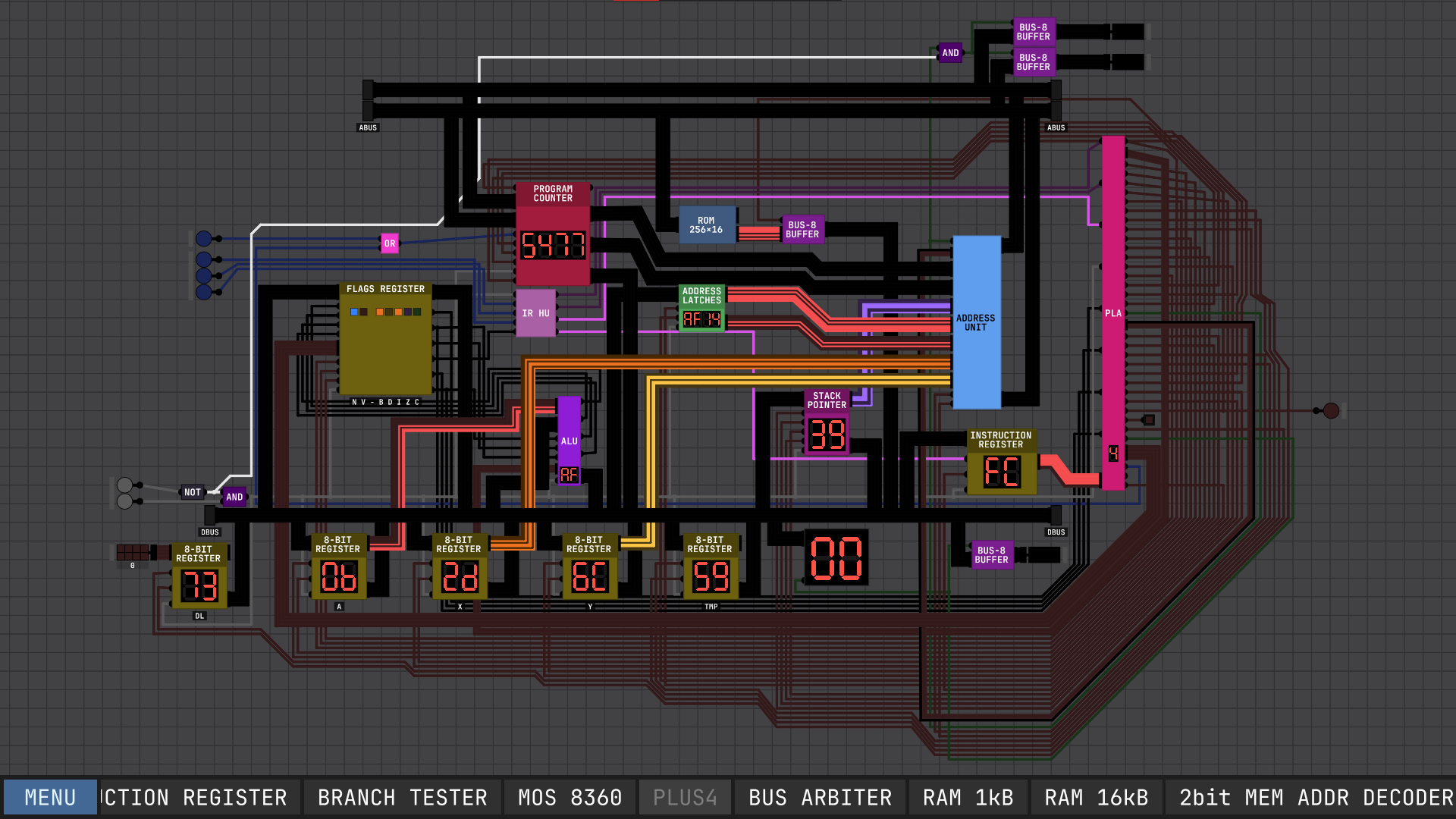
MOS 8501 Replica