Hi there! Have you updated this? It's been more than a week, and I haven't seen you post an announcement of a new update on Itch.Io. If you're busy with commissions or just with your life in general, that's fine. Just please make sure to at least give a written update. Thank You!
namoniya
Recent community posts
Okay, first of all, I'm sorry for the late reply. It's been a week, but I've been able to test what you said. And yeah, by lowering the text speed, relative pauses work.
What you suggested last week is good. Here are my thoughts/suggestions:
1. Please add a comment that warns about this to the .rpy file. As far as I know, this was only implied in the explanations within the file. So it would be useful to see this being given a warning.
2. As you said, you can implement a message that appears under the "Sentences" bar when the Text Speed is maxed out, warning that the text speed shouldn't be maxed out if the user uses relative pauses.
3. You can possibly make it so that the text speed can't be maxed out when the user is using relative pauses. I don't know if that's possible. For example, maybe you can make it so that the max of the text speed is 0.1 instead of just 0.
So yeah, feel free to share your thoughts on what I suggested. It's okay if your reply is a bit late. After all, I haven't responded to you in a week.
So, I finally tested the tool in English before testing it in Indonesian. And while Absolutes Pauses works fine enough. Relative Pauses just doesn't seem to work. There may be a problem with the code. But I don't think I edited anything that may have caused this error. And I didn't edit anything past the Danger Zone, so there's that too. Though, I did install other tools/.rpy files.
Here's a video I made detailing this bug (And yes, I'm testing this in Fenix's Easy Ren'Py GUI):
Screenshots of .rpy files I have:
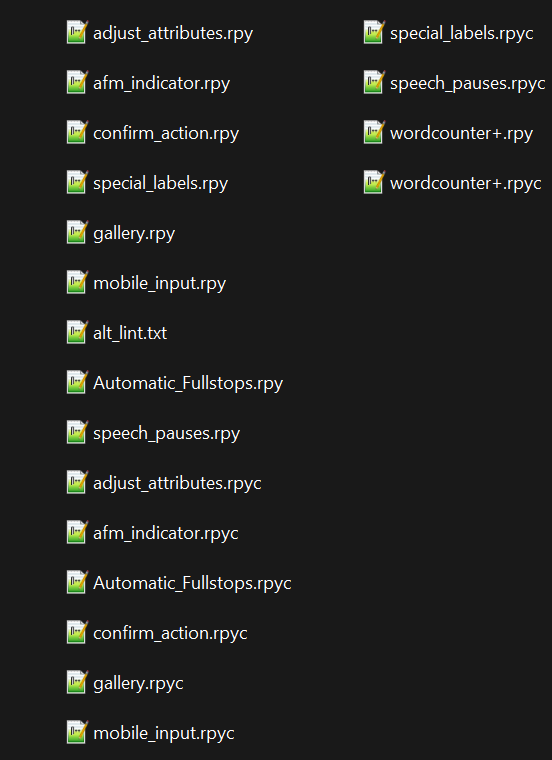
Hello brunoais! I would like to thank you for providing this modified tool for release. I would also like to thank KigyoDev for the original tool that you modified. I do hope this tool can be helpful in the development of my Visual Novel.
Now, for the main topic. Here is my submission for an Indonesian language option that you can implement. I'll give context for the chosen titles/words and give out the code I added for the Indonesian language to you. to you. I'm also sorry if there are any mistakes or errors that I missed. In that case, feel free to correct me!
Context/Translation Notes:
"Mr." is translated to "Tn". (Note: Tn. stands for Tuan)
"Ms." is translated to "Nn." (Note: Could you please add Ms to the English Speech Exceptions as an update? Thanks!) (Note 2: Nn. stands for Nona)
"Mrs." is translated to "Ny." (Note: Ny. stands for Nyonya)
"Dr." is translated to "dr." (Note: dr. stands for Dokter)
Additionally, I added "Dr." as well. In Indonesia, it stands for Doktor. The word's meaning is used as a title for someone who earned their Bachelor's Degree.
Code (The translate None python section acts as a separator between the above and below code):
# For Indonesian language
id_speech_exceptions = ["Tn.", "Ny." "dr.", "Dr."]
translate None python:
##########
# If your VN's default language is not english change this value.
# E.g, for Japanese, change into: speech_exceptions = ja_speech_exceptions
##########
speech_exceptions = speechPauses.en_speech_exceptions
## ID
translate id python:
speech_exceptions = speechPauses.id_speech_exceptions
Hi! So I've added this to my Visual Novel (At the moment, testing it out in Fenix's Easy Ren'Py GUI). And I got this notice:
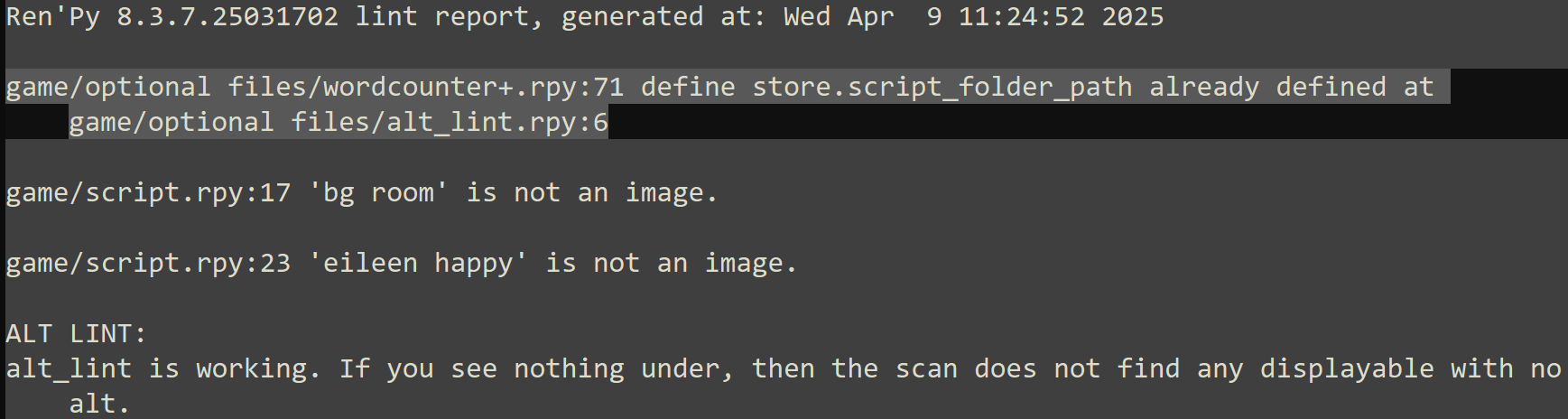
So, is this compatible with Kigyodev's Lint+ tool? You did say this tool was inspired by it. So I suppose they may potentially have similar codes as well.
Still, thank you for making this tool! I hope this can help make my visual novel more accessible.
And I hope this tool can have more updates to expand on its capabilities.
Thank you for the tutorial! This does a great job at adding more information to the Position Properties that the Ren'Py tutorial game covers. The tool was also really useful as well.
So yeah, when positioning an image, the most important thing to consider is the anchor, not the image.
The align is just a combination of the position and anchor.
Again, thanks for the clarification!
Hi, so, first of all... Thank you so much for making this! It means a lot to the controller users. I initially wanted to use a controller whenever I played a Ren'Py Visual Novel! But I realize that the controller support on Ren'Py is a bit lacking. But with this tool, developers can add more support towards controller functionality!
Also, I'm sorry if I got any terminologies in this wrong, as I'm still a beginner at Ren'Py and thus am not familiar with the names of the codes that are used.
Some Questions:
1. This tool is compatible with the Achievements and Extended Music Room tools you've made right? I'm pretty sure that's correct due to the code for the screens can easily be adjusted/rewritten to call for the classes featured in this tool. But I don't want to assume here.
2. I'm curious about the development of Ren'Py here. How does it work exactly? As far as I know, new builds of Ren'Py are primarily distributed in Github where the new build will be reviewed for potential merging with the main branch. How long would this process take exactly? Since you did mention that the changes you made to the Ren'Py engine itself via overwriting its functions would take a couple of days. Please correct me if I'm wrong here.
3. Should I wait for this tool to receive its initial bug fixes from launch? Or should I try it out immediately and point out any bugs I found?
Again, thank you for making this tool and for taking the time to answer these questions of mine!