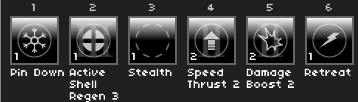
Heads up, this does not work with Felvidek. The engine throws an error and the game does not even reach the title screen. I was going to write a longer tutorial on how to disable the mod so the game works again(or for any other reason you might want to), but it ended up looking a lot like an AI wrote it.
(then again, Felvidek might make the mod itself not work too well for some of its effects considering that game's unique overworld system)
In short, to disable the mod, find 'plugins.js' in www/plugins(at least in MV, unsure about MZ), open it with Notepad, scroll down to the bottom and the 'ABJ_Chaos' plugin(or Control+F to find it that way) and set its status to false. Set it to true if you want to experience pain once more.
Hope this helps and happy suffering.