

VisualNetworkUtilsis out now — stop guessing why your ping just spiked
Every gamer has been here: mid-match, ping jumps, something's lagging, and you have no idea if
it's your Wi-Fi, your ISP, the game server, or some other device on your network hogging
bandwidth. VisualNetworkUtils is a small Windows tool built to answer that question in plain
English, without needing to know what a subnet mask is.
WHAT IT ACTUALLY DOES
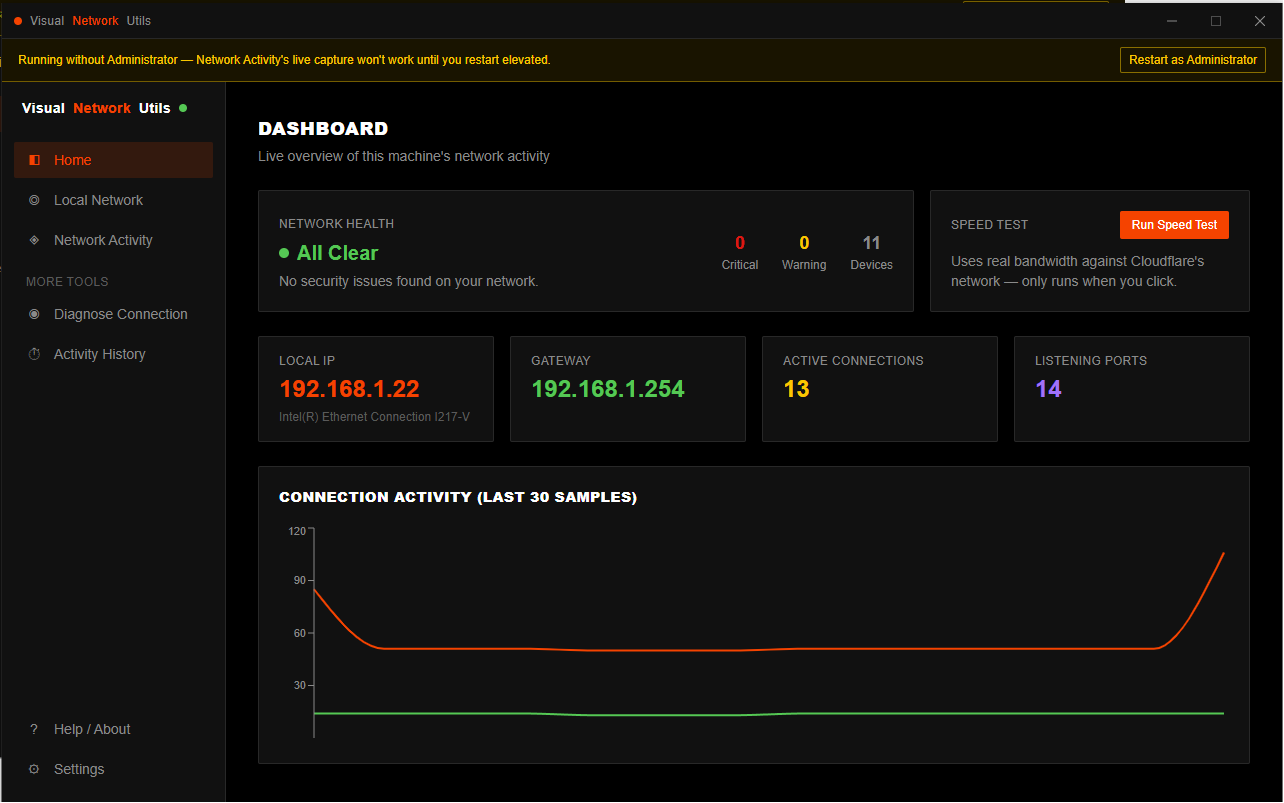
- See every device on your network at a glance, in a list or an interactive topology view
router, PC, phone, IoT gadgets, all of it — with plain-English security findings instead of
raw scan output ("Telnet is open, here's why that matters") rather than a wall of numbers.
- Watch live UDP traffic per app or game — including the real remote address and hostname,
something Windows' own connection tables can't show you for UDP. See exactly who your game
is actually talking to, live.
- Diagnose a laggy connection properly: pick an active connection or type an address, get live
ping stats, jitter, packet loss, an optional traceroute, and a plain verdict — "your Wi-Fi
signal is weak" beats a wall of raw ping output every time.
- A local, persistent history you can scroll back through — not just a live snapshot that's
gone the moment you close the app.
WHY IT'S DIFFERENT
Everything runs locally. No cloud account, no telemetry, no data leaving your machine except
the handful of test pings/speed-test bytes to Cloudflare that you'd expect from a network tool.
No bundled nmap, no Wireshark — it talks straight to Windows' own APIs. What you see is what's
actually on your network, not a subscription dashboard.
PRICING
One-time purchase, €5. No subscription, no license server, install it once and it's yours.
REQUIREMENTS
Windows 10/11. Most features run with zero elevation — only the live UDP capture needs
Administrator, and the app tells you exactly when and why if you try to use it.
Grab it here: Network analysis for Gaming by masonsoftwarelabslimited
Feedback, bug reports, and "it would be great if it also did X" are all welcome — this is a first release, and I'd rather hear about rough edges now than have people quietly bounce off them