
Indie game storeFree gamesFun gamesHorror games
Game developmentAssetsComics
SalesBundles
Jobs
TagsGame Engines

manuelifeno

13
Posts
A member registered Feb 28, 2024

Recent community posts
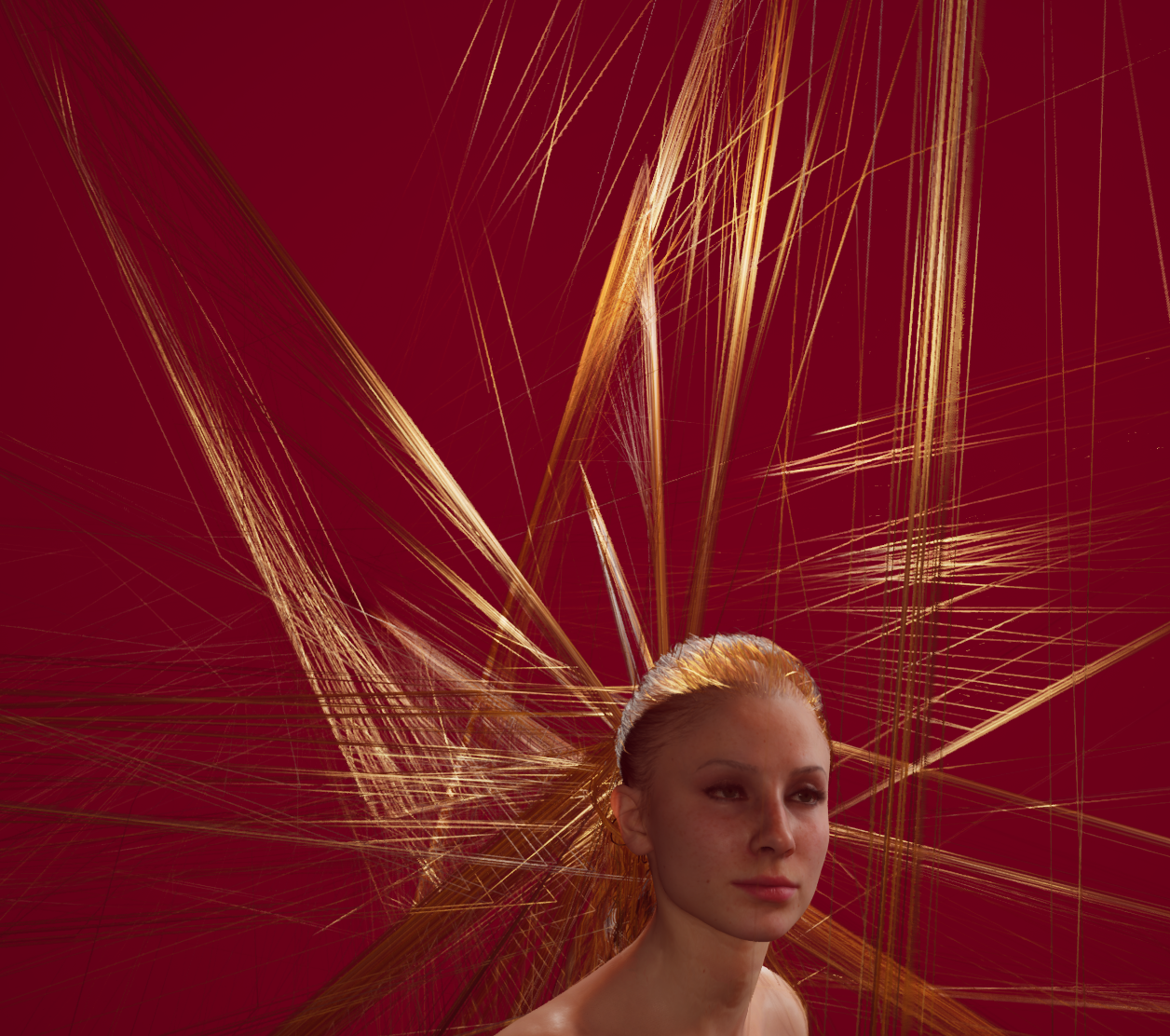
Thanks! Yeah fix would be appreciated. Just for your information though, collisions were broken on more than just the hair, don't ask me how. Pretty much all the soft bodies like the mouth or but had the collision shifted vertically. Maybe it is not a dx issue, but i tried all settings and only when i switched to dx11 it was fixed. 

I did try playing with the collision settings too, and they didnt fix the issues. Dx11 seems to have done the trick. I wonder why changing DX mode would fix the collisions? It is like they were shifted vertically.

dx11 did the trick. I am guessing an AMD issue, as my drivers are up to date, but AMD does love to not fix issues with drivers.

Thanks for the quick reply. Actually I tried all settings and reloaded a few times, just to make sure (I am a developer, so I do like to test in-depth). I also noticed all other physic collisions were also broken. Most specifically all the collisions, not the physics. So, boobs move fine, but the lips dont interact with you know what, and the hands also don't. Almost like the hitboxes dont line up. Let me try dx11 and see!

Oh my the hair is completely broken on my system (AMD gpu). None of the physics settings fix it, so i am guessing it is a bug. 

That is awesome! Thank you! I will be updating the shaders and giving the new blends a try

That is awesome information! Thank you!

Thanks! Only thing I can say right now looking at the code is that it seems the current blending is depending on the scale of the image, instead of the outline width. That is probably why if I apply the outline after the existing transformation or before it changes the smoothness of the border. (my characters are zoomed out so the scale changes quite a bit). I still have to try the proxy transformation. That might solve my issues as it applies the outline transform after my zoom transform.

mmm I understand the outline will be visible. I am more trying to reproduce the soft shadow effect I see on the dagger example on the page of this plugging, but for me it is looking different. It is like the gradiant is only being applied to the outside border of the outline, instead of the entire width of the outline. Lets say the width of the outline is 20px, the gradiant seems to only apply to the last 5pixels of the outline. 


As for applying the transform on a proxy, let me try that and see if it changes the behavior of the outline. Thanks!

(1 edit)

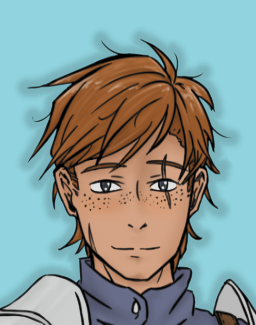
Hello! Sorry for the confusion. I want a drop-shadow effect on each character (to make them standout from the background), and I would prefer not to have to apply the transformation every time I show a character, but on the character definition. As you can see in the screenshot I attached, the dropshadow effect is not displaying correctly when attaching to the character definition. The two colors are black, one with a bit of transparency, and one with full transparency. I want a smooth transtion between the two, but I am getting a transition only at the edge of the outline. This was not the case when applying the transformation when showing the character for some reason, but if I had to apply the transform on every time I show a character... it would take a really long time, and it would break some of my existing transformations. 

Hello again! Using the shader and I was wondering a few things.

 I have applied the shader to the characters in our game before, and the results are different when I apply them when showing the character or when defining the character. It seems the gradient is calculated differently, and it looks like it starts the gradiant close to the outside edge of the shader. I attached a screenshot of one of my poor characters struggling with his spiky hair, and the transform applied. If I apply the shader after the character has been defined, the gradiant seems to look better. Is there a way to smoothly transition from the two colors when defining a character with this shader?


Thank you!

transform shadowOne:

    outline_transform(30, "#0000002f", 4.0, end_color="#00000000", num_passes=1.0, gradient_smoothing=1.0, is_mesh=True, mesh_pad=True, drawable_res=True, offset=(0, 0)) 


image low Normal A cape:

    "Lowri/LowAHNormal.png"

    shadowOne

    zoom .25

    yoffset 200

(1 edit)

Thanks for the quick answer! I missed the 7.5 version requirement. I wasn't able to upgrade to 7.7/8.2 because of compatibility issues, but I am thinking 7.5 should be fine. Let me give it a try! 

Edit: I updated to 7.5 and it works perfectly now. Thanks!

Hello! I got the shader, using it in version 7.4.11. I just dropped the file in my game folder and I am getting a parsing script failed error:

```

I'm sorry, but errors were detected in your script. Please correct the

errors listed below, and try again.

File "game/outline_shader.rpy", line 182: ATL statement contains two expressions in a row; is one of them a misspelled property? If not, separate them with pass.

    gl_drawable_resolution drawable_res

                                       ^

File "game/outline_shader.rpy", line 211: ATL statement contains two expressions in a row; is one of them a misspelled property? If not, separate them with pass.

    mesh True mesh_pad (20, 20, 20, 20) gl_drawable_resolution False

                                                                    ^

Ren'Py Version: Ren'Py 7.4.11.2266

Tue Feb 27 17:46:04 2024

```