On Sale: GamesAssetsToolsTabletopComics
Indie game storeFree gamesFun gamesHorror games
Game developmentAssetsComics
SalesBundles
Jobs
TagsGame Engines

Last_Call

8
Posts
14
Followers
8
Following
A member registered Jul 25, 2025 · View creator page →

Creator of

Recent community posts

Hey! Thanks again for the feedback and the screenshots, they were really helpful.

I just uploaded a new version (v1.1) that fixes the issues you reported. The Darkly theme should be perfectly readable now with the correct contrast, and the program finally remembers your theme preference when you close it.

I also changed the layout to use a resizable splitter, which should fix the weird resizing issue you noticed between the different themes. Let me know if it works better for you now!

If you're still using it, I'd be grateful if you could let me know how your experience is going

I haven't worked on the tool for a while, but thanks for the feedback. I'll check what you reported today or tomorrow, and if necessary, I'll fix the code to improve the themes and visibility.

The themes are the default Python ones, so the color palette should be consistent... but you never know.

In the meantime, could you please provide some screenshots?


Hi! Thanks for the comment and for using the plugin! 

I think I understand what you're asking for, but I want to make sure I get it right before implementing anything.

My understanding:

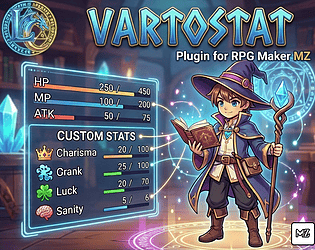
You're working with procedurally generated actors (created dynamically during gameplay), which makes it impossible to pre-configure each actor in the Plugin Parameters.

What you'd need is a "Global Stat Template" system where:

  1. You define the stat structure once (like: Strength, Dexterity, Intelligence - with their icons, descriptions, and max values)
  2. This template can be dynamically applied to any actor during runtime
  3. Each actor would use their own separate variables to store their individual stat values, but they'd all share the same stat definitions (names, icons, descriptions, limits)

Example flow:

  • Define global template: [Strength, Dex, Int]
  • Actor #5 (generated at runtime) → uses template with Variables #50, #51, #52
  • Actor #47 (generated later) → uses same template with Variables #470, #471, #472

Is this what you need?

If so, I have a few questions to design the best solution:

  1. How do you want to assign the template to new actors? Via Plugin Command? Or automatically when unlocking an actor?
  2. Should each stat still use a unique variable per actor, or would you prefer a different approach?
  3. Do you need all actors to share the same "Available Points" variable, or should each have their own?

Let me know and I'll see what I can do! 

Sorry, the file was hidden. It’s now available and you can download it directly from this page.

I really love your idea; it's a much bigger challenge. I'll get started on it tomorrow, but it's going to be a ton of work. Because of that, I've decided to make it a free-will donation upgrade to the existing tool. Since you gave me the idea, I'd like to give you this update for free if you help me with testing while I develop it. If you're interested, we can swap Discord handles and chat there

Thank you so much, I'm really glad you like the tool. Please provide me with your honest feedback and share your experience, so I can make improvements if needed.

Hey, thanks so much for the comment and the great question!

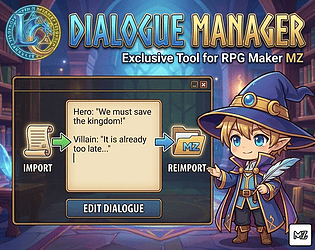
You're spot on – right now, the tool is designed mostly for editing dialogue that's already in an existing RPG Maker project. It works by scanning your project files, finding all the "Show Text" and "Show Choices" commands you've already placed, and then gathering them all into one place. This makes it super handy for proofreading, making large-scale edits, or even translating your game without having to hunt down every single event.

The reason it can't create dialogue from scratch and inject it is that creating a dialogue event involves a lot more than just the text itself. The tool would need to know where to create the event (on which map, in which event object), which character faceset to use, where to position the dialogue box, etc. – all things that are currently handled inside the RPG Maker editor.

That said, your idea for a "dialogue-first" workflow is awesome and definitely gives me something to think about for future updates!

As a crafty workaround, if you wanted to use it for mass writing, you could first go into your RPG Maker project and create a bunch of empty "Show Text" events as placeholders. Then, you could run the tool to extract them all and write your actual dialogue comfortably in one go.

Thanks again for the valuable feedback!

Hi, how can i import the spritesheet on RPG Maker MV?