So reinstalling it does work, but the second I add the dlcs the errors pop back up
Kylel0519
Recent community posts
So I'm having an issue, I've tried running the new update and it keeps giving me this error
[code]
I'm sorry, but an uncaught exception occurred.
While running game code:
File "game/start.rpy", line 1207, in script call
File "game/cl/labels_room.rpy", line 88, in script
File "game/cl/labels_ui.rpy", line 1106, in execute
File "game/cl/labels_ui.rpy", line 1107, in execute
File "game/cl/labels_ui.rpy", line 1119, in execute
File "game/cl/labels_ui.rpy", line 1130, in execute
File "game/cl/labels_ui.rpy", line 1140, in execute
File "game/cl/labels_ui.rpy", line 1143, in execute
File "game/cl/labels_ui.rpy", line 1145, in execute
File "game/cl/labels_ui.rpy", line 1146, in execute
File "game/cl/labels_ui.rpy", line 1146, in keywords
File "game/cl/labels_ui.rpy", line 1151, in keywords
File "game/cl/labels_ui.rpy", line 1152, in <module>
File "game/cl/class_activity_ren.py", line 91, in get_tooltip
File "game/cl/class_activity_ren.py", line 142, in get_attributes_tooltip
OSError: [Errno 9] Bad file descriptor
-- Full Traceback ------------------------------------------------------------
Traceback (most recent call last):
File "game/start.rpy", line 1207, in script call
File "game/cl/labels_room.rpy", line 88, in script
File "renpy/ast.py", line 2231, in execute
self.call("execute")
~~~~~~~~~^^^^^^^^^^^
File "renpy/ast.py", line 2195, in call
return renpy.statements.call(method, parsed, *args, **kwargs)
~~~~~~~~~~~~~~~~~~~~~^^^^^^^^^^^^^^^^^^^^^^^^^^^^^^^^^
File "renpy/statements.py", line 379, in call
return method(parsed, *args, **kwargs)
~~~~~~^^^^^^^^^^^^^^^^^^^^^^^^^
File "renpy/common/000statements.rpy", line 695, in execute_call_screen
store._return = renpy.call_screen(name, *args, **kwargs)
~~~~~~~~~~~~~~~~~^^^^^^^^^^^^^^^^^^^^^^^
File "renpy/exports/statementexports.py", line 348, in call_screen
rv = renpy.ui.interact(mouse="screen", type="screen", roll_forward=roll_forward)
~~~~~~~~~~~~~~~~~^^^^^^^^^^^^^^^^^^^^^^^^^^^^^^^^^^^^^^^^^^^^^^^^^^^^^^^^^^
File "renpy/ui.py", line 304, in interact
rv = renpy.game.interface.interact(roll_forward=roll_forward, **kwargs)
~~~~~~~~~~~~~~~~~~~~~~~~~~~~~^^^^^^^^^^^^^^^^^^^^^^^^^^^^^^^^^^^^^
File "renpy/display/core.py", line 2219, in interact
repeat, rv = self.interact_core(
~~~~~~~~~~~~~~~~~~^
preloads=preloads,
^^^^^^^^^^^^^^^^^^
...<4 lines>...
**kwargs,
^^^^^^^^^
) # type: ignore
^
File "renpy/display/core.py", line 2757, in interact_core
root_widget.visit_all(lambda d: d.per_interact())
~~~~~~~~~~~~~~~~~~~~~^^^^^^^^^^^^^^^^^^^^^^^^^^^^
File "renpy/display/displayable.py", line 432, in visit_all
d.visit_all(callback, seen)
~~~~~~~~~~~^^^^^^^^^^^^^^^^
File "renpy/display/displayable.py", line 432, in visit_all
d.visit_all(callback, seen)
~~~~~~~~~~~^^^^^^^^^^^^^^^^
File "renpy/display/displayable.py", line 432, in visit_all
d.visit_all(callback, seen)
~~~~~~~~~~~^^^^^^^^^^^^^^^^
File "renpy/display/screen.py", line 503, in visit_all
callback(self)
~~~~~~~~^^^^^^
File "renpy/display/core.py", line 2757, in <lambda>
root_widget.visit_all(lambda d: d.per_interact())
~~~~~~~~~~~~~~^^
File "renpy/display/screen.py", line 514, in per_interact
self.update()
~~~~~~~~~~~^^
File "renpy/display/screen.py", line 715, in update
self.screen.function(**self.scope)
~~~~~~~~~~~~~~~~~~~~^^^^^^^^^^^^^^
File "game/cl/labels_ui.rpy", line 1106, in execute
File "game/cl/labels_ui.rpy", line 1107, in execute
File "game/cl/labels_ui.rpy", line 1119, in execute
File "game/cl/labels_ui.rpy", line 1130, in execute
File "game/cl/labels_ui.rpy", line 1140, in execute
File "game/cl/labels_ui.rpy", line 1143, in execute
File "game/cl/labels_ui.rpy", line 1145, in execute
File "game/cl/labels_ui.rpy", line 1146, in execute
File "game/cl/labels_ui.rpy", line 1146, in keywords
File "game/cl/labels_ui.rpy", line 1151, in keywords
File "renpy/python.py", line 1292, in py_eval
return py_eval_bytecode(code, globals, locals)
~~~~~~~~~~~~~~~~^^^^^^^^^^^^^^^^^^^^^^^
File "renpy/python.py", line 1285, in py_eval_bytecode
return eval(bytecode, globals, locals)
~~~~^^^^^^^^^^^^^^^^^^^^^^^^^^^
File "game/cl/labels_ui.rpy", line 1152, in <module>
File "game/cl/class_activity_ren.py", line 91, in get_tooltip
File "game/cl/class_activity_ren.py", line 142, in get_attributes_tooltip
File "renpy/minstore.py", line 87, in print
_print(*args, **kwargs)
~~~~~~^^^^^^^^^^^^^^^^^
File "renpy/log.py", line 298, in write
self.real_file.flush()
~~~~~~~~~~~~~~~~~~~~^^
OSError: [Errno 9] Bad file descriptor
Windows-11-10.0.26100-SP0 AMD64
Ren'Py 8.4.1.25072401
Love & Sex : Second Base - 25.12.0b 25.12.0b
Sun Dec 21 05:54:54 2025
[/code]
Is this something on my end or something with the update?
no? If you don't already have the option to update on the bottom right corner ( I assume you're using the Itch.io app and not webpage) you go to the cog next to launch button to manage the game and if it says v0.1.2.2 as your main file to manage you'll want to either A. Uninstall it than install the new update or B. install v0.1.2.3 ( the new update) which should overwrite the old update and keep your save files without having to transfer them
Just finished the current content and I must say, this game has improved VASTLEY since 2021. The facial updates make characters look alot better and have a much better charm, also the writing has improved and still has that charm and joking quality that it's always brought. Keep up the good work man! glad to always be supporting this project
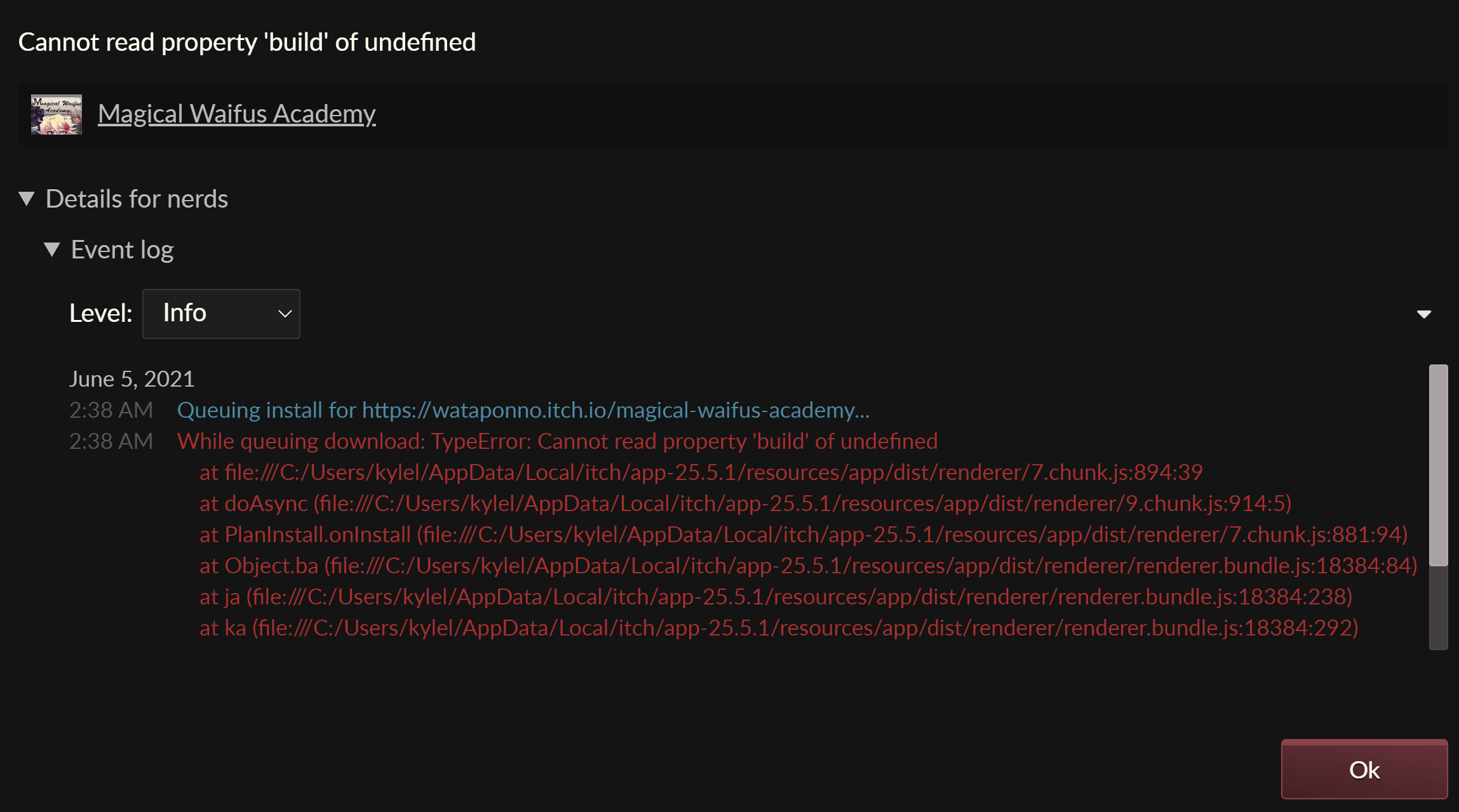
So I seem to be having a similar problem and from what I'm getting at it from the error is that it isn't actually reading the build? But that really what the launcher is telling me so idk. But with that being said just downloading the game through WinRAR let's the game seem to run without any issues.
Well besides giving most people a mini heart attack, I like the sound of where this next update is going and what's going on with the game.
The world building is more than great for what you're trying to do and definitely makes this more than your run-of-the-mill 18+ game that just bases it around the normal lines of, talk to chick A, face one of x problems for/with chick A, do a seccy with chick A, game done. when I first found this game I really wasn't expecting much (Found it during the 0.1.0 public build so not too long ago), but was genuinely surprised with the story and the characters and what they had in terms of being a decent character, from the story to the world around them (also with how much content the game had). Now what I'm glad to hear is the code being worked on to try and make the game run smoother and perform better for those on mobile or lower powered computers. In addition with this long paragraph, i'd like to point out the way you've handled criticism and acknowledged the problems in the game (both large and small) for awhile now i’ve seen many devs, directors, and many others for a large handful of games, movies, or other works not take criticism well or at all, so I’d like to say thank you for working on this great game and being a great developer and doing your best every version of this game, and hope that it becomes even better with the next build of the game. ( And again sorry for the mini-Paragraph.)

Yeah, I'm running into that same issue. I've tried running an old and new save and reinstalling but come to have the same issue I can move the mouse around and open menus but can't click on else (This is from loading an old save from 0.11 to 0.12) .