On Sale: GamesAssetsToolsTabletopComics
Indie game storeFree gamesFun gamesHorror games
Game developmentAssetsComics
SalesBundles
Jobs
TagsGame Engines

Krishna Palacio

349
Posts
14
Topics
2,487
Followers
12
Following
A member registered Mar 31, 2020 · View creator page →

Creator of

Recent community posts

Hi Dweomer!

With the bundle you get all the released asset packs up to the point of purchase. Once you purchase the bundle, it doesn't get updated with future releases.

To keep your collection updated at the lowest price, it's advised to have a Minifantasy Patreon subscription. Alternatively, you can buy the new pack releases directly in Itch.

Here you have a link to a post that explains it all in detail -> https://krishna-palacio.itch.io/minifantasy-dungeon/devlog/701876/how-to-get-the...

Hey Ced30! How are you doing? :)

I'm glad to see you are enjoying the assets. Plans are in place to expand the series through thematic expansions, allowing for a deeper dive into various aspects of RTS games, such as production chains or defence-focused features, among others. 

However, Minifantasy Patreon community members are those who suggest and vote on new content. The plans for new RTS content are there (there are already several main asset packs suggestions for the RTS series), but they will arrive depending on the community's majority interests.

Nice ships!

Hi James!

Unfortunately, the outfits don't cover all the animations available for the base characters. This is because, as you already pointed out, new animations for the base characters are gradually added and updating the already existing outfits to fit all the latest animations becomes an impossible task due to the time it takes. This asset pack is self-contained, and the outfits offered are meant to be used with characters with a limited set of animations (mainly NPCs you can find in towns and cities).

Besides, creating new layered outfits for the base characters now would be incredibly time-consuming due to the many different animations available for base characters (different asset packs and exclusive Patreon addons have been adding more and more animations compatible with base humanoid characters through the years of life of Minifantasy). To the point that if I commit to outfit layer creation, I won't have time to really expand the collection in other directions.

You can still use layered outfits for the base characters, but you will need to edit the outfit layer to match the specific animations you want to use. There are also ways to automate that through code, but it will require you to set up the system in advance.

10/10 Thanks for this mate!

Hey Kajmaj!

When you buy any bundle on Itch (any bundle, not only Minifantasy), you receive all the included asset packs up to the point of purchase. Bundles in your Itch library don't get updated if new content is added to a given bundle later on.

If you wish to acquire new Minifantasy releases after purchasing the bundle (there is a new asset pack every month), you have two options:

  • You can buy new packs that interest you individually as they are released on Itch.

Or,

  • You can subscribe to Minifantasy's Patreon.

As a Patreon subscriber, you'll receive the latest pack release each month, along with other exclusive benefits. This way, your Minifantasy collection will always stay updated.

Here you have a post that explains it all in detail https://krishna-palacio.itch.io/minifantasy-dungeon/devlog/701876/how-to-get-the...

I hope this clarifies your question! Please let me know if you have any other questions :)

I have messaged you already on Patreon. You should see a message notification there :)

As many discounted purchases as you want! :)

I've updated the name and tier description to avoid future potential misunderstandings. Thanks so much for bringing this to my attention 🙏

Hi again LrColiver!

The 2D archive refers to the Patreon-exclusive content archive. I release additional Minifantasy content on Patreon every month, and it goes into this archive (which already contains hundreds of additional add-ons and creatures).

Main asset packs are not Patreon-exclusive content. As a Patreon subscriber, you get claiming links for new main Itch releases, but subscribing doesn't grant access to all previously released main asset packs on Itch.

To access all previously released main asset packs, you can get the complete bundle or buy them individually if you only want a few of them.

As a Patron, you also get 50% discount coupons for individual asset packs (send me a direct message on Patreon and I'll send you the 50% off link for the asset packs you want. Note that the discount can NOT be applied to the already discounted complete bundle. For getting the entire collection available in Itch, the cheapest option is the complete bundle).

Lastly, if the Patreon tier description was confusing and you ended up subscribed to a tier that doesn't provide what you wanted, send me a direct message on Patreon and I'll refund your subscription.

If you need any other thing, just let me know :)

Hey LrColiver!

If you had an active Patreon subscription at the moment of release, you should have already received a claiming link for this asset pack.

If you haven't had an active subscription to Minifantasy Patreon at the time this pack was released, then the only way to acquire it is through Itch (either as an individual purchase or as part of the complete bundle).

I hope it answers your question. If you have any other questions, let me know :)

Hey Kikcinaa! Thanks :) 

The collection is meant to be used with 2d characters as billboards

hey! I have DM'd you on Patreon :)

Leo Paz is a legend! ❤️‍🔥

Thank you for your kind words and the support :) Minifantasy is possible thanks to you guys!

Hey!

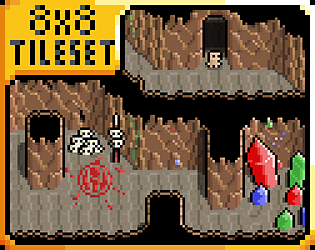
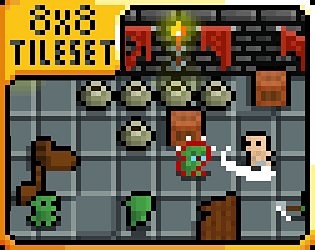
In general, for Minifantasy asset packs used in Unity, you will need to use the tileset sliced into 8×8. If you want to autotile, you will need to set a rule tile for the tileset that fits your personal needs.

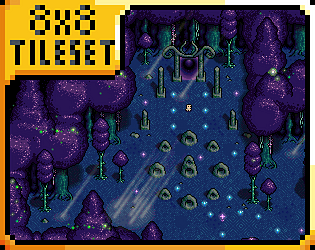
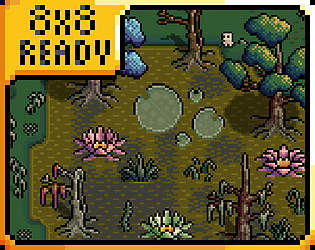
For Fae Depths, it differs a little bit from the rest of the biome asset packs in the collection. The reason is that, for creating the vibes of a deep magical forest with huge trees, I couldn't stick to the usual 8×8 for the "forest walls" and "forest perimeter" assets.

The "terrain" tiles are the standard 8×8 tiles found in the rest of the collection. However, for the aforementioned "forest walls" and "forest perimeter," you will need to use them as they are provided. They come already cut to a size that fits, and the "use guideline" lets you know how to connect one to another. To "cut them out" from the sprite set, you can have the spriteset sliced into 8×8, and then you can select the different sections (you won't be using those parts as an 8×8 tileset, just using the 8×8 cells to cut them from the spriteset, so the section connects with other sections properly. I attached an image).

Remember that treetops should be on a layer above tree trunks (or rendered after the trunks). The "forest wall" ends and corners come already with the trunk embedded to serve as a reference; the rest do not come with the trunk embedded to give you more flexibility for creating varied forest wall designs.

Thank you! That's the plan :) New packs coming soon 

Hi Louchen,

When you buy any bundle on Itch, you receive all the included asset packs up to the point of purchase. Bundles in your Itch library don't get updated if new content is added to a given bundle later on.

If you wish to acquire new Minifantasy releases after purchasing the bundle (there is a new asset pack every month), you have two options:

  • You can buy new packs that interest you individually as they are released on Itch.

Or,

  • You can subscribe to Minifantasy's Patreon.

As a Patreon subscriber, you'll receive the latest pack release each month, along with other exclusive benefits. This way, your Minifantasy collection will always stay updated.

I hope this clarifies your question! Please let me know if you have any other questions :)

Thank you! :D

The honor is mine for having your support! :)

Hey mutinii, thanks for the support :)

That is actually intended; in those frames, the huge sword is touching the ground, so the black outline disappears when the edge and the ground touch.

However, I understand you might prefer the sword to keep the outline during the whole animation. Fortunately,  you can easily edit the sprite sheet to add the black pixels for closing the outline in Aseprite, Pixel Edit, Photoshop, or similar software.

Hey Zemon! Thanks a lot for sharing the link ^^

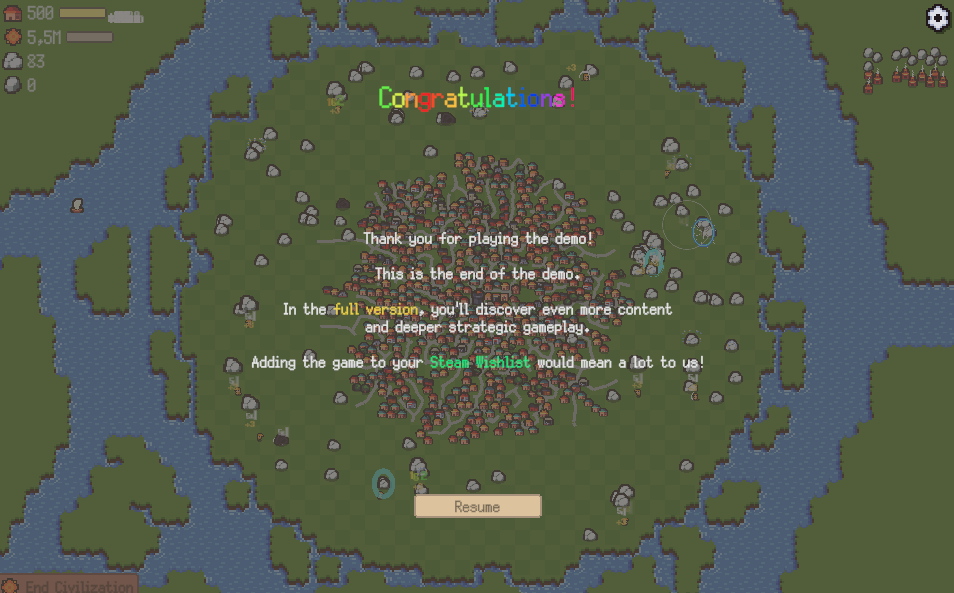
Congratulations on your demo release!

Hi Lycoris! Thanks a lot for sharing them with me <3

Hey! Sorry for the late reply, I just saw your message now 🙏😅

I see you already found it. This was posted a long time ago, when the archive had a different format. I should have told you earlier where this was located; my fault. Sorry about that.

In case you didn't see it, there is a 1-click download option located at the top of the post in the Patreon archive page (it includes all content from the old archive too). Sometimes it's easier to find stuff by looking directly into the folders. Also, there is an interactive index on www.minifantasy.net that can help finding assets.

Have a nice weekend!

Hey! Thank you :) I'm glad you like the assets.

The tent in the cover image is a part of a small set available in the Minifantasy Patreon archive. This set is called Minifantasy - Adventurer's Camp and includes some tents, racks, bonfires, fences, etc.

I release new Patreon exclusive content for Minifantasy (pack add-ons and new creatures) every month.

Hi cleardotgames,

I understand your confusion about the different packaging formats.

The Minifantasy assets on Itch.io are distributed as standard graphical assets (PNG files), which is actually the original and primary format for the collection. While these can absolutely be used with any game engine including Unity, they will require manual integration.

To use them in Unity:

  • Import the PNG files into your Unity project's Assets folder
  • Set the appropriate settings depending on your project setup
  • Create your own prefabs or game objects using these sprites

The Unity Asset Store versions were a separate initiative where I packaged everything specifically for Unity with prefabs and ready-to-use components. I think the Unity packs are incredibly handy and well made. Unfortunately, the limited demand on the Asset Store and the resources required to maintain both versions forced me to discontinue Unity releases long time ago (that's why there are only 9 asset packs available in the Asset Store).

Hey! Thanks a lot :)

The game looks fantastic, I like how you have used the assets :) Congratulations!

Hi JJ,

Those specific props are available as part of Patreon’s Minifantasy content. In the Patreon archive, we have several options for camsites and bonfires.

Hey Raxtus! Yeah, you can show how you work with the assets and how your game progresses and graphically evolves in your devlog videos, no problem!
Please, once you start the devlog, share it here ^^

Thank you Neutoon! :)

Este es un proceso en el que estarás en continua evolución. Si practicas, no pararas de mejorar y aprender cosas nuevas. Lo importante es empezar, y si te gusta, que cojas el hábito de dibujar por disfrute personal.

En mi caso concreto, esto se ha convertido en mi trabajo a tiempo completo, llevo trabajando en esta colección desde 2019, por lo que le he dedicado miles de horas. Pero como tu bien dices cada persona es diferente y no hay dos cominos iguales :)

Pues lo mejor es que sigas algún tutorial básico en YouTube. Si pones "pixel art animation tutorial" te salen muchos. Intenta seguir los tutoriales paso a paso, y practica mucho. El secreto es empezar con animaciones muy sencillas, dedicarle horas, y cuando des con alguna animación que no te sale y te bloqueas, intenta buscar tutoriales más específicos sobre este tema. Inspírate en el trabajo de otros artistas y presta atención a cómo han abordado esas situaciones y solucionado esos problemas antes. Poco a poco te irás haciendo con diferentes técnicas y tendrás un repertorio de recursos propios que te permitirán crear animaciones más complejas.

Mucha suerte amigo!

Hola NecroPixel! Gracias por tus palabras 🙏

Desgraciadamente, en estos momentos no tengo material didáctico publicado. Me encantaría poder dedicarle tiempo a un proyecto de este tipo, pero la producción de Minifantasy se lleva todo mi tiempo 😅

Si esto cambiase en un futuro, te avisaré.

Saludos desde España!

Hey Joey! Thanks for the heads up :) 

It's fixed now. I added the centred support pillar heads.

I'm sorry for the inconvenience

Hey Joeyismusic! Thank you :) I'm glad you like the assets.

The collection already has several 8x8px icons, including equipment ones. They are scattered between Minifantasy -  Crafting and Professions I & II, as well as part of the Patreon exclusive content. However, these are low-resolution icons, just 8x8, so they aren't super detailed (but they fit nicely with the collection aesthetic).

Besides, Minifantasy is a community-driven project where Patreon members suggest and vote on upcoming main asset packs and exclusive add-ons.

The way it works is:

- Patrons suggest themes for new main asset packs and ideas for add-ons.

- I create monthly polls with their suggestions.

- The community votes to decide what I'll work on next.

So, if the community show interest in an item pack, I will happily work on it :)

Cool! Thanks for using Minifantasy for your game ^^

Hey!

To recreate that exact roof, you only need to offset 4 pixels upwards in the middle section. I've included an image to illustrate what I mean.

Hi Pivoriver,

I do not use Unity myself, however, you have a couple of different approaches to deal with this:

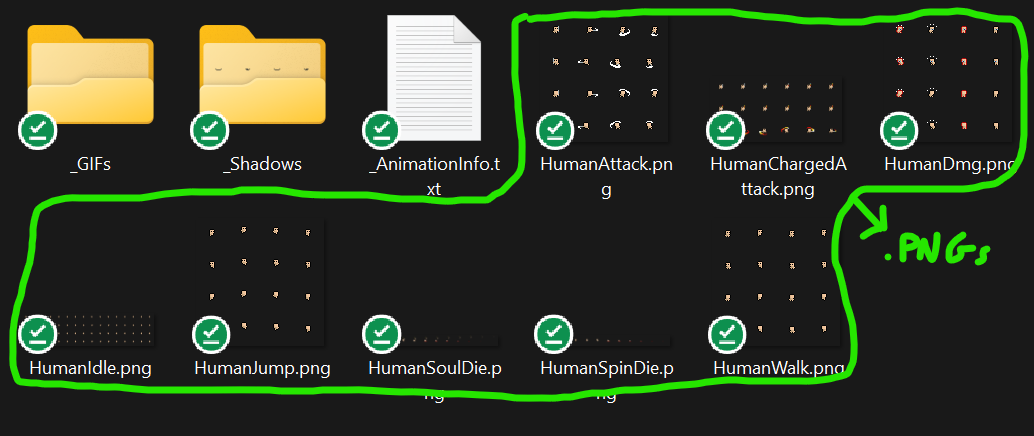
- Ideally, you want to tell the engine to run the frames of the shadow animation aligned with the character at all times. Run the shadow animation in the same spot the character is at all times (I'm sure many YouTube tutorials explain how to do it way better than I)

- Alternatively, you can use an image editor (such as Aseprite or Photoshop) to combine both layers before putting them into Unity, this way, you won't need to handle several layers in the engine (however, this is just a temporary patch because for developing more complex game situations, you gonna need to learn to deal with different layers in the engine)

Hi GianniLaschi,

When you buy any bundle on Itch, you receive all the included asset packs up to the point of purchase. Bundles in your Itch library don't get updated if new content is added to a given bundle later on.

If you wish to acquire new Minifantasy releases after purchasing the bundle (there is a new asset pack every month), you have two options:

  • You can buy new packs that interest you individually as they are released on Itch.

Or,

  • You can subscribe to Minifantasy's Patreon.

As a Patreon subscriber, you'll receive the latest pack release each month, along with other exclusive benefits. This way, your Minifantasy collection will always stay updated.

I hope this clarifies your question! Please let me know if you have any others :)

Hi! Thanks a lot for the support :) And good luck with your project!