Ah, that's because this version of the game doesn't support phone/tablet/mobile devices yet. When I get around to updating this game it will, but for now you will have to play the downloads or play on a desktop
Knickknack PJ
Creator of
Recent community posts
Heya! :D I took a look at the code here on the page and everything seems to work even when switching everything to nvl. Admittedly there wouldn't be anything added to gui.rpy regarding nvl text (only the sayseen color and toggles), so the rest should all be under NVL Screens in screens.rpy. Did you also add the "nvl_chosen" and "nvl_chosen_text" styles from screens.rpy? That's where the color changes should be defined and should happen.
If all else fails, feel free to DM me your code so I can take a crack at it and figure out what's happening on your end
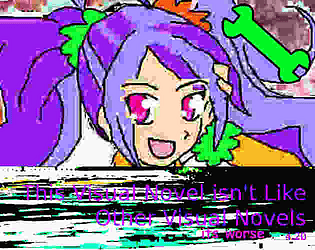
It's allowed, however you should at least give credit to the person who made the image or link to where you found the image, and make sure you're not using any stock images that are AI generated. If in case you're uncomfortable with using random stock bgs, you can make your own fake stock bgs with public domain images like I did with This Visual Novel Isn't Like Other Visual Novels lol

I was trying to see if there was one where you didn't have to make an account, but it seems they fell to the wayside. 😅 This one works tho!
I personally use FontForge and import glyphs from SVGs I've drawn in a vector program (like Affinity Designer or Inkscape) to make my fonts or remix them if the font licenses allow. That being said, there's a bit of a learning curve to doing fonts like that compared to something that'll streamline the process like Calligraphr
The no copyrighted works rule isn't exactly a hard rule because some things can fall under Fair Use or your local equivalent of copyright laws regarding remixing an existing work. However, you should be aware of your local copyright laws and be aware of what you're risking if you decide to include it in your game. That being said, if the advert has AI generated materials in it, it will be banned.
Sorry for the late reply! Thank you for your kind words! :D
As for the floating text, I'd be glad to share:
image textsnow = SnowBlossom(Text("{color=#ffffff50}...", slow_cps=1, size=88), count=10, border=50, xspeed=(-20, 150), yspeed=(-100, -200), start=0, fast=False, horizontal=False)
Image below has it in colors for easier understanding:

Once that code is in, you can use "show textsnow" in your games code like you typically would for an image. The idea is that you still use SnowBlossom and its usual settings for speed/direction, but instead of an image you use Text as a displayable like it's an image. You can use text tags in that Text displayable for more visual options, though I would highly recommend using {noalt} for actual non punctuation words so the text-to-speech function doesn't go wild lol.
The initial due date was July 5th 2024, but we decided to extend the jam to be a little longer to help everyone get those finishing touches in! The deadline is now on July 14th 2024 at 11:59 PM PST.
As a reminder, you don't necessarily need to 100% complete the game you're fixing. We accept submissions for incomplete games, though we do encourage you to post somewhere that it's incomplete.
Good luck with getting those games fixed, and hope to see y'all make! :D