On Sale: GamesAssetsToolsTabletopComics
Indie game storeFree gamesFun gamesHorror games
Game developmentAssetsComics
SalesBundles
Jobs
TagsGame Engines

KitKatarine

15
Posts
1
Topics
6
Followers
5
Following
A member registered May 09, 2020 · View creator page →

Creator of
Recent community posts

I'm going to EAT MY OWN SOCKS why did that work I've been in AGONY for THREE FULL DAYS no one mentioned the integer/fractional?!?!?!?! I gotta update like three reddit threads. THANK YOU.

I'll post there then, thank you!

Also integer scaling is supposedly best for pixel art games bc anything else makes it fuzzy (according to the other guides and such that I've read), but i'll shrimply try changing it from integer and see if that changes anything.

(1 edit)

EDIT: Aside from being in the wrong forum, I had to change from integer scaling to fractional. 

Hello! I'm making a game in Godot and I've exported it using the HTML function - namely, the plain "export" and then piling all the files into a .zip so it can be played in browser. I have the project settings as in the image below. I also made sure to update the window size in itch.io to the viewport shown. 

All of the forum posts and the Official Godot Docs say to set the settings as in image#2 for the project. I have turned "Resizeable" on and off. I've changed "Mode" to both viewport and canvas_items. I also followed the instructions to set the HTML export settings for the Canvas Resize Policy as "adaptive". I have also tried "Project", to no avail. Itch.io still adds a large black box around my game and it looks ugly. 

If anyone could help me figure this out, I'm genuinely desperate (I've also posted on Reddit ;A;). I don't know if it's something i'm overlooking or what's going on, but any help or a poke in the right direction would be stellar, thank you!
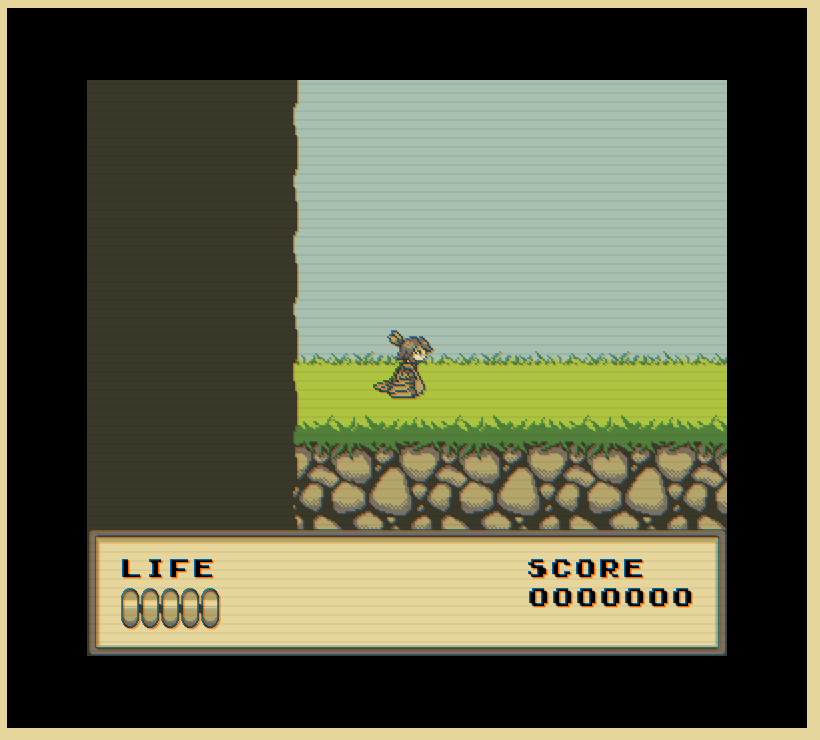


I wish! I had so many ideas that i just never got to implement :( Also yeah the inspo was the offline dino-runner. As a game-jam type game, I'm happy with it just as it is - I have another project in the works and I hope that it will blow this one out of the water :D

Take your time too! Don't worry so much on making it perfect the first go around! :clap: It's got a lot of potential, but don't let fixing the little things overwhelm you ^U^ I'll come back to this for sure later, maybe after it's updated a few times - thank you for making it!

Here's a list of things I noticed while playing:

>The title screen is centered when the game is small, but is basically unplayable unless it's fullscreen 

     - I'm unsure if Unity has viewport functions, but there might be something to look into there. I'm not familiar with Unity, but the other game engines I've worked with had viewport settings. 

> Personally, I'd leave the whiteboard interact as an E to get in and out, but that's personal preference. I'm sure you have your reasons for choosing a different keybind! :)

> The posters on the whiteboard are very small, and the first one is halfway out of frame (could be a sprite origin centering issue, since its basically cut off right in half)


>The mouse look sensitivity is really high - small motions turn the character around an insane amount. 

>There doesn't appear to be a win condition for the Gun Shop, unless I"m missing it somewhere - I tried running my broom all over the place. the windows were clean. 

> Default Capsule Jumpscare (not a bug, just something I thought was funny) :)


That is all of the feedback I can think of right now, I just played it in another tab to ensure that I got everything and also tried to give as much constructive feedback as possible. 

I know that making a game is hard (I'm working on my own right now) and I know too that feedback can be annoying to deal with. Work on it at your own pace and as long as it's enjoyable it'll come together. 

This is such a vibe - as far as idle games go it's definitely one of the idle games of all time, and I don't mean that negatively! It's very simple, which is good, especially for a prototype.

If I were to have a single complaint, it's that everything moves at a different speed relative to the player's "run" speed. The ground is moving really slow, which doesn't lend to the illusion that the hero is running. I also wish I had more to buy in the shop, but it seems for now at least, the goal is your coins per second. 

I love the music in this too! Dreamy, which goes well with the background :D

Gamemaker Studio 2 is a good engine, I would also recommend Godot if you want a free option. 

It's a neat idea, but the camera needs a little tweaking - currently, it doesn't track well if you turn and drive TOWARDS where the camera is and it takes a long time to center back behind your vehicle. Not being able to see increases the chance of getting crushed, and being launched into default gray hell. 

There's also no kill plane so you just sort of get caught in limbo. I didn't see a menu either to restart, so I needed to refresh the browser. 

All in all, I'm interested to see where this goes, as it could be really fun. Love going fast and drifting into things.

It does look like a really pretty game! There are some frame issues and z-fighting with certain textures, but that's to be expected while it's in development. 

I also ran into an issue with the third ball (hidden behind a box) - I don't know whether I'm doing it wrong or what, but I keep getting stuck behind it (softlocked; can't jump or push the box, nor can I interact with the ball) 

I would like to see a little more direction in the future, but it promises to be a really good looking game!

Hello it is me again I saw you updated! I love the direction you're going with this!

Definitely still a few bugs, but the addition of the hub room is a great idea :D Reminds me a lot of the old Phasmophobia interface, which I loved immensely. And the tutorial text. And the client name...!!

Absolutely killing it :clap: I hope you're having fun developing it too!

VERY SOLID GAME! I enjoy the addition of U-turning cards; makes it more fresh than the standard "only go straight" sort of games you see popularized. My only complaint is it's too short! ^U^

I love games like this! Even as a demo, it's simple and easy to pick up. The controls weren't terribly clear at first but it was easy enough to figure out. E to pick up and Q to drop. And then you just walk into stuff.

If I could offer a couple of quality-of-life improvements for future updates?

The first being a mouse reticle to show where you're looking, and the second being a keybind pop-up to show what buttons you should press to do the action. 

Besides that, I really enjoy these types of games! Very easy to play for a bit, and the satisfaction of having the clean space is nice! The lack of music made me worried this was a horror game, but when I cleared the tutorial, I was happy! (the return to menu button from tutorial doesn't work - reloading the browser worked :)

I hope you continue making this game!

It's a good premise, for sure! With some polish it could be a really interesting game.

My only gripe is the instant death by picking things like mosquitos or flat-earthers. I get it's supposed to be just a funny haha thing but also it takes some of the player's control away.

Looking at where this was submitted, if you did make this in three hours, that's still really impressive!

Really cute game! Though hitting the 20 coin goal didn't end the game or show a completion state, which I'm unsure of whether there was a goal or some other thing I needed to touch after the fact? 

The level is solid, all things considered. Very cute artstyle too!