

How can we load a custom timetable in the game? I made some changes to reduce wait times for the default timetable. Should I overwrite the default timetable?
A member registered 9 days ago
Recent community posts
I think this game has great potential! Nicely done.
Bugs I found:
- If you let the train pass a main signal (in my case with train IB02 and signal 5), but set the signal back to danger too soon, the train can get stuck, without their being a way to recover, since clearing the signal will be blocked due to the presence of the train. I will try to upload a screenshot.
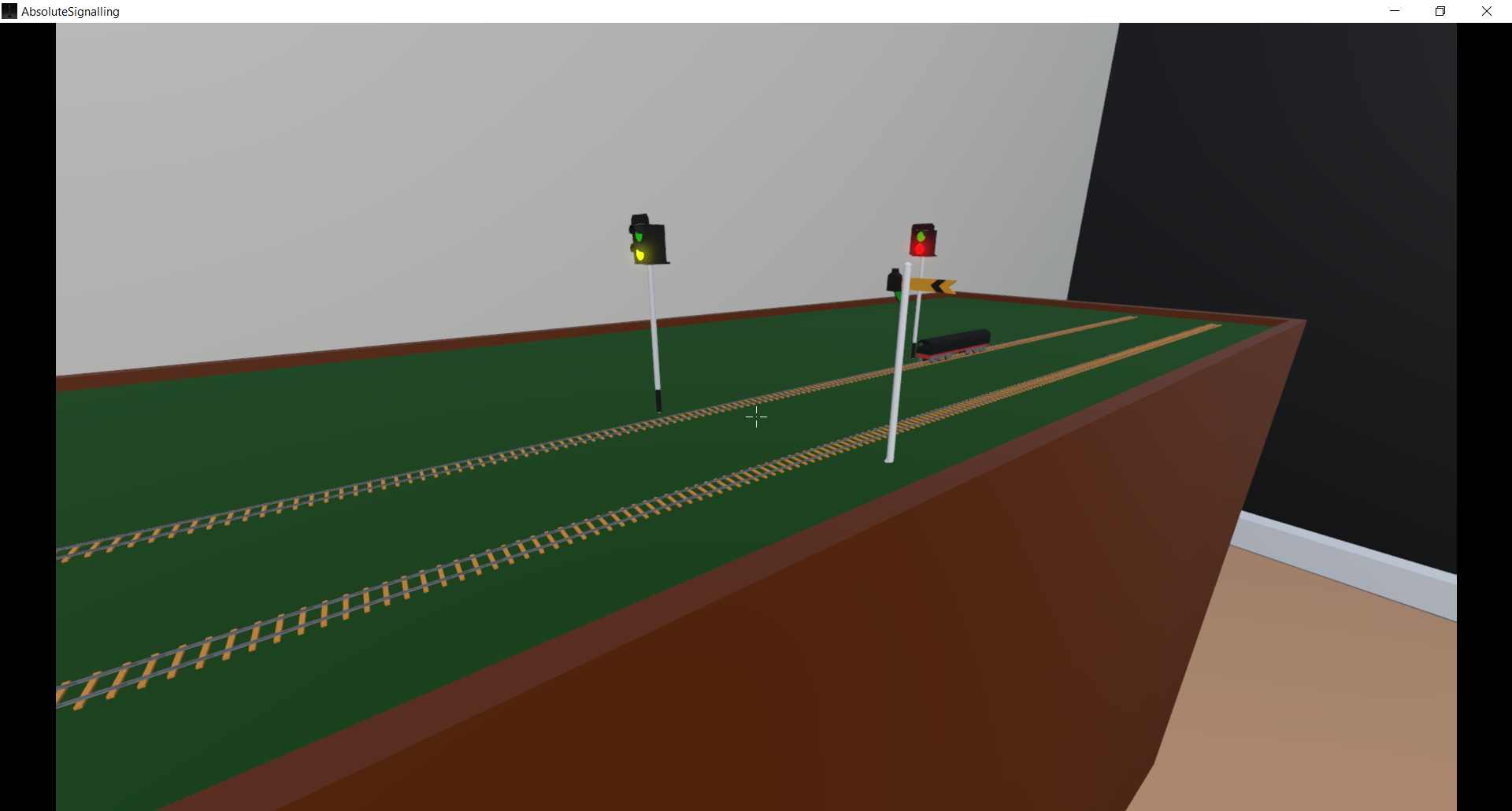
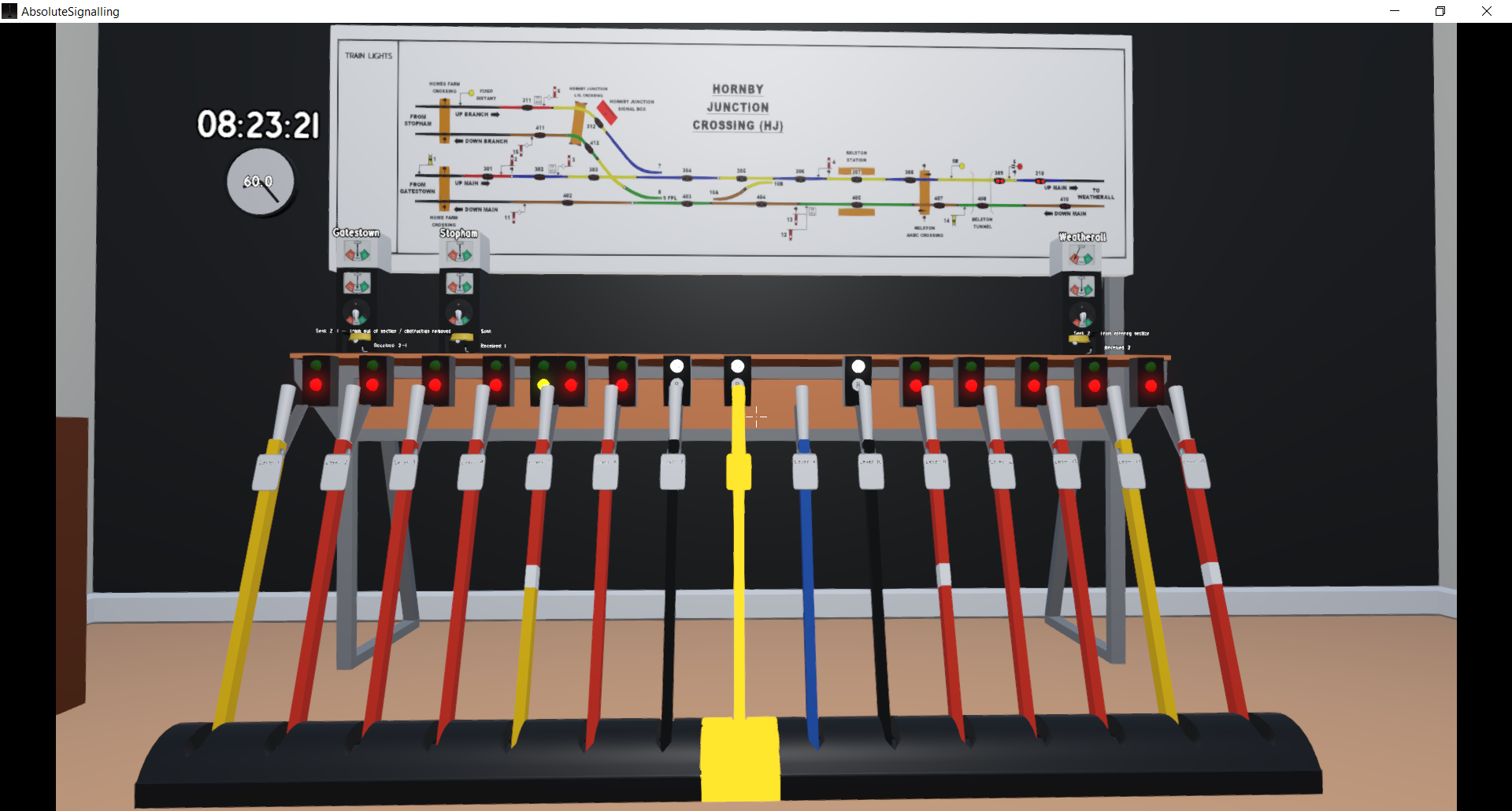
- The two distant signal levers, levers 1 and 14, have green/red signal repeaters instead of green/yellow.
- The CCTV screen is see trough, trough the air slits in the back, you can see the table/room wall.
- Sometimes a train from Weatherall to Stopham does not take a right turn on switch 8 towards Stopham, but goes to Gatestow, while the switch 8 is pulled / set to Stopham. See picture.
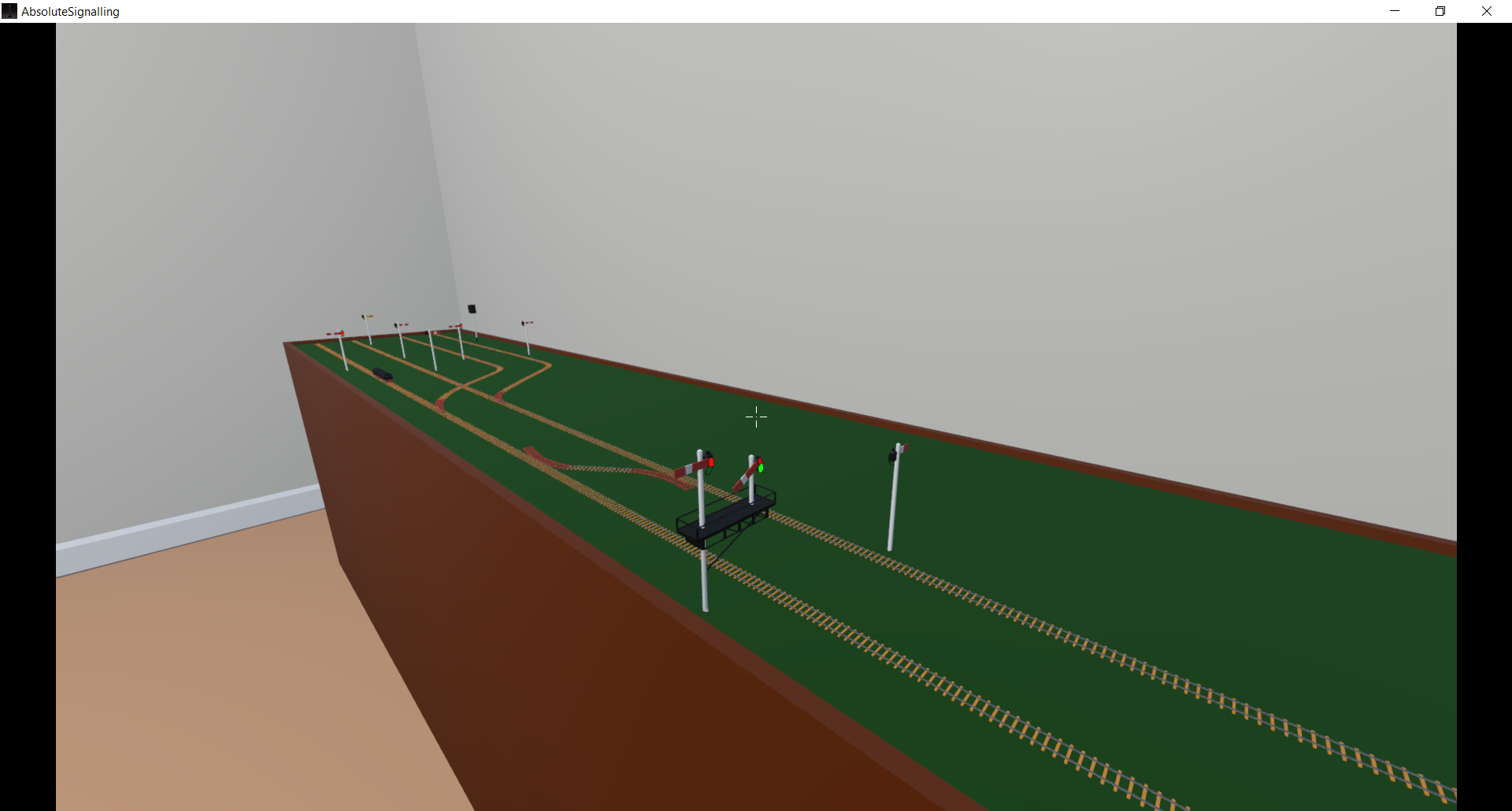
- When you dispatch the train from the pervious bug towards Gatestow, instead of its scheduled destination Stopham, t
he game does accept that perfectly fine, while you send the train to the wrong destination,the other signallers get stuck after the train departed to the wrong destination Gatestow.
How can I send the log file to you? I can not find an option to attach a text file. I could also not find the 'Godot' folder inside my Appdata folder, I am unable to find the logs folder.
Some suggestions for improvements:
- Its a bit difficult to figure out the timing for pressing the bell codes. I was often to fast or slow. With practise it gets better but its hard to get going. their is also a lack of guidance on how fast to press the bell.
- I would prefer an outline instead of filling in a pointed to object fully yellow. Especially with the paper timetable it is impossible to read when its fully filled yellow.
- You pick stuff up with a mouse click but drop with F key, this is very counterintuitive due to being a very different binding.
- Are the bell sounds for the different adjacent stations/signal boxed the same or different? They seem rather the same to me. But I am a musical idiot so maybe I have not noticed a difference.
- I had some difficulties figuring out the blue lever number 9. Maybe add a lock symbol to the switch on the model railroad, so the player can easily see when switch 8 is locked or unlocked. I know you are working on key bind settings but this default is odd.
- Could you add an in game list stating the meaning of lever colours? Red: main signal, black: switch etc. Could be a simple scrap of paper hanging at the wall, maybe somewhere around the locking table? i assume the tutorial will also be of great help here.
- It looks like the model train has a cab at one end, but that end is in the rear. Could the model be flipped 180 degrees?
- On the in game panel of the railroad, their is a Hornby junction level crossing drawn, is this a signaller operated one? Otherwise its an odd addition to the display. Personally I would be interested in having to operate the level crossing too.
- I assume the model loco is a temporary placeholder, but could you draw in some pixels that represent a head and tail lamp? Some white and red dots would do fine.
The played game version is 0.0.8.
Please keep working on it, its interesting to play already. I am curious how you will develop the game further.