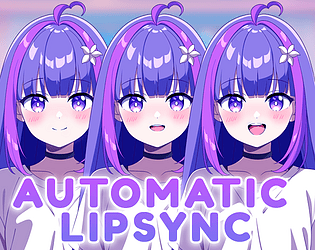

I am planning to add direct support for blinking into the lipsync expression in V1.3, so you won't need to use a workaround for blinking. The idea is to have something like 4.png, which only shows closed eyes, so the script can use it as an overlay. This overlay will then be displayed randomly every 5–15 seconds for 250 ms to simulate blinking. This is all optional, of course.
Jaybe Games
3
Posts
9
Followers
A member registered Jan 14, 2023 · View creator page →
Creator of
Professional RenPy LipSync Animation Tool
The story of three high school students who must overcome the boundaries of time in a death spiral to save their world.
Visual Novel
Recent community posts
LipSync System for Ren'Py — Professional Dubbing Animation Tool comments · Replied to TsunamiJuria in LipSync System for Ren'Py — Professional Dubbing Animation Tool comments
Hello, layeredimages are currently not supported because changing the mouth shapes is not possible. However, you can use a workaround where your 3 PNGs consist only of the mouth shapes and then you write the lipsync expression directly under the layeredimage call so that only the mouth changes and you have your blinking effect. In other words with layeredimages you call the base sprite with blinking and with lipsync expression you call the mouths to move.
That means you need:
- Base Sprite Eyes Open and Eyes Closed
- Your 3 Mouth shapes only.
Make sure every image is the exact same resolution and your mouth shapes on the correct position.
LipSync System for Ren'Py — Professional Dubbing Animation Tool comments · Replied to Grahf in LipSync System for Ren'Py — Professional Dubbing Animation Tool comments

