Best place for info is probably the github site. Also when you create a project via `usagi init` you can have a look at meta/usagi.lua which is very well documented. The github has a lot more info and example projects though.
Jared M. Hall
Creator of
Recent community posts
EDIT: Figured it out! I needed to install libmono-system-windows-forms4.0-cil
Dev environment looks so rad! I'm so very excited to start working in it!! Great job!
ORIGINAL POST:
Any time I try and run the .sh files on Linux (Mint) I get this error:
Unhandled Exception:
System.IO.FileNotFoundException: Could not load file or assembly 'System.Windows.Forms, Version=4.0.0.0, Culture=neutral, PublicKeyToken=****************' or one of its dependencies.
File name: 'System.Windows.Forms, Version=4.0.0.0, Culture=neutral, PublicKeyToken=****************'
[ERROR] FATAL UNHANDLED EXCEPTION: System.IO.FileNotFoundException: Could not load file or assembly 'System.Windows.Forms, Version=4.0.0.0, Culture=neutral, PublicKeyToken=****************' or one of its dependencies.
File name: 'System.Windows.Forms, Version=4.0.0.0, Culture=neutral, PublicKeyToken=****************'
I have installed Mono but the error remains. Any ideas?
Really looking forward to working in this environment! Thank you for sharing with the Community!
Thank you for checking on that! I still get the same error with a fresh unzip and running micro-v from the game directory. Are there any files stored locally, outside of the folder, when it runs that could be corrupted? If so, I can try deleting those.
EDIT: Got it working! Just had to run it from the command line :P
This looks really nice but when I try to run it I get the following error:
thread 'main' panicked at src/graphics/textures.rs:21:74:
called `Result::unwrap()` on an `Err` value: FileError { kind: IOError(Os { code: 2, kind: NotFound, message: "No such file or directory" }), path: "assets/oled_board.png" }
Pretty much I just unzipped the package and ran 'micro-v' and got that error in the terminal.
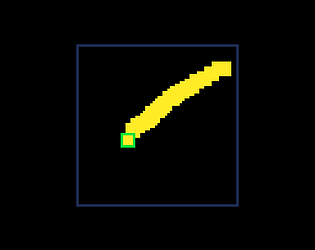
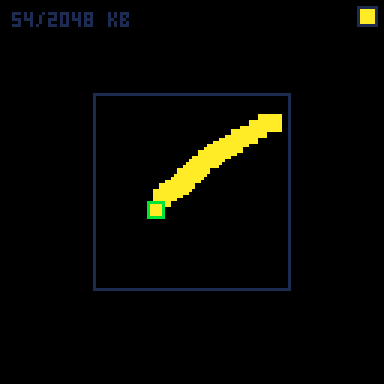
Square Brush is a little Pico-8 drawing app for creating pixel art on the Pocket Chip, or your personal computer. Please try it out and let me know what you think. Thanks!
Thanks for taking the time to respond and for sharing your ideas. The third one sounds great. I look forward to future releases from FREM corp and am excited to hear what may be announced at the coming COMDEX '87.
Oh and a Sprite32! game console is right up my alley would be an insta-buy for me :).
Cheers!