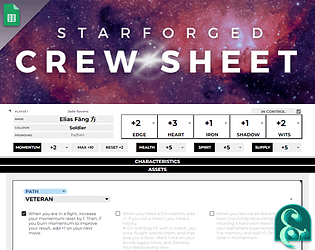
Thanks! I was really proud of that. And that’s a good idea — I’ll post an update if/when I get around to it. Thanks for your kind words!
JadeRavens
Creator of
Recent community posts
I understand exactly what you mean, and it’s so gratifying to hear that my design intent came through!
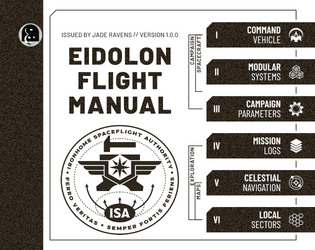
I imagine my drift pilot unceremoniously tucking the flight manual between instrument panels, shoving it under a loose deck plate to keep it from rattling, or hastily rumpling its pages trying to navigate without the Nav/Sat…
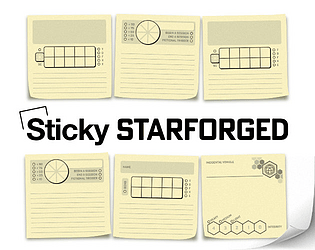
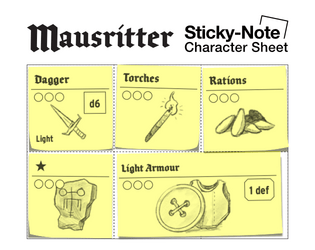
I know what you mean about the item cards being fiddly. Thanks for making this! A more traditional inventory sheet is definitely useful. The problem I kept running into was accidentally shifting or losing item cards, so I made a character sheet that uses sticky-notes instead. Check it out here.
That’s a great question! No, I reserve the rights to the original artwork. I encourage player groups to share the maps with each other or use them on VTT to support their games, but they shouldn’t be republished without permission. If there’s a specific use case you’re interested in, I’d love to consider it! If you’d like, you can email the details to info@jaderavens.com :)
I think the idea is that you can skitch around the end of a hauler ending up in the space just past it (when it’s no longer adjacent), essentially giving you at least 2 extra squares of movement. I say at least because there’s also the possibility that the haulers are lined up in a way that would let you chain across multiple haulers that way. Does that make sense? I don’t think they’re ever meant to bend.
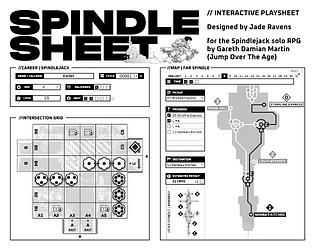
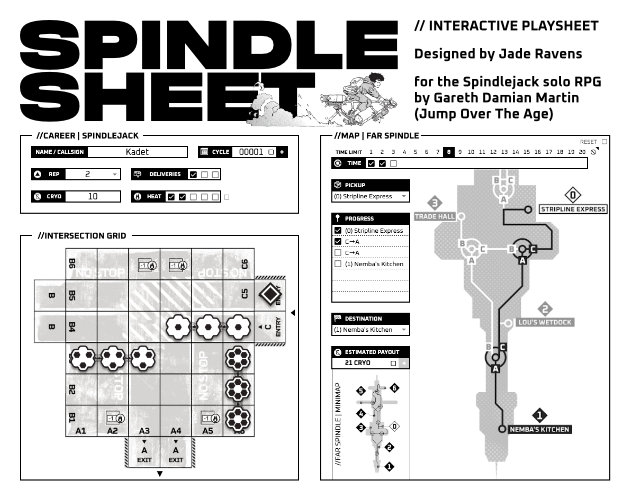
Just completed this interactive playsheet for Spindlejack, for anyone who’s interested: Spindlesheet. 
Love this game, and both Citizen Sleeper games, too — they’re masterpieces!
I did find some typos/errors in v1-02:
- Panel 2 > //HITTING AN INTERSECTION: Seems like “intersection” should be capitalized in the first sentence of this section.
- Panel 2 > //HITTING AN INTERSECTION: “…setting up and tacking…” Should the emphasized word be “tracking” or “tackling”?
- Panel 2 > //DELIVERY: Likewise, should “destination” be capitalized as well?
- Panel 2 > //DELIVERY: “… and failed it, subtract -5 from the payout.” Adding the emphasized word could improve clarity.
- Panel 3 > //CLOCKING OFF + CYCLE END: “You can also visit the Bikeshop you may make any upgrades.” Should this be “to make any upgrades”?
- Panel 4 > //ROLLING HAULERS: This sentence should be capitalized: “add two more dice towards the middle…”
- Panel 4 > //PLAYING AN INTERSECTION: “on the SIDE your have entered from…” should be “you,” not “your”.
Okay, so I tested it first and it worked for me (no error), but I went ahead and implemented the fix and tested it again just in case.
To give it a try, you’ll need to grab a fresh copy of the spreadsheet. When you copy it to your drive, you should get a screen that tells you “This app isn’t verified.” For the scripts to function, make sure you click “Advanced” in the bottom left and give it permission to run. Also, be aware that it takes a minute for the export to complete.
If it doesn’t work at that point, can you tell me if you’re getting an error just with the export, or does it happen with any of the other functions? Thanks!
It’s possible that it’s my fault. Exporting truths has always been a bit experimental. With the latest update, I was looking for ways to make it easier to authorize the scripts to run by restricting it to the current document, but I’m realizing that is probably the issue. I’ll try the fix and post a comment here to let you know how it goes!
I’m glad you’re enjoying it! I plan to eventually update the rulebook to include advice on writing mysteries, as well as a collaborative activity to create a custom mystery as a group. Since I haven’t got around to it yet, I’ll take a stab at giving some general advice.
- Since cards are drawn in any order, consider how different combinations of locations or sequences of events might produce interesting interactions or affect the flow of the narrative.
- Try to maintain a balance between making prompts evocative and keeping them concise. Less is more! Leave gaps for the players to fill in — this is their story. Plus, gaps make room for multiple interpretations.
- Speaking of multiple interpretations, writing clues can be tricky. There are two reasons why players are asked to choose from a list of clues rather than just presenting one. First, making meaningful choices increases player autonomy, which is fun. Second, presenting multiple options increases the likelihood that one or two clues will immediately stand out to them. The game is all about connecting the dots, and those “Aha!” moments are a lot of fun.
- Speaking of autonomy, players should feel like the authors of the story, especially when drawing a card. Rather than just giving them some prose to read aloud, engage their imagination by including a question or two. This prods them to fill in the gaps, and reminds you to leave gaps in the first place!
- Use vivid descriptions, but keep context vague. Whatever they find, whoever they meet, wherever they go — should be able to happen anywhere, in any order.
- Interactivity is key. Give players interesting things to interact with. Implicit potential is enough — don’t give them instructions on what to do with it. Describing a desk is one thing, but including that the drawer is locked might make them want to open it. Mentioning that there’s a heavy-looking wrench on a workbench might make them pick it up to use as an improvised weapon, or they might try to self-repair to remove a condition… that sort of thing.
Hopefully that helps! Let me know if you have any other questions.
Yeah, the permissions can be easy to miss. I’ve looked into trying to get the apps script “authorized” or validated with Google, but it’s a lot of complicated hoops to jump through and I eventually gave up. Seems like it’s for more Serious Developers™ :P And you’re welcome — I’m glad you’re enjoying it!