

Thanks for your support. But even if I try command line, I have the same issue. I use the retrofab player 0.2.1 and the games downloaded on the site.
EDIT: I tried command line and fisrt had the same error. But then I retried to open a game and now it works (I have associated sim files with the retrofab player. So when I click on the game.sim it open directly).
If I move the games in another directory, I have the same error again. So I have to launch it again in command line from the new directory.
I don't know why I had to launch in command line once, but now all is perfect (perhaps a question of registry under windows)
Thanks again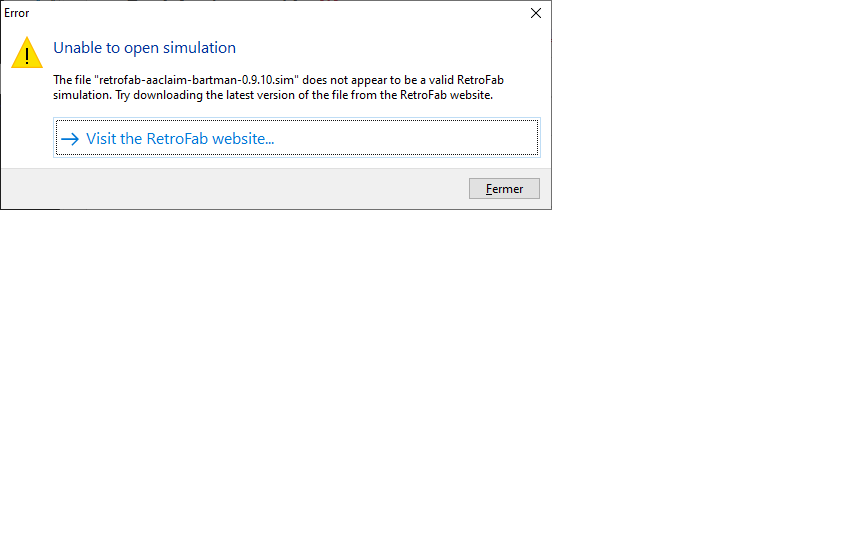
hellsass
2
Posts
1
Topics
1
Following
A member registered Mar 18, 2020
Recent community posts
RetroLab community » Feedback & Suggestions · Replied to Itizso in Issues with retrofab-windows-player-0.2.1 and games 0.9.10.sim
RetroLab community » Feedback & Suggestions · Created a new topic Issues with retrofab-windows-player-0.2.1 and games 0.9.10.sim
Hi,
I just discovered you incredible work. Thanks for sharing this. I just have some issue with the player 0.2.1. I downloaded it with several internet browsers, disabled antivirus and so... But when I try to launch games in 0.9.10.sim, I just have this message: The file xxxx.sim does not appear to be a valid Retrofab simulation. Try to download the latest version of the file from the Retrofab Website.
It's the same message for all the games on the site. I've downloaded all the games to try. I'd like to know if the problem come from me.
Thanks again