
Indie game storeFree gamesFun gamesHorror games
Game developmentAssetsComics
SalesBundles
Jobs
TagsGame Engines

GatorBiteGames

14
Posts
9
Followers
A member registered 61 days ago · View creator page →

Creator of

Recent community posts

Hmm I did some testing and I was able to keep my save file. Though if by any chance your cookies get cleared by like an extension or if you have a setting to clear them after closing a tab/browser it would cause it to lose the save file. Web builds are a bit finicky that way.  Sorry about that experience! :/

I do plan though to add an export/import save file for the demo for web builds just in case as a backup. 
(1 edit)

No, it probably means you didn't have past 10 in coin balance. In RedRush7s the coin denomination increases to 10, so your coin balance has to be greater than that to be able to drop one coin. I've gotten feedback on this as well  and I have plans to add some sort of tooltip to explain it. Sorry about that experience!

Hello, there should be a continue button on main menu. Auto save happens every 30 seconds, what browser were you using? 

hello, Thank you for trying the game! 

I will take a look to see how I can improve the visuals for the combo text, so it can be more clear a max level has been reached. 

I will look at the dice coin ability, it shouldn’t be affected by the denomination of coin it is at so it might be a bug. I will also tweak the Midas ability so coins that were already touching it transition right away.

Hello! Yes, I have plans to add accessibility to stop flashing and any screen shake!

Hello, thank you for all the feedback!
I’ll be working on a demo to release before the end of the year. I will take these suggestions  along with the ones from others and work them into the demo.

 Hopefully you’ll be able to enjoy it when it comes out!😄

hi, was this in version 0.1.1? I had recently pushed an update to fix both of those things! I added a small cutscene to explain the skill tree and the saving should work now if you reload or close the page.

You can find the version number in main menu on the top left!

(1 edit)

Yes!! I plan to expand the abilities of the special coins :D 

(2 edits)

Oh no, I am so sorry! :/ someone else mentioned as well their game didn't save which is odd since I have it on auto save every 30 seconds. The game also should save when you transition between coin pushers or when you exit to main menu from game scene. I will work on adding a change to add an export and import for save files since I think it's a web build issue. I will also add another save button on settings. 

Edit: I think I found the issue with save file, so will try to push a change soon! 

Edit 2: save issue is fixed in latest version

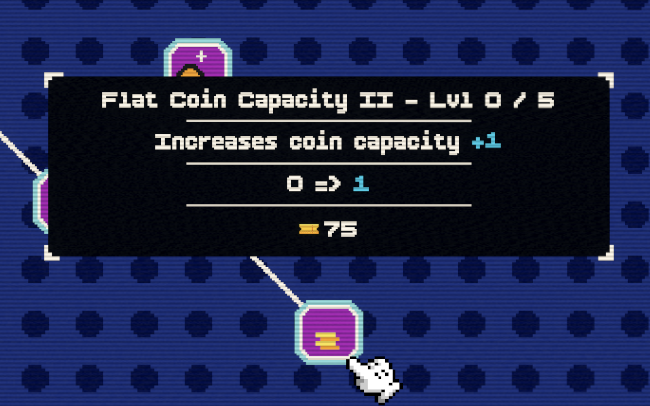
 You can buy the coin capacity upgrades  with your  ticket currency!  Once your capacity goes past 10 you should be able to drop them in red rush :D 

Side note: Right now the JP currency is used only for upgrading special coins abilities

Hi, Yes I can add the balance in the upgrade tree! 

What is the coin value upgrade name that didn't work for you? There is 4 coin value upgrades, 2 are meant for the penny coin denomination used in the Wheel of Luck pusher and the other 2 is for the dime coin used in Red Rush. 

Hi!  just a few questions on this so I can take a look.

1. When you say you can't drop coins or helpers don't show up, this is with you having bought enough coin capacity to drop coins in red rush? Since the coin denomination to drop coins there is 10, if your balance is lower than that it won't let you drop any. If this is the case I can look to see how I can improve the clarity on this! This would also cause the helpers not to spawn since there isn't enough balance to pull from your coin balance. 

> "Dime Coin Value II" Upgrade doesn't do anything

2. Oh this is only affecting Dime coins! Dime coins are the coins used in red rush so they won't affect the penny coins that are used in Wheel of Luck pusher.  The max of penny coin value right now is 4. The max for dime coin will be 16!  

(1 edit)

Hello, 

For the first question, you can enable “Run in background” in the settings and it should allow you to tab out or move windows.

On the tutorial, I didn’t think to add it due to many games now at days having skills trees, but noted! Will look to do a small cutscene to quickly explain it.

I will look into making the collider bigger in light and bigger window so it doesn’t feel to difficult to trigger them. It only needs 1 coin to trigger it but because the size of collider sometimes it might not touch the coin.

Thank you for your feedback!!

Hello, You can enable “Run in background “ in settings for this! It is off by default