On Sale: GamesAssetsToolsTabletopComics
Indie game storeFree gamesFun gamesHorror games
Game developmentAssetsComics
SalesBundles
Jobs
TagsGame Engines

GamerReality

6
Posts
1
Topics
4
Followers
4
Following
A member registered Dec 09, 2018 · View creator page →

Creator of

Recent community posts

Hey thanks for replying, I didn't see it and got busy with other things as we're trying to launch the game in less than two weeks. 

Toggling ZWrite and changing the render queue didn't fix it unfortunately. I'm seemingly able to use STMMaskableGraphic on one text field that I was testing real quick, but I also remember STMMaskableGraphic not working a month ago when troubleshooting this.

I'd also like to ask about runtime optimizations since I've been on a war path to get this game to run well on the Quest 2. I've learned that batches have been killing me because of the open world type layout of my game. Is there anything in your package to help reduce batches? Like somehow instancing text fields or their outlines? I think each STM component is a draw call and double the ones that use an outline component. Also, maybe you have a function to stop rendering text a certain distance away from the camera? If not, I'll probably remove any outlines and also set up a component on each canvas that enables the gameobject only when the camera is nearby.
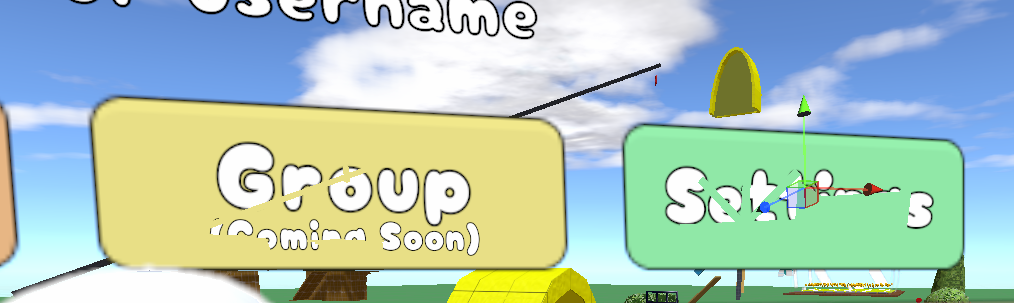
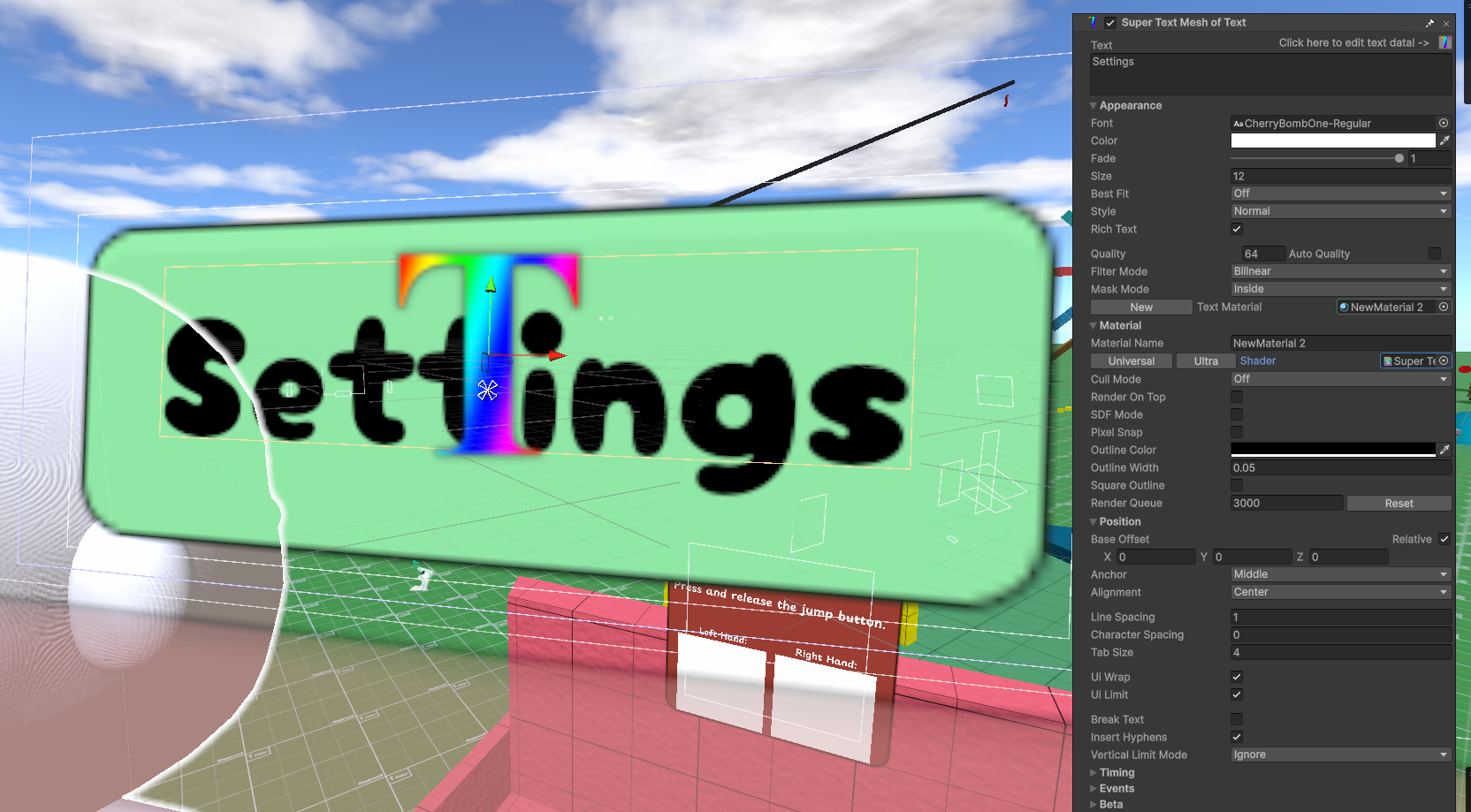
I've reopened the project today. No errors or relevant warnings, but this is how the ultra shader is looking. I can finally see an outline, but background objects are clipping through it somehow. I'm realizing now that the text is disappearing when I have the ground plane in the background, so it's the same problem there.

It's almost like my text is somehow so low in some kind of layers that it's not showing up over an outline (as seen in my first screenshot, where the text is all black), and it's not being drawn above game objects in the scene. This isn't exclusive to the cherrybomb font; this happens no matter what font I switch to.

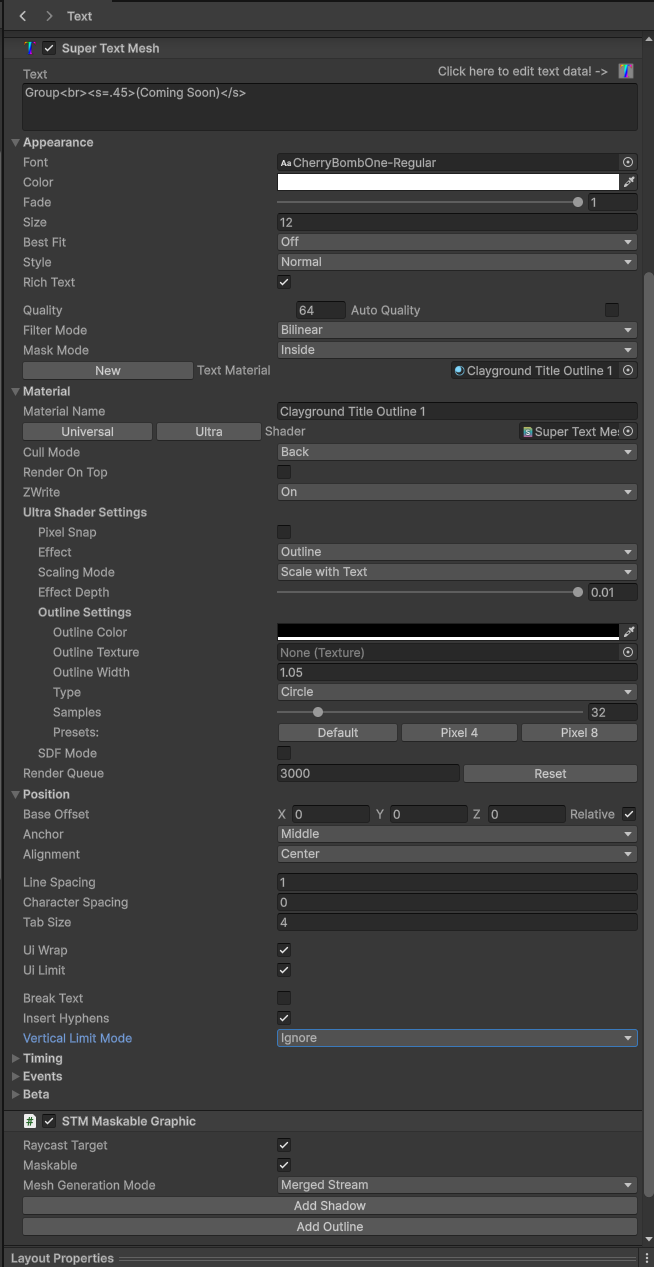
I'm running mostly default inspector settings. I don't know what would have caused this:


That seems to be the problem, but as I just went to look into your samples to bring one to my scene, the text objects I've attached screenshots of are now rendering fine, except I can't get any outline on them even though they're using the ultra shader. I'm sure they'll revert to their old problem in a few minutes, though.

Hey,

Thanks for the speedy reply as well as your incredible asset. I look forward to using it and making my game stand out. 

You’re right, the screenshot is showing the universal shader and it’s overpowering black outline. I didn’t take a screenshot of the Ultra shader being applied because it had made the text invisible by the time I was ready to screenshot. I’ve noticed that saving the scene seems to help in other situations, but unfortunately it wasn’t the fix this time.

I'm in Unity 6000.1.6f with the latest version of Super Text Mesh and working on a VR project for Windows and Android builds.

I'm trying to set up UI text using two fonts I've downloaded, Playpen and CherryBomb. The text should be white. The following issues happen with both ttf texts:

Whenever I use any of the STM outline shaders, the outline's color overpowers the text color. Lowering the width only moves my text down; I'm not even sure why. 

When I try to use the STM Ultra shader, the text gets all these weird artifacts and eventually disappears. That's been happening to me since I started the project in Unity 2023.2, but I've been putting off the UI in my game until now.

Thanks in advance

first