Indie game storeFree gamesFun gamesHorror games
Game developmentAssetsComics
SalesBundles
Jobs
TagsGame Engines

ErinWave

3
Posts
1
Topics
3
Followers
A member registered Apr 20, 2026 · View creator page →

Creator of

Recent community posts

 Ha, thank you! That's really nice to hear.

The starter examples took way longer than I expected to get right, so I'm happy they made a good first impression.

No pressure on the report — dig in whenever you get the chance. And if anything feels confusing or broken, tell me. That kind of feedback is honestly the most useful thing at this stage (there's also a Send Feedback thing in the Help menu if that's easier).

Thanks again for giving it a real look. Have fun with it!

Thanks so much for actually downloading and kicking the tires — and for braving the SmartScreen warning :] This is exactly the kind of feedback I was hoping for.

Gleba looks really cool, thanks for the link. Using CA output as a basis for concept art / worldbuilding rather than a final product is honestly one of the use cases I'm most excited about, so I'd love to see what you end up making with it.

The web demo being stuck on loading — that was 100% on my end, not yours. The CDN was silently re-compressing the demo's files in a way that broke the browser's integrity checks. It's fixed now (verified on desktop) — if you get a chance to retry, a hard refresh (Ctrl+Shift+R) may be needed the first time. Thanks for reporting it; you likely saved me a bunch of silent bounces.

On the eyedropper: Alt+Click already does exactly that from any tool — and you sold me on the GIMP muscle memory, so I've just implemented Ctrl+Click as a color picker while using the Pen, Eraser, or Fill tools too. It'll ship in the next update v0.15.12. (There's also a setting for which tool the eyedropper returns you to afterwards: stay / pen / eraser / fill.) And yes, the "draw in GIMP, bring it into Phluxel, iterate, go back" loop is a fully intended path — PNG/GIF import and clipboard paste both work.

On the rule language — totally fair, and you're not alone. A few things that might flatten the curve:

- Help ▸ Starter Gallery has 20 ready-made scenes/effects; applying one and reading its rule in the editor is the fastest way to learn by example.

- The Rule Editor has a plain-English breakdown panel that explains what each line of the current rule does, plus a cheatsheet of every token with tooltips.

- Many built-in rules expose live parameter sliders, so you can get a feel for cause-and-effect before writing anything.

- There's a Quick Start and a full language reference under Help as well.

If you hit a wall on a specific effect you're trying to make, tell me what you're going for — happy to sketch the rule for you, and those conversations usually turn into better docs/templates anyway. Thanks again for the thoughtful writeup!

Just released Phluxel after building it solo for a while — sharing it here since this community's exactly the crowd I'd want feedback from.

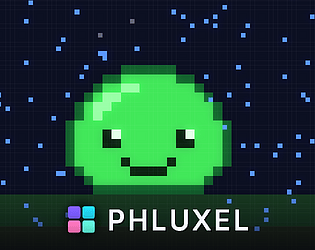
It's a desktop tool for making and simulating cellular automata. You paint a starting canvas, then write a rule for how each pixel reacts to its neighbors (or start from one of 20 built-in templates if you don't want to touch the scripting side), and it simulates in real time on CPU or GPU. Export to GIF, PNG, or PNG sequence when you've got a loop you like.

The part I spent the most time on was actually the rule language itself — first few versions were technically capable but read like real code, and nobody who wasn't already a programmer wanted to touch it. Ended up with something closer to plain conditions than syntax, which made a big difference in testing.

Free edition is the full toolkit (watermarked exports, capped grid/resolution). Pro removes those limits and adds a commercial license — it's $19 during launch (reg $29).

https://erinwave.itch.io/phluxel

Curious if anyone here's done similar generative/procedural pixel art work, and what tools you've ended up using for it — always looking for what to try next.