Indie game storeFree gamesFun gamesHorror games
Game developmentAssetsComics
SalesBundles
Jobs
TagsGame Engines

Edgar_203

2
Posts
2
Topics
A member registered 82 days ago · View creator page →

Creator of

Recent community posts

VisionFlow Studio is a lightweight desktop image editor designed for quick creative edits, AI-powered tools, and batch image processing.

Whether you need to remove a background, clean up an unwanted object, resize a full folder of images, add text, paint over an image, or prepare files for social media, VisionFlow Studio gives you a clean and simple workflow without overwhelming you with complicated menus.

✨ Main Features

🖼 Individual Image Editing

Edit one image in detail with an interactive preview, zoom controls, layers, text, painting tools, color adjustments, crop, and AI tools.

📁 Batch Processing

Process multiple images from a folder at once. Resize, change format, and adjust quality quickly for large image collections.

🤖 AI Background Removal (Pro)

Remove image backgrounds using AI. You can also manually refine the result by adding or removing areas directly from the preview.

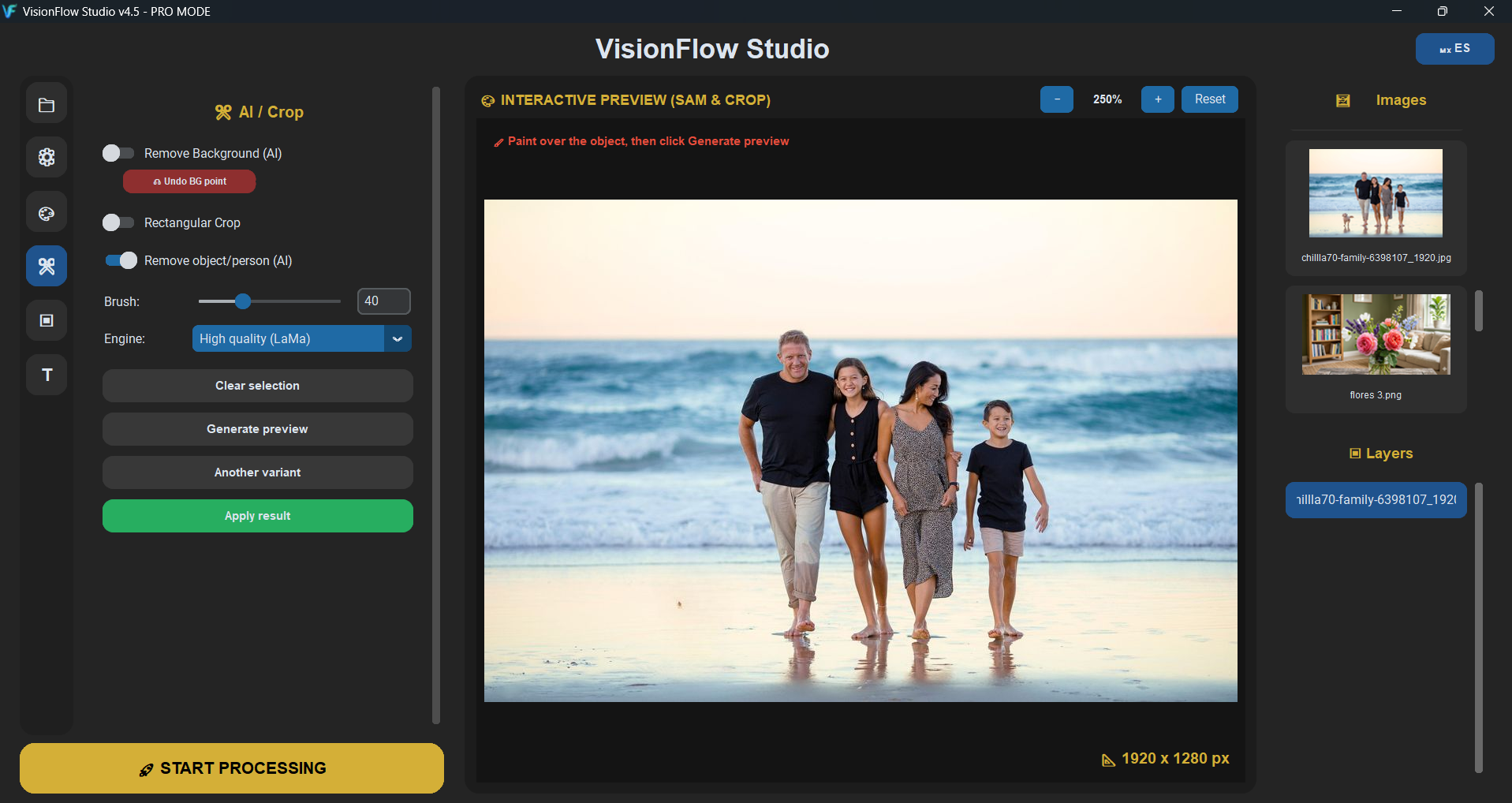
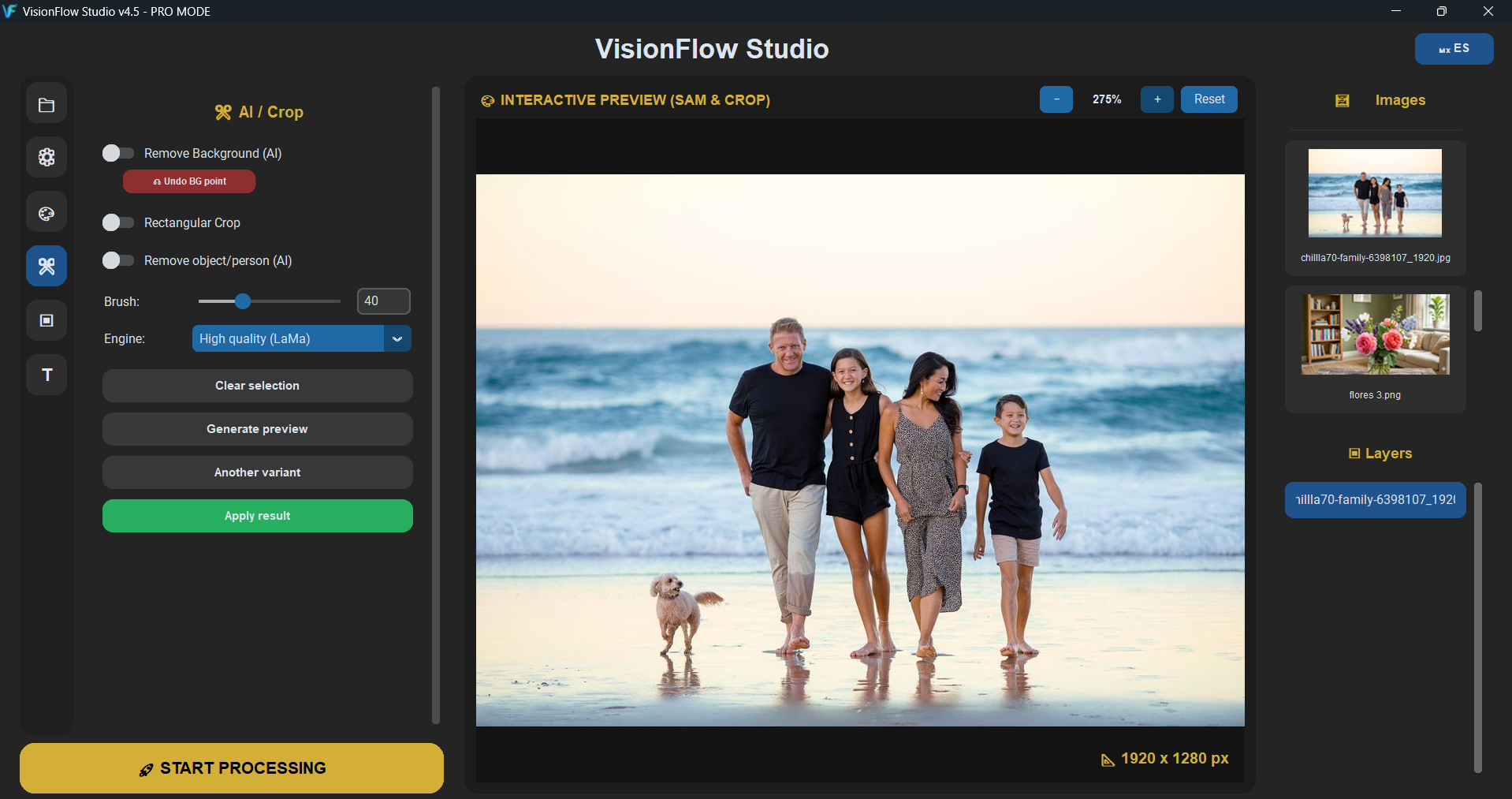
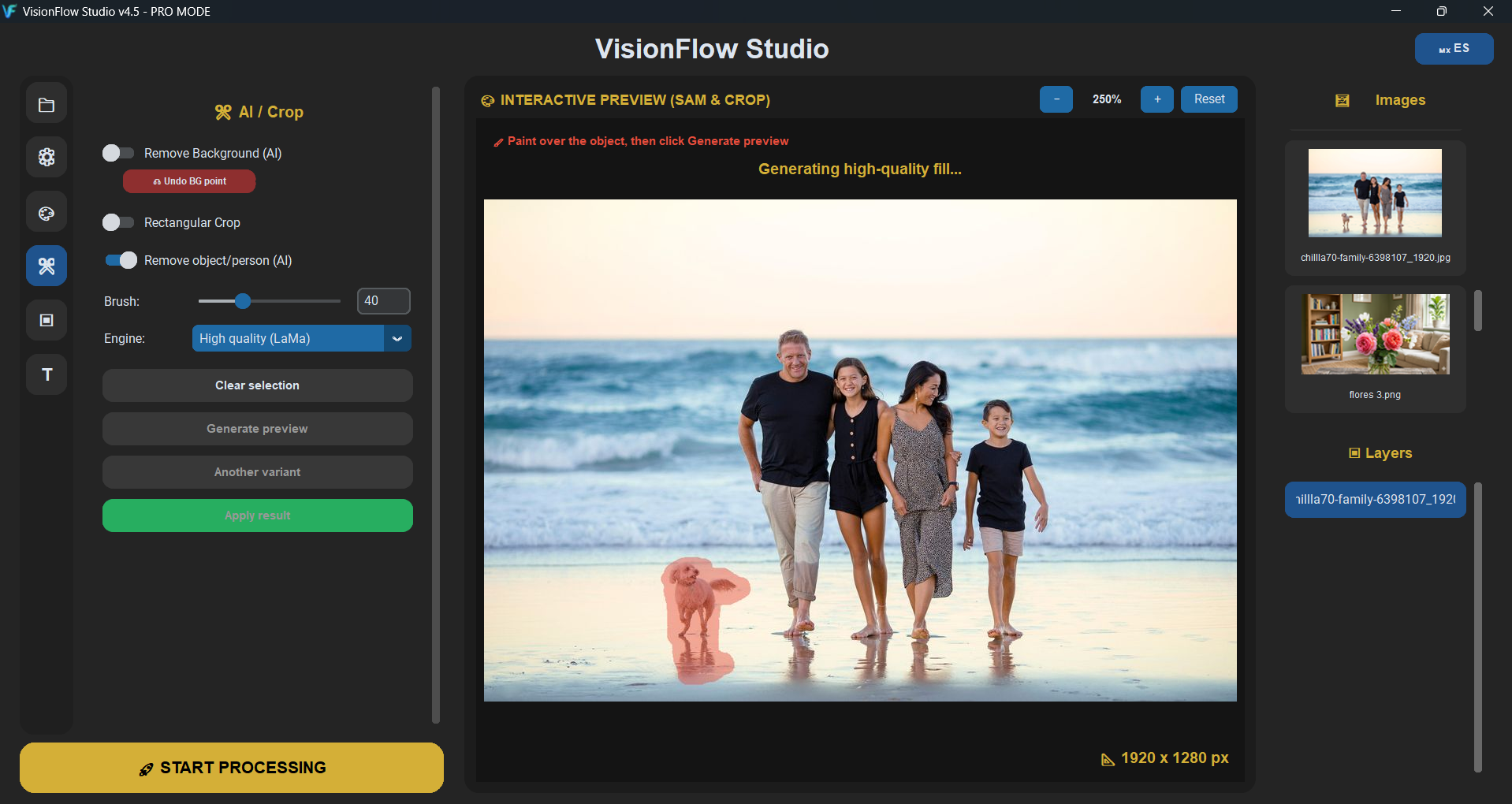
🧽 AI Object / Person Removal (Pro)

Paint over an unwanted object or person, generate a preview, try another variant, and apply the result when you are happy with it.

✨ AI Image Enhancement (Free)

Improve your images with denoise, sharpening, and optional upscaling. Includes fast enhancement and high-quality AI enhancement options.

🎨 Color & Light Adjustments

Adjust brightness, contrast, saturation, sharpness, RGB channels, and rotation.

🖌 Paint Tool

Paint directly over your image, choose colors manually, use RGB/HEX values, or pick a color from the preview.

🔤 Text Tool

Add editable text layers with font selection, font preview, color, size, opacity, rotation, and gradient text effects.

▣ Layers

Add image layers, move them, scale them, rotate them, change opacity, and build simple compositions.

📦 Export Options

Export to multiple formats including JPG, PNG, BMP, WebP, HEIC, ICO, ICNS, and TIFF.

Free & PRO Versions

VisionFlow Studio includes a free version so you can try the app and use basic tools.

The PRO version unlocks advanced features such as expanded AI tools, more editing options, premium formats, and fewer limitations.

Who is this for?

VisionFlow Studio is ideal for:

  • Content creators
  • Small business owners
  • Students
  • Social media editors
  • People who need fast image cleanup
  • Users who want AI image tools without a complicated workflow
  • Anyone who needs batch resizing and format conversion

Why VisionFlow Studio?

VisionFlow Studio is not trying to be a massive professional suite. It is made to be fast, simple, and useful for everyday image editing tasks.

Open your folder, choose an image, edit, preview, and export.

Get it here

👉 Download VisionFlow Studio here: [ITCH.IO LINK HERE]

Notes

For best results with transparent backgrounds, export as PNG or WebP. For normal photos, JPG is usually a good option.
Thanks for watching...

VisionFlow Studio is a lightweight desktop image editor designed for quick creative edits, AI-powered tools, and batch image processing.

Whether you need to remove a background, clean up an unwanted object, resize a full folder of images, add text, paint over an image, or prepare files for social media, VisionFlow Studio gives you a clean and simple workflow without overwhelming you with complicated menus.

✨ Main Features

🖼 Individual Image Editing

Edit one image in detail with an interactive preview, zoom controls, layers, text, painting tools, color adjustments, crop, and AI tools.

📁 Batch Processing

Process multiple images from a folder at once. Resize, change format, and adjust quality quickly for large image collections.

🤖 AI Background Removal (Pro)

Remove image backgrounds using AI. You can also manually refine the result by adding or removing areas directly from the preview.

🧽 AI Object / Person Removal (Pro)

Paint over an unwanted object or person, generate a preview, try another variant, and apply the result when you are happy with it.

✨ AI Image Enhancement (Free)

Improve your images with denoise, sharpening, and optional upscaling. Includes fast enhancement and high-quality AI enhancement options.

🎨 Color & Light Adjustments

Adjust brightness, contrast, saturation, sharpness, RGB channels, and rotation.

🖌 Paint Tool

Paint directly over your image, choose colors manually, use RGB/HEX values, or pick a color from the preview.

🔤 Text Tool

Add editable text layers with font selection, font preview, color, size, opacity, rotation, and gradient text effects.

▣ Layers

Add image layers, move them, scale them, rotate them, change opacity, and build simple compositions.

📦 Export Options

Export to multiple formats including JPG, PNG, BMP, WebP, HEIC, ICO, ICNS, and TIFF.

Free & PRO Versions

VisionFlow Studio includes a free version so you can try the app and use basic tools.

The PRO version unlocks advanced features such as expanded AI tools, more editing options, premium formats, and fewer limitations.

Who is this for?

VisionFlow Studio is ideal for:

  • Content creators
  • Small business owners
  • Students
  • Social media editors
  • People who need fast image cleanup
  • Users who want AI image tools without a complicated workflow
  • Anyone who needs batch resizing and format conversion

Why VisionFlow Studio?

VisionFlow Studio is not trying to be a massive professional suite.
It is made to be fast, simple, and useful for everyday image editing tasks.

Open your folder, choose an image, edit, preview, and export.

Get it here

👉 Download VisionFlow Studio here:
[ITCH.IO LINK HERE]

Notes

For best results with transparent backgrounds, export as PNG or WebP.
For normal photos, JPG is usually a good option.