
Thank you for the donation it’s much appreciated. Glad we got it fixed
A member registered Jun 24, 2017 · View creator page →
Creator of
A collection of non-accurate retro post-processes with CRT scan-lines, PS1, N64 Texture filters and Materials.
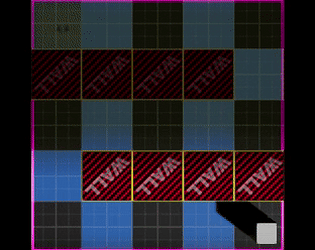
Unreal Engine plug-in for square and hex grids and simple A*(Star) pathfinding.

Loot/Game Probability Plugin for Unreal Editor 4.27+
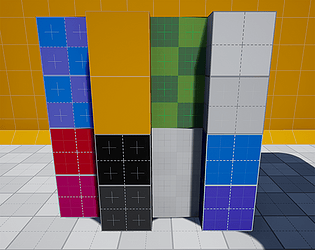
Some prototype textures and materials in plug-in form. This plug-in is content only.

Discord Rich Presence Plugin for Unreal Editor 4.27 and 5.0+
Attachable Actor component for floating Damage Numbers when an actor takes damage. %100 Blueprints plug-in.

Recent community posts
Faux Retro PSX & N64 for Unreal Engine community · Replied to Menelin in General Question & Comments
So i tried it in 4.27 and ran into some issues myself so its not something you did wrong. It seems i made some updates and forgot upload them.
In 4.27 the screen background is totally black in my case. hopefully this is what is cause your problems cause its an easy fix.
Btw it seems that in 4.27 it doesn’t show the effect in the editor? I have to run the game to see it. In the newer versions of the engine it shows in editor (those pics i posted were from 5.4)
Open up MUI_ScalelineBase (its in “Materials/PostProcess/”)
Set Blend mode to “AlphaComposite”
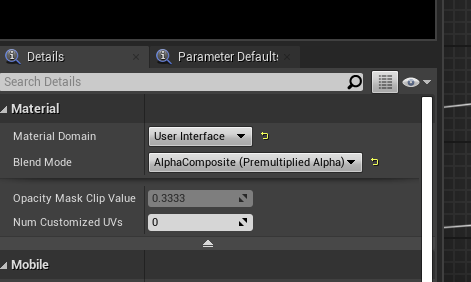
Then connect the Alpha from the “RenderTarget” node to the Material’s Opacity
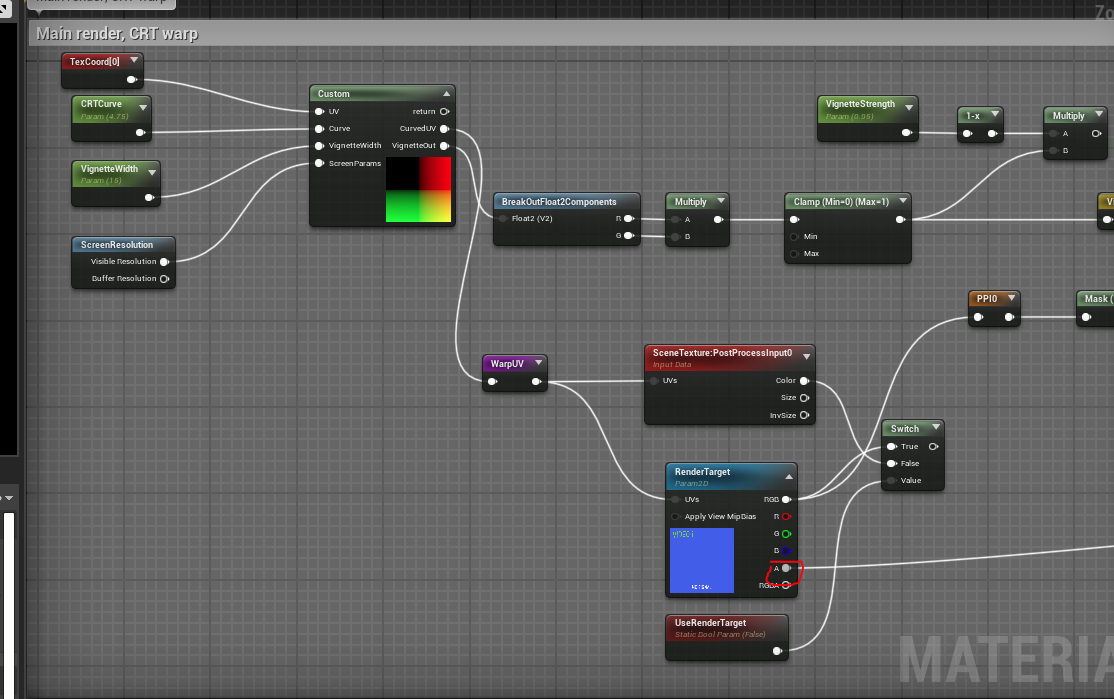
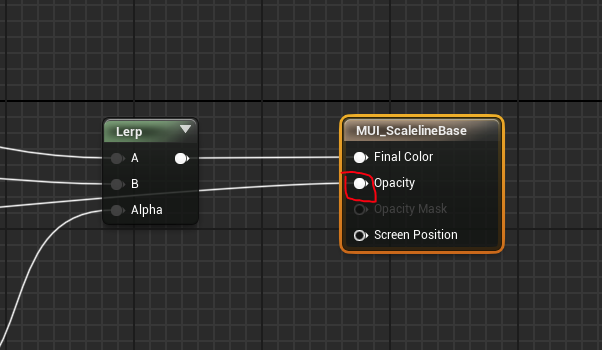
If this doesn’t fix it for you then we can do the discord call and sort it out Also i made a new 4.27 project to test it out. you can download it for a closer look
Faux Retro PSX & N64 for Unreal Engine community · Replied to Menelin in General Question & Comments
Hello, what does your setup look like?
Here is how i went about it.
- Create a Material Instance of MUI_ScalelineBase (its in “Materials/PostProcess/”)
- Tweak the values to you liking. These value should be set to match the post process’s values (except where ever you want to tone something down or up or whatever)
- Set the Retainer Box’s “Effect Material” to the material instance you made and tweaked above
- Set the Retainer Box’s “Texture Parameter” value to “RenderTarget” This should give you a matching effect on the UI. If you cant get this to work can you go into more detail about your setup and/or post some pictures?
I’ll post some screenshots of my setup here
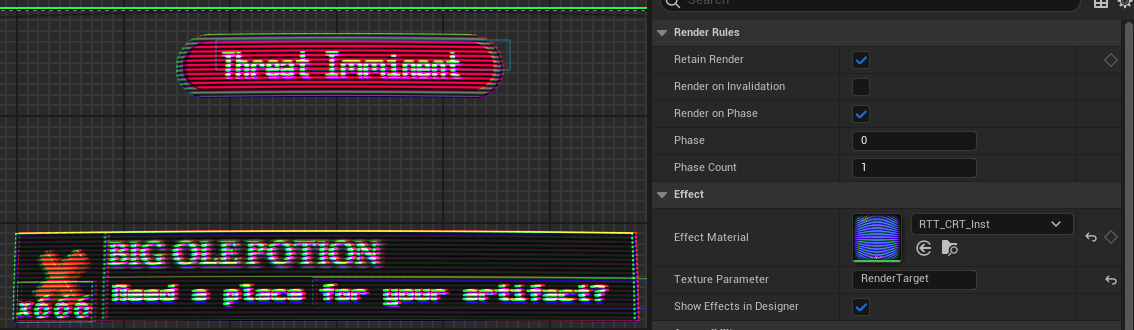
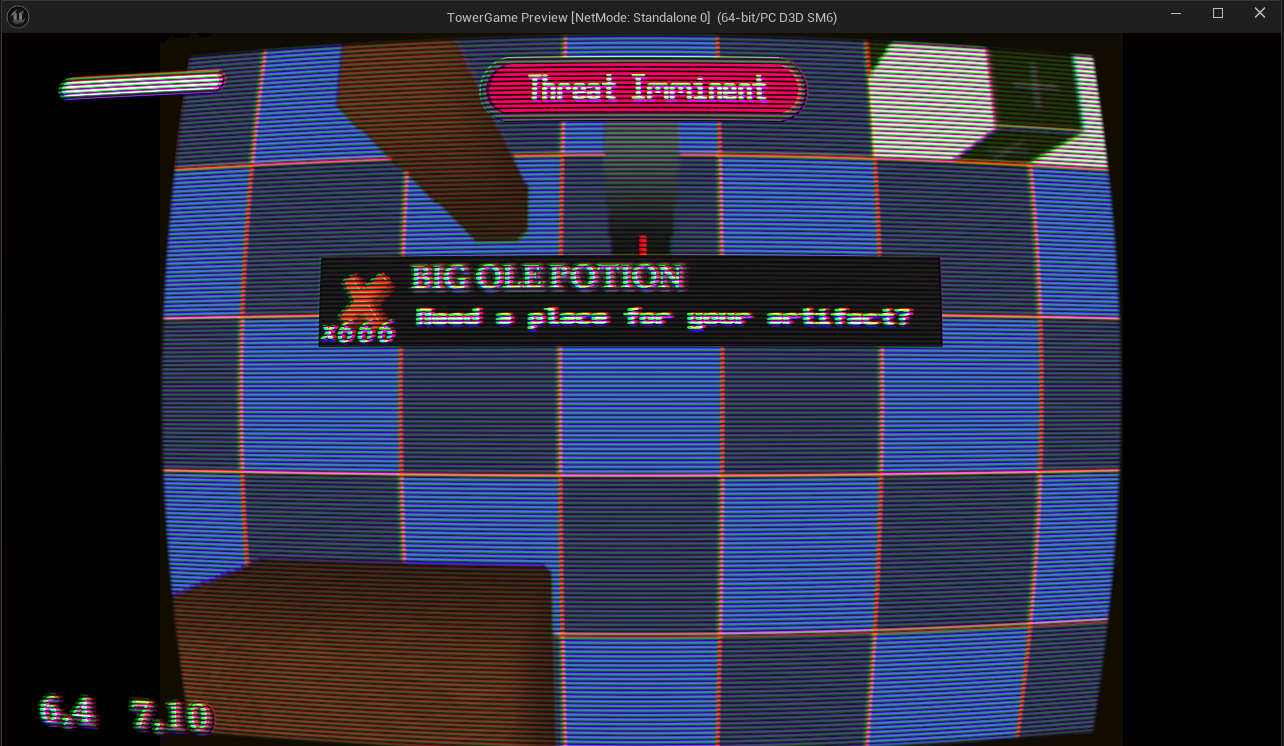
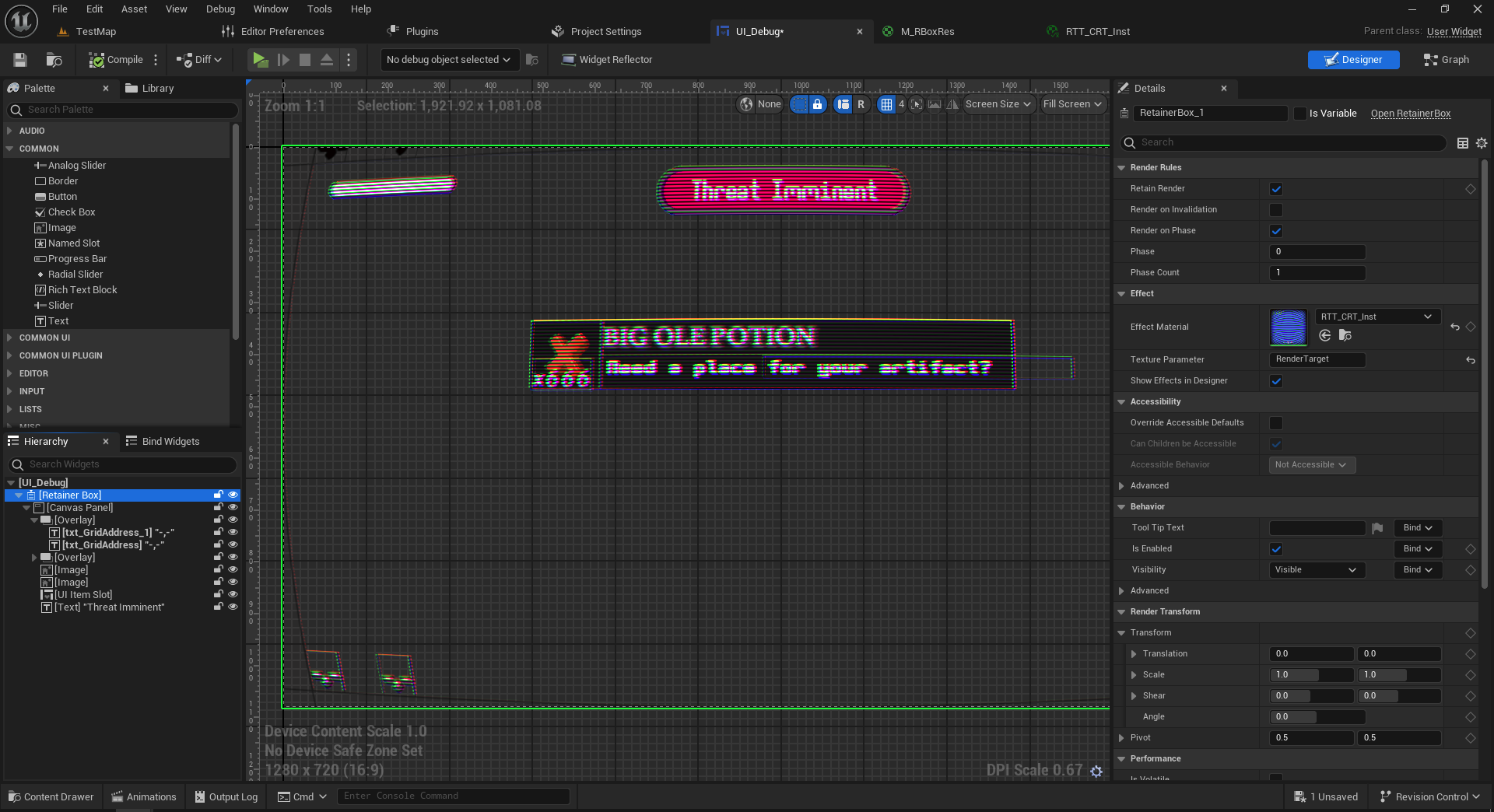
Also in the last screenshot you can see my widget layout. Its one single retainer box covering the entire UI Let me know if this helps
How To Use
Usage:
- Copy the “Dn2FauxRetro” folder to: your project’s plugins folder (YourProject\Plugins)
- Go to Edit > Plugins and make sure it, (Dn2FauxRetro) is enabled.
- Go to UE’s Content Browser, Settings (or View Options in UE4.27) and enable “Show Plugin Content”.
- In the Content Browser open up
Dn2FauxRetro Content > Mapfolder and open up one of the two maps.
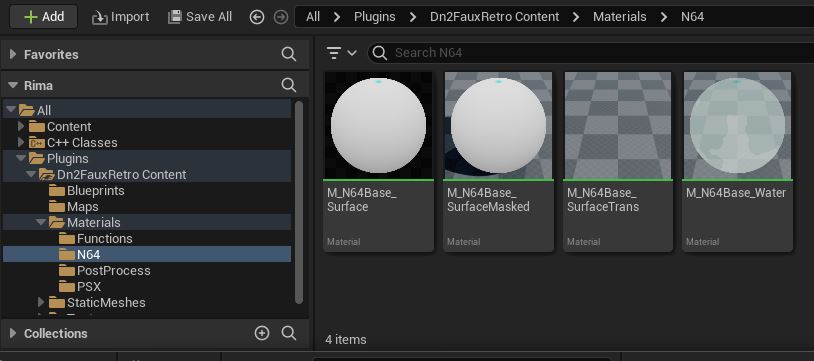 Check out the N64 & PSX Base materials in
 Dn2FauxRetroContent > Materials and the Material Functions in Dn2FauxRetroContent > Materials > Functions.
You can:
- make material instances of the base materials in
Materials > N64orMaterials > PSX - or copy and customise them to your needs
- or take them as examples and use the material functions if you need more unique setup.
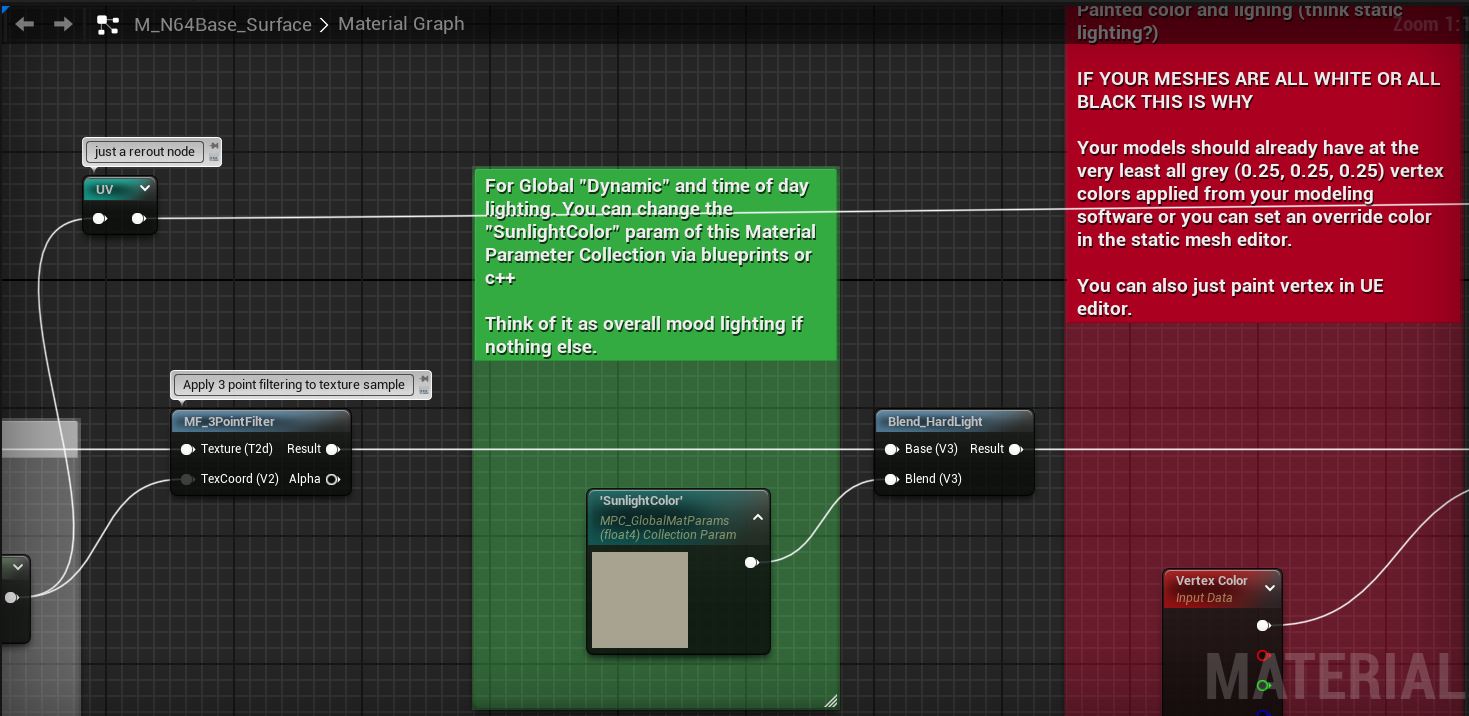
CRT Post Process:
- The CRT Post Process material can be found at
Dn2FauxRetroContent > Materials > PostProcess > PP_ScalelineBase - Make a Material Instance based on
PP_ScalelineBaseby Right Clicking. (Or use the one included named:CRTScaleline_Inst) - Add the material instance to a post process volume & tweak the instance’s parameters to your liking.
Texture Settings:
Texture’s Filter need to be set Nearest, Compression Settings to UserInterface2D (RGBA), Texture Group to 2D Pixels (unfiltered). An easy way to set all of these at once is to right click the texture in the content browser, Sprite Actions > Apply Paper2D Texture Settings. You and also open up the texture and set them manually.

I also recommend setting Mip Gen Settings to NoMipmaps.