On Sale: GamesAssetsToolsTabletopComics
Indie game storeFree gamesFun gamesHorror games
Game developmentAssetsComics
SalesBundles
Jobs
TagsGame Engines

Danetello

59
Posts
57
Followers
1
Following
A member registered Mar 10, 2023 · View creator page →

Creator of
Recent community posts

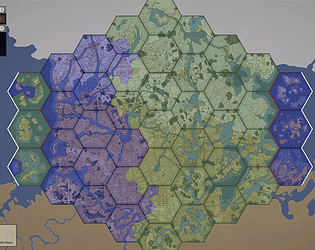
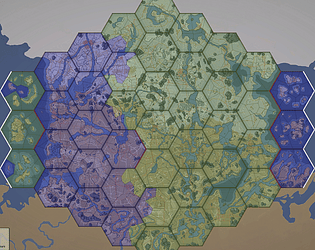
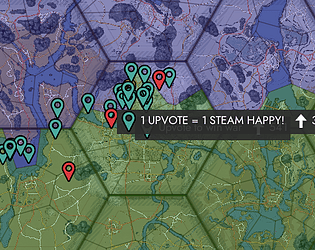
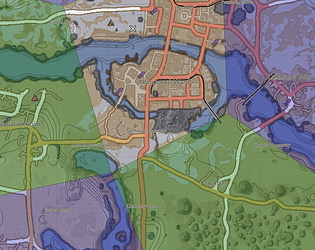
If you are using the improved map mod(IMM), then you do not need any fix mods.

So, delete ALL the fix mods. Update your IMM to the latest version. Update the hex colours mod to the latest version and the red icon mod, if you are using it.

This will ensure you have no white squares as all my mods are up to date and the IMM has been permanently fixed by the mod creator.

If you still see white squares then you have some other mod that is interfering.

There has been one issue reported with using this in update 62, and I'll get it updated later today. It is only one missing icon, so it should not have a significant impact if you use it.

Bit slower than I hoped, but the mod is updated.

Almost done.

I've encountered some unusual issues with the implementation, where the cloth simulation works, but it is constantly reset, as if it gets unloaded and continuously reloaded. So I've paused development on it until I can fix the issue.

(2 edits)

This link works for update 62 as well VVV
Please get the latest patch mod: https://danetello.itch.io/foxhole-map-mod-fix-for-update-61

If you are talking about changing the hex colours for the warden side to red as well, then this mod does not do that, unfortunately. Such a mod can be made, and has been made in the past, but it needs to be constantly maintained, and it has not been. So currently, such a mod, that is also updated, does not exist.

If you are further interested, you can find us on the Foxhole Modding Discord to discuss getting such a mod made or for information on how to make it yourself.

Good luck!

I'll try to get some other version out soon. You and some others have asked for exactly this, so I'll try to get it done.

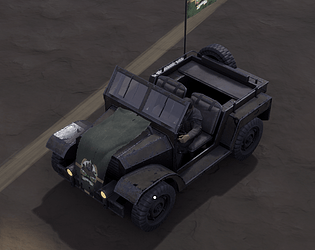
You underestimate what we can do with cloth sims. I can make the flag on the back flutter in the wind, in any direction,  based on the movement of the vehicle. Do take a look at my Peepo bike mod to see what I mean.

I am going forward with the cloth sim first, after you see it, I believe you will change your mind regarding the matter.

I have always intended to complete the flag pole on the back of the jeep. Instead of removing it, I planned to add a cloth sim to the flag on the back so that it would properly flutter in the wind, like with my Peepo bike mod.

Over the years, I have forgotten about this a bit, so I'll go back and try to complete this mod how I intended.

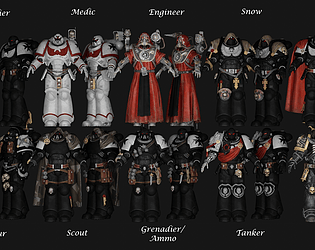
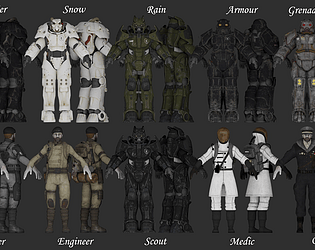
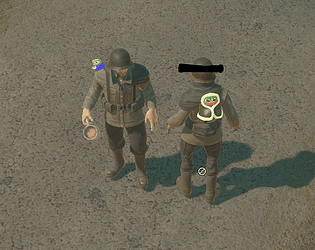
In general, template and non-template uniform mods are always going to be incompatible and little can be done to fix this, unfortunately. (You can tell whether it is a template mod due to how we name things with the 00, 01, etc.)

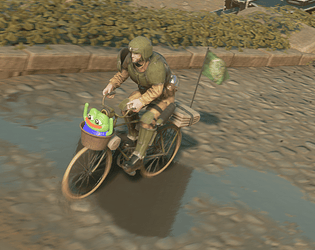
I've added a description to the file. It was made on request for someone else since they didn't want to drive the bike alone. Hence, the result you see, haha.

Uh, it is a bit hard to explain. I'll add a photo of it to the mod page so people can understand it a bit better

The mod has been updated.

Please read my reply above.

If you are using the improved map mod, please get the newest version, as it no longer requires any patch mod. This means you need to delete ALL of the patch mods and just have the latest improved map mod version.

If you are using the better map mod, then just use this patch mod. You do not need any of the old versions of the patch mod, as they overwrite each other.

I'm going to have to take a bit longer getting the update out then I thought. I'll make sure to get it out tomorrow at the latest. In around ~18-20 hours from when I post this message. Sorry for the delay.

I'll get an update out for this in around ~12 hours. Before war starts, at the latest.

I'll get an update out for this in around ~12 hours. Before war starts, at the latest.

(1 edit)

This mod is up to date, and you no longer need the patch mod. A wonderful day!

Please get the latest patch mod: https://danetello.itch.io/foxhole-map-mod-fix-for-update-60

Maybe someday, as I have ideas on how to do it, but not in the near future.

The flag image can be changed with a flag mod that changes the banner texture, like the one you find on town halls.

So to do this, you will need to make a flag mod that has the desired image and use it with this mod.

This mod only fixes some issues existing with the map mods; it works on top of them, so you can still use whatever map mod you want alongside it. Do also know that I will be updating this mod for patch 60, so do keep an eye out for

If you look at the diagram in the middle of the mod page, do you have all the required mods installed, including the 00 one in the link?

That is the improved map mod knight of science edition. You can find it on itch.

That is great to hear!

Glad it works, and if anyone else has this question, the answer is yes.

There might be another mod interfering, like the red icons mod or better hex colours mod; make sure you have these mods on the latest version. If you do not have them, then there is something else. Remove mods until it works, then add them back until you find the culprit.

I will update this mod tomorrow, don't worry.

I am updating the mod tomorrow. If you rename the map mod fix, then you are disabling this mod, so make sure you revert the name change when I release the update.

You are most likely using another mod like my red icons mod, which I have not updated yet and plan to do before the update releases.

Until I update it, which should be done tomorrow, remove the red icon mod for now.

If you are not using the red icon mod, there is some other mod conflict that you need to resolve.

No, it does not; I'm updating the better hex colours later today, so don't worry.

Please get the latest patch mod: https://danetello.itch.io/foxhole-map-mod-fix-for-update-59

Please get the latest patch mod: https://danetello.itch.io/foxhole-map-mod-fix-for-update-59

If you experience any issues with this mod, like white squares in your inventory or on the map, please use my patch mod: https://danetello.itch.io/foxhole-map-mod-fix-for-update-58

If you are using my red icons mod, please update it to the latest version that addresses these issues.

Make sure you use my latest map mod patch mod to fix these issues: https://danetello.itch.io/foxhole-map-mod-fix-for-update-58

I'm glad you like it! The old version for update 57 did not fix the better map mod, so I made sure to accommodate it with this version. Enjoy!

I'm not 100% sure on your question, but your best bet is to find me on the modding discord so I can help you there: https://discord.com/invite/QD4KjK5RTv