Ah hah! I see. Spinach was the only thing that make this gameplay unique. My bad.
cuttleshock
Creator of
Recent community posts
HYUGE praise! Thank you so much. I tried to come up with an idea that stuck to the theme, but not so tightly that a lot of other people would be doing it, and made me laugh enough to stay interested. I think I managed? The silly names and cute sprites still make me happy, so that's good enough for me. (Hurri-cane got a little cheated on that front, though
Yeah, I kinda wish I'd thought through the exact mechanics a bit more and done some napkin math around the how many slots vs. how far something would spin a bit better to make it more of a proper puzzle, but I think it turned out... Okay enough, anyway? But I had a half baked idea I liked well enough and was like "I'll figure out the finer mechanics when I get there", so... The manual spins were definitely a bit of a hacky fix, rather than a properly thought though feature.
A solid wee game.
A few bugs - Sometimes collisions seemed to stop you dead from full speed, and sometimes they seemed to not slow you down at all, with no particular rhyme or reason to it. The first spin I did I had no momentum, so just sat there for ages and didn't seemed to lose much spin speed - I sat there for about 2 minutes before refreshing. And at one point I appeared to have the required resources for an upgrade but couldn't buy the upgrade.
None of these were a hard block from enjoyment, but did seem a bit odd, so thought you should know. Good job <3
A promising start! Cleaning up the control scheme to make it more consistent would go a long way, like... Why is "confirm" sometimes space and sometimes enter? If you always have 4 attacks could you have the manual selection and also have 1-4 for fast select hotkeys? Would it be better to have end turn as an onscreen button with T as a hotkey? Why does up and down sometimes move you sideways in menus? As a rough guideline, if your basic UI navigation needs tooltips beyond hotkey suggestions, it's probably not quite right yet.
I'm curious to see where you go with this, though, and I'll try to remember to loop back in a while. :)
It seems like there's some kind of race condition in the loop for checking if you're allowed to spawn troops, then actually spawning them. So, if you click fast enough (~10+ times a second - I have a macro button set up for this, others will too) you can spawn more troops than your population cap. I assume this is happening because a second spawn-troops command check happens (and passes) in the small delay between the check and the spawn of the first, so it's still below capacity and it says it's okay. This means that both the first and the second lot of troops get spawned.
This also works if you're spawning 10 troops at a time (and I assume 25 and 100, but I haven't tested this). Edit: Have also now had this happen on buying 25x.
This sort of thing is easy to do by mistake, and a pain to check for and debug, so it's very understandable that it slipped by you. :)
Promising! I don't love it (yet), but I definitely don't hate it, either. The VS influence is very, very obvious, but that's not entirely a bad thing. Things that I think would help make it a bit better: slightly better early game ramp, better visual distinction between what is an ally and what is an enemy (especially bad with ally ships vs enemy ships), perhaps synergies between upgrades (ie. increasing your ship speed increases ally speed, increasing ramming increases shark damage, etc.).
Also: If I try to enter a code and I don't have a code, I end up getting softlocked.
Edit: Oh. And Naval Ram is basically a mandatory upgrade. To the point that the game is a LOT harder if you don't have it. Feels pretty iffy? Maybe include it by default, but scale the damage slower, or something..?
While this is still at an early stage, I'd recommend thinking carefully about your input scheme. Obviously, I don't know everything that you have planned, but at the moment there's no reason for space to be jump, so I'd recommend using W/Up to be jump. Similarly, your projectile only goes in the direction that you're facing at the same level, so there's no reason for it to be on the mouse - you can't aim, and there's nothing in your game design document to suggest this will be implemented. The mouse input is totally wasted. If W/Up is jump, shoot can become spacebar, or J, or... Something else. As a general rule, if a game expects me to use the mouse, then I expect to be able to aim/manipulate things with the mouse somehow.
The art is nice. Did you do it yourself?
If you drop a stack of coins on a used move dispenser, it eats them and give you nothing. (v3.2.0 and 3.2.1) It'll also eat your coins if you drop them on it when it's not your turn.
I also entered a shop and was presented with no choices, but refreshed and continued and there were choices again. No idea what the trigger was.
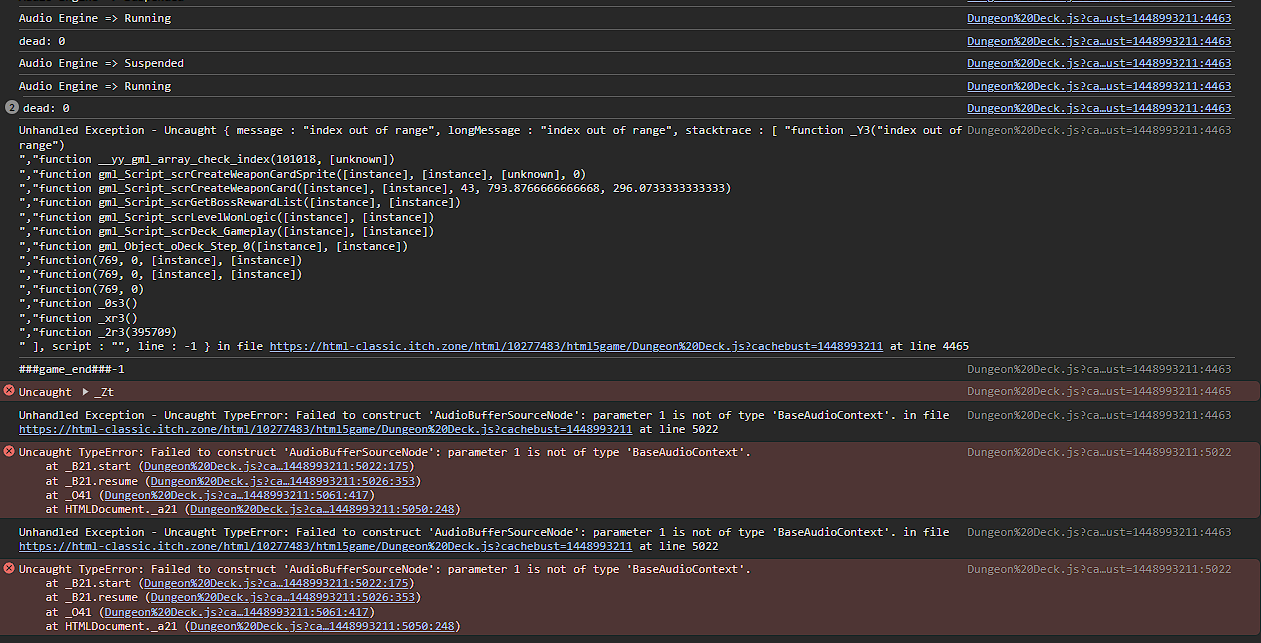
And the game also froze on completing a run. Screenshot of logs for your perusal, Screenshot of game would just be a screenshot of a completed screen, lol.
Enjoying seeing the development over the updates!
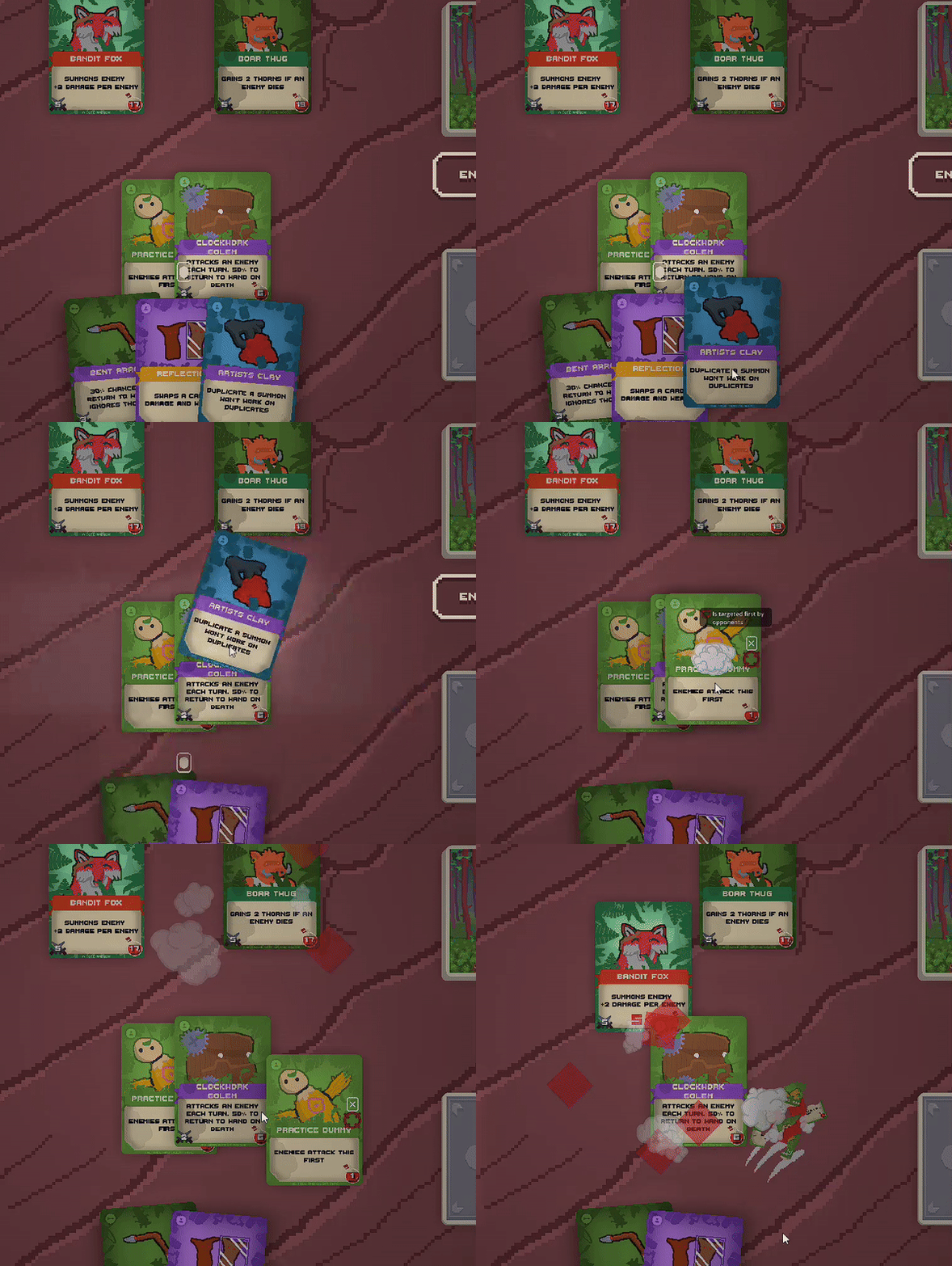
3.1.9 - Using Artist's Clay (there should be an apostrophe, btw. It's the clay belonging to the artist. If it belongs to multiple artists then it's "Artists' Clay". Ditto for "Warrior's Buckler", etc. Not a biggy, I'm just a pedant :P ) on a card can result in a another card being cloned if they overlap and are both valid, even if the AC is dropped on an area where ONLY the intended card is present.
Looking a lot better on the black-screening, and it seems like coins are no longer going missing (maybe? I think?) So that's really good!
On the other hand, Mean Dagger isn't discarding, or using actions, or even returning to hand (but is damaging the player as expected. Would be nice to know exactly how the self-damage worked, too...). It does seem to return to hand at the end of turn, though.
Edit: No luck on the disappearing coins, actually. Ah well.
I couldn't pinpoint it exactly, but it seemed to be something to do with interacting with the discard pile? Either clicking on it, or the spectral arrows being discarded..? Take that with a significant grain of salt, though - I was only just starting to look into the console logs+debugger as you reverted. :)
Browser build, Chrome v123.0.6312.106
I come back to this periodically, and it's really interesting to see the changes you make. Personally, I find the current unlock system pretty frustrating - it's pretty limiting, and forces you into playing particular strategies that you don't otherwise want to, purely so you can unlock other things, rather than feeling like you're progressing. I've also found that you now (moreso than before) need to have some kind of discard mechanic, in case you fill up the board and can't play anything, so can't get new cards. Deadlocks are not fun. :(