Indie game storeFree gamesFun gamesHorror games
Game developmentAssetsComics
SalesBundles
Jobs
TagsGame Engines

CuttingLogic

14
Posts
1
Topics
19
Followers
9
Following
A member registered Nov 18, 2022 · View creator page →

Creator of

Recent community posts

Hello! sorry to spam this topic, but I would like to tell you that of version 53 the bug should be removed. as I was unable to replicate the bug I don't know for sure if it's gone, but it should be. Let me know if you run into any more! Thank you so much!

few questions;
when you entered the run with 0 starting cards, was anything else diffrent from a normal run? here are some examples;

- the map was the tutorial map (being the map was shorter)

- the map progress meter was hidden

- tutorial popups still appeared

Thank you for reporting this! not sure what's causing it, but it will probably be fixed by the next update. 

TY! I don't even know who you are lol, how did you find this? only people who seem to have visibility to it come from the discord

can you be more specific about what needs to be improved, and what the good aspects of the game are? 

idk, they have a twitter but really no links to anywhere else or any bussiness stuff, I'm just kinda wondering why they make games, how they do it and how it's profitable

don't know if this is the best place to ask this, but where can I find more information on team bugulon?

can you give me more specific feedback? for example, what did you enjoy and what is somthing that needs to be fixed?

I have already found another tool to use loo, but it really means a lot that you answered lol

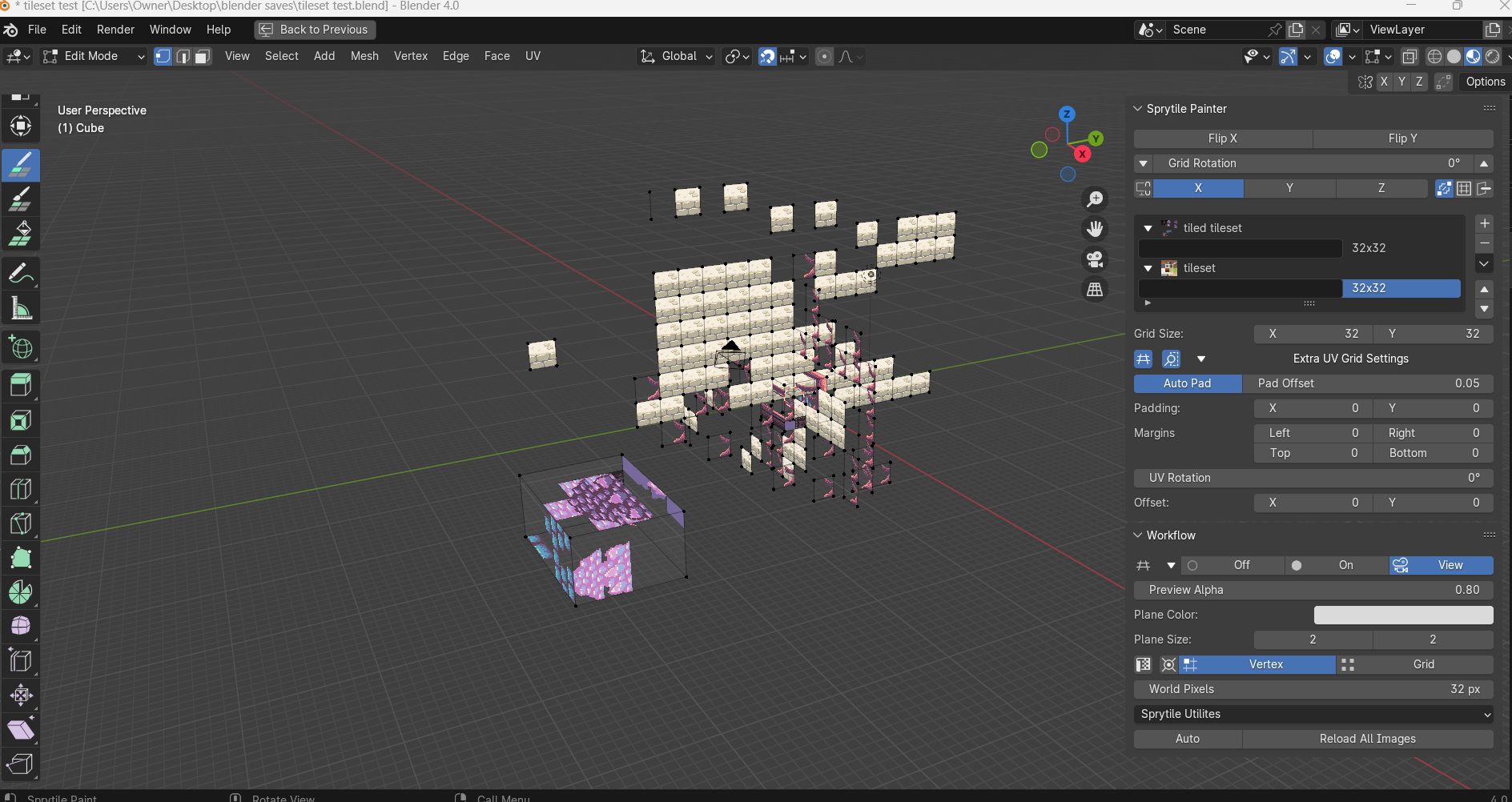
I am trying to use sprytile in blender, however I can't seem to open the tile picker. I can place the bottom left tile from my tile set, and all other features are working other than the tile picker appearing. I am using blender 4.0, and I am using sprytile Version 0.5.25. I don't have any other plugins active in blender. 

any information on this would be amazingly helpful, because there really isn't much information anywhere I can find! 

(image shows build mode selected but tile set picker not showing up)
Hello! on the level select screen, there is a key bindings button. it looks like a < b, but I should change it to a cog or something else. if you click it from the level select, you will be able to change the key bindings. hopefully that will help you enjoy the game more! 

if you want to talk in discord, feel free to ping me! 

1. the spot at the top is where the demo ends. I should probably make a "thank you for playing" room.
2. I can fix that. 

3. any advice/things I should fix? thank you for pointing this out!

thank you for your feedback, and thank you for answering honestly! your feedback lines up a lot with what other people have been telling me. your feedback is invaluable. 

please stay on topic with your feedback. other than that, feel free to use as much constructive criticism as you want.