Indie game storeFree gamesFun gamesHorror games
Game developmentAssetsComics
SalesBundles
Jobs
TagsGame Engines

CuteShadow

76
Posts
2
Topics
530
Followers
1
Following
A member registered Aug 06, 2020 · View creator page →

Creator of
Recent community posts

Yes, you can start an episodic series that you plan to update after the jam.

If it's a preexisting series then you'd need to make fresh assets to not break the rules (for example, same characters but new sprites).

You can take the same ideas but, in your point n click screen, replace the vbox of textbuttons with whatever your point n click is.

"menu:" is just a custom way of calling the choice screen anyway. You can make your own and call it yourself.

make sure auto reload is on

There's no limitations on team size! Just whatever you can reasonably organise.

There won't be any official recommendations for how you want to present cute and cool aesthetics (or how to mix them) because it's up to your interpretation!

You aren't necessarily limited to physical outfit styles either. You could present cute or cool vibes through character's personality or the actions they take.

(3 edits)

Drop any questions you might have in this thread! You can also ask in the DevTalk Discord.

In the drag, there's an on-click action that does Return() which is probably what's causing that. You could maybe use if or the If() action to check if the choice screen is currently being shown.

whoops

Hi yes feel free to make that video that sounds great!

Honestly, I have no idea what that error could mean but it looks like a problem with renpy or the browser because there isn't anything complicated enough in the rpy file that could cause that kind of error

nic

whenever they come out hehehe

(1 edit)

The max number that would make sense is the width of your game window (so 1920 for a 1080p game).


The layout is in "subtitle" mode which tries to even out the length of each line. If you want the default back just delete the part that says layout "subtitle". But note that this can be annoying to read because it will make the top line closer to the max width meaning you have to move your eyes more.

Yes, just increase gui.subtitle_maxwidth to the length you want

Hi, this looks like something a bit more complicated to debug in an itch.io comments.

I recommend joining the DevTalk Discord server for vn dev and asking this in the programming channel. https://discord.com/invite/devtalk

This page is really satisfying

Thanks

Good eye! There's only a 1 or 2px offset for the chromatic abberation so not something most people will notice consciously 

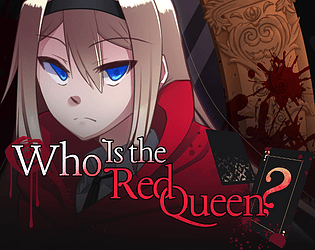
Okay, that transition is very hot. I like how it's mostly black and white but you know when to add a splash of color to make a sophisticated aesthetic.

I like the unique textbox UI as well. It fits the theme nicely! Overall, everything comes together into a really cohesive mystery experience.

Okay, that transition is very hot. I like how it's mostly black and white but you know when to add a splash of color to make a sophisticated aesthetic.

I like the unique textbox UI as well. It fits the theme nicely! Overall, everything comes together into a really cohesive mystery experience.

(15 edits)

Please comment any yuri/GxG/WLW/GL/Sapphic submissions you find or submitted yourself. That is all.

If you want your game removed from this list then let me know.
 

Confirmed:


Unconfirmed:

Prima Donna
The Forbidden Cellar
The Girl and The Fallen Star
Alice In Masquerade
Still Heart [DEMO]
The Unmaking Gospel
Wapple Hous
Gleeful Grotesquerie: Tunnel of Love
Music With Harmony
Amalgum (Part 1)
Cycle of Carnations
Mukbang Idol

(2 edits)

Violet is cute!

(2 edits)

Violet is cute!

A really sweet little date! Oooh, and the Starry Night GUI!

A really sweet little date! Oooh, and the Starry Night GUI!

The camerawork and clever use of assets make the game very cinematic. Really amazing work!

The camerawork and clever use of assets make the game very cinematic. Really amazing work!

There's so much art, it's really impressive! The varied visuals really sell the atmospheric horror alongside the sound design. And every character is fully voiced, which must've been a lot of work for such a big game. Great stuff.

(1 edit)

Yep, that's the one! We're going to have a motherboard then throw a bunch of bullets on the table XD

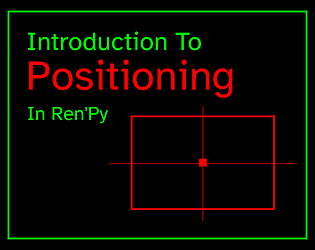
The middle part is 4:3 and when put in the middle of a 1080p game, it creates enough space for those iconic thick borders.

HAHAHA. Finally, I can spend all my minimum wage on gacha, and no one can stop me!!!

All the little UI animations and sound design are very satisfying too!

HAHAHA. Finally, I can spend all my minimum wage on gacha, and no one can stop me!!!

All the little UI animations and sound design are very satisfying too!

THANK YOU FOR COMMENTING. You are under no obligation to do this but consider also copy/pasting your comment onto the game page. Thanks again!

I love streams!
Btw there's a Twitch category for this jam to make it easier to see who's playing the games https://www.twitch.tv/directory/category/spooktober-visual-novel-jam

(2 edits)

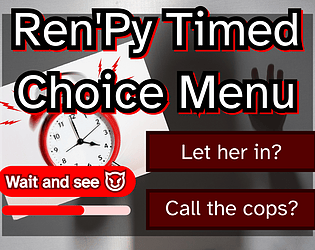
You probably also deleted the styles under the choice screen you deleted.


It will still work even if you don't delete the old choice screen since the timed_choice file is alphabetically after screens so the new one will replace the old one anyway.

I sent a friend request!

(1 edit)

Maybe try clearing your persistent data?

You can see that division happening to calculate the adjusted time which is the only possible place the error could occur. 

You can also try opening the console using Shift+O and typing in persistent.timed_choice_speed to make sure it isn't 0 if clearing persistent didn't work.

That could only happen if you changed the speed variable to 0 🤔

(1 edit)

Something like this should work

If you add PointEmitter directly to the screen it will mess up the animation since the screen will make a new PointEmitter every time it decides to update itself.

image my_emitter = PointEmitter(count=500, warmup_time=20.0, slice=270)
screen emitter_test():
    add "my_emitter" at truecenter

At the bottom of the file in the timed_choice_visual screen, you'll find the part of the bar that fills up.

If you change the xalign to 0 instead of 0.5 the bar will anchor to the left to shrink in that direction.

add Solid(gui.timed_choice_timer_bar_fill_color):
    at transform:
        xalign 0.0
        xzoom 1.0
        linear adjusted_time xzoom 0.0