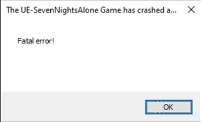
Unless I'm doing something wrong the agent isn't dissolving the green tumors thus I can't use the scalpel after.
coolguyloveshorror
Recent community posts
It's actually a false flag which many devs even put in their descriptions at times. Windows Defender may flag a game on itch.io as a virus when there really isn't anything.
It's due to a false positive from the program's code or a lack of a digital signature.
If you don't trust it that's fine but it is completely okay. Every time a game triggers this it's always Wacatac.B. It's on Microsoft's end.
Hey, thanks for replying back! I did try running as admin. I also tried petsitting.exe --verbose and do get an output.
EDIT: I figured it out. Apparently the output said a certain program could be causing a conflict. Uninstalling it fixed it. Thank you so much for the help! I really appreciate it. Now I can play your game. :)
Hey, unfortunately when I try this game it opens with a black screen for a second and then closes instantly so I cannot play it. My PC is more than up to date as is my GPU drivers (4080 Super).I tried running it from CMD but get no error messages just that it is using the godot engine. I also tried pasting in 'force-d3d12' in the target from a shortcut with no luck. If you have any other ideas that would be wonderful. The game looks so fun to play. :)
My understanding is the malware or potential virus is a false flag. It's a known issue with windows defender and has been an issue for a long time. Many devs have actually put that as a note in their descriptions as well. If you do not trust it that is fine but there is nothing actually wrong so don't worry. :)
Hello, I'm not sure if you can help but for some reason the game opens and closes instantly when I try and play it. I get this faded pop up for a second that I have attached. I more than meet the requirements with a 4080 Super. I also tried running the .exe from the CMD and I get no errors. I am unsure what to do which is a shame because the game looks fantastic.
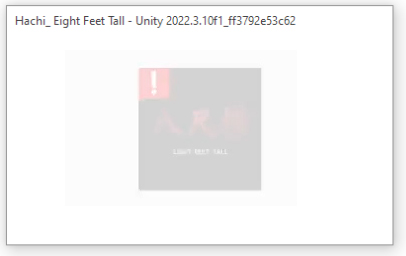
Thanks for getting back to me. No errors unfortunately which I wish would be the case. It would certainly narrow things down more.
I downloaded the save file and put it in the instructed folder but alas it is still giving me the black screen and instantly closing. I honestly thought that would work. It is very strange indeed. I appreciate the help though I'm not sure what else to do. I might be out of luck in being able to play your game. :(
Hey, thank you for getting back to me I really appreciate it. After following your instructions there is no save_game2.dat in the Cherophobia folder. The only folder that is shown is a 'logs' folder.
As for the second part, attached is a picture of what happened when I ran it in CMD. There wasn't much but this is what there was. Thanks for your time. 

I don't know if you will see this (dev) but whenever I try to play this game it opens up for a split second showing a black screen and then closes. I don't know if anyone else is having the problem but I also tried to install it in the itch.io app and it won't let me install and says at the bottom, 'no compatible downloads were found'.
It's strange because I'm using Windows 10, drivers for my 4080 Super are up to date etc and I can't recall having a problem like this with Itch.io games. It's a shame because this game looks so good! Just wanted to pass this a long incase maybe there's something you find moving forward. Thank you. :)
I got an error message booting it up that said, 'there should twisted toys demo data folder next to the executionable'. The folder says twisted toys_data. I changed it to twisted toys demo_data and it worked. Not sure if it was just a problem for me personally but maybe something to look into if others have that problem. :)