I have played pool previously, so this feels really fun to play! It doesnt always need to be something really complex. This worked well and I enjoyed playing the game a lot!
I liked the art style, kinda retro! And also fun to play. Maybe at the beginning slightly hard, as I got easily behind. So maybe gradually increase the speed that get left behind or some warning buffer zones. But othwerise great for short game jam game! Great work!
Thanks for testing! And I'm happy to hear that you liked the game! (Or the short level at least) But I will try to make more proper levels to really test the gameplay.
lol this made me laugh! Kinda feels like real life work haha XD Great concept! And I think the art style works here! It doesnt alway need to be so complex. I really liked the game and it made me smile!
Thanks for testing! Yes, it definitely needs more. I want to release few more levels that I have had more time to think about the level design. Because now it feels a bit unfinished even for a game jam game. But thank you for the feedback! I will think about your points that you mentioned!
Thanks! Yes, I should try that (and also have different enemies with different movement patterns (or even flying ones). But thank you for the feedback!
Thanks!!! Yeah I think there's some points where you have to wait a bit, but I didn't want to make it too easy haha XD Hopefully will have some new levels later.
Fun delivery game! I think the controls worked well! Maybe I would wanted that I could have choose the delivery task (or I could only select the top most delivery task)
This is quite creative game! Fun art style & animation! And the music also fit well! Dont really know how would I even improve the game. Great game jam game!
Quite unique! And I also felt in hurry to try do all those task! So it is really good fit for the countdown theme. I really liked the game! The pixelated art fits well!
I liked this Wario Ware style game! The music fit well, and the art was great fit for it! I had fun with it. Of course if you want to make it to a full game then maybe more variation, but this one was quite good! I maybe had some bug with my browser that it was difficult to hit the Start-button (I dont know was it just my browser)
Thank you for trying my game! Yes, definitely I want to come back to this prototype, at least a proper level. And then maybe some enemies that you would have to use bullets.
Thanks for trying my game! I'm happy to hear that you liked the game! I think I want to make at least one proper level after the game jam rating ends. Or I feel I didn't get to finish it how I wanted it to be.
I really like the mechanics of the game! I haven't maybe encounter this kind of before. I will come to try more after the game jam rating ends. And I really like art style it feels like playing some Zelda! Don't really know how would I improve this game
Really nice! I liked the mechanics once I get to into to the game. I think at first I hold the Shift, so I didnt first get the idea of the changing mechanics, but after that I got it! Really nice gameplay! I think with a game controller it would have been even better (now I tested with just keyboard&mouse) Great game in short time!
This was really fun game! Need to one efficient worker haha xD And I like when you start to run, the camera zooms a bit, I like these kind of small touches! Very fun! If you want to make it to full game, then of course need to think a bit of variotion! But really nice so far!
Nice fun game! And I didnt mind the art, it looked fun to me! I didnt notice did the game had a reset button, I hit the page refresh when I died few times.
I liked the concept and the art style also was nice! Maybe slightly confusing at the beginning, so maybe some kind of tutorial or help would have been good. But otherwise nice!
Nice music! And I also liked the visuals too! It was bit hard for me. The input switch could happen a bit slower pace at the beginning. But fun idea! Had fun with it!
Quite intriguing concept! I liked it (although I think I got stuck at one point a bit). Art wise it felt finished, and the small dialog is nice touch also!
Thank you for the feedback! Yes, I was trying to force the player to think when to use bullets (or even none). I have watched a lot of speedruns of different games, so I tried to force the player to play also as fast as possible with the countdown. Sorry I should have maybe made an alternative way of control. I will keep in my mind the arrow key + zxc combo. But thank you for testing my game! Just unfortunately I only got the basic things to work, so didn't yet get a chance to really do some proper level design for this concept.
The art is really polished. It feels playing like a finished game. Maybe after 1 or 2 rounds, I start to get the hang of it. Great gameplay and I like the theme of the game. Maybe one improvement came to my mind, before you drop the number (and do the action), could it somehow preview how many stones/food/dinodollars would I lose (it might help at the beginning). And in some cases the text might be a bit small (if not in fullscreen), maybe you could right click on an action to zoom it.
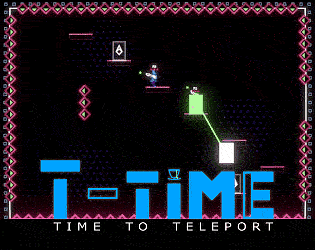
-6 new levels for beginners! -Some changes to the default control style. -An indicator to see better, if you have a jump left (or have you already used your jump). For example if you teleport (or you are teleported), now you can see more easily that you got your jump back, and you can jump again (even if you don't touch the ground). -Changes to the grenade explosion's trigger.
More information in the first post of this thread.
The list of tested game controllers in Linux has been now updated with the following: Playstation 5 DualSense game controller (over Bluetooth): Works Playstation 5 DualSense game controller (with USB cable): Works Playstation 4 game controller (with USB cable): Works Playstation 3 game controller (over Bluetooth): Doesn't work (button aren't mapped correctly) Playstation 3 game controller (with USB cable): Doesn't work (button aren't mapped correctly) Nintendo Switch Pro Controller (with Bluetooth): Doesn't work
I will be updating this thread, if I find any new bugs that are spesifically related to Linux version of T-Time.
TESTED LINUX DISTROS:
Pop OS 20.04 LTS: Works (tested with AMD CPU and AMD GPU with amdgpu open source drivers)
TESTED GAME CONTROLLERS:
In Version 0.5011 and newer (build with Native Input): Xbox Series S/X game controller (over Bluetooth): Works Xbox One game controller (over Bluetooth): Works Xbox One game controller (with USB Wireless Adapter): Works Playstation 5 DualSense game controller (over Bluetooth): Works Playstation 5 DualSense game controller (with USB cable): Works Playstation 4 game controller (with USB cable): Works
Xbox Series S/X game controller (with USB Wireless Adapter): Partially works (triggers don't work, and View or Xbox buttons in the game controller work as a start button in the game (not the Menu button) Playstation 3 game controller (over Bluetooth): Doesn't work (button aren't mapped correctly) Playstation 3 game controller (with USB cable): Doesn't work (button aren't mapped correctly) Nintendo Switch Pro Controller (with Bluetooth): Doesn't work
In Version 0.501 (build with Unity Input): Xbox Series S/X game controller (with USB Wireless Adapter): Works Xbox One game controller (over Bluetooth): Works Xbox Series S/X game controller (over Bluetooth): Doens't work (buttons aren't mapped correctly)
*There's a small bug in version 0.501 with Xbox game controllers in Unity game engine that the Menu button in the game controller doesn't work as a start button in the game. You have to use the View button (the button with two boxes) in the game controller as the start button in the game.