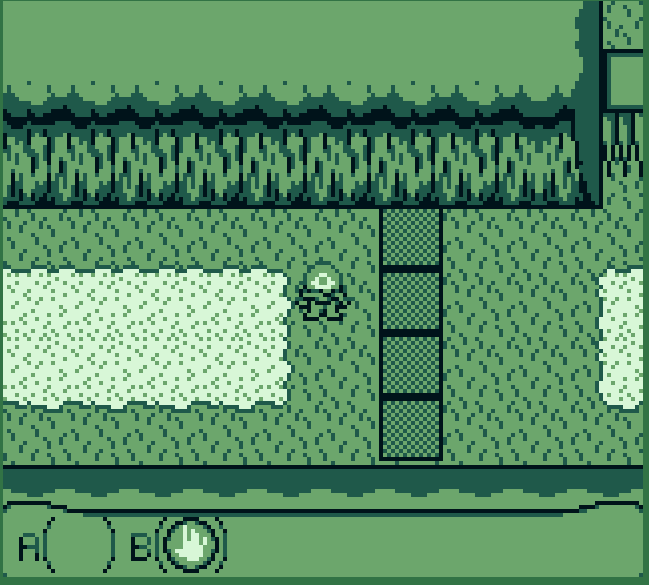
Darn. It’s supposed to explain itself the first time you fish and then it repeats if you talk while fishing. The way you do is UP+DOWN to move the hook. When a fish is nibbling wait for it to flash and then press UP to snag it.
Really fun. I maxed all the upgrades. Thanks for giving the controls some wiggle room when buying stuff. There’s a lot of games here where it’s too easy to accidentally press A and quit out from a shop or something. Very very good interface in general. Also not too hard or too easy.
This option will apply to your currently selected Control node and it’s children. If the game switches to a different scene, it may not have this option set and so the mouse would work.
Although you could do this for a fullscreen transparent rectangle, and then set it’s filter to block, so that it will always block all control nodes behind it. If the rectangle was a global then it would block input in all scenes.
Yes in Godot you can use a collection of GUI controls like buttons and dropdown menus and stuff. By default they all respond to mouse events, which are handled a bit differently from button inputs in godot. It’s a doozie for new users so this is a way to ensure any mouse input that does reach the game is eaten regardless of however the game is set up.
I agree it would be nice to have it be secondary option but oh well. If you’re a godot user please see my edit in the OP if you need help disabling it.
My game is entirely menu based, so it’s nice to just click the buttons rather than using keyboard inputs. The game is primarily designed for keyboard/gamepad input and the mouse is a completely optional alternative, so is that ok or should I disable the mouse inputs when I submit?
Edit: A reply was concerned that it’s too hard to disable mouse clicks in engines. Here’s how I’m doing it in Godot. You can copy this into a global script to send all mouse clicks to a black hole. Functionality to toggle it is there so you can use it while testing if you need/want to, and then you disable it for the submission.
var mouse_input_disabled = true

func disable_mouse_input():
	mouse_input_disabled = true
	Input.mouse_mode = Input.MOUSE_MODE_HIDDEN

func enable_mouse_input():
	mouse_input_disabled = false
	Input.mouse_mode = Input.MOUSE_MODE_VISIBLE

func _input(event):
	if mouse_input_disabled and event is InputEventMouse:
		get_viewport().set_input_as_handled()
lmao that’s funny that it looked like a box of pasta, I can’t believe I didn’t realize how easily confused that could be. I was hoping this game wouldn’t need updates but that could do with a change…
sorry but I’m very confused about how to play this and if someone could help explain the “high level objectives” it would be nice. When I go through gates I just sort of wander around and eventually pass a point of no return back to the center without knowing whether I accomplished anything or not.
Really fun and the style is awesome the only thing I wish is that it was a slightly slower pace. It’s nice that it’s faster than the original katamari but the whole thing is over really fast. Once you’ve caused enough damage to be big, the police are already so strong that there’s no fighting their power to melt you.
The main thing I think could be improved is the level design. I see that you have the common instinct to make branching paths in levels, but you actually should avoid that even though choosing a path seems interesting on paper. In practice you’re just turning your level into two levels and people will think they have to backtrack to get and see everything. Branches should be for secret areas or secret exits.
Also I think one-hit-kill games should be more forgiving with checkpoints.
The archery is cool. It doesn’t follow a straight path but still feels like I have a lot of control of where it lands. I agree with the others that crouching should fire a different trajectory.
I found there wasn’t much to do besides advance text boxes however I like this implementation of the “rpg maker horror” format as an NES game. There are some really cool features that stand out like the “line of sight” system turning rooms dark if the character can’t see inside them, things like that make me think this is extremely worth continuing. I enjoyed the sprites as well.
This is pretty well implemented. There’s no weird collision or jerky actions (aside from the movement feeling a little sensitive). I can tell your programming skill is high enough to make good games, you just need better game design and nothing will stop you. Your art is very funny. It reminds me of comics and we don’t see many games using this kind of hand-drawn art ever since games like day of the tentacle went out of style. If you make more games please put in drawn graphics like this game has.
gurtos needs a prompt to click at the boot screen because I was "stuck" there for a bit >_>
But this is a cool prototype. The art looks awesome, especially the Bee page. I hope you continue and add more bugs. If you want ideas, please do springtails. I would also like a page for stick bugs and especially to see stickbug eggs in this style.
Really fun little spin on idle games. It would be cool if you could move the ramp and other machines around to rig up the most optimal machine possible. Like a super boiled down factory game. But this was still fun as it is.
Even after reading the new controls you posted (thx btw) it took me a few seconds to understand how the gun worked because it's a really off the wall mechanic. But when I figured out what was going on in this game I got excited about it. Having to stop to pump up the gun leads to lots of interesting decisions when the pressure has mounted. The question is not only when to stop and charge, it's also about how do you "spend" the charge wisely enough to create another chance to charge. The charging also created an interesting feeling of power, like I was really putting a bunch of energy into the gun and then blasting it off. I think this is worth expanding on and if you do I have some suggestions. Spamming R so much is hard even for me with no disabilities or medical conditions. If you change it to holding R I think the essence of the game would be the same but make it a lot easier to just play. I also think it would be cool if there were different guns that had different gimmicks for reloading them.
I did! The bombing is a very unique and surprisingly interesting mechanic. I find the graphics very solid as well. I think it would be better to be able to hold a direction to move though.
Good presentation and idea we just need some stats or something to make these matchups interesting. With the game like this it's pretty much just betting on a coin flip. If characters had strength, def, HP, and accuracy, it would be predictable but not too predictable.
By level 10 I was ready for this to be over because after seeing every type of obstacle nothing was making it more interesting. But I kept going and I'm glad I did since the ending was worth seeing.
Oh so it's not physics. You definitely succeeded in giving the character a feeling of weight. It's hard to judge what this would be like with faster lerp. As for the tutorial thing, I find most tutorials recommend really weird ways of doing things which require you to fight major components of the engine to make a whole game out of it.