

That is correct, it displays the behavior described in my previous post.
A member registered Mar 23, 2023 · View creator page →
Creator of

Interesting new state-related effects.
Configure state chances with note tags, disable sections of the state application process, and more.
Recent community posts
Hakuen Studio Picture Manager for RPG Maker MZ community · Posted in Issue with binding pictures to looping maps
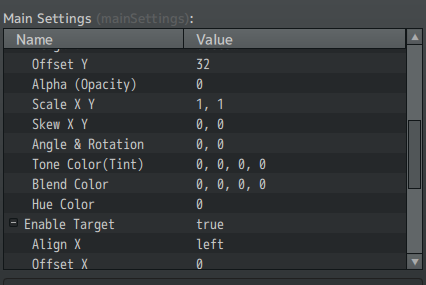
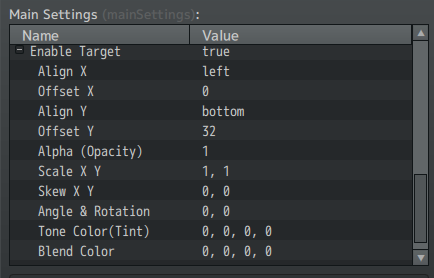
I did update it to the latest version, as well as turn everything except the Book and Picture Manager off. As for the picture command I used:
(Everything other than this, I left untouched.) The picture will correctly latch onto the bottom left corner of the map, but doesn't loop fully around from the right side and disappears around the middle of the map.


Hakuen Studio Picture Manager for RPG Maker MZ community · Created a new topic Issue with binding pictures to looping maps
As per the title, I seem to have an issue when a picture is bound to a map that loops horizontally:
Let's say I have either the screen scrolling or the player repeat-moving to the left. When I approach the left border of the map, the picture will blip out of existence on-screen, and it'll then scroll into view again from the left (right edge of the picture). In fact, it looks like I encounter this problem using just about any bind-picture-to-map plugin.
For example, in this image, the brown podium at the bottom left is the separate image that I'm trying to get to loop (normally there'd be character images behind them as well).
How would I go about resolving this issue? I'm not sure whether or not this is a bug. (edit: yeah it occurs with just this plugin + the core)
Thanks in advance, it otherwise works perfectly!