On Sale: GamesAssetsToolsTabletopComics
Indie game storeFree gamesFun gamesHorror games
Game developmentAssetsComics
SalesBundles
Jobs
TagsGame Engines

Celia

219
Posts
17
Topics
1,829
Followers
22
Following
A member registered May 13, 2016 · View creator page →

Creator of
Recent community posts

Post your results and discuss the events of week 7, Dec 22-28, here. Spoilers for this and past weeks are fine.

Ooh, very interesting idea, will think about that too!

Hm, yeah. Added a note to How to Play and I'll think about other options. It's the kind of thing where once you know it, you don't need a reminder every time. Probably a more active tutorialization of the first couple puzzles could help, since it could point that out in context, but that's a larger change. Or making a clearer pause state, which you could use to go check out other puzzles... I'll keep pondering. Thanks for the feedback!

I added a comment about that in How to Play, good call out. (Also, one day I might also make some tweaks to the first couple weeks of puzzles, since those are some of the trickiest with things like names, and new players go through them first...

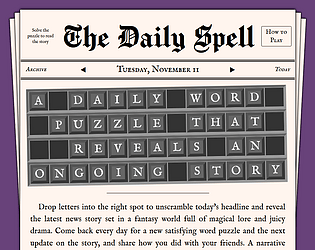
Okay, added some changes that should help with words that wrap:

  • The columns of the selected word are highlighted in purple, so it's easier to spot if it wraps.
  • An arrow icon appears next to the wrapped word when the word is selected, and you can click the arrow to jump across the break.

Tab and shift-tab added! 🙂

Couple more tweaks! I added an arrow on words that wrap to a new line. It gives a clear indicator that the word wraps, and you can tap/click it to jump to the other part of the word. I especially hope this will be useful for folks playing in mobile portrait mode.

You can! It doesn’t clear the current puzzle if you change to a previous day, go to the archive, etc. (The clock does keep running - pausing it is on my todo list.) 

I wonder how I can make that clear..? I don’t want people to feel frustrated thinking they can’t see previous articles. I’ll at least add a note to How to Play.

Really enjoyed this one! The personality coming through the directions was so charming, it made me want to do my best. 🙂 The look and the way that features combine were really nice too.

(1 edit)

I got caught up while bugfixing and made some other changes. I'm very curious to hear whether it works well for people and happy to tweak things further.

  • Added word highlighting where the current word and its columns will be shown in purple. My hope is this makes it easier to focus on the word. It also makes it clear when a word wraps to a new line!
    • I got this idea from Gisnep, an existing daily drop quote puzzle I just learned about! If you're hungry for more drop quote/quotefall puzzles, check them out.
  • Fix: the little jiggle when tiles land in a spot is gone! (Maybe nobody noticed it? 🤞) It was due to a slightly off position for the tile drop animation, which is now fixed.
  • Fix: tile overwriting bug which could cause letters to be permanently lost, discussed here.

I've also been tweaking the tutorial wording and layout a bit, happy to get more feedback on that. Thanks all! 🙂

I think this is fixed now! Letters should be immediately marked as placed even when the animation is still going on, so sending the second letter will put the first letter back in the top column rather than overwriting it.

I'm not exactly sure how you managed to run into this - to test it I had to slow the animation down to give myself time to click, haha - but please let me know if you're still seeing it after the fix. Thanks again for the bug report!

Ahh thanks for letting me know! I need to do some investigation into how this happened, will get a fix out as soon as I can.

Hmm. I just tried and clicking on her portrait (not her name) in the post-tutorial scene with the king works for me. Is that what you’re trying? I’m not aware of any bugs with it, but maybe try a different browser to see if that makes a difference? Let me know.

Ah, okay, the good news is I pushed an update yesterday with a heading that says "Try it" above the tutorial grid so maybe that would help. 🙂 I also added a point about the words wrapping just now, so hope that helps others avoid the confusion.

Hey, thanks for playing! I was hoping that the tutorial would introduce that words can wrap. Curious if you clicked How to Play and if you solved the whole tutorial puzzle? (Not judging, just gathering info on how people approach it.) Would a line like "Words can wrap from one line to the next" in How to Play help?

If it's a recurring issue I can look at adding an indicator, but I was hoping that once players get used to keeping an eye out for it, it's just one facet of the challenge of the puzzle. Definitely looking for more feedback on this from you or anyone reading this, thanks!

Thank you! Yeah, I've been doing my best to make the How to Play screen clear so people find out that you can type. 😄 Good idea about Delete, I just updated it, so let me know what you think.

I'm also happy to add other keyboard shortcuts (Tab to jump words??) if people have some they would like to use that aren't currently working.

Good to know, I’ll definitely be taking another look at the tutorial sometime soon. Thank you again!

Thank you for playing and making a video!!

I enjoyed hearing your thoughts, very helpful! I do like the tutorial letting players play around and learn how it works on their own, but I can see that some more direct context-setting and steps to follow could help people get started, so will definitely think more about that. Totally appreciate your comments about sound, that's on the list but I'll move it up. 🙂

Now that I have this wonderful record of you playing, let me pepper you with some nitty-gritty questions. 😄

I'm curious if you tried typing to fill letters? I want either typing or clicking to work, so it can be a matter of preference - just want to make sure it's clear you can type (it's mentioned in How to Play but maybe seeing the tutorial puzzle to dive into is too distracting?) And I saw you ended up misclicking a few times, like at 8:32... Wondering if there's any interactions that would feel more natural than how it works now, or if it's just a matter of getting used to how the spot selection works?

When you said "It looks like it splits into two words" at 5:45, I think that's because the dark letter tiles look too similar to the blank spots? Seeing it a new perspective on it, I think I'll darken the blank spots all the way to black to make that distinction stronger.

Again, super helpful to see this, and I also appreciate you sharing the game! Thank you!

Thanks! That's a good idea. I'm pushing the idea of solving the current week because I want people to be aware you don't have to solve the whole archive... but totally, if it were me I would want to start from the beginning too. I just added a "Go to start" button to the bottom of the tutorial popup.

🙂

You know, you're absolutely right. I just now renamed it to "Reveal solution" and added a confirmation.

 The original reason I had that button was for people affected by Safari not saving progress, to be able to quickly reveal articles they'd already solved but that weren't saved. So the extra confirmation click might not be appreciated there... but I'm also now hoping players in Safari will play on the standalone site rather than itch.io to avoid that bug, so that use case is less important. (I explain all that in case anyone else feels differently about these changes - feel free to give your point of view.)

But yeah, I definitely want to avoid spoiling puzzles for people accidentally, so thank you for the suggestion @DanielLC!

I saw some new players found the game, yay! I would love to hear how the "How to Play" tutorial puzzle worked for you - was it helpful to play around with? Were there things you were still confused about? Or anything else you wanted to share about your experience.

Aw man, I thought I'd escaped adding the tutorial without introducing any bugs, but that was just wishful thinking. 😅 It was a quick fix, should be working correctly now. Thanks so much for letting me know!

I’ve gotten such a kick out of reading everyone’s thoughts and predictions, just wanted to say thanks everyone! 🙂 Can’t wait to hear what you think of the upcoming developments!

Post your results and discuss the events of week 6, Dec 15-21, here. Spoilers for this and past weeks are fine.

I really loved this, the art is so charming and I really enjoyed the process of discovering how it works and finding solutions!

My only complaint is the “Type to cast spells” hint comes up too much, since I had a lot of idle time while working on ideas on paper. Stop pressuring me, I’m working on it!! 🙂

This is so evocative and cute, I love it! I want to dump this puzzle in the sink (in a good way.)

No, it wasn’t expected! 🙁 Thanks for letting me know. It’s supposed to copy over the old save data to the new structure. The good news is the old save data should still be there so I can fix the copying if I can identify the problem.

It’s working okay for me in Chrome on Windows, so it’ll be hard to debug if something is particularly broken on Mac… If you have time/interest to help me debug by inspecting your localStorage, feel free to ping me on Discord, I’m celia14. But no pressure.

Best I can do is the game page description which describes how it works! We were also hoping if you try playing, you’ll see what works and doesn’t (like it explains why passing the note failed if the two students have only one shared quality instead of two.)

Got it! There’s probably not room for it as a new button in the current layout, but I could definitely see it as part of a hint menu, along with checking if what you have so far is correct… Will keep this in mind, thanks!

Oh, can you explain more? If you mean revealing one of the words as a hint, does the Reveal a Letter button work for that? Or do you mean something different?

(1 edit)

Got time for a couple tiny bug fixes, hopefully more fixes and improvements soon!

  • When you click the Replay button, the screen will scroll up to the top to ensure the puzzle shows.
  • Added a message to make it clearer if you complete a puzzle incorrectly: “Not the expected headline. Check again.”
  • Changed the Reveal button to “Reveal error” when the puzzle is filled in. It will remove one incorrect letter from the puzzle.

Thanks for everyone giving feedback, both small and big stuff helps. Castanea, re: puzzle creator - I really like the idea, will think about it longer-term!

Post your results and discuss the events of week 5, Dec 8-14, here. Spoilers for this and past weeks are fine.

Can I just say thank you for being invested in the lore and sharing your thoughts, it fills me with determination to keep going! 💜

And now I’m going to bump this above the previous weeks’ topics so people see it 🙂

Post your results and discuss the events of week 1, Nov 10-16, here. Spoilers for this and past weeks are fine.

This week happened before we had this community board, but if anyone is playing through now or just has comments, feel free to post here!

(1 edit)

Post your results and discuss the events of week 2, Nov 17-23, here. Spoilers for this and past weeks are fine.

This week happened before we had this community board, but if anyone is playing through now or just has comments, feel free to post here!

(2 edits)

Post your results and discuss the events of week 3, Nov 24-30, here. Spoilers for this and past weeks are fine.

This week happened before we had this community board, but if anyone is playing through now or just has comments, feel free to post here!

(11 edits)

Please share any bugs you run into or feature requests to improve the game!

Known bugs

  • Itch.io specific, not present on the-daily-spell.com:
    • Completion data isn’t saved in Safari because of how the browser treats embedded content. Use the “Unlock all puzzles” button.
    • The results copy button doesn’t work in some browsers for the same reason. You can select and copy the text instead.

Feature ideas list

  • Pause the timer when the game is not visible.
  • Layout and styling tweaks - fix the purple showing if you scroll down on some phones, scale the puzzle slightly to fit better on phones, improve the animation.
  • Routing/permalinks to puzzles.
  • Sound (and music? Or at least a success jingle.)

In the far distance

  • Make your own puzzle and share it with friends.
  • Accounts to permanently save progress.

Thanks everyone for your support and ideas. 💜

Feel free to share broader thoughts about the game here. (You’re also welcome to make a new post for your comment - whatever works best.)

Questions or suggestions about the community board are also welcome.