

I played twice but still didnt find all bonuses ;v; This is such a cute game! I really love the style
A member registered Oct 01, 2020 · View creator page →
Creator of
Play in browser

Play in browser
Recent community posts
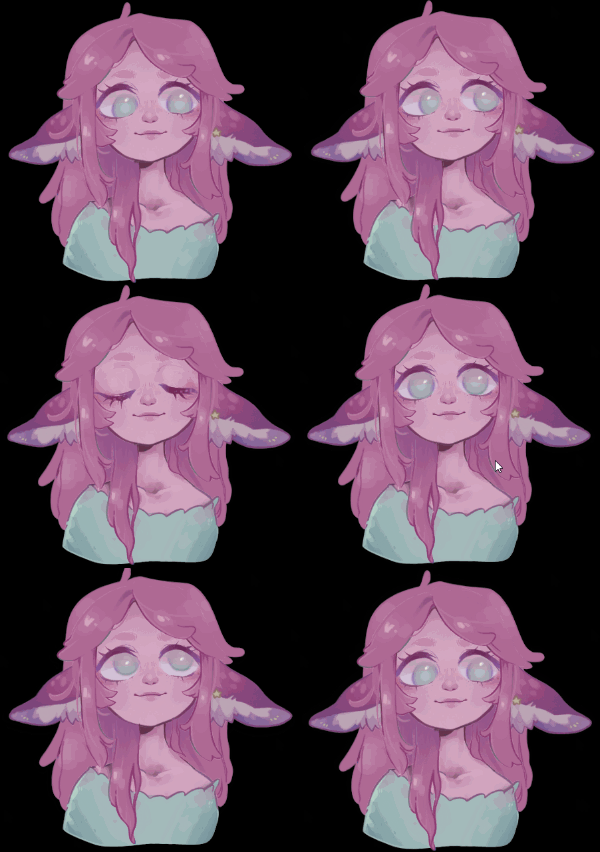
You dont know how proud I am of my little VTuber!! I made use of your Mouse tracking Eye rotation to have my VTuber turn a bit to the left and right!
I tried looking through all the suggestions to not be redundant, but I guess it's not that stupid for you to know which features are requested several times? I'm sorry it's so much but I hope you get inspired by some of these.
- Color Scheme
- I have eye issue, and as on brand and pretty your color scheme is, but especially the bright pink is straining my eyes, and after setting up the mouths or the layers I am not able to see my screen for a while :') Please add a softer Color Scheme....
- I have eye issue, and as on brand and pretty your color scheme is, but especially the bright pink is straining my eyes, and after setting up the mouths or the layers I am not able to see my screen for a while :') Please add a softer Color Scheme....
- Move the layer settings
- The settings at the top edge of the layer are stylewise a neat choice, but less so for usability. I keep my character on the largest size possible for stream, so it makes changing settings impossible without zooming out. Please put them on the bottom of the screen or something.
- Layer clipping (Also called masking I believe)
- In Drawing programs, you can clip a layer to the one under it. The pixel alpha of the layer below will be the maximum of the pixel alpha at the same position. Right now I added a layer called "Face Mask", that us a little cutout of my face to hide the pupils going over the lashline. With clipping i simply could clip it to the white of the eyes. Also great for effects.
- Not-Random Rotation
- I would like to rotate my ears a bit when I talk, but they are both on different layers, so they simply rotate at different timings. Maybe you could make the rotation dependant on something, just like the eye tracking. Height of the voice?
- Visible Layers with drag & drop reorder
- It's really hard to see on what layer everything is, and 5 layers is pretty few. Maybe simply add a +Layer button and create an indent for all the files under that layer?
- Also: Render Layer bundle settings. Rotation/Bounce/EyeTracking for all items in a layer.
- Hotkeys 2.0
- I have no technical know how about this, but maybe you can add some kind of hook or events that it's possible to change emotes from the outside? I am Thinking Touch portal buttons or Twitch integration...
- Negative Eye rotation (maybe the easiest to do)
- The slider for the radius stops at 0. If you could go below 0 and make the object rotate away from the mouse. This way I could make this movement effect even better! (I feel the ears need to move away from the mouse, so it looks like they move a bit behind the head for "Rotating")
- Layer tilt
- You know, make a layer have one side smaller than the other, so it looks like its tilted and one side is farther away and the other is nearer? If this could be attached to the distance of the mouse from the avatar, You could intensify the look of eyes actually moving a bit backwards
- Keep display / preview when setting it up.
- Is it possible to keep the way it's displayed to OBS while editing? IDK, i would try to avoid having everyone see a square when I notice something is still not working out and having to fix it live on stream.
- I was very confused about if i made changes when i first set everything up. Maybe a preview button for the setup screen, so it is shown, even when changing settings?
Thank you very much for your effort on this program! I will have a blast with it :)