“Really appreciate it! That’s exactly the feeling I was aiming for — simple, fun, and a bit nostalgic 😊 Have fun playing!”
Blioumis
Creator of
Recent community posts
Thank you so much! 🙏
That’s honestly one of the things I hoped people would do with it—not just use it for games, but for creative projects, school work, and personal ideas too. Hearing that kids at school might enjoy the music themes you create with it is really wholesome and motivating. Comments like this make all the hard work feel worth it!
Wow, thank you so much for the kind words! 🙏
Hearing that you’re already using it for your own characters and projects honestly means a lot to me. I spent a huge amount of time trying to make it as useful and easy to use as possible, so feedback like this really motivates me to keep improving it even more. Thank you again for the support!
That’s an awesome suggestion — and honestly, you’re absolutely right.
A batch convert feature is something I’ve been thinking about, especially for use cases like animation frames or video-to-pixel workflows. It would definitely take the tool to the next level.
I’m really glad you pointed it out — I’ll seriously consider adding it in a future update 👀
Thanks again for the thoughtful feedback!
Thank you so much for the detailed feedback — that really means a lot! 🙏
I’m especially happy to hear you liked the palette quantization, I’ve put a lot of effort into making it as accurate and useful as possible.
It’s awesome to know it stands out even compared to other tools you’ve tried. I’ll keep improving it and adding new features! 🚀 Thanks again for the support!
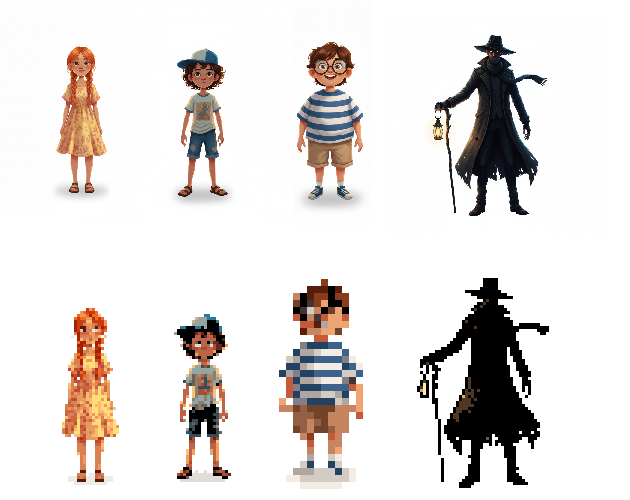
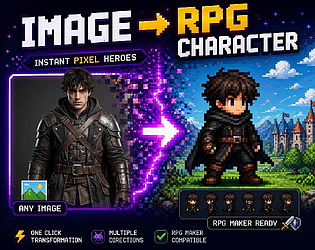
PIXEL·IZER is a browser-based image-to-pixel-art conversion tool that runs entirely on your device — no uploads to servers, no subscriptions, no internet required after the initial load. It takes any photograph, illustration, or sprite sheet and transforms it into clean, game-ready pixel art through a multi-stage processing pipeline with fine-grained controls at every step.

Here are all the sliders and controls in the application:
- Pixel Size (2–32) — Determines how many pixels of the original image are compressed into a single pixel art block. Low value = more detailed result, high value = more "blocky" and chunky appearance.
- Colors (2–64) — How many distinct colors the final palette will contain. Fewer colors produce a more retro aesthetic, more colors preserve richer detail and gradients.
- Contrast Boost (-50 to +100) — Increases or decreases the contrast of the image before conversion. Higher values make region boundaries more distinct and edges cleaner in the final result.
- Black Boost Threshold (10–120) — Defines how dark a pixel needs to be before it gets pushed to pure black. Low value = only the very darkest pixels are affected, high value = medium-dark pixels also become black, naturally producing outlines without a separate outline pass.
- Color Simplify — Area Size (2–5px) — The radius of the neighbourhood within which the tool searches for similar colors to merge. 2 = very subtle simplification, 5 = very flat, anime-style result with large uniform color regions.
- Color Simplify — Similarity Threshold (5–80) — How different two colors can be while still being considered "similar enough" to merge. Low value = only nearly identical colors are merged, high value = noticeably different colors are also grouped together.
- Remove Background — Sensitivity (5–80) — How light a pixel needs to be for the tool to consider it background. Low value = only pure white is removed, high value = off-white, light grey, and pale-colored backgrounds are also removed.
- Inner Sprite Outline — Thickness (1–4px) — The thickness in pixels of the inner outline drawn just inside the sprite's border. 1 = a thin single-pixel ring, 4 = a bold inner stroke that visually pushes the sprite edges inward.
- Detail Outline — Sensitivity (5–80) — How strong a color change needs to be before the Sobel edge detector registers it as an edge. Low value = even subtle color shifts are detected, high value = only strong boundaries like eyes, hair lines, and clothing seams are detected.
- Detail Outline — Thickness (1–3px) — The thickness of the lines drawn by the Sobel algorithm along detected edges. 1 = fine lines, 3 = bold outlines that emphasize facial features and clothing details.