On Sale: GamesAssetsToolsTabletopComics
Indie game storeFree gamesFun gamesHorror games
Game developmentAssetsComics
SalesBundles
Jobs
TagsGame Engines

Beregon

1,407
Posts
621
Topics
166
Followers
54
Following
A member registered Dec 01, 2020 · View creator page →

Creator of

Recent community posts

it doesn't have to be a browser game.

https://itch.io/jam/390542/add-game/4164428/3672853?token=JJGI1FtAh1jNIAhYiO2eLq...

https://itch.io/jam/390544/add-game/4164428/3672853?token=2xcbDH2dANFsJidUEEsrhI...

Happy new year! The game jam starts next week!

Happy new year! The game jam starts next week!

Happy new year! The game jam starts next week!

https://itch.io/jam/410632/add-game/4159536/3672853?token=rhf2SRSnIEESqrqGLVvhTr...

About 10 days until the game jam starts!

The submission period of this game jam has ended. Feel free to check out the submitted games, rate them and provide feedback to the developers: Link To Jam Submissions

The submission period of this game jam has ended. Feel free to check out the submitted games, rate them and provide feedback to the developers: Link To Jam Submissions

The submission period of this game jam has ended. Feel free to check out the submitted games, rate them and provide feedback to the developers: Link To Jam Submissions

https://itch.io/jam/408641/add-game/4156272/3672853?token=GWWnOkR61PCoj8lTHQZ9WO...

https://itch.io/jam/408641/add-game/4153543/3672853?token=wkMsifx700r5cuEOWrUv6I...

https://itch.io/jam/408641/add-game/4155184/3672853?token=3KMgvvGAec3p4xOYPI8Z7j...

https://itch.io/jam/410632/add-game/4151845/3672853?token=8CxKwFzPz2B8b9eFYEWzlE...

Hi, you might have better luck finding a team in the team building channel at the jam's Discord server!

So, does the late submission link work?

https://itch.io/jam/410632/add-game/4150653/3672853?token=of6JDaaQGjpblsluK4alZI...

No problem, simply put a link to your project page on itch once you have it into this thread and I will give you a late submission link.

If you don't manage to submit your project to the game jam before the submission period ends, you can post a link to your game in this thread and I will give you a late submission link that will allow you to submit the game anyway.

You have time to do so until the rating period has ended.
You need to incorporate the Theme into your game in some way and before you submit it, you will need to write atleast 1 short sentence about how your game fits the Theme of the game jam. It's completely up to you how you interpret the theme. Feel free to be creative with it.

Theme: Hero Academy

Bonus Challenges: Unlike the Theme, these are entirely optional. Feel free to do one, two, all of them or ignore them completely.

For this game jam, the optional challenges are the following three:

1) Heroic Classes: The player has to learn new skills and/or spells by attending classes and/or by finishing tasks set by their teachers.

2) Social Connections: There's a gameplay mechanic where the play can build up relationship values with different characters, gaining some benefits from doing so.

3) Restricted Section: There's a part in the game where the protagonist has to sneak in somewhere they are not allowed to be.

If you are using RPG Maker MV or MZ and want to include a Browser version of your game (which will ensure more people will play it), here's a quick guide on how to do that:

1) When you are deploying the game, choose the Web Browsers platform.

2) Locate your deployed game folder and once you have everything you need inside it, compress the folder into a .zip format (by default on Windows, you can right-click the folder, select Send to and choose Compressed (zipped) folder).

3) Create a Project page on itch.io or edit an existing one. Under Kind of Project, choose HTML (you will still be able to add downloadable versions for other platforms like Windows, so don't worry).

4) Upload the zipped folder of your deployed game to your Project page on itch.io.

5) Mark "This file will be played in a browser" for the uploaded .zip game folder.

6) Scroll down to "Embed options", under "Viewport dimension", enter the resolution of your game. The default resolution for both RPG Maker MV and MZ games is Width: 816 and Height: 624

7) Under Frame Options, mark whatever options you think will be useful for your game.

8) Save the changes, then go to your project page. Click Run Game. This will configure the Browser version of the game for the first time and make it playable. After some time, the game should load and from now on, it should be playable in browser.

Discord: Here's the link to the Discord server!

If you don't manage to submit your project to the game jam before the submission period ends, you can post a link to your game in this thread and I will give you a late submission link that will allow you to submit the game anyway.

You have time to do so until the rating period has ended.
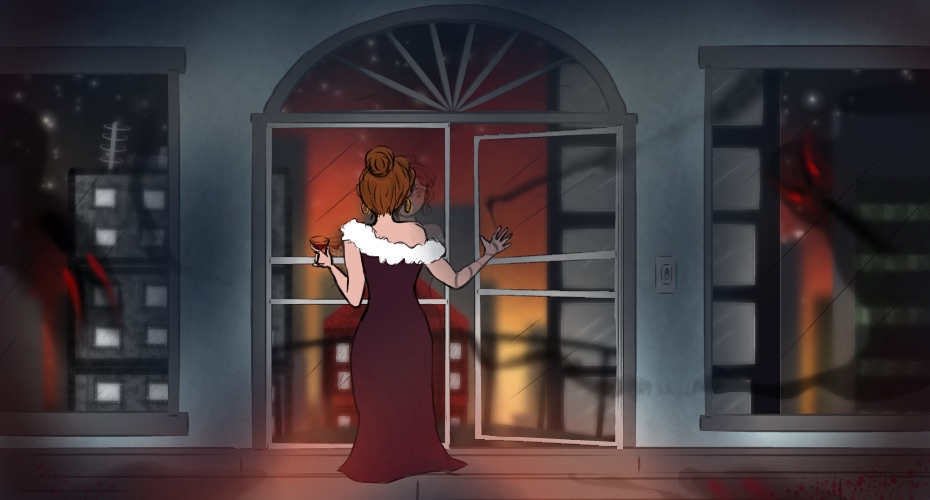
You need to incorporate the Theme into your game in some way and before you submit it, you will need to write at least 1 short sentence about how your game fits the Theme of the game jam. It's completely up to you how you interpret the theme. Feel free to be creative with it.

Theme: Haunted Penthouse

Bonus Challenges: Unlike the Theme, these are entirely optional. Feel free to do one, two, all of them or ignore them completely.

For this game jam, the optional challenges are the following three:

1) Daily Tasks: The game takes place over the course of multiple days. Each day, the player has a list of tasks to complete.

2) Rooftop Greenhouse: A greenhouse located on top of a building is an important location in the game.

3) Shower Thoughts: There's a scene in the game where the protagonist has an internal monologue while taking a shower.

If you are using RPG Maker MV or MZ and want to include a Browser version of your game (which will ensure more people will play it), here's a quick guide on how to do that:

1) When you are deploying the game, choose the Web Browsers platform.

2) Locate your deployed game folder and once you have everything you need inside it, compress the folder into a .zip format (by default on Windows, you can right-click the folder, select Send to and choose Compressed (zipped) folder).

3) Create a Project page on itch.io or edit an existing one. Under Kind of Project, choose HTML (you will still be able to add downloadable versions for other platforms like Windows, so don't worry).

4) Upload the zipped folder of your deployed game to your Project page on itch.io.

5) Mark "This file will be played in a browser" for the uploaded .zip game folder.

6) Scroll down to "Embed options", under "Viewport dimension", enter the resolution of your game. The default resolution for both RPG Maker MV and MZ games is Width: 816 and Height: 624

7) Under Frame Options, mark whatever options you think will be useful for your game.

8) Save the changes, then go to your project page. Click Run Game. This will configure the Browser version of the game for the first time and make it playable. After some time, the game should load and from now on, it should be playable in browser.

Discord: Here's the link to the Discord server!

Hi, ratings are set to public, so anyone with an itch account can rate the games. It's there as basically another way to get feedback about your game and how it compares with the other submissions.

The submission period of this game jam has ended. Feel free to check out the submitted games, rate them and provide feedback to the developers: Link To Jam Submissions

https://itch.io/jam/408641/add-game/4140025/3672853?token=Im6jp3S5zR2kkpbFe6470a...

Ratings will be public, so any itch user can rate the games.

https://itch.io/jam/409726/add-game/4125042/3672853?token=Y8Eg9db1LixmvymjlQaLnp...

I've decided to host another before this one, it starts in three days: https://itch.io/jam/rpg-maker-10-day-rtp-challenge-4

If you are using RPG Maker MV or MZ and want to include a Browser version of your game (which will ensure more people will play it), here's a quick guide on how to do that:

1) When you are deploying the game, choose the Web Browsers platform.

2) Locate your deployed game folder and once you have everything you need inside it, compress the folder into a .zip format (by default on Windows, you can right-click the folder, select Send to and choose Compressed (zipped) folder).

3) Create a Project page on itch.io or edit an existing one. Under Kind of Project, choose HTML (you will still be able to add downloadable versions for other platforms like Windows, so don't worry).

4) Upload the zipped folder of your deployed game to your Project page on itch.io.

5) Mark "This file will be played in a browser" for the uploaded .zip game folder.

6) Scroll down to "Embed options", under "Viewport dimension", enter the resolution of your game. The default resolution for both RPG Maker MV and MZ games is Width: 816 and Height: 624

7) Under Frame Options, mark whatever options you think will be useful for your game.

8) Save the changes, then go to your project page. Click Run Game. This will configure the Browser version of the game for the first time and make it playable. After some time, the game should load and from now on, it should be playable in browser.

If you don't manage to submit your project to the game jam before the submission period ends, you can post a link to your game in this thread and I will give you a late submission link that will allow you to submit the game anyway.

You have time to do so until the rating period has ended.

Glad to hear that, because I'm definitely gonna host more of these!

If you are using RPG Maker MV or MZ and want to include a Browser version of your game (which will ensure more people will play it), here's a quick guide on how to do that:

1) When you are deploying the game, choose the Web Browsers platform.

2) Locate your deployed game folder and once you have everything you need inside it, compress the folder into a .zip format (by default on Windows, you can right-click the folder, select Send to and choose Compressed (zipped) folder).

3) Create a Project page on itch.io or edit an existing one. Under Kind of Project, choose HTML (you will still be able to add downloadable versions for other platforms like Windows, so don't worry).

4) Upload the zipped folder of your deployed game to your Project page on itch.io.

5) Mark "This file will be played in a browser" for the uploaded .zip game folder.

6) Scroll down to "Embed options", under "Viewport dimension", enter the resolution of your game. The default resolution for both RPG Maker MV and MZ games is Width: 816 and Height: 624

7) Under Frame Options, mark whatever options you think will be useful for your game.

8) Save the changes, then go to your project page. Click Run Game. This will configure the Browser version of the game for the first time and make it playable. After some time, the game should load and from now on, it should be playable in browser.

If you don't manage to submit your project to the game jam before the submission period ends, you can post a link to your game in this thread and I will give you a late submission link that will allow you to submit the game anyway.

You have time to do so until the rating period has ended.

Less than a month until the game jam starts!

Less than a month until the game jam starts!