On Sale: GamesAssetsToolsTabletopComics
Indie game storeFree gamesFun gamesHorror games
Game developmentAssetsComics
SalesBundles
Jobs
TagsGame Engines

benzado

41
Posts
4
Topics
3
Followers
34
Following
A member registered Mar 01, 2017 · View creator page →

Creator of
Recent community posts

Apparently “passkey” appears in exactly two movie titles (according to IMDB): The Devil’s Passkey (1920) and Passkey to Danger (1946). So it was probably more frequently used in 1934 than now. The poster for the latter implies that a passkey is an enormous six-foot long key. (jk)

Citations are thin, but the original definition (a skeleton key, opens multiple locks) seems at odds with WebAuthn (an individual user’s key for a single website).

Why the heck did “skeleton key” stick around and “passkey” fall into disuse? Sure, it sounds way cooler, but I would assume people who carry skeleton keys would prefer boring, professional terms for things.

It’s good to know you considered it. At the time it didn’t feel fair. But I guess that’s just how it goes with puzzles. There’s not much point to this comment other than maybe it will help someone else avoid the spoilers on the hints page.

I really enjoyed this, the art, the sound, the atmosphere, everything!

I basically solved it without resorting to hints, which is to say, I figured out what had happened. But I couldn't figure out the right combination of words in the blanks to solve the puzzle, until I looked at the hints. I am glad I did, because my mistake was that I did not think that "passkey" referred to a physical object!

Maybe it should have been obvious, I know they weren't using digital encryption in 1934, I guess I was just primed by reading "password" and thinking "passkey" was just a term the alarm company used to sound more secure.

You know, I see "Sierra" and I start thinking about AGI/SCI, but that would make no sense for a non-interactive Windows screensaver. There wouldn’t be any "script" aside from the frame sequences. Thanks for responding so kindly. :-)

The YouTube video looks very smooth. I'd love to play it!

This is great! Is this all-new code or a ScummVM-style reimplementation running original animation scripts?

According to the FPS counter it was running at just below 120 FPS on my MacBook (M2 Pro) but the animations don't seem to need more than 30 frames or fewer.

Surprisingly sweet!

Thanks, the new build works. Now I get the warning about the developer not being recognized, but that's to be expected if you're not part of Apple's Developer ID program ($$$). Using ctrl-click to open the app works just fine. Thanks again for the quick turnaround.

I downloaded the macOS version but it won't launch. :-(

macOS says,

“Port Valley [the 2022 DEMO]” is damaged and can’t be opened. You should move it to the Trash.

I thought it might be a code signature problem, so I checked that out:

$ codesign --verify --verbose=10 Port\ Valley\ \[the\ 2022\ DEMO\].app
--prepared:/Users/benzado/Downloads/Port Valley [the 2022 DEMO][macOS]/Port Valley [the 2022 DEMO].app/Contents/PlugIns/lib_burst_generated.bundle
--validated:/Users/benzado/Downloads/Port Valley [the 2022 DEMO][macOS]/Port Valley [the 2022 DEMO].app/Contents/PlugIns/lib_burst_generated.bundle
--prepared:/Users/benzado/Downloads/Port Valley [the 2022 DEMO][macOS]/Port Valley [the 2022 DEMO].app/Contents/Frameworks/libMonoPosixHelper.dylib
--validated:/Users/benzado/Downloads/Port Valley [the 2022 DEMO][macOS]/Port Valley [the 2022 DEMO].app/Contents/Frameworks/libMonoPosixHelper.dylib
--prepared:/Users/benzado/Downloads/Port Valley [the 2022 DEMO][macOS]/Port Valley [the 2022 DEMO].app/Contents/Frameworks/UnityPlayer.dylib
--validated:/Users/benzado/Downloads/Port Valley [the 2022 DEMO][macOS]/Port Valley [the 2022 DEMO].app/Contents/Frameworks/UnityPlayer.dylib
--prepared:/Users/benzado/Downloads/Port Valley [the 2022 DEMO][macOS]/Port Valley [the 2022 DEMO].app/Contents/Frameworks/libmonobdwgc-2.0.dylib
--validated:/Users/benzado/Downloads/Port Valley [the 2022 DEMO][macOS]/Port Valley [the 2022 DEMO].app/Contents/Frameworks/libmonobdwgc-2.0.dylib
Port Valley [the 2022 DEMO].app: a sealed resource is missing or invalid
file added: /Users/benzado/Downloads/Port Valley [the 2022 DEMO][macOS]/Port Valley [the 2022 DEMO].app/Contents/PlugIns/Steamworks.NET.txt

Moving that Steamworks.NET.txt file outside the app bundle fixes the code signing issue, but macOS continues to display the same message when I try to launch it.

I'm on a MacBook Air (M1, 2020) running macOS 11.6.1 (20G224).

In other words, are there supposed to be dead ends? That would affect what I would report as a bug.

I couldn't find any posts about this; sorry if it is spelled out somewhere else and I missed it.

I'm really enjoying the writing. My day job is writing software used by facilities maintenance crews; when Ace notes the model of escape pods in service, comments on haphazard stacking of crates, or explains why he doesn't want to pick up a busted up tool, I'm like... yep, can't argue with that. I think it's really great how Ace lives in the same universe as... well, whoever that is sleeping in the supply hold... but offers up a new point of view.

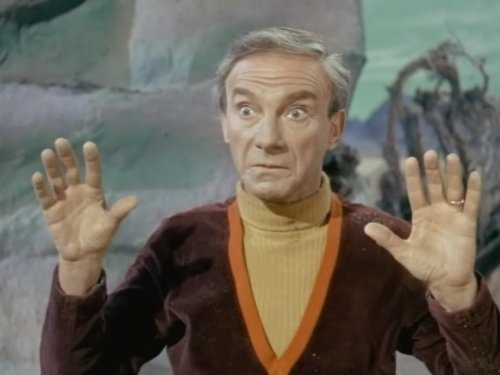
...is related to this guy, right?

I don't even know if I've seen a full episode of 1960s Lost in Space but I still recognize Jonathan Harris's Dr. Zachary Smith.

Thanks but no thanks, I'm typing all this up for the developers. The less I know, the better tester I can be. And I can always go read the other posts if I lose the willpower. :-)

To clarify, the panel I'm talking about is near the end (far left) of the back hall, beyond the point where the pipe bursts. There's no way to get to it until after you shut off the steam; neither Ace or Rooter will cross the steam. (On my second playthrough I tried to open that panel but nothing I did beside LOOK resulted in any response.)

HOLD ON A MINUTE... are you saying Rooter is supposed to travel to the other side of the steam leak by entering a vent and coming out the other side? That would make sense and explain why there was no way to interact with the panel and the panel was open after re-entering the room.

So the actual bug is that Rooter is able to telescope his probe and turn off the steam by just reaching directly through the steam.

I appreciate that you want to keep up the positivity, but after the several hours of free QA testing labor that I provided I think I earned that. And if I were in charge of the project I would welcome information about the emotional state of the testers, because I think that's relevant to any piece of software, let alone a game, where the user's emotional state is one of the primary purposes of the software.

Some amount of moderation is necessary; if the message board fills up with vague complaints and snark about the developers then the whole thing will quickly become useless. But there's a line between those things and expressing frustration and we should be policing that line. I don't think I crossed it.

THERE'S A CLOSE UP VIEW???!?!?!?!?!

Sorry, I need to go to sleep.

Flooding elevator

  • This is horrible
  • There is basically no feedback to give you hints, so I'm clicking around like crazy while the elevator is flooding and I can't tell if I'm doing something wrong or if the game is non-responsive because of a bug
  • I figured out to stand on top of Rooter by accident when I was clicking randomly. The least you could do is make "USE Rooter" also work for standing on him, or provide a hint about getting up higher. I thought I was supposed to use the extension in my inventory, or maybe Rooter was supposed to be able to reach it since we've seen him reach pretty far to shut off a steam valve earlier.
  • I struggled to figure out how to add the attachments to Rooter's head. I only figured it out by reading the other bug reports.
  • I tried all four attachments on Rooter. The extension doesn't seem to work. All four attachments provide NO feedback when clicking on the hatch. No messages, nothing. Am I even clicking in the right place? I'm not sure.
  • When you try to open the hatch, Ace says he needs a powertool with the right attachment. I used the powertool and all four attachments. I got no feedback, not even a grunt. No hint that I need to do something else. 

It is late and I'm going to bed!

Steam in hallway:

  • On a second playthrough I made sure to avoid touching the steam and switched to Rooter myself to shut it off. Ace put his hand up when the steam appeared, and he never lowered it after the steam was gone. He kept his hand up until he left the room.

Basement pipes puzzle:

  • As I completed the puzzle, the narrator started a "Ace used his training to something something" congratulatory message, but it was cut short by another message. I'm pretty sure I didn't click or anything.
  • Even after the creature is gone, Ace says "gotta get that guy out of the pipes" (or whatever the message is) while taking the tube to the lower floor

Just came to report the same issue. I'm pretty sure what's happening is that when you hover over the button, it gets larger, but the clickable area does not. If you click where the button used to be, it works. If you click in the area outside that, it doesn't take.

Just replayed and hit a similar bug in the Supply Hold

  • Got Rooter to the other side, ready to activate Crate Lift
  • Switch to Ace and move him out of the way
  • Rooter activates lift, it starts moving
  • I don't remember what happened here, maybe control switched to Ace without me realizing it? Because I clicked somewhere and Ace started moving into the way of the Crate Lift, so I panicked and clicked away
  • I must have clicked the door, because Ace said something about not wanting to leave Rooter behind
  • After that, the cursor was stuck in wait mode (ring shape) and I couldn't do anything.
  • I could click the Inventory icon in the top left and view inventory items and select them, but returning to the scene did nothing.
  • I could press Esc to bring up the quit dialog, and was able to use the mouse to click Yes or No.

On Windows 10, version 2004 (Build 19041.388)

Launched game!

Mousing over buttons rapidly produces a "clicking" noise, presumably this is the hover sounds being interrupted as the next button's hover sound is triggered.

Clicked Settings: button doesn't work, scales up when clicked, but then stays that way. Other button hover animations continue, music continues.

Clicked Load Game:

  • all slots are labeled Empty but the first 3 slots have a picture associated with them
  • clicking the empty slots leaves them highlighted
  • the mouse wheel produces no response when the cursor is over a save slot rectangle
  • the mouse wheel scrolls VERY SLOWLY when the cursor is in the space between or around save slots

Started a new game!

Button tutorial:

  • The game tutorial font is VERY HARD to read. It can be helpful is tutorial text uses a boring font to distinguish it from in-universe text.
  • Clicking on the hex buttons can leave them in a zoomed state
  • My opinion: this screen would be more helpful if all text was visible, in a boring font, and was highlighted (not scaled) when moused over

In the airlock:

  • PDA dialer screen (number pad): it's hard to see the exit button, especially if the background is very light (as in the Airlock). The button doesn't have a darker background like the rest of the number pad buttons do.
  • "Look at Bay windows" a 2 sentence text line but only the first line was spoken. The text was dismissed when the audio finished, however. I was able to read the whole thing by playing it again, fortunately.
  • "Use Bay windows" produced text without speech on first click; a longer message with speech on next click. I assume most of the dialogue issues like this are just resource issues and not bugs in the scripting.
  • I could not look at the toolbox, it would have been nice to get a message explaining that this is rooter, or something like that. Seems weird that Ace will comment on the escape pods but won't provide any exposition about his companion.
  • I spent a long time in the Airlock unsure of what to do, especially because I was able to LOOK at the airlock handle (very small target area) but could not seem to find it with the USE icon. I did not realize I needed to WALK closer to the door in such a small space in order to trigger a scene; I only figured that out by clicking around randomly after feeling like I was stuck.
  • Spleen leaves too early while Ace is talking to him --- I get that's the joke, but the timing is off, and I heard somewhere that timing was important to comedy.

In the hallway:

  • The Mom's subtitles were hard to read at points; the background on the text subtitles should be darker because occasionally there is something bright white in that area and they don't create enough contrast in those situations.
  • Inventory is confusing: I click on the wrench, with the wrench, to hear a description of the wrench?
  • The Inventory screen's message "click on scene" is confusing... I get the idea that you just click outside the button area to dismiss the inventory view, but rather than asking someone to figure out what the "scene" is, you could just render a "close" or "x" button to give people something to click on, and if they discover they can click elsewhere as a shortcut, that's a bonus.
  • No caption text for "deck_ace_eye_backhall_w_steam"

In the back hall:

  • When I walked down the hall, the pipe burst as is probably normal. Then I...
    • touched the steam; Ace fell onto his back
    • got the "insert death by steam pun" message (did I die?)
    • I notice control has switched to Rooter
    • I click around and Rooter shuts off the steam, OK good
    • Control switches back to Ace, but he's still on his back, and speaking his lines while lying on his back
    • at this point I'm convinced this is a glitch because I got the death joke message earlier, so I figure maybe he really is dead but something didn't trigger and so the game is still doing some interactions...
    • ... then I realize he jumps to his feet when I click Walk somewhere
    • This is frustrating, Ace should just get up on his own, or say something about how he needs to get up.
  • At this point I tried looking at Rooter to get some exposition, or something, but there's no message when you do
  • As I walked down the hall, I noticed an access panel with a grate that was closed.
    • I left the room (entering the room with the roombas)
    • I died in the roomba room
    • I returned to the back hall
    • Now the access panel was open
    • The steam control valve was in the horizontal position (steam off)
    • I used Rooter to move the steam control valve again
    • Steam does not return (OK) but Ace says, "Bet I can find needed tools in there"; WTF is Ace talking about?
  • Looking at the janitorial supplies cart
    • I moved the stuff around and revealed the badge
    • Clicked on the badge, and the inner view disappears, but animated green arrows are displayed on the screen over the pipes, about where the badge used to be.
    • If I continue to click around the screen with the "use" icon, I get weird green arrow shapes coming from the cursor to the bottom left of the screen, presumably the "slide around" code hasn't totally deactivated.
  • The inventory icon in the top-left, when I mouse over it displays the text "*Displays current interacti" (clearly the text is cut off)

Supply Hold:

  • From an adventure game puzzle solving perspective, it was very clear that I needed to get Rooter onto the shelf. From Ace's perspective, I'm not exactly sure why. Most of my time in this room was spent trying to figure out the game's UI, and that was very frustrating.
  • I tried to pick up Rooter, and his head disappeared. (Possibly some animation was obscured by the crates that were in the way. I realized later that the head was in Ace's inventory, but I thought it was a glitch.)
  • I could switch to Rooter but it was difficult to move around, it seemed like something was seriously wrong.
  • I used Ace to leave the room and return; that reset Rooter, much to my relief.
  • After randomly clicking around I figured out that his head was going into my inventory.
  • More random clicking and I learned that "talk to Rooter" turned him back into a toolbox. This was very annoying, as I'm fairly sure I tried "talk to rooter" earlier with no result. I could be wrong about this, but as I mentioned above the fact that I couldn't even "look at Rooter" earlier led to me to think I could only interact with him via the "Rooter Control" app.
  • At this point I noticed that unfinished (dark gray) items in the To Do List were duplicated. Completed (green) items were not.
  • Finally, I get Rooter to the other side of the Supply Hold. While he's on the floor, his head goes behind the image of the Crate Lift, seems like a z-ordering problem.
  • Finally this sequence of events locked me out of the game:
    • I used Rooter on the lift controls and it runs over Ace because he is standing in the way
    • Ace dies, the game resets and Ace and rooter enter the Supply Hold
    • I use Walk to move Ace and it seems unresponsive, he walks but it takes a few clicks around to find a spot he will walk to
    • I use Talk to Rooter and Rooter transforms
    • Then the mouse cursor disappears and the game does not respond to any clicking
    • I push the Escape key and I got a Yes/No prompt to Quit the game, but Tab, Y, N don't do anything, so I can't actually quit. Escape dismisses the box.
    • The only thing I can figure out how to do is press Escape to make the Quit prompt appear and disappear.
    • I press Alt-F4 to quit the game.

And then I transcribed these notes!

I'm a software developer so I'm offering all these notes out a desire to offer constructive criticism. I really liked Ace's character and the parts of the game I've seen so far. The puzzle design wasn't too bad either, and I liked how the initial puzzles teach you the game mechanics, like the airlock teaches you how to use click-drag to move things, and the steam pipe gets you acquainted with Rooter. However I felt that the most frustrating thing was knowing what I wanted Ace/Rooter to do but having to figure out how the user interface would let me do it! I don't know what kinds of changes are feasible at this point, but at a minimum some responses here and there with more hints and direction, especially early in the game, would go a long way toward alleviating that frustration.

I also thought this was a bug. I was trying to pick up Rooter and saw that didn't work, but his head disappeared (didn't realize it was in Ace's inventory), then when Rooter wouldn't move around easily I thought something was seriously broken. A message that appears the first time you make headless Rooter walk (or if it's been more than an hour since the last time you played the message) would make it clear this is happening on purpose. "Be careful trying to move around while I got your head, little buddy."

Hey, if I'm reading the detailed results correctly, The Perfect Gem and Untitled Bowerbird Game should actually be tied for 2nd place. Should I send the prize money back to you or just send half of it to DarkBlueMonkey?

Congratulations all around! And thank you Chris for all of your hard work. This was a great jam and I'm looking forward to future ones.

Thanks for the thorough notes, Garry. You have a lot of good suggestions. If I have the time I'll try to work them into a v1.1.

Chris is correct about the title being a reference to the Untitled Goose Game.

Thank you, that's good to hear! That seems to be where most people have trouble. I haven't been able to do any "look over the shoulder" play testing so I've been unsure of how to improve it or whether I need to.

Thanks for the tip about the Embed Image. I was wondering how to get an image behind the button but I didn't connect the dots.

How do you crop your screenshots? I've been doing it tediously by hand, using the GIMP.

Thanks! That seems to be where people get stuck the most often. Let me know if you have any ideas for improving it.

It's really hard to make a decision like this, when you've got too much to do and have to let go of something. I think you made the right call. Good luck to you and I hope your school project earns you an A+!

It should not be. If you don't get away with the stick, then the dog will take the stick back to the lady, and she'll throw it again if you look. It should repeat forever as long as there are no bugs.

What? Doodley the Duck is a wholesome game is about a mother trying to reunite her family. Untitled Bowerbird Game is about trying to get laid. They couldn't be more different! :-)

Seriously, thank you for the notes. You're right, I should do a top-to-bottom review of objects and descriptions and make sure nothing is missing. I've updated the game once, before I submitted. Is there anything special I need to do now that it's submitted?

Do we need to change our game visibility to Public before submitting it? I don't mind if people see it, but I've never done a jam before, so I don't know what the usual thing is.

D’oh! I swear I searched the documentation and didn’t find anything, but there it is. Thank you!

The lesson for me here is not to underestimate the value of a good night’s sleep.

My player character is a bird. He can only carry one item at a time in his beak, and if there's something in his beak he can't tweet or peck.

Thanks to the documentation, I've figured out how to set an inventory limit to prevent carrying more than one item at a time.

But I can't figure out how to determine whether the inventory is full when I'm handling another verb. In my case, knowing the number of items being carried would also work, because in my case I only need to see if that is 0 or 1.

I think you're saying each response is separately limited to six words, so in this case it would be OK if twelve words were printed out between player commands?

I erred on the side of thinking that was not the case, and I've tried to restructure things to avoid this situation.

I have a question related to the rule, "Responses in game and in-game messages can be a maximum of SIX words".

Let's say the player is being chased by a monster who wants the macguffin that the player is carrying.

There is code in the on_command handler that causes the you to drop the macguffin when the monster approaches you. 

There is code in the on_tick handler that causes the monster to disappear with the macguffin when they are both in the room. 

Both pieces of code print a message, and it's possible to enter one command and see both messages displayed before the next prompt. Do all the words in both messages count toward the six word limit?

I just want to chime in... I haven't been able to reliably reproduce the issue, but even just moving around the map seems to randomly trigger a "press any key" state on some screens, and I also suspect the auto redescribe has something to do with it.

Oh, that's a very easy workaround! I just didn't think of it. I honestly would have been OK if the answer was to go read some JavaScript source code or something like that. Thank you!

I'm a programmer. I know documentation is hard. This is an impressive system!

How could I find that out? It doesn't appear in the Ctrl-Space autocomplete menu, it's not in the documentation, and it doesn't appear in the error message that I can generate with a bad message name.

Is it possible to change the "HANDS FULL" message when you've exceeded your inventory limit? My player character doesn't have hands.

Thank you, I was just about to post to ask about exactly this. Treasures, in my game, are blue. :-)